
10 Ways iOS 26 Boosts Texting with Apple
New Features in the Messages App
iOS 26 brings a range of updates to the Messages app, enhancing both functionality and user experience. The most notable change is the introduction of a layered design that allows users to set custom backgrounds for iMessage conversations. This feature enables personalization, making each conversation unique. Users can choose from preset options like "water" or "sky," select a solid color, or even use a photo from their library. For those with compatible devices, the Image Playground feature lets them generate AI images to use as backgrounds.
Enhanced Spam Filtering
One of the key improvements in iOS 26 is the enhanced spam filtering system within the Messages app. A new Filter button appears in the top-right corner, allowing users to manage incoming messages more effectively. There are two default folders: one for Unknown Senders and another for Spam. Most messages from unknown numbers will be automatically sorted into the Unknown Senders folder. However, certain types of messages, such as OTPs, shipment updates, and transaction messages, remain unaffected. Users can mark messages as known if they believe a message was incorrectly filtered.
The Spam folder is more restrictive. Messages in this folder do not trigger notifications, and any links included are disabled automatically. Users cannot interact with these messages, but they can move them to the main inbox if needed. Similar improvements are also being rolled out to the Phone app, offering better protection against spam calls.
Customizing Message Backgrounds
Customizing message backgrounds is now possible on a per-chat basis. To do this, tap the Chat title at the top of the screen and select the Backgrounds option. Users can choose from various presets or customize further by selecting a solid color or a photo from their library. This feature adds a personal touch to conversations, making them more engaging.
However, not everyone may prefer custom backgrounds. For those who find them distracting, there is an option to disable the feature entirely. Navigate to Settings > Apps > Messages and turn off Conversation Backgrounds.
Improved Copy and Paste Functionality
Another long-awaited improvement is the ability to easily copy and paste specific text from messages. Instead of copying entire messages, users can now tap and hold a message, select the Select option, and use the text cursor to highlight the desired text. This makes it much simpler to extract information like addresses or phone numbers without having to switch apps.
Parental Controls and Messaging Restrictions
The spam features in the Messages app extend to parental controls. With Screen Time enabled, parents can now block their children from messaging unknown numbers without consent. If a child attempts to send a message to an unknown number, a notification is sent to the parent. This feature works similarly to when children try to purchase apps, allowing parents to approve or deny requests based on the situation.
Live Translation Support
For users with Apple Intelligence capabilities, the Messages app now supports Live Translate. This feature allows real-time translation between native languages, making communication across different languages seamless. For example, a user can type in English while their friend replies in Spanish, with both messages translated in real time. Enabling Live Translate is straightforward—select a message and choose the Live Translate option from the menu.
Currently, Live Translate supports several languages, including Chinese (Mandarin, Simplified), French, German, Italian, English, Japanese, Korean, Portuguese (Brazil), and Spanish (Spain).
Polls in Messages
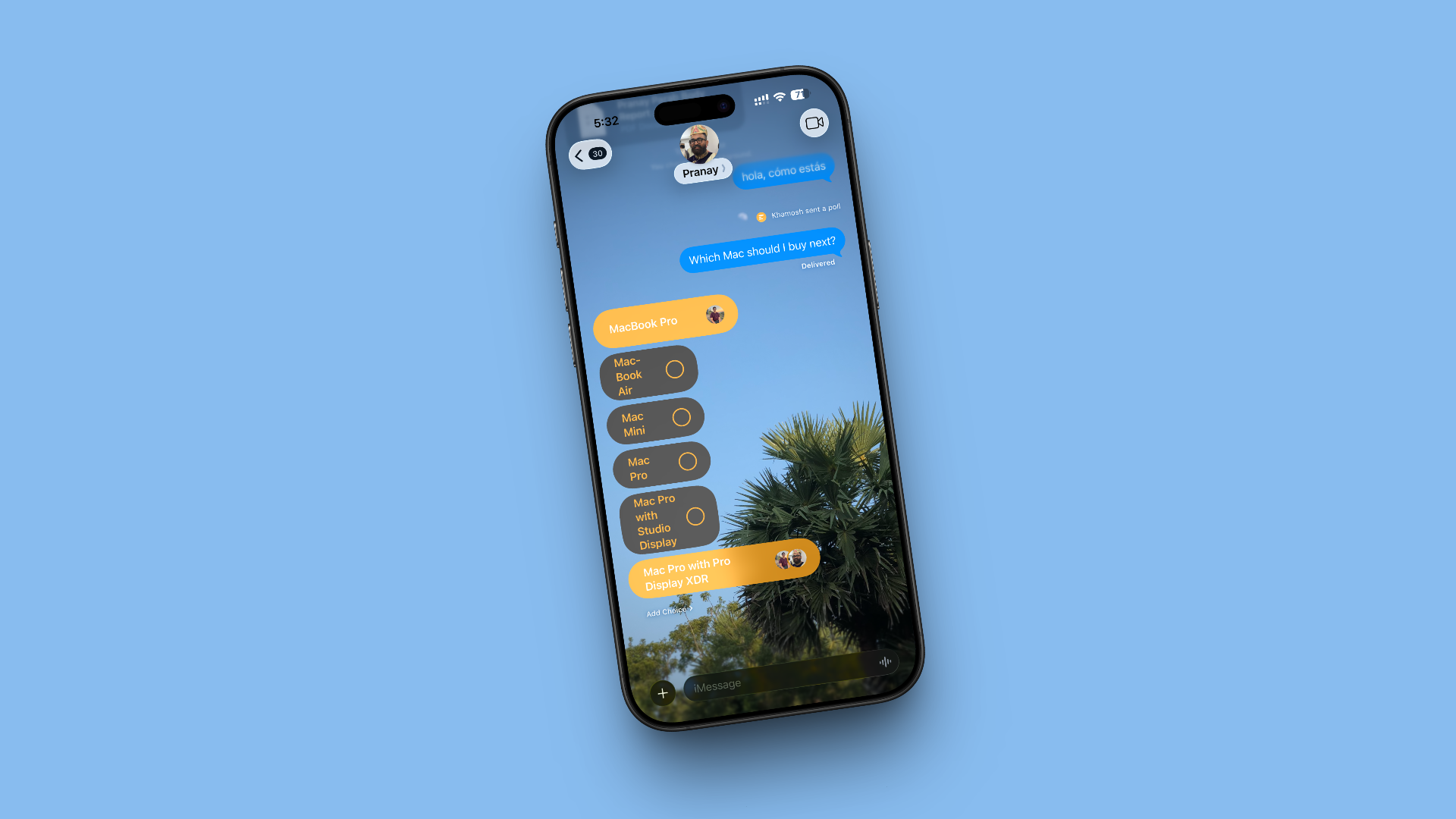
A small but useful addition is the introduction of polls in the Messages app. Accessible through the Plus menu, the Polls option allows users to create quick polls for group chats or iMessage conversations. Users can add up to 12 options, provide context, and send the poll. Others in the group can vote and even add more choices, making decision-making easier in large groups.
Additional Improvements
Several smaller changes are also worth noting. The Messages app now includes a new typing indicator, showing when someone is actively typing in a chat. Apple Cash support has been added to group chats, allowing users to transfer money directly within the app. The Genmoji feature has been updated to allow multiple Genmojis, enabling users to combine emojis and even edit them using text descriptions.
Emoji Tapbacks are now available in CarPlay, making it easier to react to messages while driving without manually navigating through the conversation. These enhancements make the Messages app more versatile and user-friendly.

Posting Komentar untuk "10 Ways iOS 26 Boosts Texting with Apple"
Posting Komentar