
4 Essential USB Port Uses for Your Wi-Fi Router
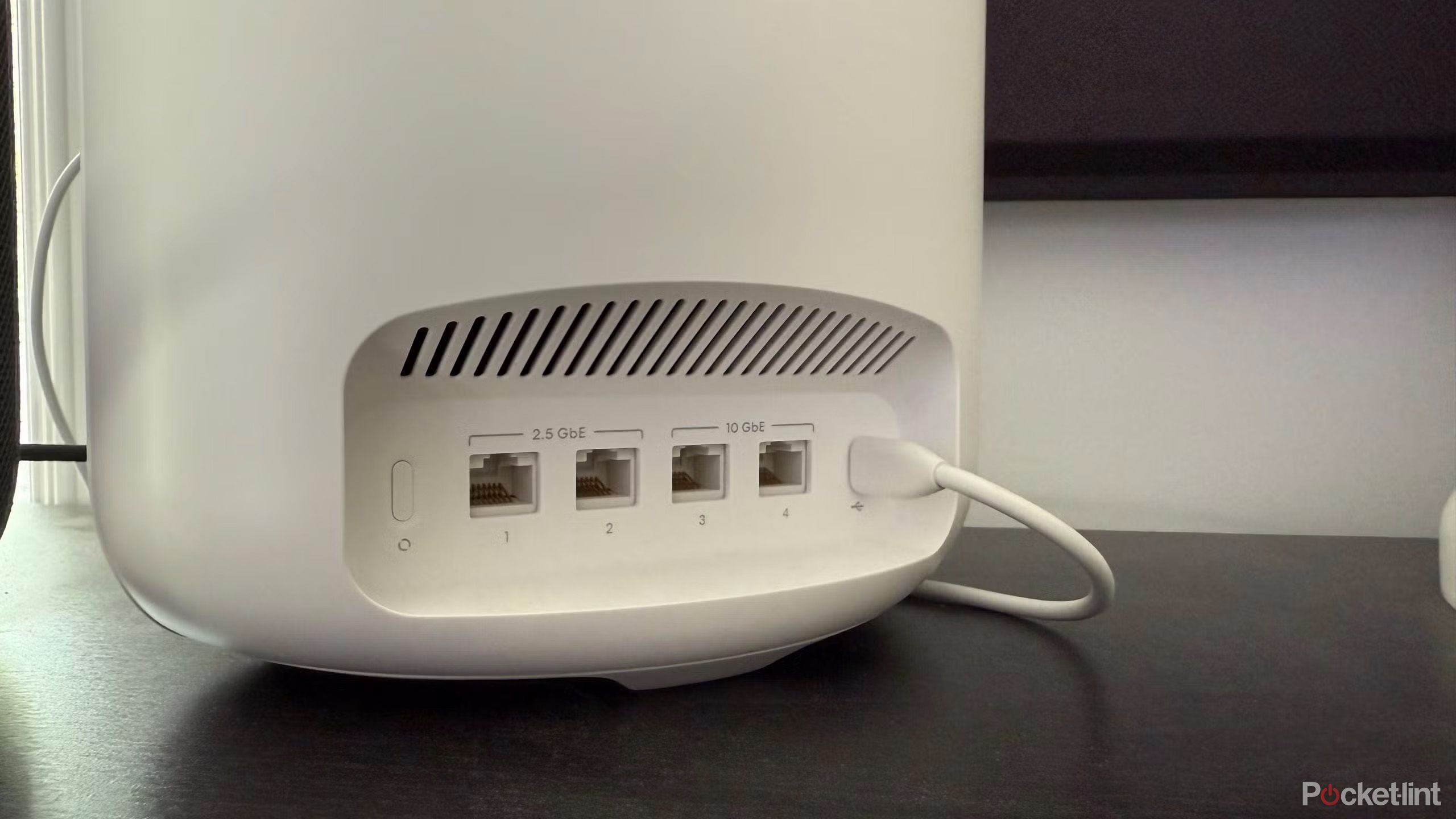
Exploring the Potential of USB Ports on Wi-Fi Routers
Wi-Fi routers are essential components of modern home and business networks, offering wireless connectivity to a wide range of devices. While their primary function is to provide internet access, many routers also come equipped with USB ports. These ports are often overlooked, but they can offer a variety of useful functions when utilized effectively.
One of the most common uses for a router's USB port is connecting network-attached storage (NAS) devices. NAS systems allow users to store and share files across multiple devices on the same network. This can be particularly beneficial for individuals or businesses that need to access files remotely or set up automated backups. However, it’s important to note that not all NAS setups are created equal. For instance, while some NAS systems can handle basic file sharing, they may struggle with more demanding tasks like transcoding 4K video libraries. In such cases, a dedicated computer might still be necessary.
Another practical use for a router’s USB port is connecting a printer. By linking a printer to the router, users can print from any device connected to the network. This eliminates the need to set up a separate Wi-Fi connection for the printer, which can be especially helpful in larger homes where signal strength may vary. Additionally, network-attached printers can be accessed from anywhere within the router’s coverage area, making them a convenient solution for households or offices.
Some advanced Wi-Fi routers even support the use of 4G or 5G cellular dongles as a backup internet connection. This feature can be invaluable for businesses that require constant internet access, as it ensures that critical operations continue even if the primary connection fails. However, this functionality is typically found in higher-end router models and may require additional setup. It’s also worth noting that using a cellular dongle can come with its own costs, such as data plans and potential signal limitations.
Beyond these primary functions, USB ports on routers can also be used for charging small devices. While most routers do not provide enough power to charge smartphones quickly, they can still serve as a convenient way to keep devices powered during short periods. For example, a router’s USB port might be sufficient to charge a phone or tablet if left connected for several hours. However, it’s unlikely that a router will match the charging speeds of a dedicated wall charger, especially for newer devices that support high-speed charging.
In addition to charging, some routers support USB Power Delivery (PD), which allows for faster charging of compatible devices. This feature is relatively rare among consumer-grade routers, but it can be a valuable asset for users who frequently need to charge multiple devices. It’s important to check the specifications of a router before purchasing to ensure it supports the desired features.
Overall, the USB ports on Wi-Fi routers offer a range of possibilities beyond their primary function. Whether it’s for storing files, printing documents, providing backup internet access, or charging devices, these ports can enhance the flexibility and utility of a network. However, it’s crucial to understand the limitations of each port, such as data transfer speeds and power output, to make the most of their capabilities. By leveraging these features effectively, users can create a more efficient and versatile home or office network.

Posting Komentar untuk "4 Essential USB Port Uses for Your Wi-Fi Router"
Posting Komentar