
Revive Your Laptop, Transform It Into a Home Server
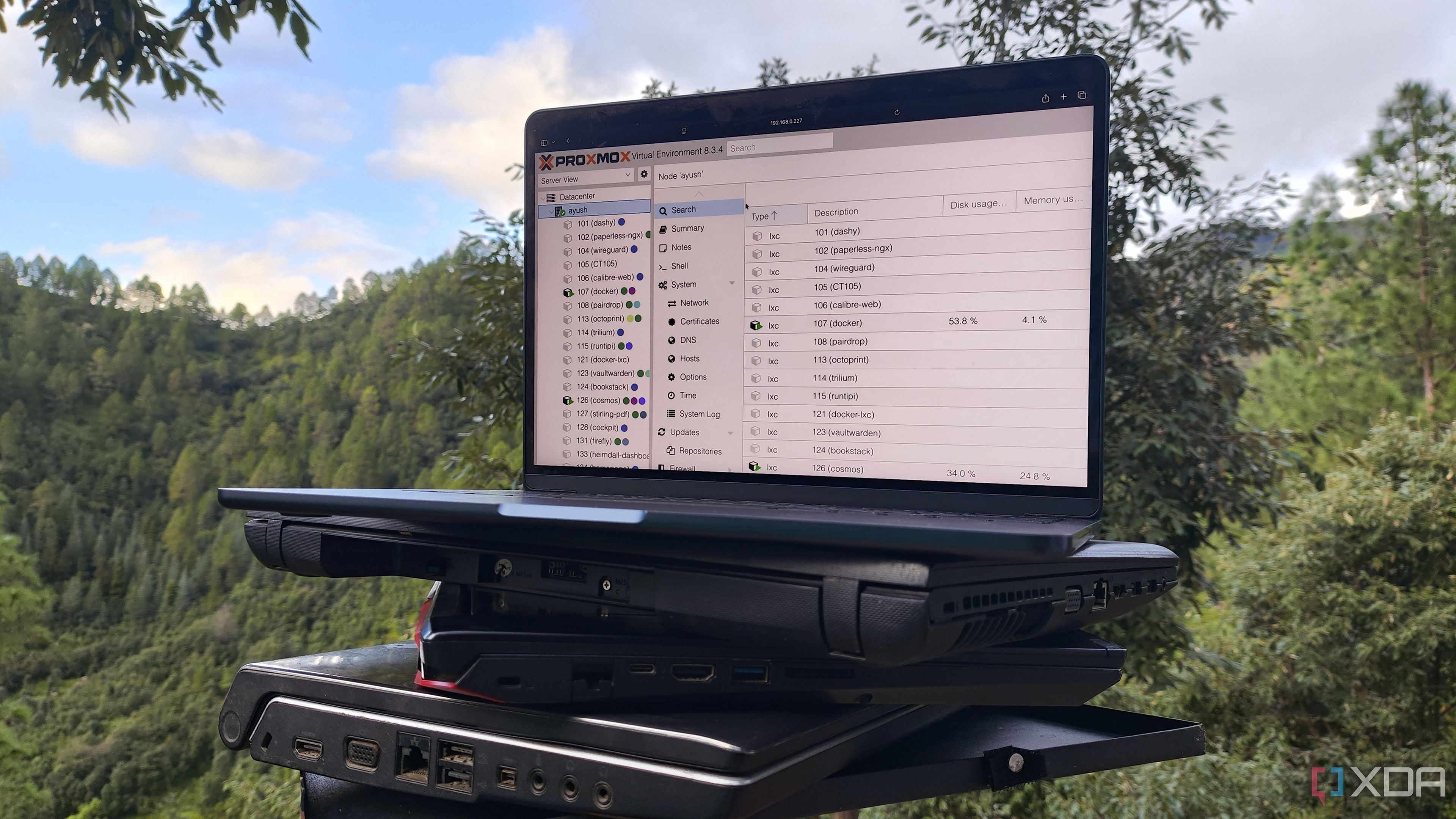
Reviving Old Laptops as Server Nodes
As a long-time enthusiast of computing, I've accumulated a collection of devices that have seen better days. Some of these older laptops might not be suitable for running the latest operating systems like Windows 11, but they still hold value as functional machines. While installing a general-purpose Linux distribution is a common way to breathe new life into these devices, it's not the only option available.
Over the past few weeks, I've experimented with setting up my favorite server operating systems on these aged laptops. What I discovered is that even decade-old laptops can serve as powerful server nodes for a home lab environment.
Proxmox and LXCs: A Perfect Pairing
Proxmox has proven to be an excellent choice for turning old laptops into effective servers. Its compatibility with various hardware makes it a versatile option, especially when using Linux Containers (LXCs). Initially, I believed that server-centric distributions required high-end hardware, which is true for options like Harvester or ESXi. However, Proxmox stands out due to its broad hardware support and surprisingly low minimum requirements.
A Proxmox Virtual Environment designed for testing home lab services can run on any system with an x86 processor that supports virtualization, 1GB of memory, and a network adapter—specs that most laptops from the last decade meet. For users running lighter, command-line interface (CLI) distributions, performance issues are unlikely. However, for those with older laptops, such as my Lenovo G510 from 2014, GUI distributions may cause some performance hiccups.
This is where Linux Containers come in handy. Proxmox offers native LXC support, allowing users to deploy a variety of self-hosted services and distros without experiencing performance penalties. While Proxmox is ideal for virtualization and containerization, there are other options worth considering.
OpenMediaVault: An Underrated NAS Platform
OpenMediaVault is another excellent option for transforming outdated laptops into storage servers. Designed for file-sharing and Network Attached Storage (NAS) tasks, it shares similar system requirements with Proxmox. OMV comes with a range of features typically found in NAS-centric distributions, including SMB/NFS shares, BTRFS pools, SMART monitoring, and RAID support.
Depending on your laptop’s specifications, you can enhance its functionality by installing useful plugins. For example, the ZFS plugin allows you to integrate Zpools into your laptop-based server if you have multiple drives and sufficient RAM. Additionally, plugins like Docker, Podman, and K8s can turn your storage server into a robust containerization environment.
Debian and Container Servers: A Reliable Combination
If your goal is to set up a containerization server, there's no need to use a dedicated virtualization platform or a NAS-centric distribution. Debian is a popular choice for reviving old laptops due to its stability and reliability. I’ve recently transitioned to using Podman for its secure nature and support for pods, although Docker remains a solid option for building a reliable set of containers.
If your laptop can handle it, you might also consider installing KVM and Virt-Manager to experiment with virtual machines. However, at that point, switching to Proxmox would be more efficient.
For particularly old laptops, using the CLI variant of Debian can help conserve system resources. Alternatively, you could explore DietPi, a lightweight distribution that is ideal for resource-constrained laptops.
DietPi: A Minimalist Server Solution
DietPi may sound like a distribution suited for Raspberry Pi projects, but it excels at revitalizing low-end laptops. Requiring only 512 MB of RAM, DietPi consumes minimal resources, allowing you to allocate all processing power to server-oriented tasks. The downside is that its minimal nature makes it more challenging to configure, especially for those used to Windows. However, for users willing to install necessary server packages, a DietPi-powered laptop can be a valuable addition to your home lab.
Precautions When Running a Laptop Server
While laptops can serve as effective server nodes, there are important considerations to keep in mind. One major drawback is the built-in battery, which can act as a double-edged sword. Although the battery may seem like a free uninterruptible power supply (UPS), it continues to draw power even when the laptop is plugged in. Over time, this can lead to battery degradation and potential safety hazards.
To mitigate this, you can cap the battery’s charging limit to around 70%. However, many laptops, including mine, do not support this feature. Another solution is to unplug the battery, though investing in a smart plug that stops charging once the battery reaches 80% is a safer alternative.

Posting Komentar untuk "Revive Your Laptop, Transform It Into a Home Server"
Posting Komentar