
Tech Talk: How Does Your Phone Camera's Night Mode Work?
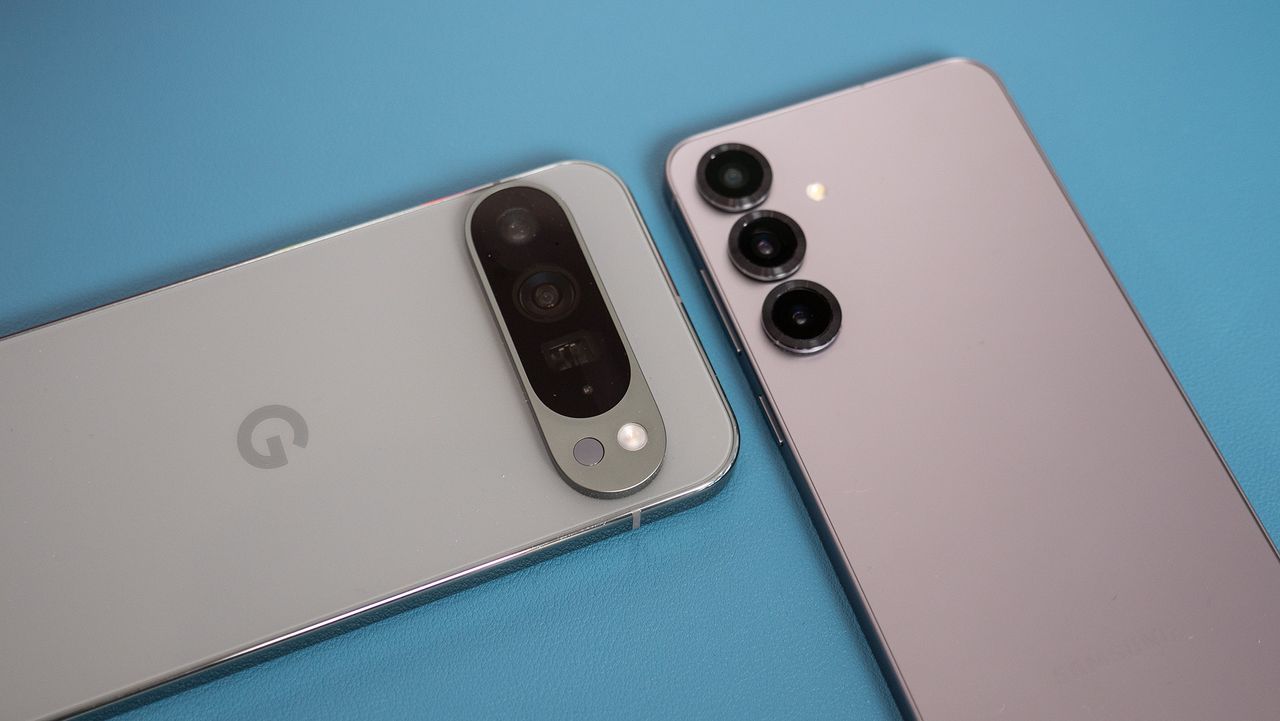
Understanding Night Mode: The Science Behind Stunning Low-Light Photos
In the world of technology, we often take for granted the incredible capabilities of our smartphones. These pocket-sized devices are capable of capturing breathtaking images in low-light conditions, a feat that was once the domain of professional photographers with expensive equipment. How does this happen? It all starts with a combination of advanced hardware and sophisticated software working together to create what we call "night mode" photography.
The Role of Camera Sensors
At the heart of any good night photo is the camera sensor. Think of it as the eye of the camera, responsible for capturing light and converting it into an electrical signal. In low-light situations, the challenge is to gather as much light as possible. A larger sensor can be beneficial because it has more surface area, allowing it to collect more photons (light particles) and produce a cleaner, less noisy image. This means that the bigger the sensor, the better the performance in dark environments.
Alongside a larger sensor, a wider aperture also plays a crucial role. The aperture is the opening in the lens that lets light in. A wider aperture, represented by a smaller f-number (e.g., f/1.8 vs. f/2.2), allows more light to reach the sensor in a given amount of time. This combination of a large sensor and a wide aperture forms the hardware foundation of a good night camera.
The Power of Computational Photography
While hardware is essential, the real magic lies in the software. This is where computational photography comes into play. This technique involves using algorithms to process and enhance the raw data captured by the sensor. One of the most important techniques in this arsenal is image stacking.
When you press the shutter button in night sight mode, your phone doesn't just take one picture. It takes a rapid-fire series of photos, often a dozen or more, in a second or two. These individual photos are all slightly different, some a little underexposed, others slightly overexposed. They all contain a bit of noise, too, but the noise is random and different in each frame. That's important, and means that with enough frames, you can have a clear set of data for everything.
After capturing these multiple images, the phone's processor gets to work. It aligns all the frames, compensating for any minor hand shake you might have had while holding the phone. Then, it uses a sophisticated algorithm to "stack" them on top of each other. By averaging the pixel values of all the aligned images, the random noise that appeared in each individual photo is effectively canceled out, leaving behind a much cleaner, sharper base image.
Enhancing the Final Image
Once the noise is reduced, the software performs further processing to enhance the final image. It "intelligently" brightens the darker areas of the photo without blowing out the highlights. It also adjusts the contrast and color balance to make the image look more natural and vibrant. This is where different smartphone brands develop their unique "look." For example, Google's Pixel 9 is known for its strong emphasis on realistic colors and contrast, while other manufacturers like Samsung might opt for a more vibrant, saturated look.
AI also helps the software identify objects in the scene, like faces or landscapes, and apply specific optimizations to make them look their best. This is why every "night mode" photo you take will look a little bit different. The source may be the same, but there is a bit of wiggle room for the software to process everything. It may slightly change the color, sharpen some areas more than others, and even make the edges of objects slightly different. The end goal is to produce something that meets a set of overall parameters that we like to see.
Tips for Taking Better Night Photos
Even with all this technology, there are a few simple things you can do to get the best possible night shots. First, hold still. Since the phone is taking multiple photos over a few seconds, any movement can cause blur. Find a stable surface to rest your phone on, or simply hold it as still as you possibly can.
Next, tap to focus. Before you press the shutter, tap on the darkest part of the scene to tell the camera where to focus and expose correctly. This will help the phone's algorithm work more effectively. Also, make sure to clean your lens. A smudged lens can make a huge difference in low light. A quick wipe with a soft cloth can improve sharpness and reduce glare from light sources.
Finally, avoid zooming. Digital zoom is a recipe for a blurry, noisy mess. It's always better to get closer to your subject or crop the photo later.
The Future of Night Photography
The journey from grainy, unusable night photos to the clear, vibrant images we see today has been a rapid one. Early smartphone cameras were simply not equipped for low-light conditions. Their small sensors and narrow apertures meant they couldn't gather enough light. To compensate, the camera would increase its sensitivity (a setting called ISO), which made the image brighter but introduced a massive amount of noise, turning the photo into a pixelated mess.
The breakthrough came with the realization that instead of trying to capture a perfect image in a single shot, it was better to use software to combine multiple imperfect shots. This idea, which had been used in professional astrophotography for years, was adapted for the mobile world. Google's introduction of Night Sight on the Pixel 3 in 2018 was a landmark moment, popularizing the concept and pushing other manufacturers to develop their own versions.
These features have fundamentally changed how we think about mobile photography. They've given us the ability to capture moments that were once impossible without a bulky DSLR camera and a tripod. With continued advancements in both hardware and software, the future of night photography looks brighter than ever.

Posting Komentar untuk "Tech Talk: How Does Your Phone Camera's Night Mode Work?"
Posting Komentar