
Essential Guide to the Ideal Home Office Setup
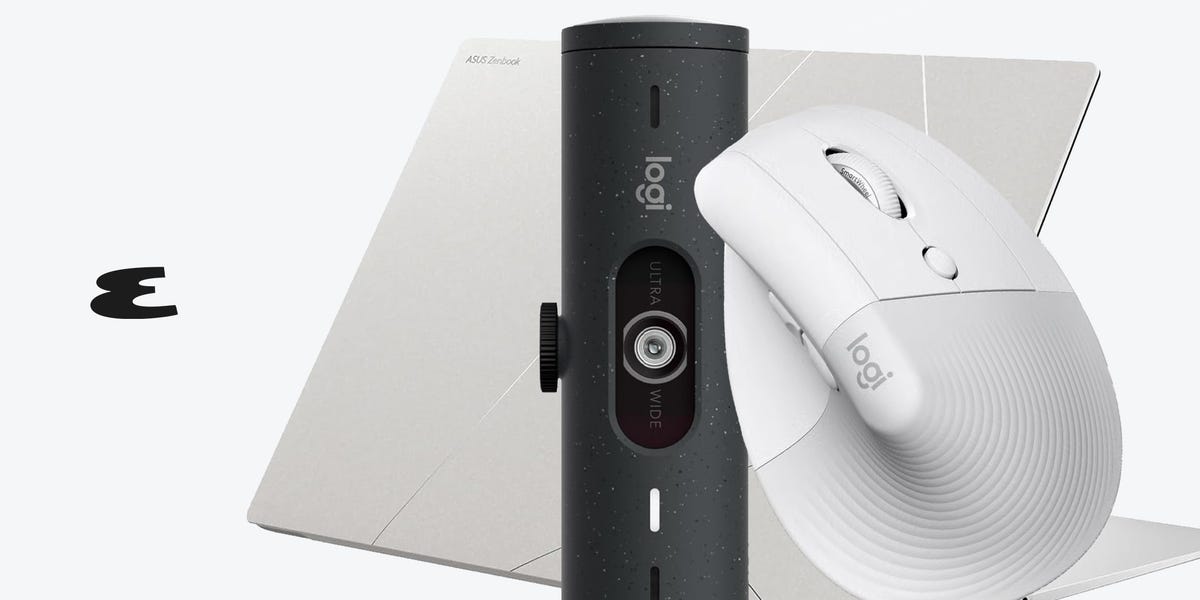
The Ultimate Guide to Building Your Dream Home Office
The 2020s have marked a significant shift in how people work, with remote and hybrid models becoming the norm for many corporate jobs. As this transition continues, more workers are seeking dedicated office spaces at home to maintain a healthy work-life balance. Some see it as an opportunity to create their ideal home office setup. Regardless of your motivation, we’ve compiled a comprehensive list of the best products to help you build your perfect workspace.
Laptops: Choosing the Right Powerhouse
If you're transitioning to full-time remote work or freelancing, upgrading your laptop might be necessary. For Apple users, the MacBook Air 13-inch is a solid choice. It offers fast performance, excellent battery life, and is priced under $1,000, making it ideal for daily tasks like emails and video calls.
For those needing more power for tasks like video editing or data processing, a PC might be a better fit. The Asus Zenbook S 16, running Windows 11 Pro, is a great option. It features a high-resolution OLED display, impressive battery life, and a sleek design that makes it perfect for everyday use.
Desks: Combining Style and Functionality
When selecting a desk, elegance and flexibility are key. The Jarvis bamboo desk from Herman Miller is a top recommendation, offering customization and high-quality materials. Its ability to switch between standing and sitting modes with the push of a button makes it a versatile choice.
For a modular and functional setup, the Artifox desk is an excellent option. It includes cable management, notches for devices, and wooden pegs for accessories. Its modular design allows you to tailor it to your specific needs.
Chairs: Investing in Comfort
A good chair is essential for anyone working from home for 40 hours or more per week. The Herman Miller Aeron Chair is a premium choice, known for its ergonomic design and comfort. Priced around $1,900, it’s an investment in long-term health and productivity.
For a more budget-friendly alternative, the Branch chair offers similar ergonomic benefits at a lower cost. It’s durable and designed to last multiple years.
Monitors: Expanding Your Workspace
Upgrading to a larger monitor can significantly enhance your productivity. The Samsung ultrawide monitor provides 34 inches of screen real estate, ideal for multitasking. It also includes eye care features to reduce blue light exposure.
For those who prefer a curved display, the Dell monitor is a popular choice. It offers the feel of three screens, charges your laptop, and has built-in speakers for convenience.
Keyboards: Enhancing Your Typing Experience
Mechanical keyboards are a favorite among many, and Keychron offers reliable options for both casual and serious users. Their wireless models provide flexibility and customization, allowing you to swap keycaps and switches.
Mice: Precision and Comfort
Logitech is a trusted brand for mice, with the G Lightspeed model being a top pick for everyday use. It’s lightweight, fast, and user-friendly. For those who prioritize ergonomics, Logitech also offers vertical mouse designs.
Mousepads: The Perfect Companion
A quality mousepad is essential for any setup. The SteelSeries QcK line is a great basic option, while the Powerplay wireless charging mousepad ensures your mouse never runs out of power.
Docking Stations: Connecting Everything
For laptop users, a docking station is crucial for connecting multiple peripherals. The Baseus 10-in-1 station offers a wide range of ports in a compact design, making it an efficient solution for most setups.
Webcams: Elevating Your Video Calls
While laptops come with basic webcams, investing in a dedicated one can greatly improve your video conferencing experience. A reliable webcam ensures clarity and professionalism during virtual meetings.
External Storage: Keeping Your Files Safe
An external SSD is a useful addition to any home office. Compact and portable, it provides ample storage space for files and documents. The Samsung model offers 2 terabytes of storage for under $200.
Printers: A Necessity for Some
Not everyone needs a printer, but for those who do, the HP OfficeJet Pro is a reliable and easy-to-use option. While setup and maintenance can be challenging, having a printer at home is more convenient than relying on public services.

Posting Komentar untuk "Essential Guide to the Ideal Home Office Setup"
Posting Komentar