
Self-Hosted Linux App Saved Me $300 in Subscriptions
The Subscription Trap and How I Avoided It
Subscriptions have become the new cable, and if you're not careful, your subscription costs can end up being more than any traditional cable bill ever was. This open-source app is how I keep track of my subscriptions, and it ultimately helped me save several hundred dollars per year.
My Subscription Woes
Subscriptions are a bit of a trap. You sign up for a one-week, two-week, or month-long free trial. All you need to do is provide your credit card to sign up. Even things you know you want can be a trap because the reasonably low monthly price makes it deceptively easy to think that they’re "not that expensive," but they add up.
If you told me I’d wind up paying about $150 per year just to watch 10 episodes of one television show, I would have laughed, but it happened. I also wound up coughing up $130 annually for many years for a Microsoft 365 subscription I only rarely used, which I've mostly replaced with free and open-source alternatives where possible, or more privacy-focused alternatives where a paid option is necessary.
This is just part of the cycle: Subscribe, accidentally forget about it, and before you know it, you're scratching your head at the end of every month wondering where so much of that paycheck keeps going.
By happy accident, I stumbled on an open-source app that made it way easier to keep track of my subscriptions and figure out how much money I was effectively wasting each month and each year.
Wallos Makes Tracking Subscriptions Easy
Wallos is a free and open-source application designed to let you keep an eye on your subscriptions.
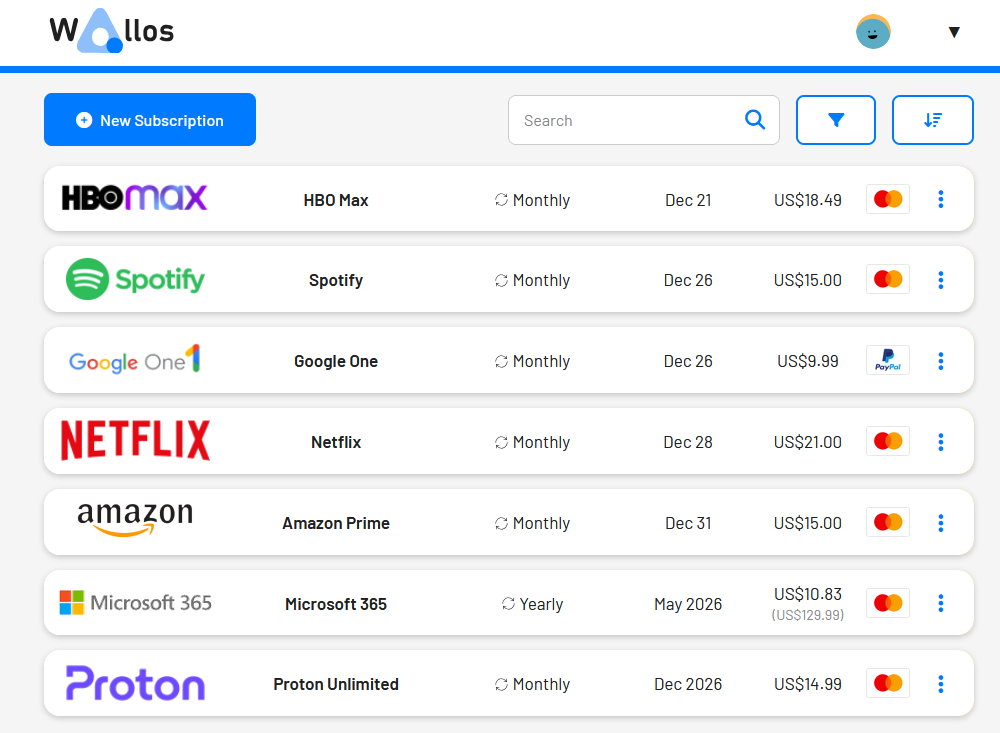
The basic interface is extremely straightforward. Click "New Subscription" at the top, fill out the appropriate details for your subscription or other recurring cost, then click "Save." Interestingly, it also has an integrated logo search feature, which makes it easy to find the right one. When you're skimming your list of subscriptions, easy visual cues like logos definitely make it easier.
The real benefit for me came when I went to the Statistics page, which is available when you click on your username in the upper-right-hand corner. Before I'd even finished loading in all of my subscriptions, I saw the eye-watering yearly cost: $1,134.97. It also made me really think about how much I've spent over the lifetime of some subscriptions.
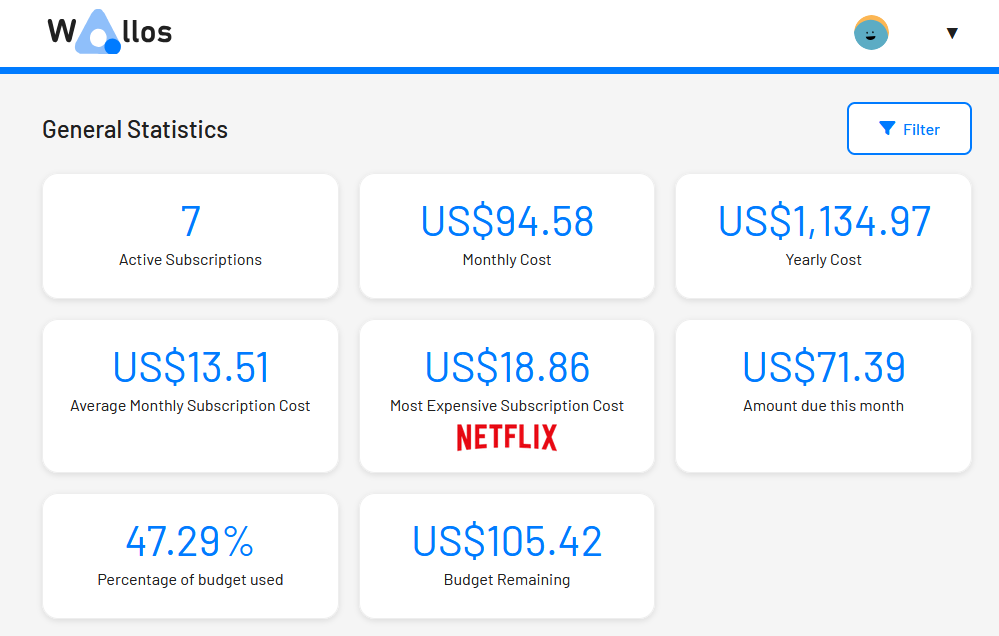
Every year I was spending enough money to buy a top-shelf graphics card, and for what? I don't regularly watch TV—certainly not on every streaming platform simultaneously—and I don't really use my Microsoft 365 subscription at all. Quite the opposite, I've taken to deliberately removing OneDrive from my Windows PCs because I find it so pesty.
Getting Wallos Running
You can run Wallos "bare metal," which means you install it and run it directly on a Linux PC, or you can install and run it using Docker. Normally, I don't use Docker too much because my regular home server runs Proxmox, which supports its own kinds of containers. However, in this case, the Docker setup process was notably easier. You can even run it on Windows if you install Docker Desktop, which is how I've been using it.
Just head to the Images tab, click the search bar at the top, then search Wallos. Once you find the result by bellamy, click "Run."
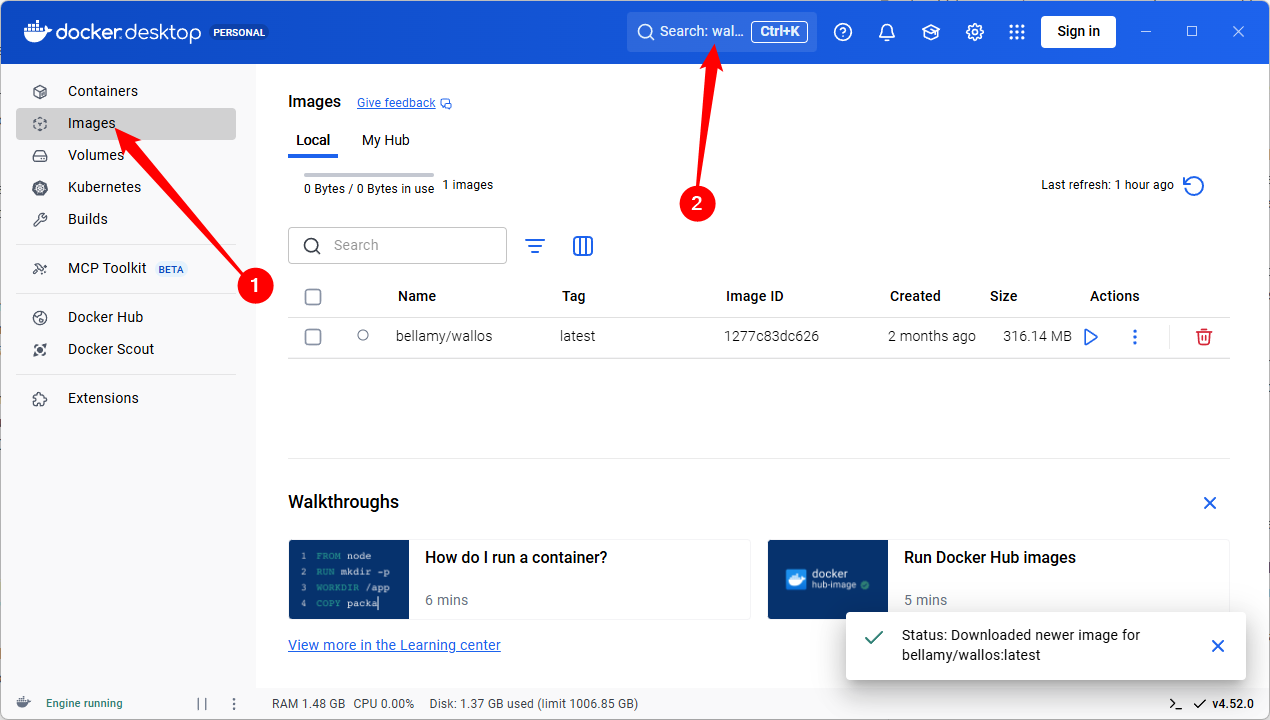
Once you click run, make sure you go to Optional Settings and set the ports to 80 and 8282 respectively (which I just grabbed from the Docker compose instructions), and you'll be able to connect by typing localhost: followed by the port you chose.
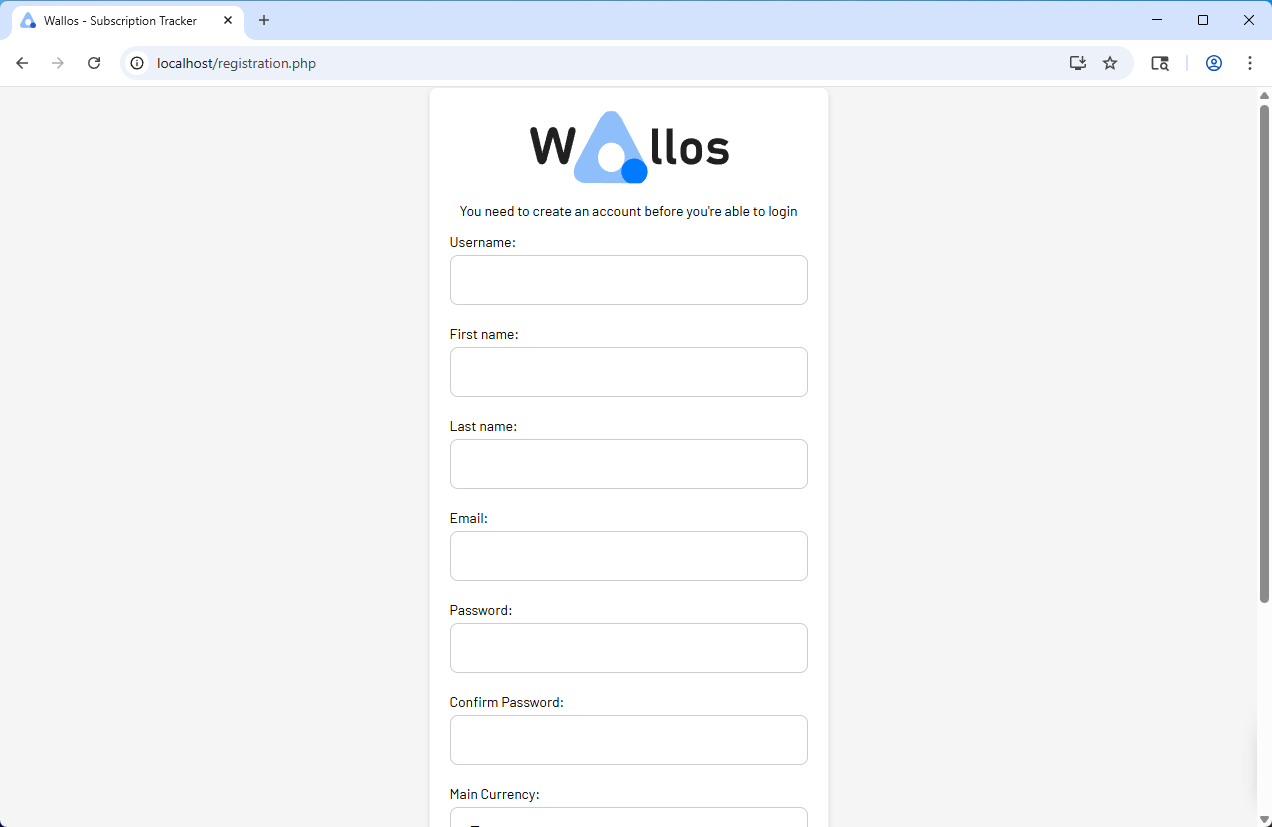
Unlike many budget or subscription tracking apps, the database is saved on your device or your server, which ensures that whatever you enter stays private.
No Need for a Powerful Server
You don't need a powerful server to host Wallos. Unlike some of the things you might try to self-host, Wallos will run on something with a fairly low-power CPU and relatively little RAM. If you're looking for a fairly lightweight project to throw on a Raspberry Pi to keep your low-power services running on a low-power device, this is a pretty good candidate.
With so many things switching to subscriptions rather than the older "buy it for life" model, it is more important than ever to keep an eye on your subscriptions to ensure that costs don't spiral out of control. Before Wallos, I'd just used a spreadsheet to keep track of mine, but I've found that the visual elements make it easier to digest. Additionally, pinning the webserver address to my bookmarks bar reminds me to add any new subscriptions immediately, which was a problem with the spreadsheet approach.

Posting Komentar untuk "Self-Hosted Linux App Saved Me $300 in Subscriptions"
Posting Komentar