
Download Libby Books on Your Kindle
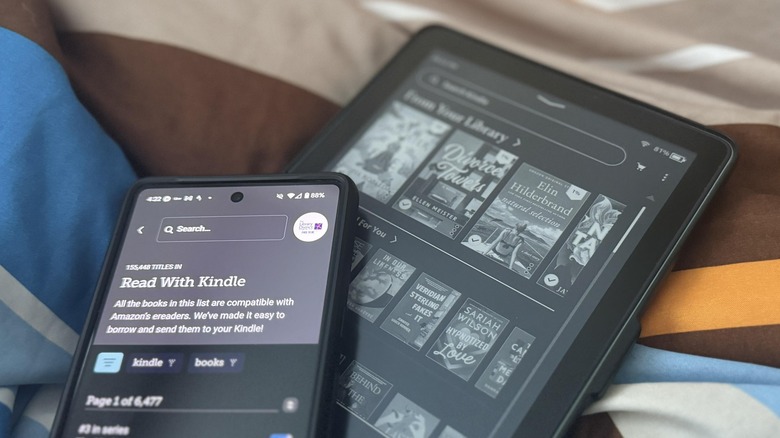
There are many reasons why an e-reader like Amazon's Kindle has become a must-have for avid readers. While the tactile experience of reading a physical book is irreplaceable for some, the convenience and versatility of a Kindle make it an indispensable tool for book lovers. With a range of storage capacities, you can carry thousands of e-books in one device, making it an ideal companion for travel or daily commutes. Unlike traditional books, Kindles don't require constant internet connectivity to function, allowing you to read anytime, anywhere.
As an Amazon product, the Kindle seamlessly integrates with the company's ecosystem, offering users the ability to purchase e-books directly from the platform. Additionally, you can accumulate Kindle Points on most purchases, which can be redeemed for more titles. Another option is to join Kindle Unlimited, a subscription service that allows you to borrow up to 20 books per month. However, it's important to note that Amazon isn't the only source of content available for your Kindle. There's also an app called Libby that provides access to a vast collection of free e-books, audiobooks, and magazines.
Libby is a free online platform that grants users access to digital content from their local libraries. It operates through OverDrive, a company that provides digital lending services to libraries across the country. With Libby, you can borrow e-books and audiobooks without any subscription fees. The borrowed content is available for a specific period, and depending on the library's policies, you may have the option to extend the loan. Once the due date passes, the title is automatically returned, eliminating the possibility of late fees.
To use Libby, you can access it via a computer at libbyapp.com or through the Libby app on iOS, Android, or Fire tablets. Before borrowing any content, you'll need a valid library card from a participating institution. Not all books may be available in the format you prefer, and some titles may include images that aren't compatible with certain Kindle models.
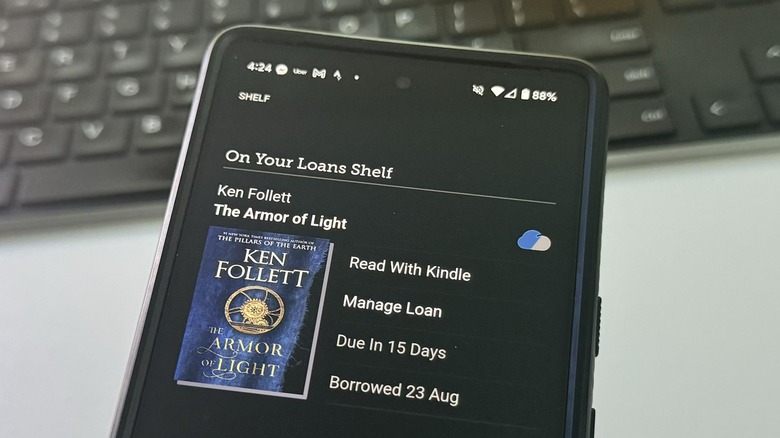
Using Libby to borrow e-books for your Kindle involves several steps:
- Open a browser or launch the Libby app on your device.
- Locate your local library and sign up for a library card if needed.
- Browse the available titles and use the search function to find specific books by title, author, or series.
- Filter your search results to the Kindle catalog to ensure compatibility with your device.
- Select a title and choose the "Borrow" option.
- Choose your preferred loan period and confirm the action.
- On the confirmation page, select "Read with Kindle."
- This will redirect you to Amazon's website, where you'll need to log in using your Amazon account (the same one used for your Kindle).
- Click the "Get Library Book" button to add the title to your Amazon account.
- Ensure your device is connected to the internet so the borrowed book appears on your Kindle.
In some cases, you may encounter options like "Place Hold" or "Notify Me" instead of "Borrow." The former indicates that the book is currently unavailable and you'll need to wait for your turn, while the latter means the library doesn't have the title at the moment. You can set up notifications to be alerted when the book becomes available.
For those interested in staying updated on the latest trends in technology and automobiles, consider subscribing to a free newsletter that delivers expert guides, how-to tips, and the latest headlines directly to your inbox. You can also add this source as a preferred search option on Google for easier access.

Posting Komentar untuk "Download Libby Books on Your Kindle"
Posting Komentar