
I Rarely Recommend Window Cameras—This One Is Different
Key Takeaways
Mounting a security camera near a window is often not ideal due to issues like glare and difficulty in achieving the right angle. However, the new wired Wyze Window Camera offers a unique solution for those with limited options, such as renters who want to monitor their vehicles in a parking lot or individuals without easy outdoor placement.
Despite past concerns about security breaches, Wyze has improved its security measures over the past two years without any incidents. This has led to renewed interest in testing its products, starting with the Wyze Window Camera.
The camera is designed specifically for window mounting, making it a practical choice for users looking for an affordable option or a gift. Here's what I found during my evaluation.
Camera Construction and Quality

If you’ve used Wyze cameras before, the design of the Window Camera will be familiar. It maintains the compact, blocky shape of previous models, making it lightweight and easy to handle. The camera comes with specific attachments for placing it on a window, emphasizing Wyze’s focus on simplicity.
Setting up the camera is straightforward: connect the cable, plug it in, and you’re mostly done. There’s a setup/reset button, a small indicator light, and a slot for a microSD card, but that’s about it. The lack of extra features helps keep the price low, though you’ll need an outlet near your window for the 10-foot cable.
The camera lens provides 1080p HD resolution and a 120-degree field of view. While these specs may not be impressive compared to other models, they are sufficient for basic viewing of areas like a front yard or driveway. The upgraded color night vision performs well even on cloudy nights. I tested the camera by making my windows dirty and found that it still delivered clear images.
Setup and Installation
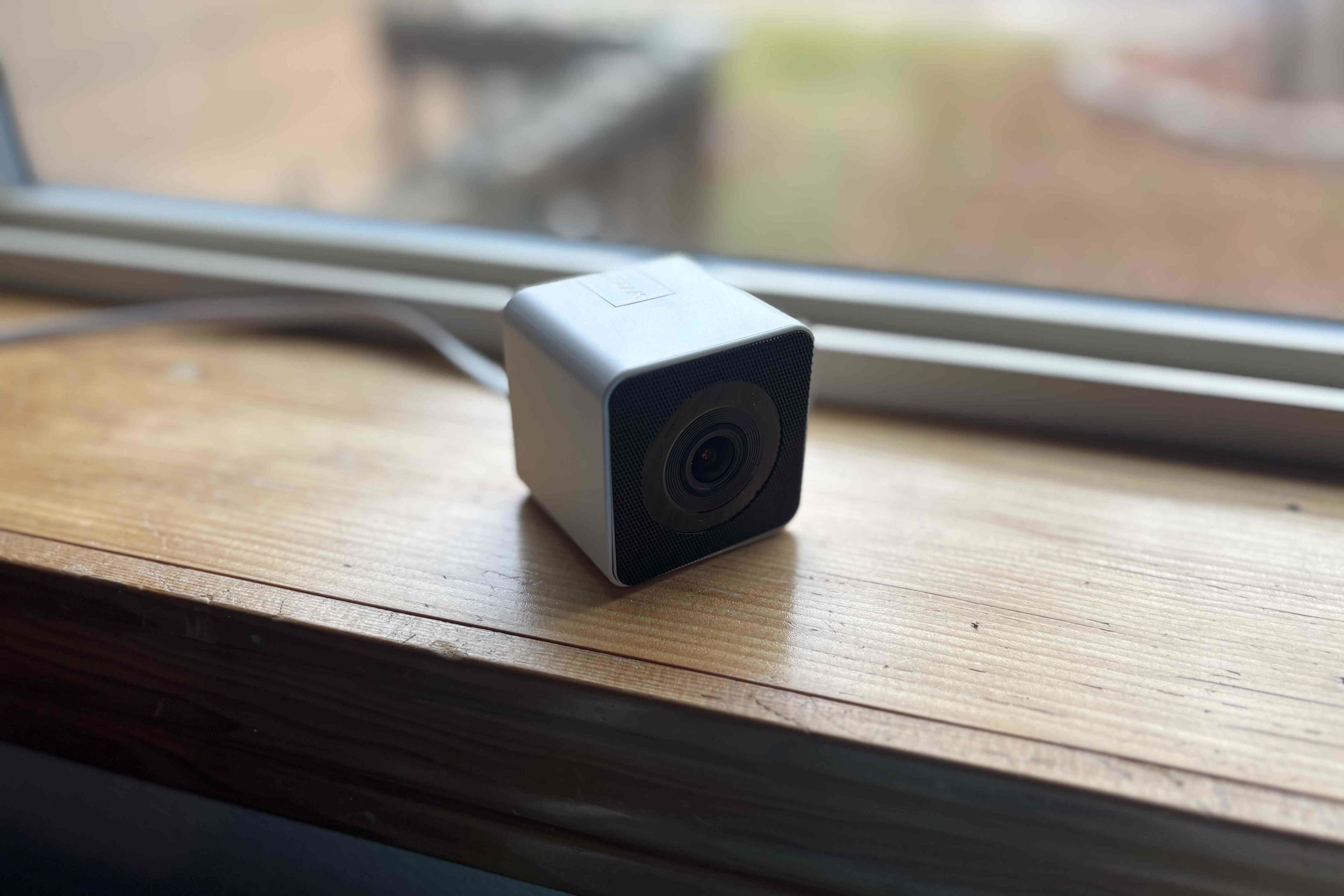
Wyze’s approach to window attachment is simple and effective. The camera comes with a peel-and-stick Velcro-style pad to attach to a window, along with an extra one just in case. Clean your window, apply the sticker, and then use the pad around the camera lens to secure it. Since the camera is lightweight, there was no risk of it falling, and the Velcro attachment proved strong.
You might wonder if the camera interferes with blinds or shades. In my case, the shades easily descended over the camera without any issues. However, the attachment pad does block a small section of the window, so careful placement is necessary. This close-up positioning also helps reduce glare problems.
App Controls and Settings
Wyze’s app is user-friendly, guiding you through the setup process and Wi-Fi connection with minimal hassle. The entire setup took me about five minutes, although you’ll need to create a Wyze account if this is your first time using the service.
The app menus can be a bit complex for a single camera, as they are designed for a broader ecosystem of devices. However, they are easy to navigate, divided into sections like Favorites, Devices, and Automations. Selecting the Window Camera gives an immediate live view, and after a few pairings, I found very little latency and clear image quality for its resolution.
There is two-way audio support, but it’s less useful for a window-mounted camera since it mainly captures indoor sounds. When accessing settings, you can adjust motion sensitivity, choose what events are recorded, and customize notifications. The settings are both useful and streamlined, offering plenty of options without being overwhelming.
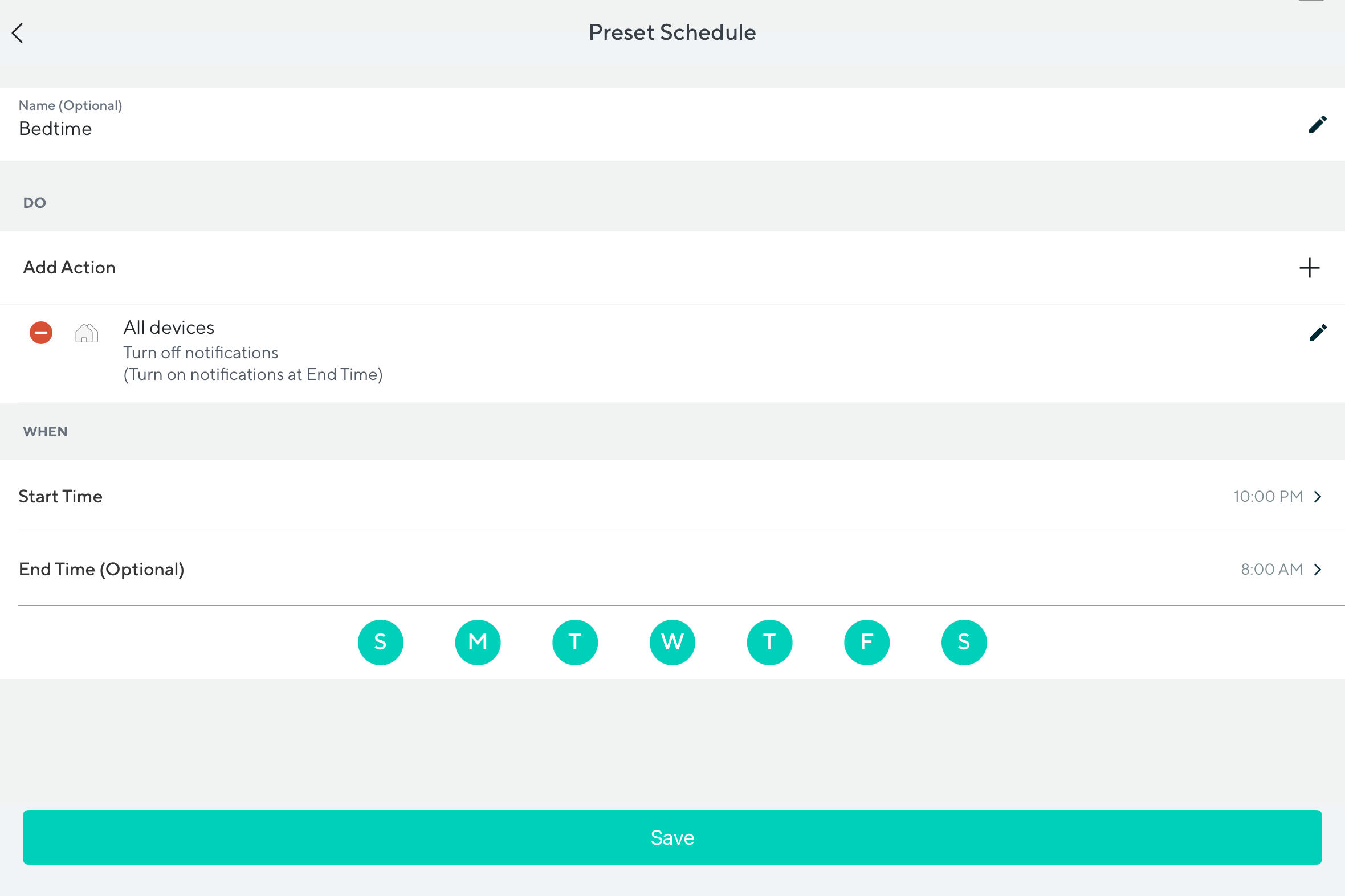
Automations are more complicated but allow for setting arm/disarm modes based on the time of day. This feature is more beneficial when connected to other Wyze devices, like turning on a smart porch light when the camera detects a person. If you're only using the window cam, you probably won’t spend much time here.
What About Subscriptions?
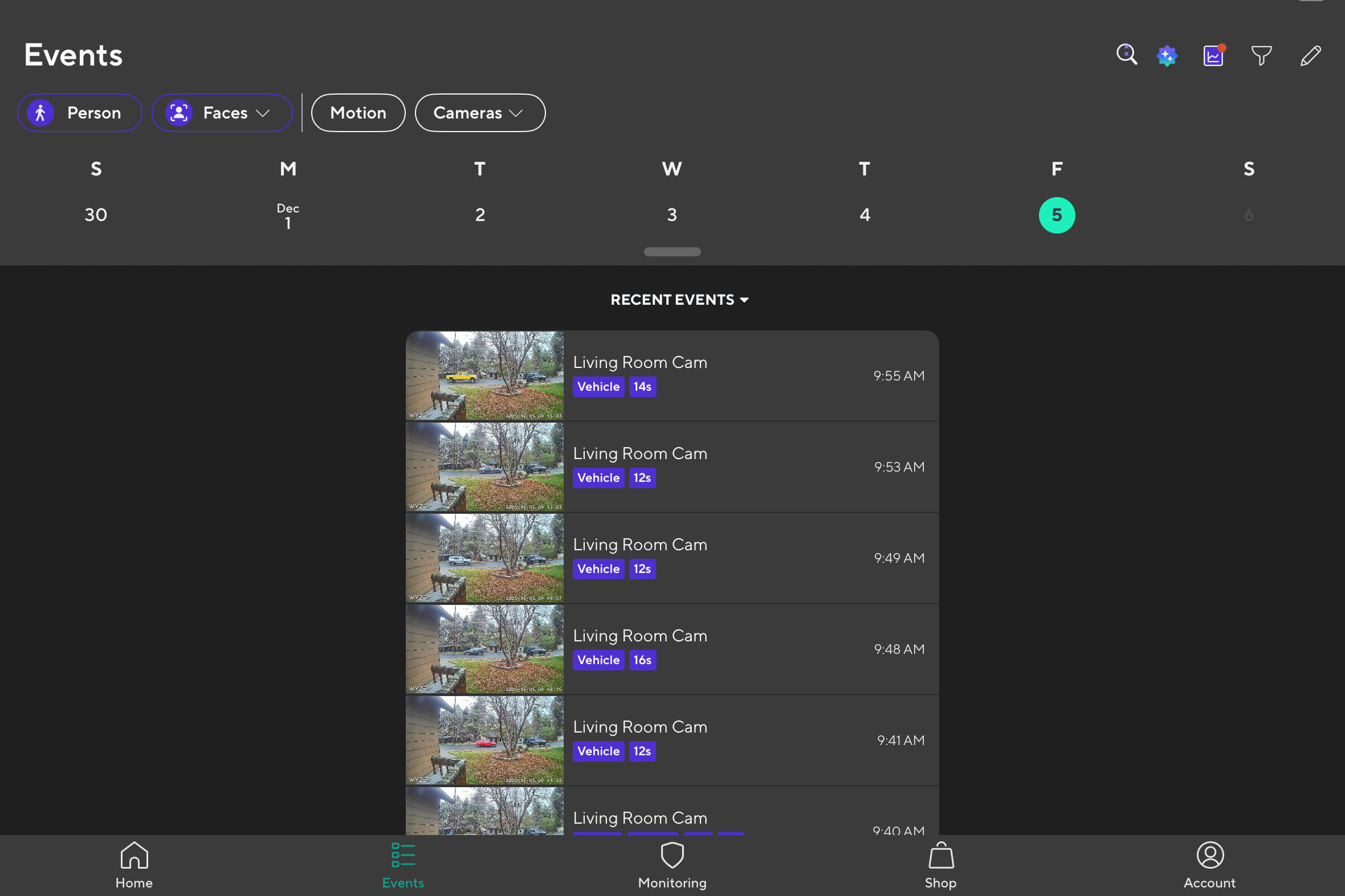
The free version of the Wyze Window Camera detects motion and can distinguish between cars, pets, and people, but nothing more. A Cam Unlimited subscription for $10 per month adds arm/disarm modes and friendly face recognition. However, this feature isn’t very useful for a window-mounted camera, as it’s rarely placed at a good angle to capture faces, and dirty windows can interfere.
The $20 Pro subscription offers 60 days of cloud storage and AI video search, which is a recent addition to the market. However, the camera includes a microSD card slot for local storage, making subscriptions optional for many users. With basic object detection available for free, this camera is a solid choice for those who don’t want to pay for subscriptions.
One note about object detection: I found it to be quite reliable, but the constant alerts for passing cars and people walking dogs became tiring. Fortunately, Wyze allows you to limit notifications or set up automations to turn them off during certain times of the day.
With a Premium subscription, you can control filters for people, packages, pets, and sounds like crying (less useful) or gunshots and glass breaking (more useful).
Final Thoughts

I’m giving Wyze another chance, and if it continues to maintain its clean security record, I expect its devices to reappear on our best product guides. For now, I recommend this camera as an affordable and effective option for anyone who can't use an outdoor camera but still needs to monitor the outside.
The app is easy to use, and there are plenty of ways to use this camera without subscriptions, including the microSD storage option. Setup is quick and simple for newcomers.
Keep in mind that some features, like two-way audio and face recognition, won’t work well with a window-mounted camera. If you want to explore other mounting options, try my guide on the best battery-powered cameras.

Posting Komentar untuk "I Rarely Recommend Window Cameras—This One Is Different"
Posting Komentar