
NotebookLM Fails at This, So I Switched to Recall
Embracing AI in My Workflow
I’m always on the lookout for new tools to add to my workflow, and at this point, finding one without AI baked in feels almost impossible. And since running from tools built with AI at their core is only going to leave me behind, I’ve embraced it and gone all in. But even after testing pretty much every AI tool I’ve come across over the last two years, there’s only one that’s actually become a real part of my day-to-day: NotebookLM.
I use it extensively, and the countless pieces I’ve written about it are all the proof you need that I rely on it more than anything else. Despite how great it is (and how much better it keeps getting), there’s still one major thing it just can’t do. That’s exactly what pushed me toward a tool I didn’t expect to like as much as I do now: Recall.
NotebookLM is Built Around Isolated Notebooks
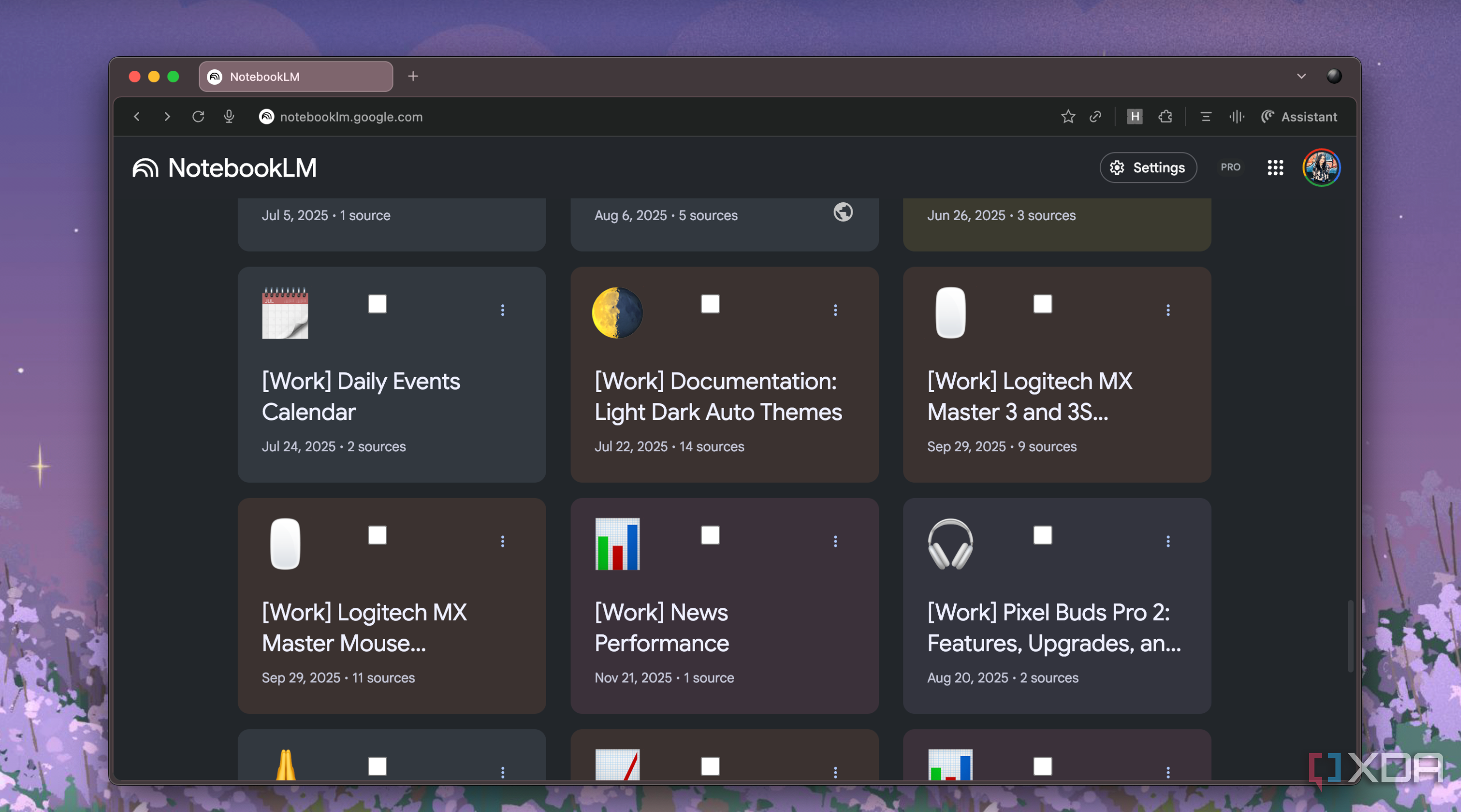
The reason why I’ve been drawn to NotebookLM since day one is because it’s a RAG tool. Technical terms aside, that simply means it’s a source-grounded tool designed to work only with the sources you upload. Instead of hallucinating or fabricating information just to please you like plenty of other AI tools do, NotebookLM sticks strictly to whatever you’ve added to your notebook or anything you’ve shared with it through your conversation history when answering questions or generating outputs.
This is a huge advantage and gives NotebookLM an edge that barely any other AI assistant can match, but it also comes with one big drawback: all your notebooks live in their own little bubbles. And while that’s great from NotebookLM’s perspective in terms of accuracy and clean context, it falls apart the moment you need anything to move across projects.
For instance, I use NotebookLM primarily for studying. I create individual notebooks for each of my courses, and a lot of times, I create separate notebooks for individual topics within courses too. I do that to keep each notebook focused on a single subject or concept, making it easier to search, query, and generate outputs without mixing unrelated information.
While this aspect is truly great when I want to query or generate insights within a single topic, it becomes a problem the moment I need to draw connections across different notebooks. For example, linking ideas from multiple courses requires jumping between notebooks. There's no straightforward way to do that in NotebookLM, and it forces you to manually consolidate the information yourself. What should be a seamless process of connecting ideas across topics turns into a tedious act, and that's exactly where NotebookLM's linear design shows its limits.
Recall Picks Up Right Where NotebookLM Leaves Off
It even builds an Obsidian-like knowledge graph
Recall is a fairly new AI tool I discovered a few days ago while looking for NotebookLM competitors. After going hands-on with it and using it for a few weeks, I quickly realized that it’s an app that merges some of my favorite tools into one: Obsidian, Anki, and NotebookLM.
Recall is an AI-powered knowledge management tool, and it leverages each of the previous apps’ strengths in one place. To be very clear, NotebookLM is far from a PKM tool (and I think people need to stop treating it as one), and that’s exactly why Recall stood out to me — it fills the gaps NotebookLM simply isn’t designed to cover.
Instead of working solely as a standalone application, Recall has a Chrome (and Firefox) extension that lets you immediately save any content you come across while browsing. For instance, say you come across a YouTube video you’d like to save to watch later. Instead of bookmarking it or adding it to your Watch Later, you can clip it straight into Recall by clicking the extension icon.
As soon as you do that, a summary of the YouTube video (or whatever you’re clipping, for that matter) will instantly generate, giving you a quick breakdown of the key points without needing to open it at all. This AI-generated summary appears in the Notebook panel of the extension and is completely grounded in the content you just clipped, so you’re always getting an accurate, source-based snapshot. You can also edit the content (or write your own notes around it) right there, so everything stays in one place instead of getting scattered across tabs and apps.
There’s also a Readers tab you can switch to, and the content you’ll see there varies based on the type of source you’re viewing. For instance, if it’s a YouTube video, you’ll see the full transcript. If it’s an article, you’ll get a stripped-down reading view that removes clutter.
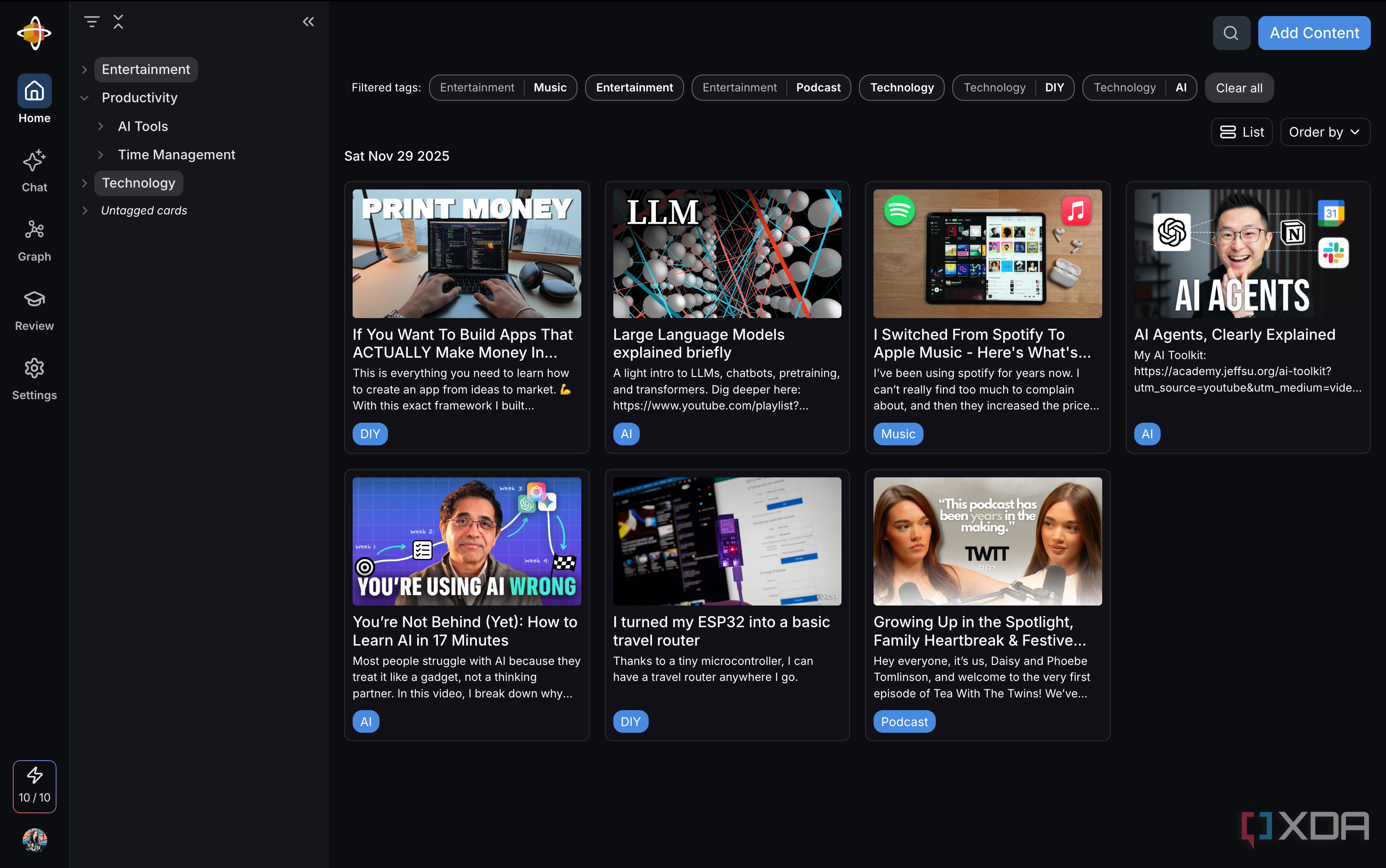
The best part is, all the sources you clip to your Recall database are saved and automatically organized into categories and subcategories. Some of the main categories you'll find in my management base include:
- Entertainment
- Productivity
- Technology
Then, the Productivity category is further broken down into areas like:
- AI Tools
- Time Management
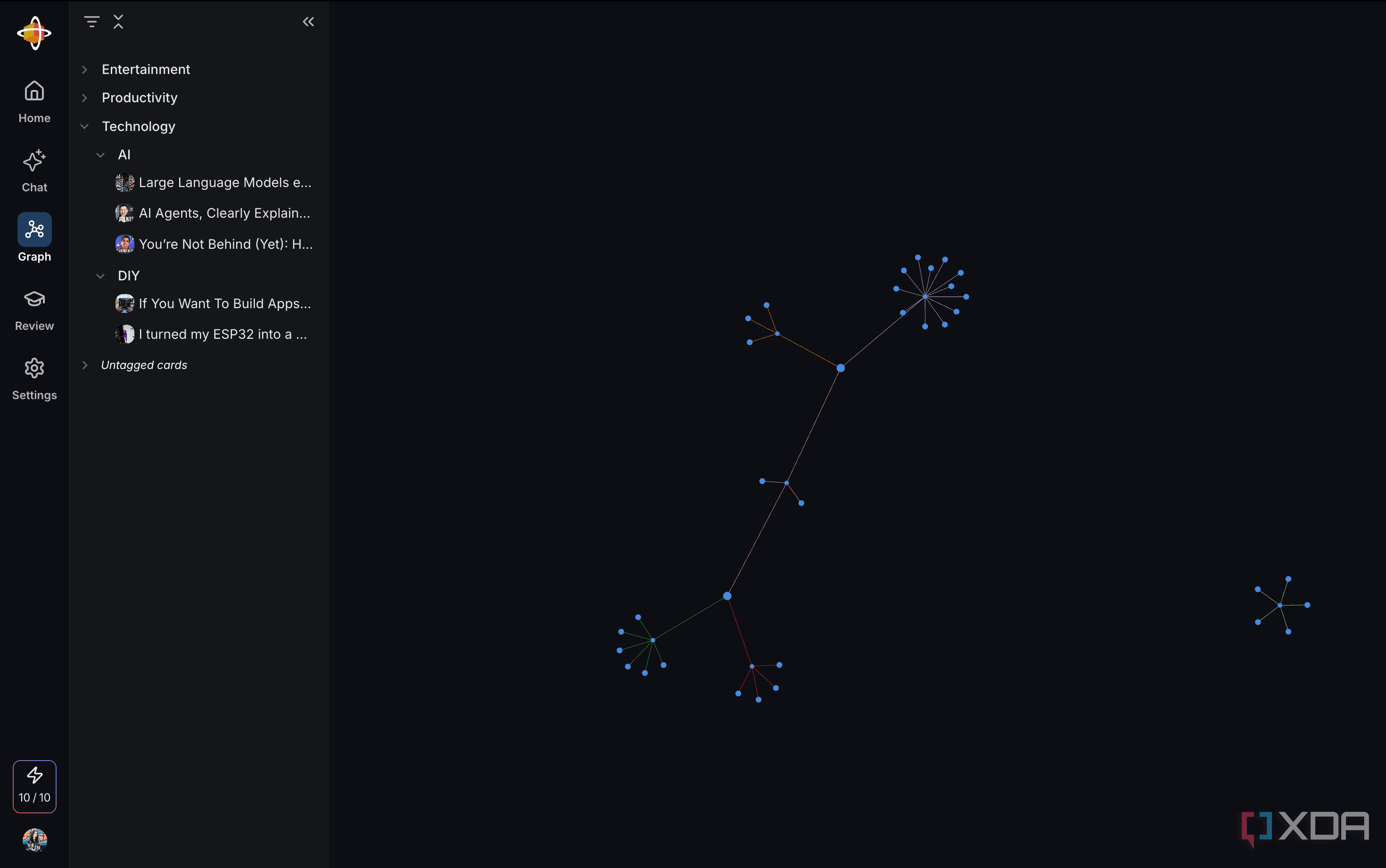
As you keep adding new content to your Recall database, the system gradually builds a structured knowledge graph behind the scenes. This has become an incredible way to resurface ideas I forgot about, connect concepts across completely different sources, and actually retain things instead of letting them disappear into endless bookmarks. With NotebookLM, I achieved some level of this by creating an “Everything” notebook. But that didn't scale well at all, and since NotebookLM can’t automatically organize anything, I had to manually sort every source, label it, and try to remember what connected to what.
I'm not the biggest fan of Obsidian, but one thing I've always appreciated about it is how clearly it shows the relationships between everything you add. I’ve seen my friends and colleagues show off the Graph view countless times. Recall creates a similar view, consisting of all the material you clip and add to your knowledge base over time. Unlike Obsidian, where you need to create these links manually, Recall automatically scans the content you clip, detects the core keywords within it, and identifies shared concepts across different sources.
Before adding a source to your knowledge base, you can also view the connections it has in the Connections tab of the extension. The tab highlights the keywords found in the material you're clipping. Some keywords have a number next to them, indicating how many other sources in your database share that same keyword, giving you a clear sense of how the new content fits into your existing knowledge graph.
Recall Also Has Other Features That Make Managing Knowledge Effortless
The best part about Recall is that it doesn't stop at helping you "recall" information by automatically organizing your sources. You can also chat with your clipped content and get completely source-grounded answers, just like in NotebookLM.
On top of that, Recall lets you generate flashcards from your material and use its Recall Review session feature to practice active recall, ensuring the information actually sticks instead of just sitting in your database.

Posting Komentar untuk "NotebookLM Fails at This, So I Switched to Recall"
Posting Komentar