
One UI 8.5 Beta Launch: New Features & Installation Guide
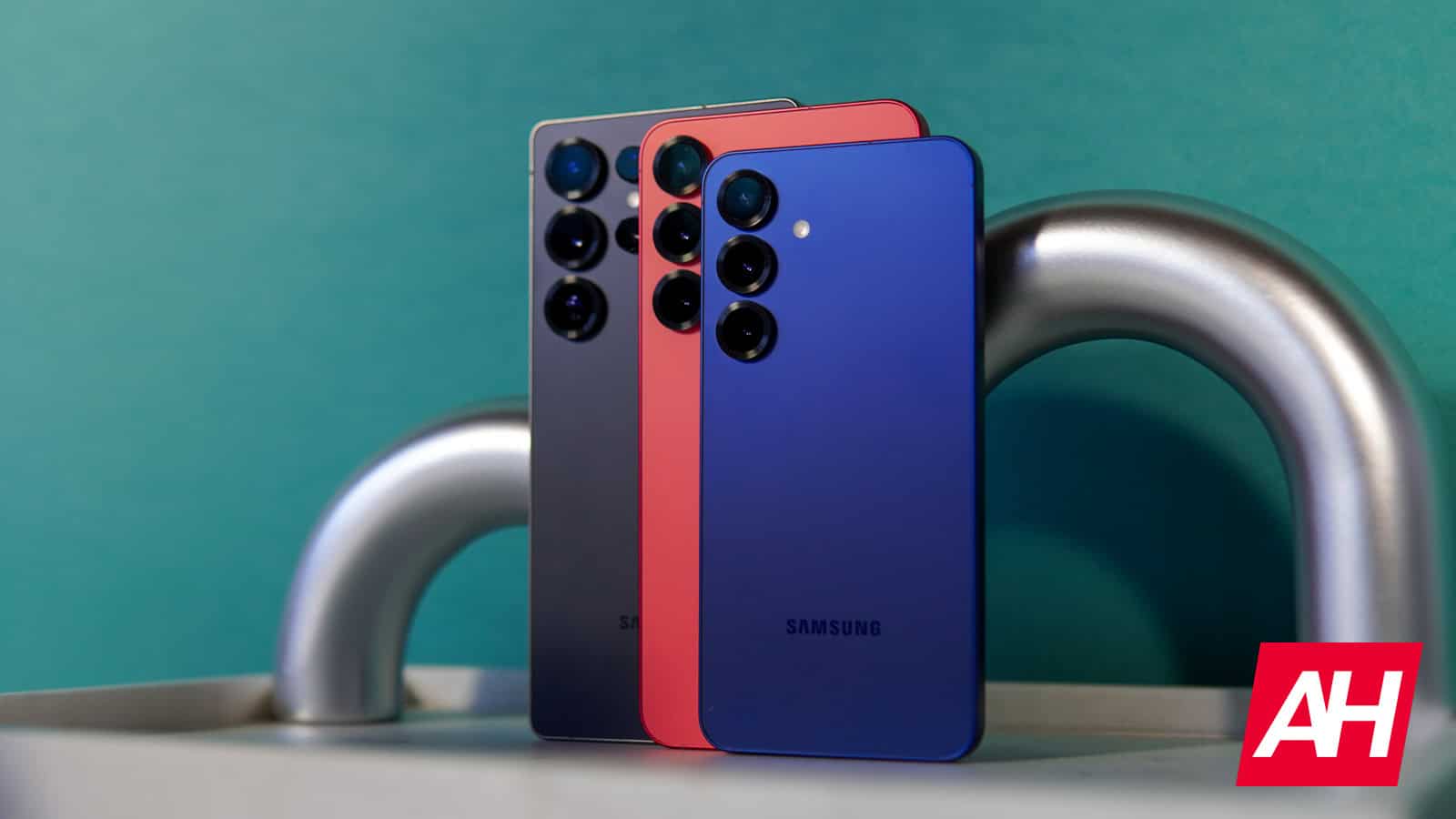
Samsung's One UI 8.5 Beta Launches with Major Updates
Samsung has officially started testing its next major software update, launching the One UI 8.5 beta program for a select group of users. While some of the features were already known through leaks, this marks the first time users with compatible devices can experience the changes firsthand. The update focuses on three main areas: ecosystem integration, security tools, and user interface improvements.
Enhancing Ecosystem Integration
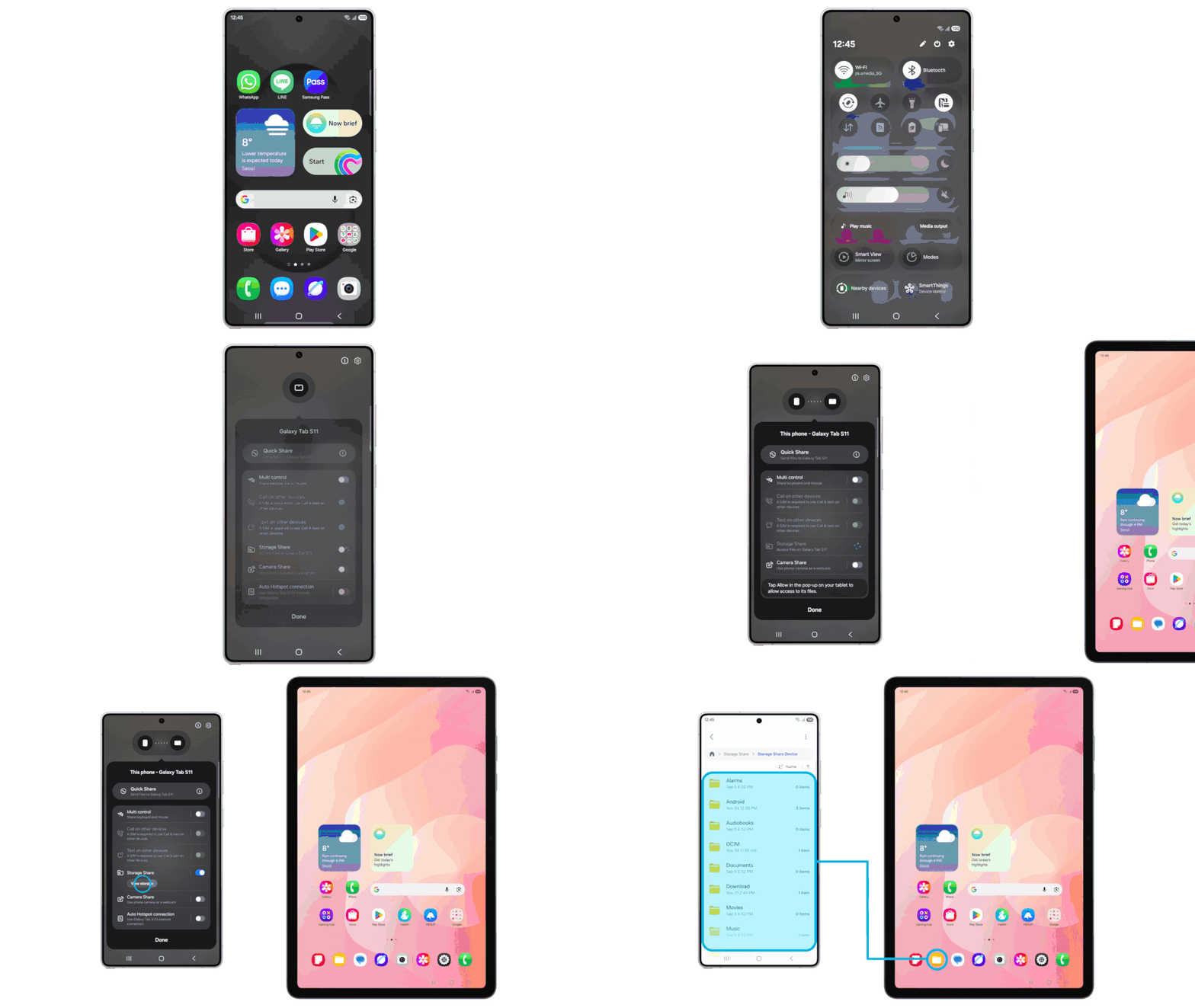
One UI 8.5 introduces several features aimed at improving cross-device functionality. A standout addition is the new Storage Share utility, which allows users to access files stored on other connected Samsung devices—such as tablets or even Samsung TVs—directly through the My Files app on their phone. This creates a centralized hub for data sharing across the Galaxy hardware lineup.
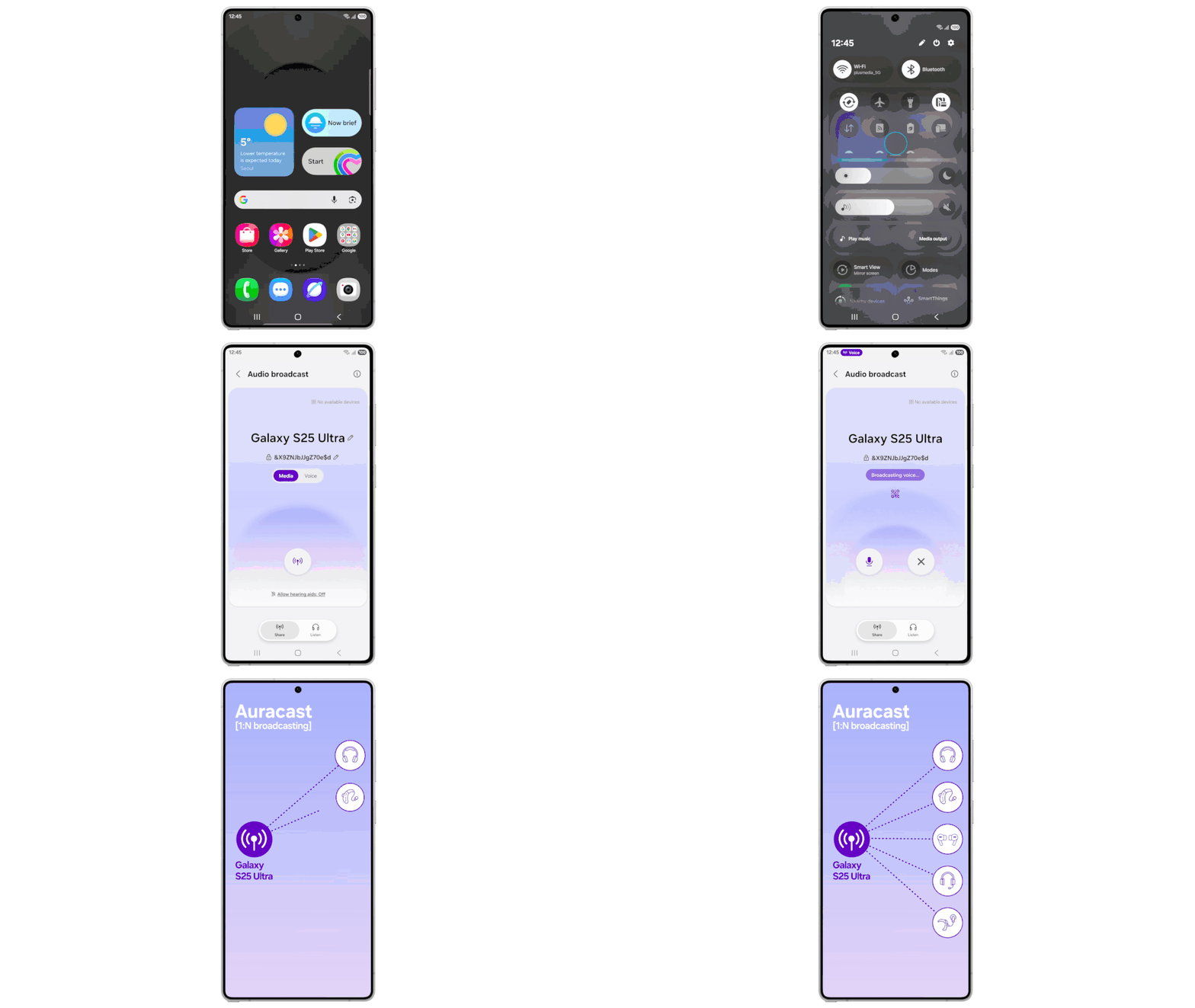
Connectivity also gets a technical boost with the introduction of Auracast’s Voice Broadcast feature. Users can now use their Galaxy phone’s built-in microphone to broadcast their voice to nearby LE Audio-supported devices. This upgrade expands Auracast’s capabilities beyond media sharing into a full-fledged voice communication tool.
Control, Customization, and Security Enhancements
The update offers users more control over core device functions and emphasizes enhanced security. The Quick Panel is now fully customizable, allowing users to adjust its layout and the information it displays. The lock screen also receives refinements, including improved clock layouts and weather effects for the alarm function.
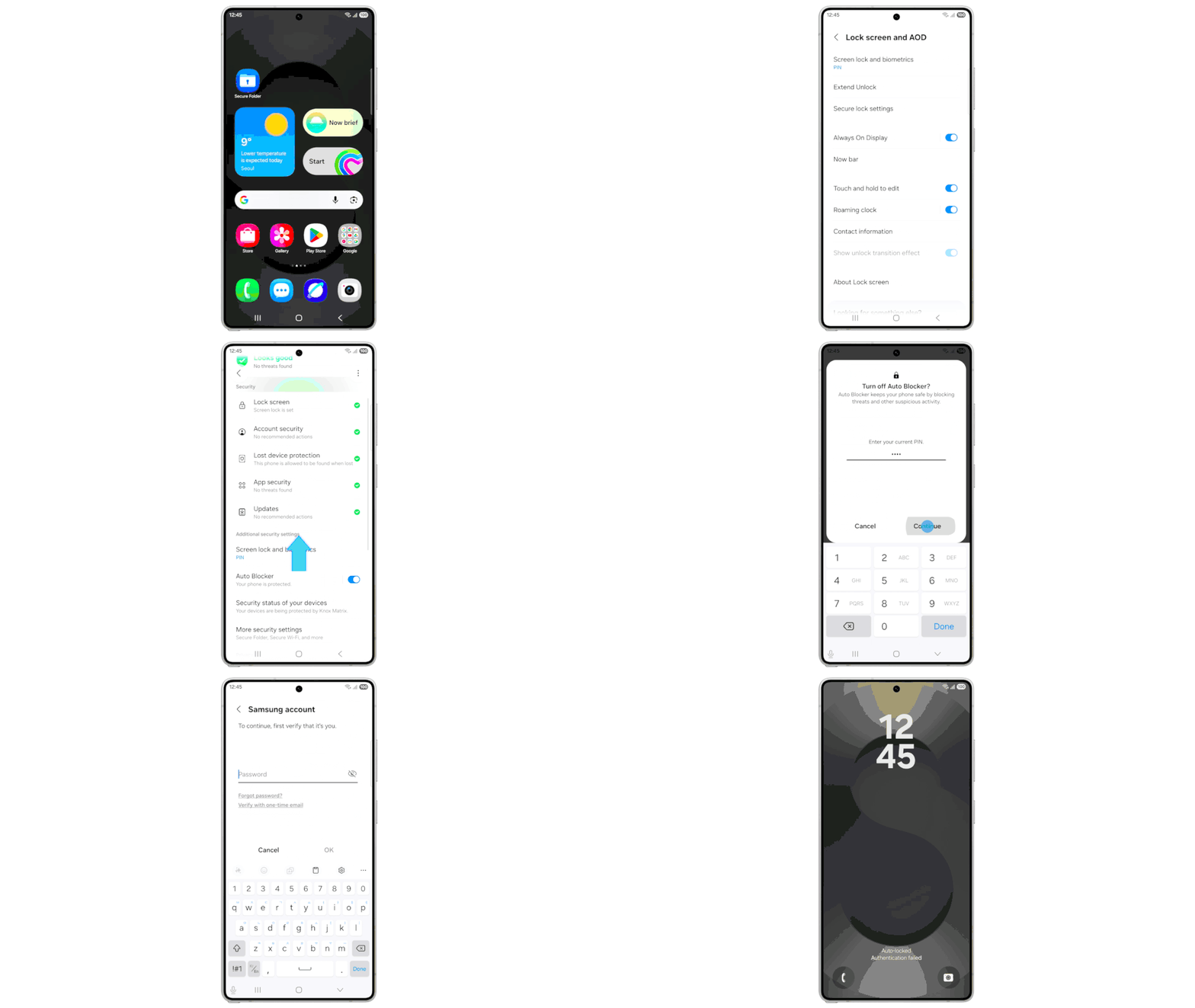
Security enhancements are a central focus of this release. The updated Theft Protection feature helps safeguard the device and its data in case of loss or theft. Additionally, the system includes stronger security checks, such as the Failed Authentication Lock, which automatically locks the screen after multiple failed attempts to verify the user’s identity via PIN or fingerprint.
Boosting Content Creation and Sharing
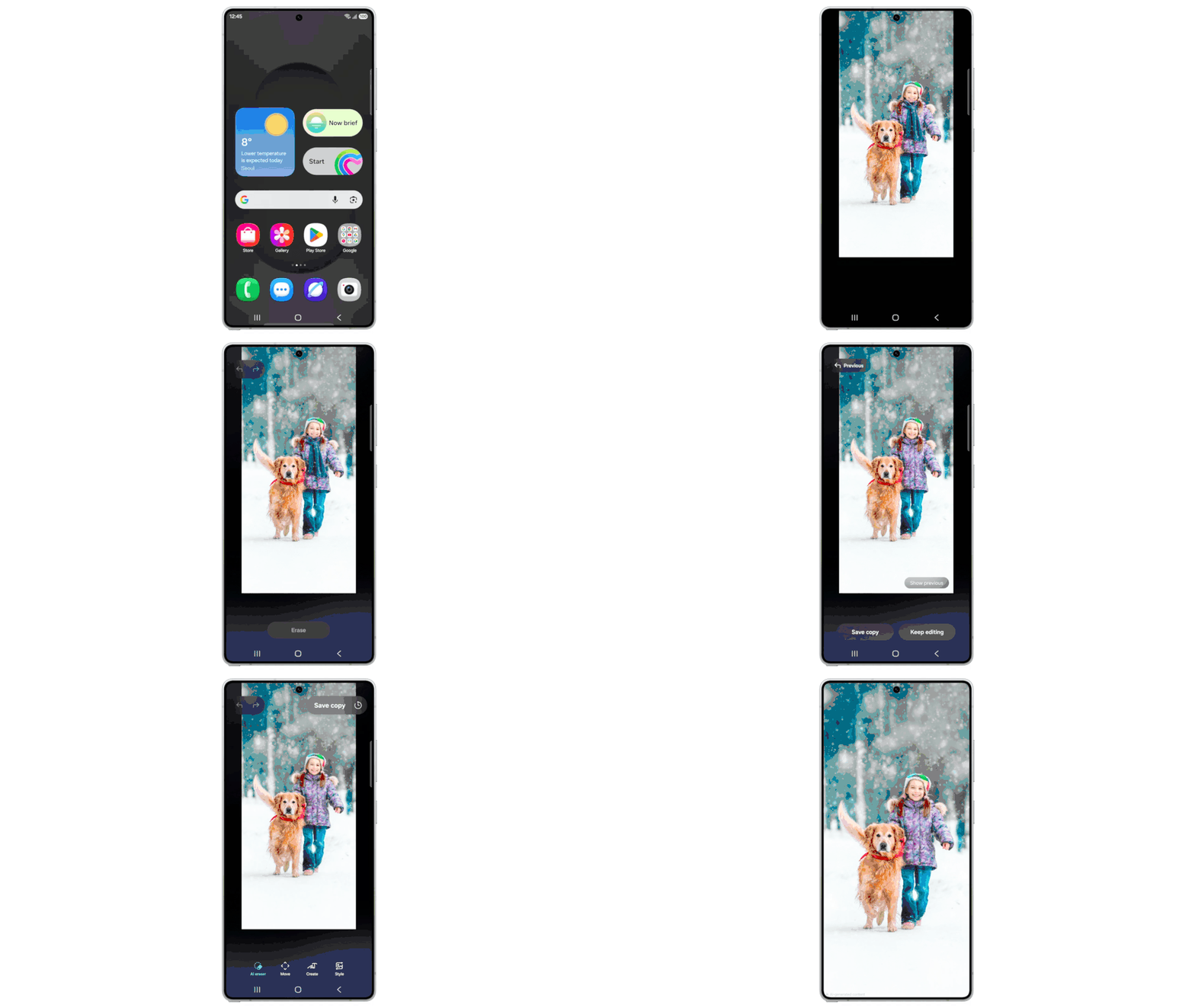
One UI 8.5 enhances one of the platform’s key strengths: content creation. A new feature called Photo Assist joins existing tools, allowing users to edit images continuously without saving each version. This means users will have an “edit history” for each image, enabling them to choose any previous iteration.
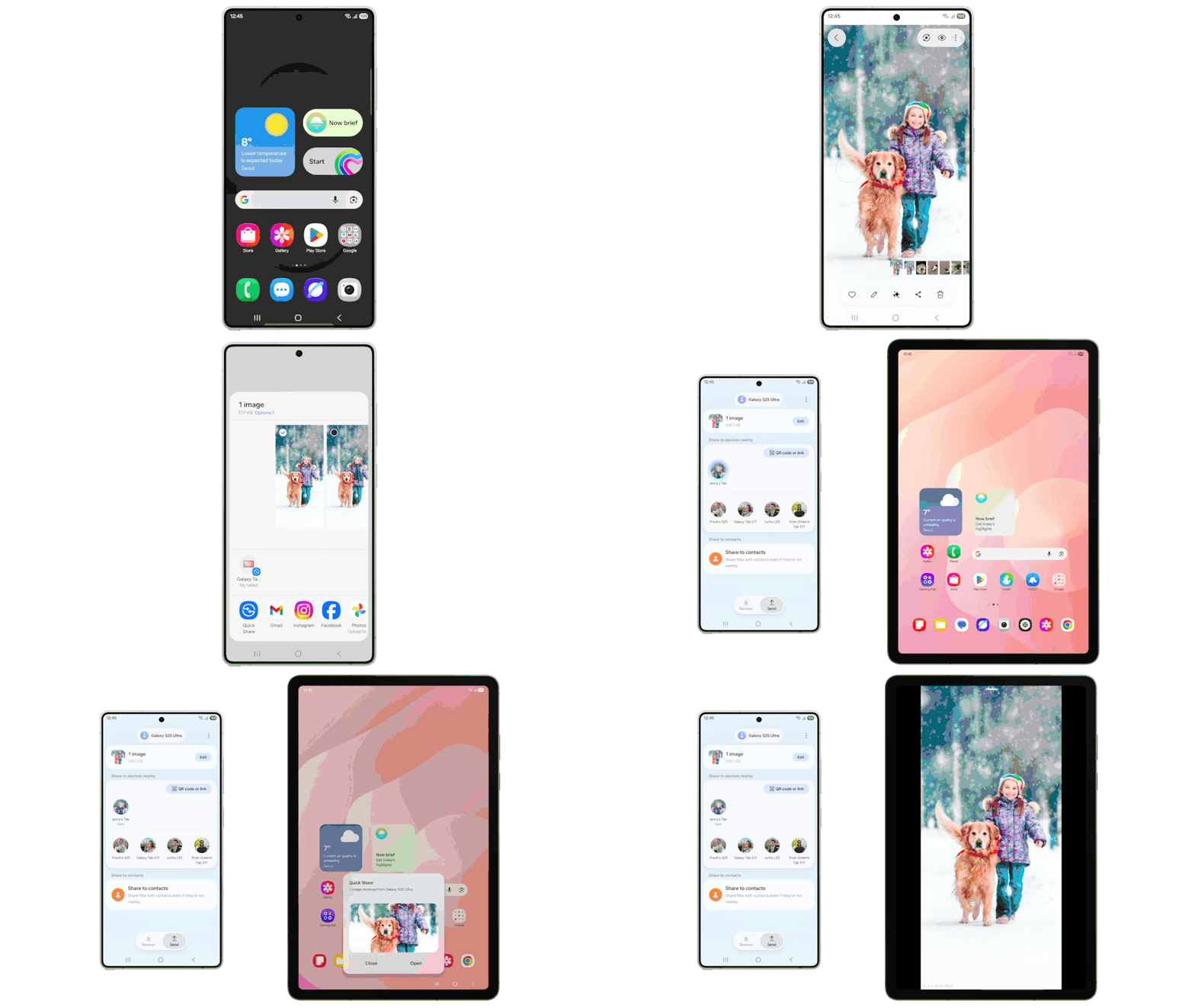
Additionally, when sharing an image via Quick Share, the OS will suggest contacts based on the people who appear in the image. This makes it easier to share photos with the right people.
How to Join the One UI 8.5 Beta
The beta is currently available to owners of the Galaxy S25, Galaxy S25+, and Galaxy S25 Ultra. The initial rollout is happening in six key markets: the United States, the United Kingdom, Germany, South Korea, India, and Poland. Eligible users can register for the program through the Samsung Members application.
If you own an eligible device, here’s how to join the beta:
- Ensure you have the Samsung Members App installed and are logged in with your Samsung account.
- Look for the “One UI Beta Program” banner or card on the app’s homepage and tap it to enroll your device.
- Once registered, go to your phone’s Settings menu, navigate to Software Update, and select Download and install to get the beta build.
As with any early software release, users should expect potential bugs and performance issues. However, the beta provides a glimpse into what’s coming in the final One UI 8.5 release.

Posting Komentar untuk "One UI 8.5 Beta Launch: New Features & Installation Guide"
Posting Komentar