
Razer Core X V2 eGPU Unboxed
Introduction to the Razer Core X V2
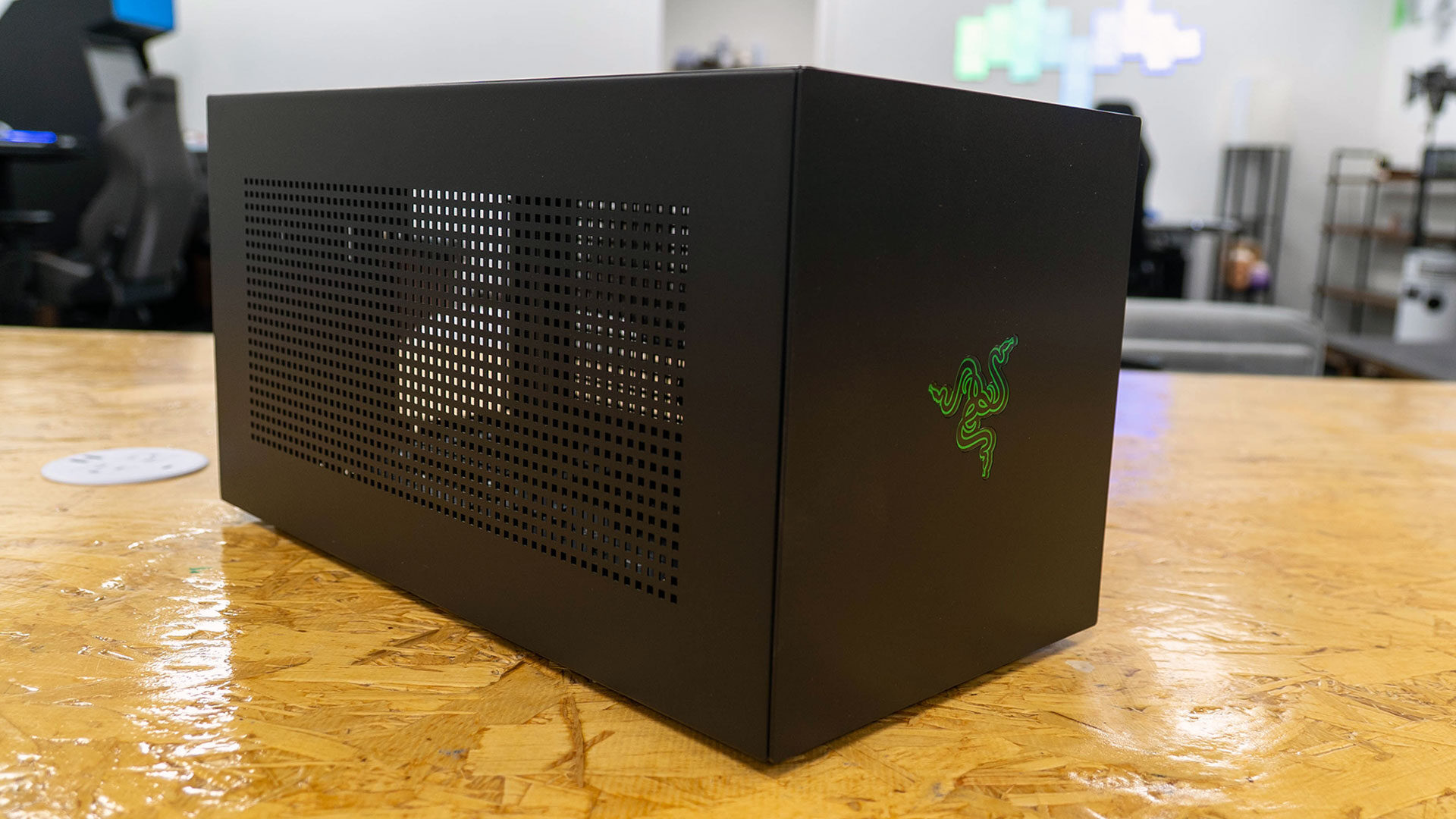
Razer has long been a pioneer in the eGPU market, with the original Razer Core offering users an easy way to connect full-size graphics cards to their laptops. Now, the company is back with its latest offering, the Razer Core X V2. Announced in mid-2025, this new model marks Razer's first foray into Thunderbolt 5 support, following the success of the Core X Chroma. For those who rely on laptops for work or gaming and want desktop-class graphics, the Core X V2 promises strong performance and flexible compatibility, though it also comes with some notable drawbacks.
Design and Build Quality
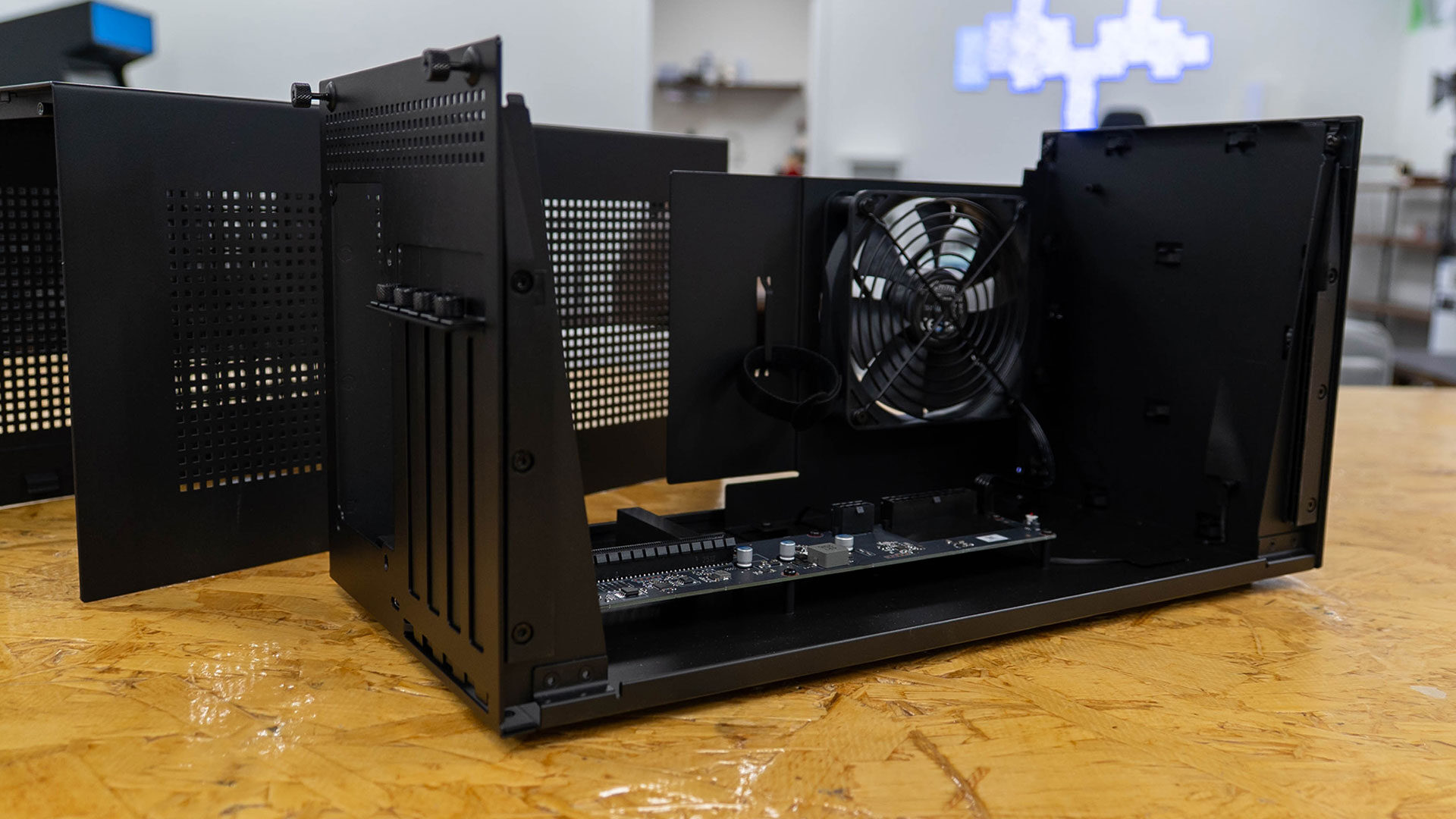
Out of the box, the Razer Core X V2 features a steel chassis that supports full-sized PCIe Gen 4 GPUs, including quad-slot cards from both NVIDIA and AMD. This gives users a wide range of options when it comes to upgrading their laptop’s graphics capabilities. Unlike previous models, the Core X V2 requires users to install their own ATX power supply, as integrated power supplies are no longer included. While this modularity may appeal to enthusiasts who already have high-wattage units, it adds complexity and cost for others.
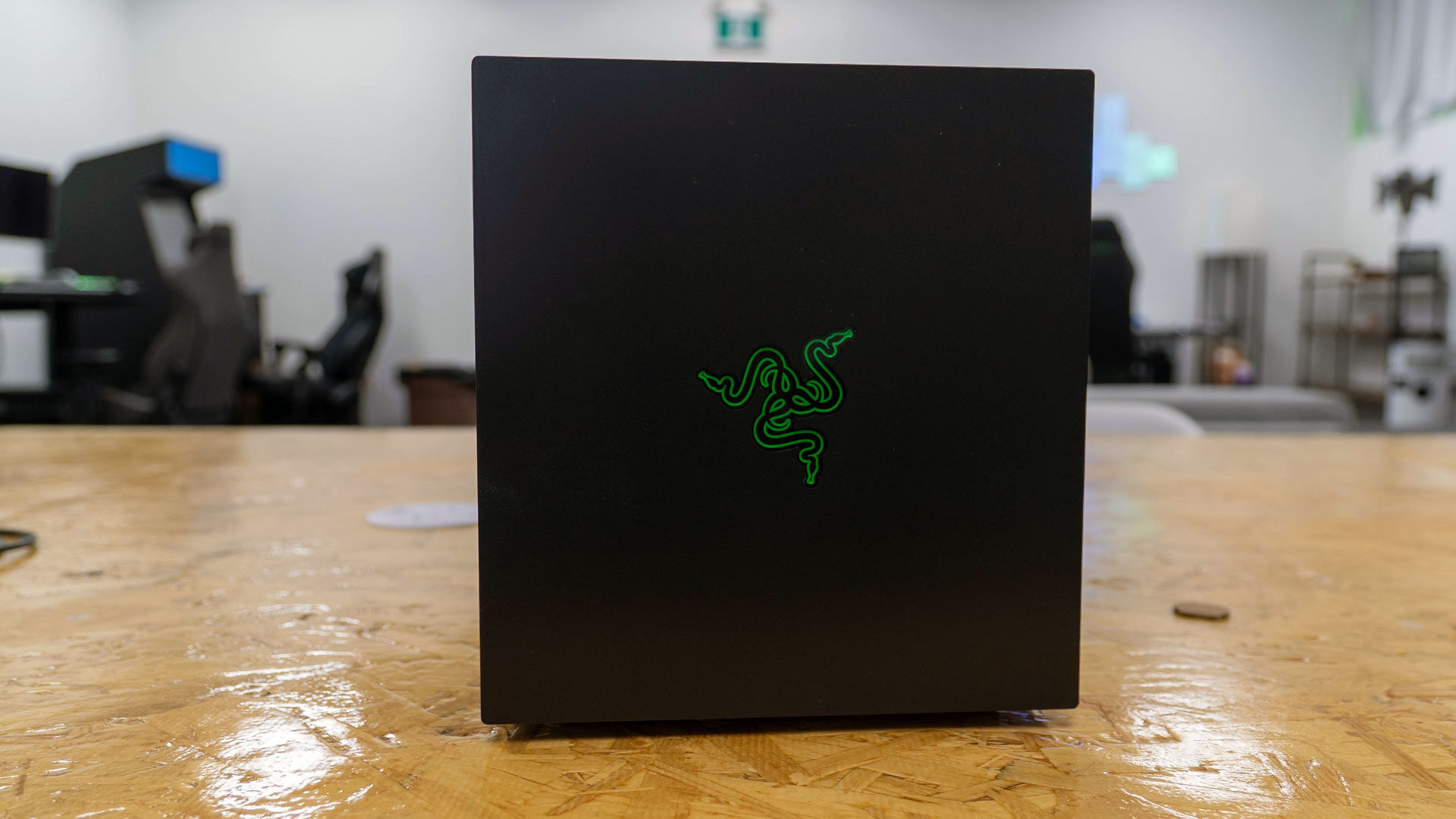
Visually, the Core X V2 takes on a more mature and boxier design, moving away from the flashy RGB lighting seen in earlier Razer products. The understated look blends well into professional workspaces, although users who enjoy color accents might miss the Chroma lighting. The enclosure is lighter than previous generations, weighing in at 3.9 kg compared to the 6.48 kg of the Core X Chroma, largely due to the removal of the built-in power supply.
Internal Specifications and Compatibility
Internally, the chassis is more spacious, supporting four-slot cards and offering compatibility with a wide range of GPUs, from NVIDIA’s RTX 5090 to the GTX 10-series, as well as AMD’s Radeon RX 9000, RX 7000, RX 6000, and RX 5000 lines. During testing, we used the RX 9070 XT and also tested an RTX 5080, and there was ample room to install either card, with extra space for cable routing.
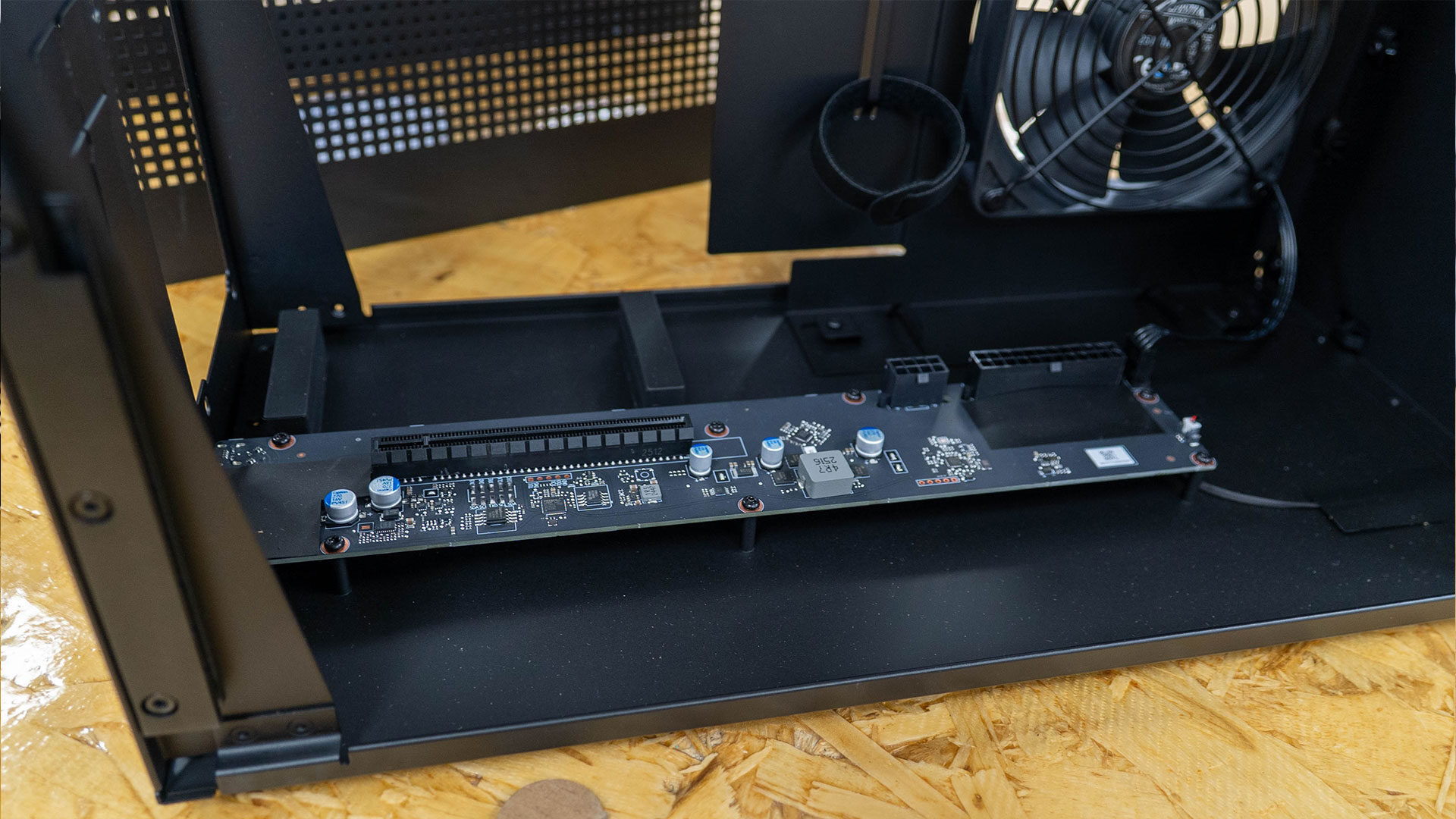
One of the standout features of the Core X V2 is its support for Thunderbolt 5. This provides improved bandwidth, up to 120 Gbps in one direction and 80 Gbps bidirectionally, though the enclosure is limited by PCIe 4.0 x4 speeds, which cap bandwidth at 64 Gbps. While this is a significant improvement over Thunderbolt 3 and 4, it still falls short of the performance offered by internal PCIe slots.
For reference, although Thunderbolt 5 can support impressive speeds, it cannot match the performance of an internal 16x PCIe slot. However, it can still provide a noticeable improvement over most internal graphics solutions, depending on the GPU installed. In our testing across a range of games with a Radeon RX 9700 XT, the same GPU saw about a 10 percent reduction in performance compared with the card installed internally.
In some games, such as Cyberpunk 2077, we recorded close to a 10 FPS difference between the two tests. Even so, connecting through Thunderbolt 5 provides fast transfers and smooth frame rates for creative workflows or modern AAA games. It also allows a laptop that struggles with creative software like DaVinci Resolve to run it more smoothly, with more effective processing, without bringing the computer to a crawl, depending on the GPU installed in the chassis.
Value and Features
If the story ended there, there would be a lot to like about what the Core X V2 offers, though there are issues that need addressing. The biggest one is value. At $349.99, the Core X V2 is more expensive than the original Core X, yet it arrives with fewer features. Razer has removed all I/O expansion, which had helped earlier versions function like a hub, along with integrated lighting and macOS support. The company is now focusing strictly on Windows and compatible handheld PCs.
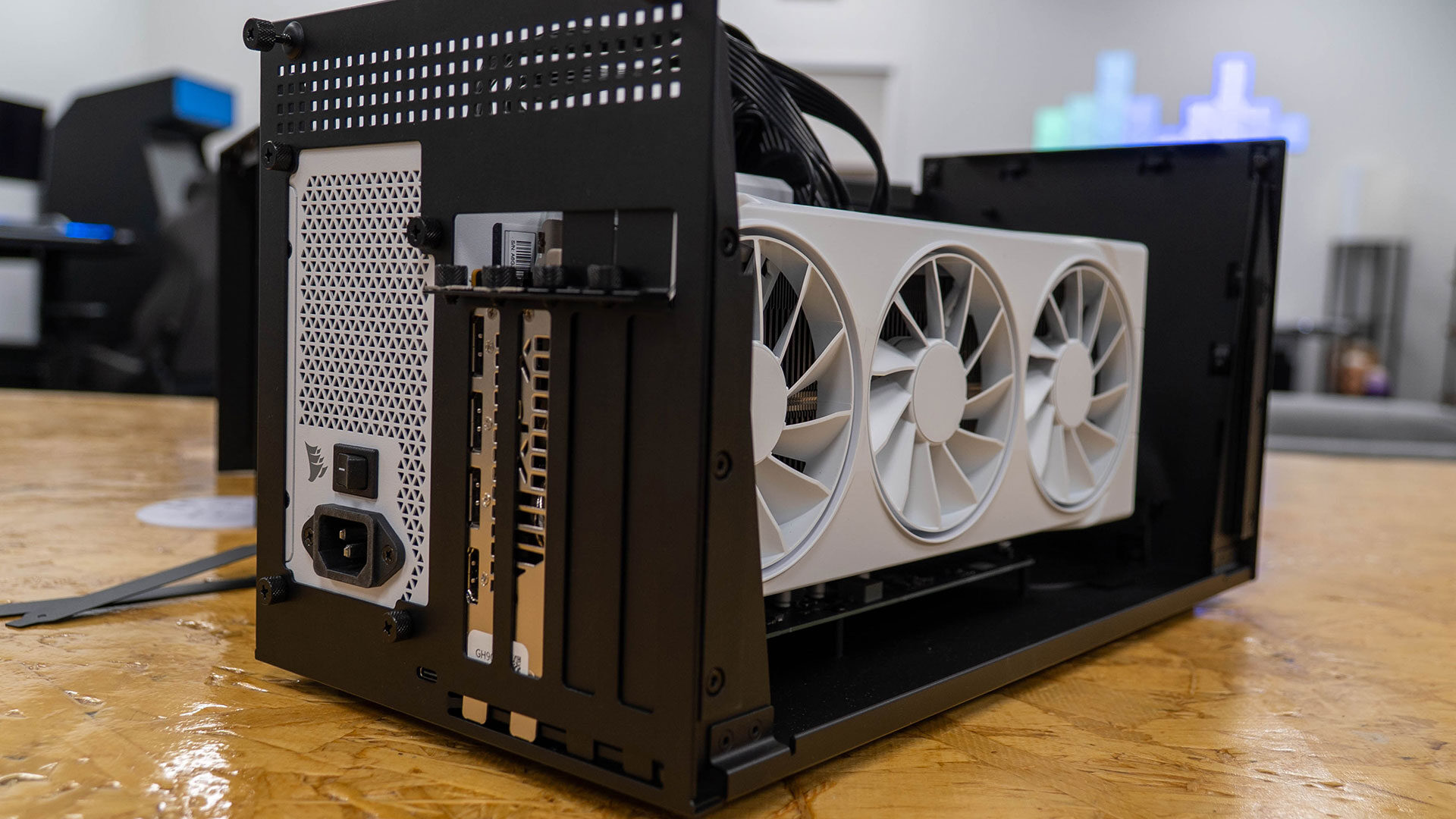
The Core X V2 no longer includes USB ports or built-in Ethernet, so users will need to look elsewhere or invest in Razer’s new Thunderbolt 5 Dock if they want broader connectivity. “The Razer Core X V2 is now strictly a PC-focused solution, aimed at users who own or plan to buy laptops equipped with Thunderbolt 5.” This feels like a step backward, as the Core X Chroma included RGB lighting, network connections, extra USB ports, and an integrated power supply for only $100 more than the V2.
While I am skeptical of the limited features offered with the Core X V2, I have to say that I like what Thunderbolt 5 brings to the table, and it provides a range of potential for creators and gamers that elevates what an eGPU can deliver. Performance gains are meaningful, especially when paired with Thunderbolt 5 devices. Bandwidth now keeps a better pace with premium GPUs, and users can daisy-chain multiple displays or storage devices, particularly when a reliable Thunderbolt 5 dock is part of the setup.
The Core X V2 supplies up to 140 W of charging power to connected laptops, which reduces cable clutter for people who use their eGPU in a productivity-focused workspace. Razer’s dock adds further enhancements, including triple 4K display outputs, SD card slots for creators, USB-C and USB-A ports, gigabit Ethernet, a 3.5 mm audio combo jack, and support for fast Gen 4 SSDs. These features come at a premium because the dock starts at nearly $400, making the full Razer setup a significant investment.
Despite its improved performance and Thunderbolt 5 compatibility, the Razer Core X V2’s value will depend on your needs and whether Razer’s new approach fits your gaming or creative workflow. Gamers who want desktop-level performance from lightweight laptops, and creatives who need extra GPU power, may find the Core X V2 a worthwhile solution. People who require additional connectivity or a single-box setup might prefer other options, especially given the growing DIY eGPU market and competing standards such as OCuLink.
Final Thoughts
For now, the Razer Core X V2 stands as the most future-focused eGPU chassis in Razer’s lineup. Its modular design, improved speeds, and support for modern GPUs meet current technology demands, though users should be prepared for a setup that requires some assembly and a potentially high total cost if paired with Razer’s companion dock, even if the complete setup delivers the Razer aesthetic that I love to see on my gaming setups.
Product Details
Razer Core X V2 External Graphics Enclosure (eGPU):
- Compatible with Windows 11 Thunderbolt 4/5 and USB 4 Laptops & Devices
- 4 Slot Wide NVIDIA/AMD Graphics Cards PCIe 4.0 Support
- 140W PD via USB C
NVIDIA & AMD DESKTOP GPU READY:
- Designed to fit PCIe desktop graphics cards up to 4 slots wide
- Give any compatible laptop a massive boost in power by connecting the latest NVIDIA GeForce and AMD Radeon GPUs (GPU & power supply not included)
NEXT-GEN THUNDERBOLT 5 PERFORMANCE:
- Featuring an ultra-fast bandwidth of up to 80 Gbps
- Enjoy the smoothest performance with a Thunderbolt 5 connection that easily manages the most demanding creative apps and AAA games
Price: $349.99
Buy on Amazon

Posting Komentar untuk "Razer Core X V2 eGPU Unboxed"
Posting Komentar