
Stop SIM Jacking: 7 Ways to Secure Your Phone Number
Understanding SIM-Swapping Attacks
SIM-swapping attacks pose a significant threat to mobile phone users. These attacks occur when a hacker takes control of your phone number, allowing them to intercept calls and text messages, including multi-factor authentication codes. Once they have access to your number, they can gain entry to your personal information, hijack your accounts, and even steal your identity.
However, there are several ways to protect yourself from such attacks. By taking proactive steps, you can significantly reduce the risk of falling victim to a SIM-swap scam. Let’s explore the various measures you can take to safeguard your mobile number.
What Are SIM-Swapping Attacks?
Also known as SIM splitting or simjacking, these attacks typically begin with a hacker gaining access to your personal data, such as your name, phone number, date of birth, address, and even your Social Security number. With this information, the hacker contacts your cellular carrier and pretends to be you. They then convince a support representative to transfer your phone number to their own device.
Once your number is associated with the hacker’s phone, they can commit various forms of fraud. This includes accessing your accounts, snooping on your communications, and intercepting SMS-based authentication codes to gain further access to your online presence.
As these types of attacks have become more common, agencies like the FBI and FCC have issued warnings, and major carriers have introduced protective measures. Here are some effective strategies to guard against SIM swapping.
1. Set Up a PIN or Password
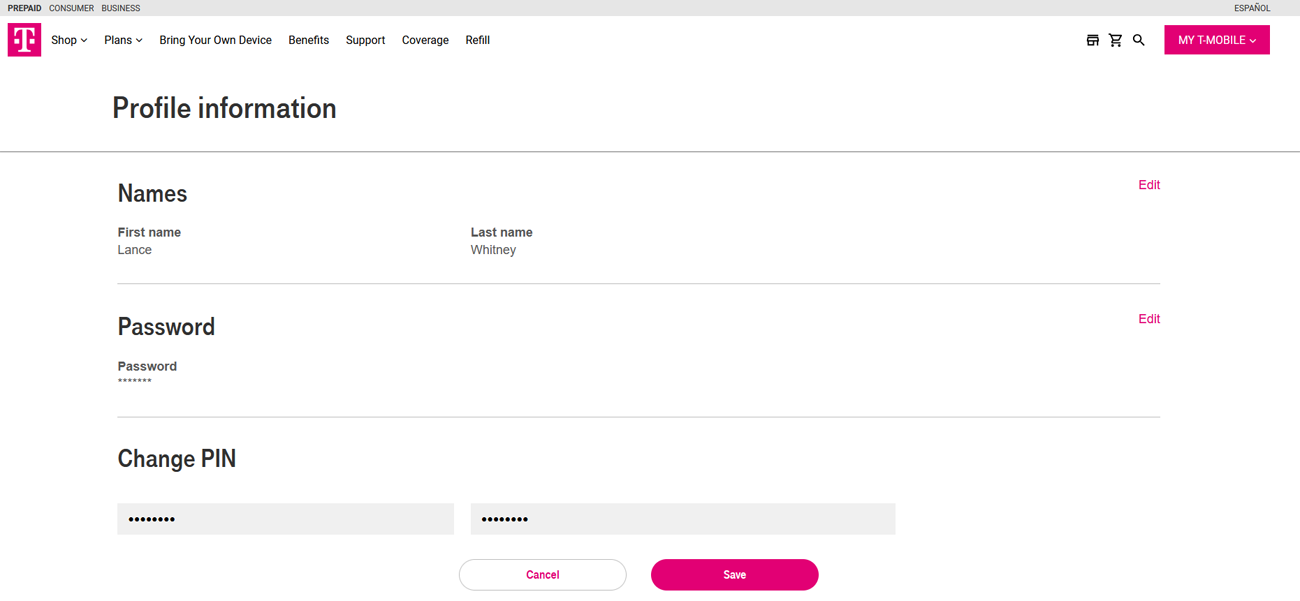
Many carriers require a separate PIN or password for account changes. This additional layer of security ensures that anyone attempting to modify your account must provide the correct code. To set this up, sign in to your account and look for the option under security settings. If you’re unsure, contact your carrier for assistance. Make sure to store the PIN or password securely so you can retrieve it when needed.
2. Avoid SMS-Based Authentication
While two-factor authentication (2FA) adds an extra layer of security, not all methods are equally safe. SMS-based authentication, where you receive a code via text message, is the least secure because hackers can easily intercept these messages.
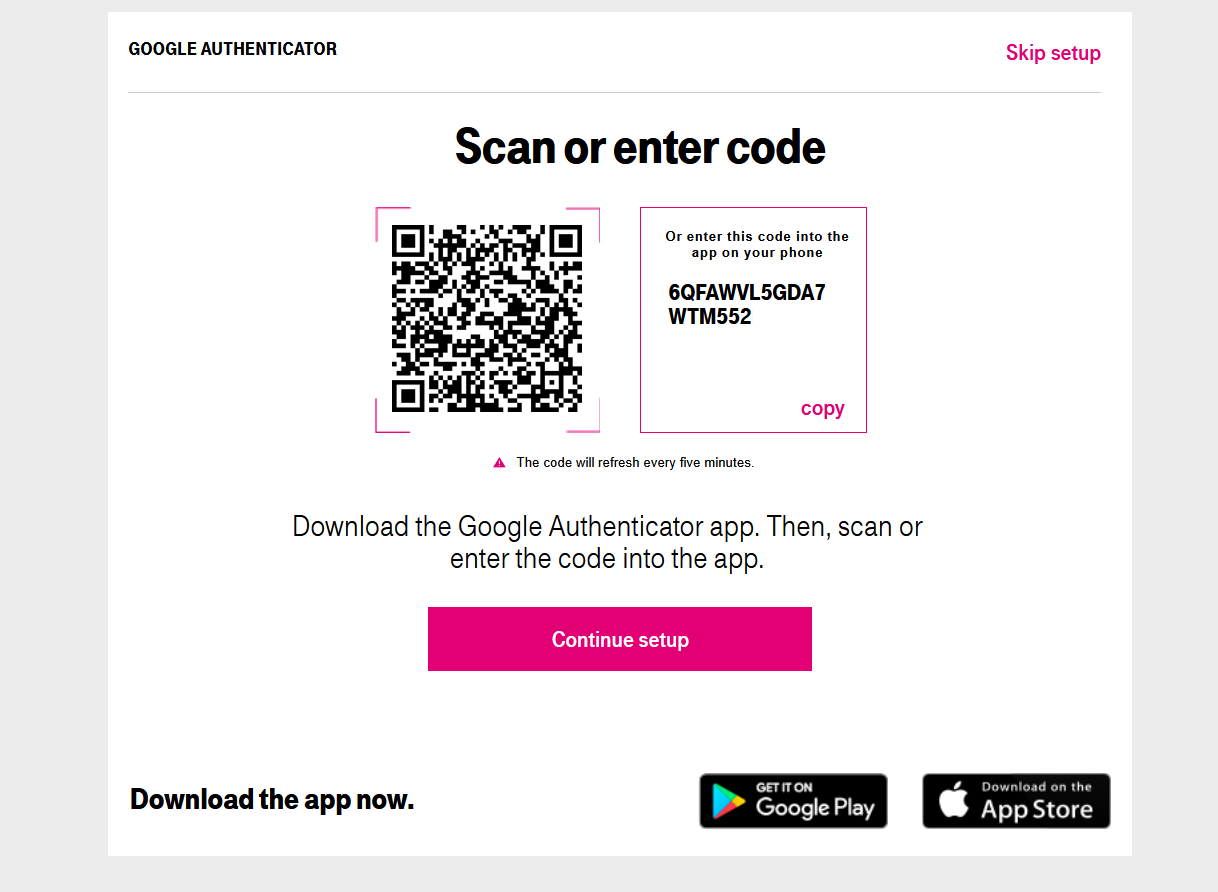
Instead, opt for more secure options like an authenticator app or a physical security key. These methods are much harder to compromise. To set this up, navigate to your account’s security settings and look for the authentication option. You can scan a QR code to link an authenticator app or set up your security key.
3. Choose a Strong and Unique Password
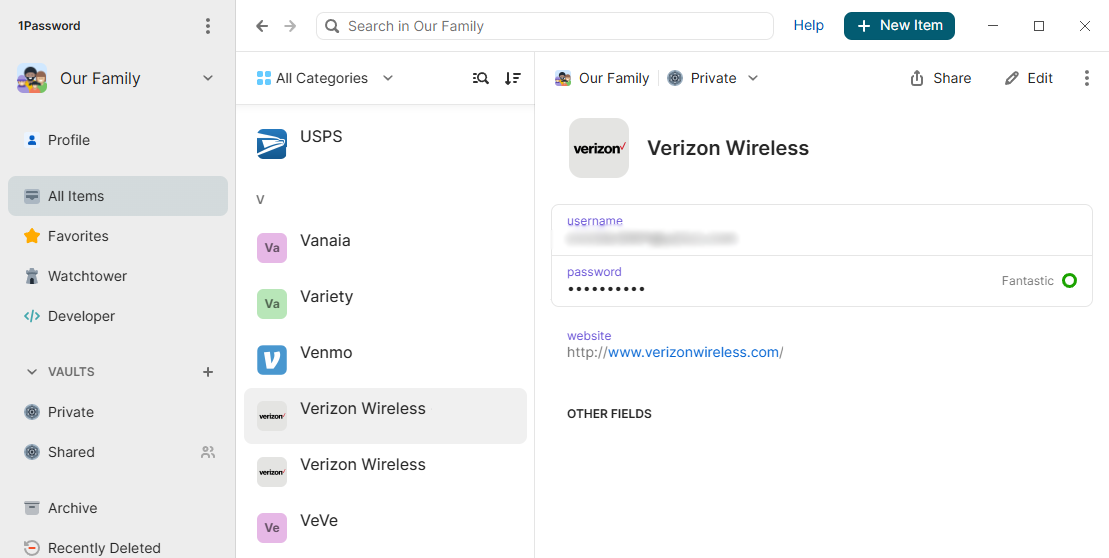
Creating a strong and unique password is essential for any account, especially those vulnerable to SIM swapping. A strong password should include a mix of letters, numbers, and symbols. Consider using a password manager to generate, store, and apply your passwords. Ensure that each password is unique to prevent unauthorized access if another account is compromised.
4. Careful What You Post
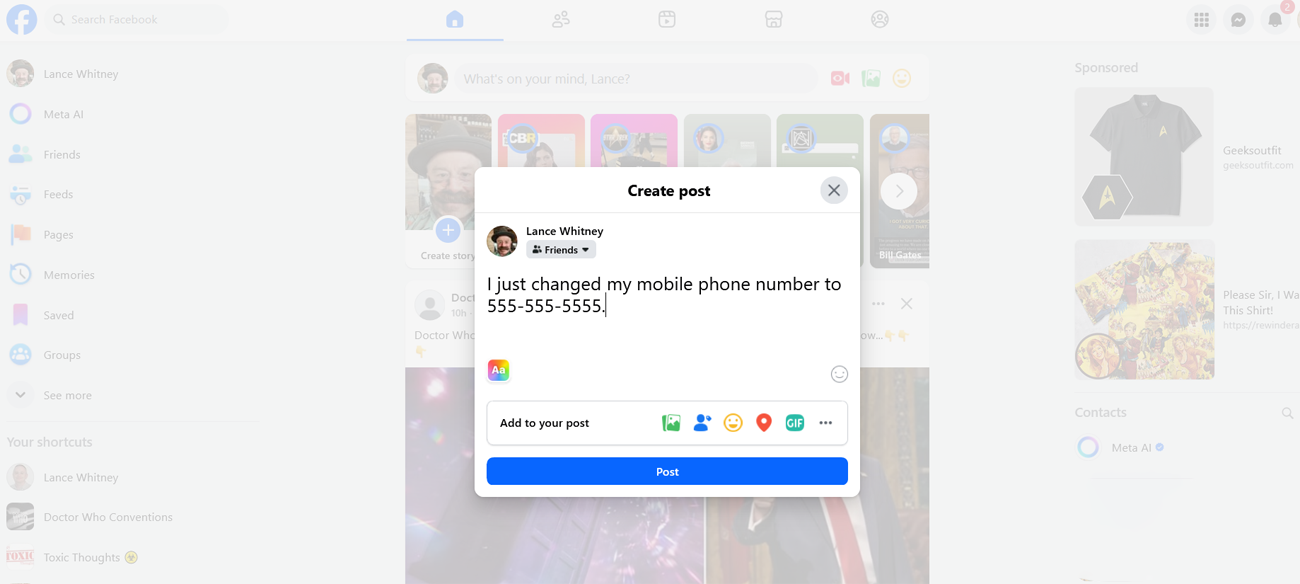
Avoid sharing personal information such as your phone number, home address, or email address on public platforms. Scammers often search social media and other sites for such details. If they can match this information with a compromised password, they may be able to access your mobile account and alter security settings.
5. Watch What You Message
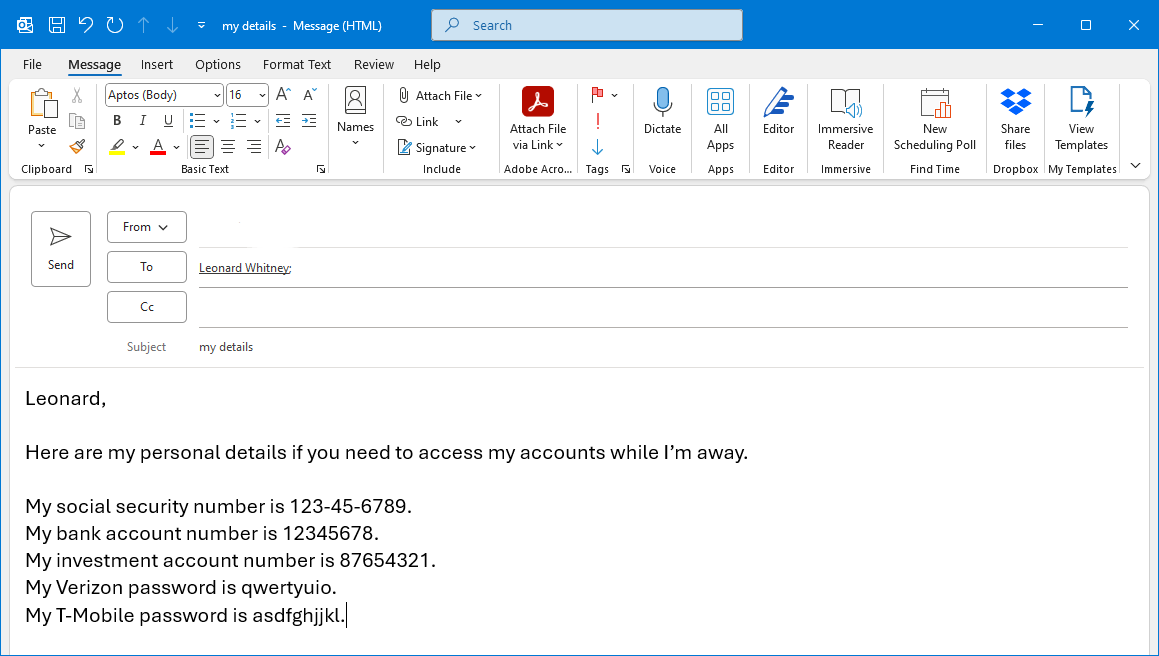
Email and text messaging are not always secure. While end-to-end encryption has improved the security of messaging apps like Signal, there are still vulnerabilities. For example, messages between an iPhone and Android phone are not encrypted. Be cautious about sharing sensitive information in emails or texts, such as your Social Security number, bank details, or passwords.
6. Never Respond to Unexpected Requests
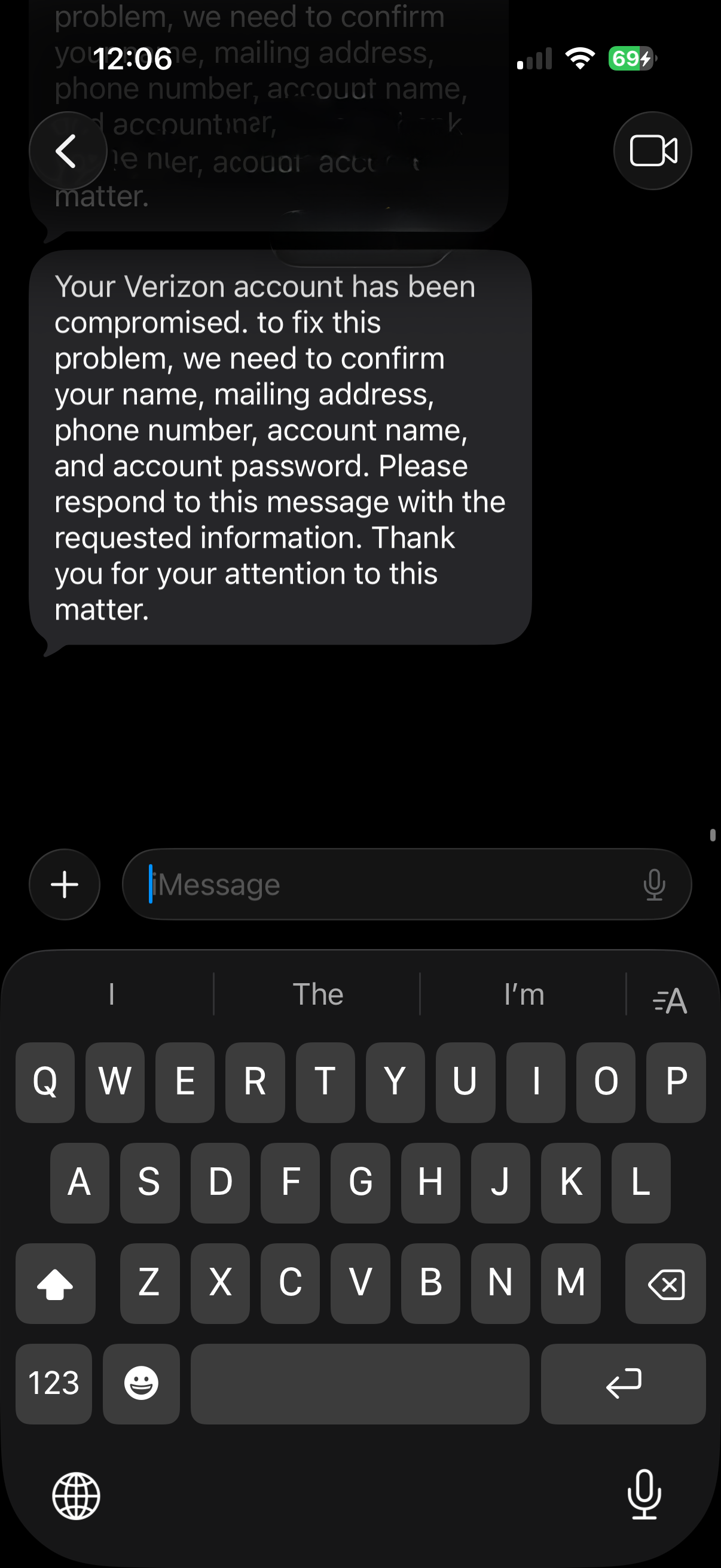
Phishing scams often involve unexpected requests for personal or financial information. You may receive a text, email, or phone call asking for details. Clicking on suspicious links could lead to malicious websites designed to mimic legitimate ones. If you receive an unexpected request, do not respond. Instead, contact the company directly to verify the legitimacy of the request.
7. Activate Your Carrier's SIM Protection
Finally, enable your carrier’s SIM protection to prevent unauthorized phone number transfers. Here’s how to activate this feature on the three major US providers:
Verizon
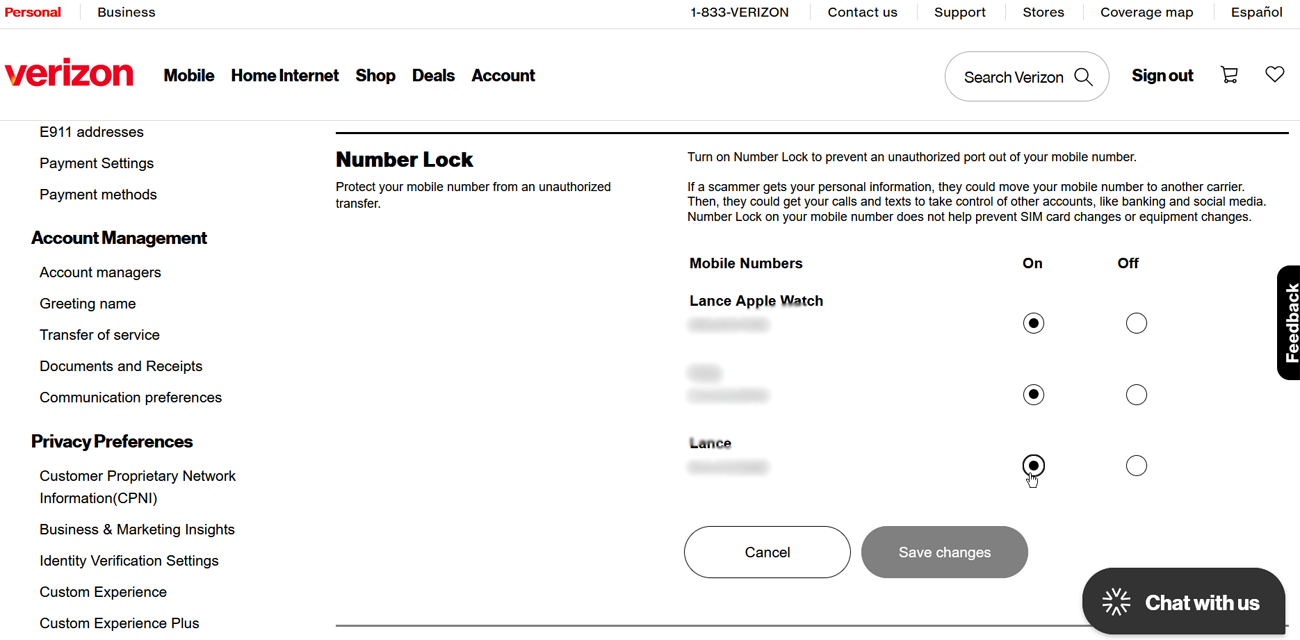
Verizon offers SIM protection and Number Lock, both of which should be enabled. SIM protection prevents unauthorized SIM or device changes, while Number Lock stops unauthorized number swaps. Sign in to your account at the Verizon website or through the My Verizon app. Select Account Overview > Profile & Settings > SIM Protection, then turn it on for each device on your plan. Next, click Number Lock and repeat the process.
AT&T
AT&T provides a free feature called Wireless Account Lock, which prevents unauthorized account changes, billing updates, and number transfers. After enabling this, you’ll need to disable it to make changes. Open the myAT&T app, select Service > Mobile Security > Wireless Account Lock, then choose the account you want to lock and swipe it to lock.
T-Mobile
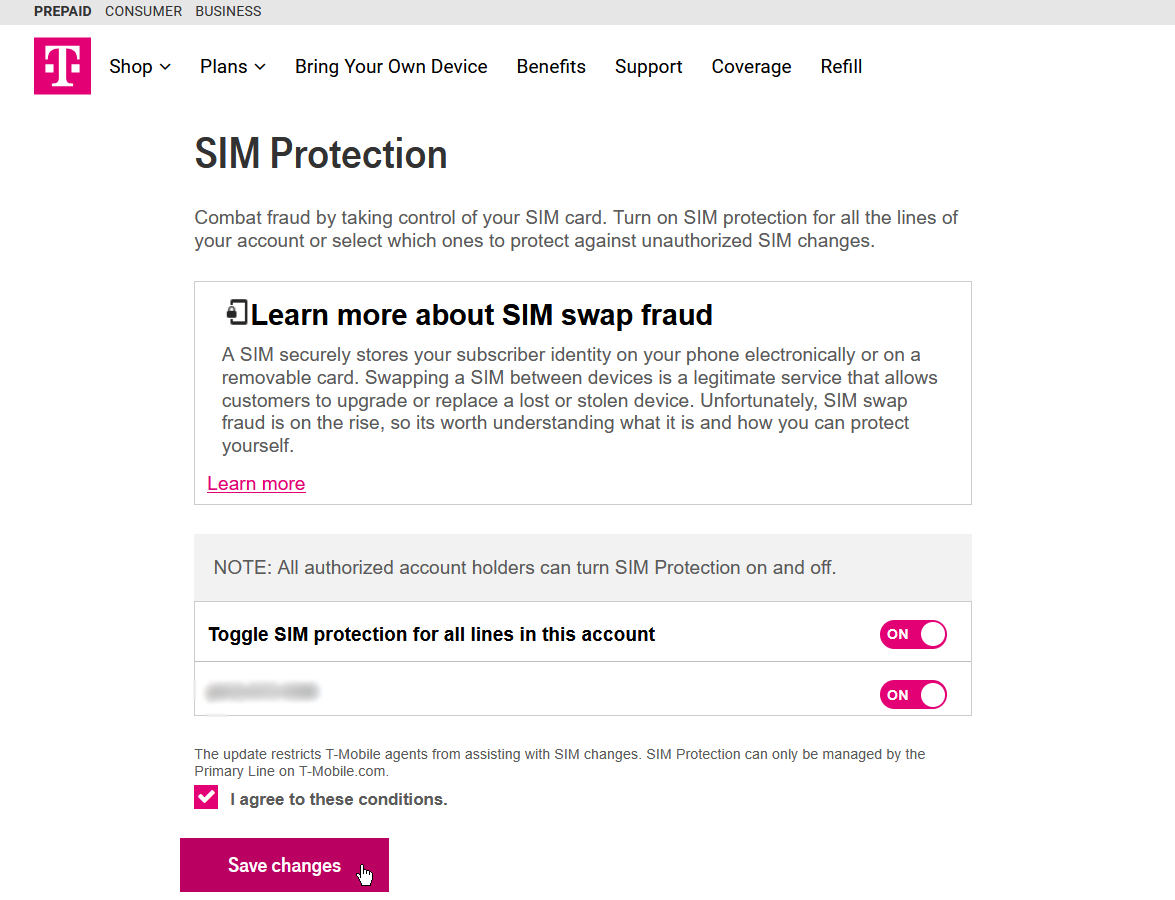
T-Mobile’s SIM Protection prevents unauthorized number transfers and port-outs. To enable this, sign in to your T-Mobile account via the website or the T-Life app. Note that the T-Life app only supports postpaid accounts. On the website, go to your profile page and select Settings > Security > SIM Protection, then enable the feature for the numbers you wish to protect and save your changes.

Posting Komentar untuk "Stop SIM Jacking: 7 Ways to Secure Your Phone Number"
Posting Komentar