
What's the Purpose of the Bottom Port on an Xbox Controller?
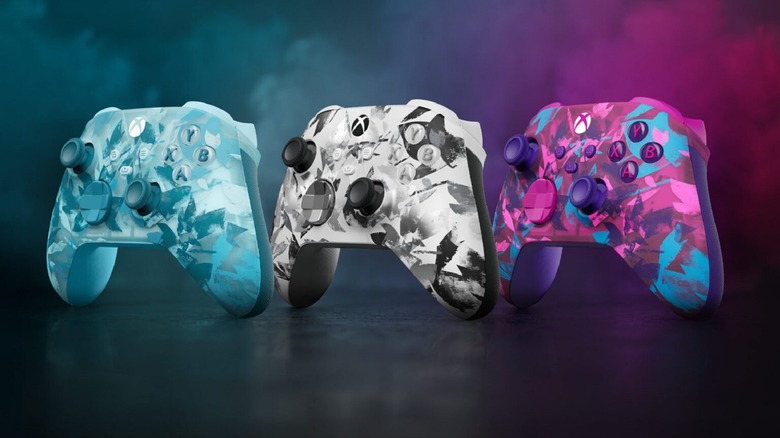
The Xbox controller is a versatile piece of hardware, but it's not without its limitations. One of the most notable aspects of the controller is the number of ports it offers. Both wired and wireless versions feature a USB port at the top, primarily used for connecting the controller to the console or for charging when it's not in use. However, the ports located on the underside of the controller are less intuitive.
On the bottom of the controller, you'll find two main ports: a 3.5 mm auxiliary jack and the Expansion Port. The auxiliary jack is designed for connecting Xbox One-compatible wired headsets or other audio output devices. Meanwhile, the Expansion Port serves as a dedicated connection point for accessories that can be attached directly to the controller. This design is particularly useful for gamers who want to enhance their experience with additional peripherals.
Unlike handheld consoles like the Nintendo Switch 2 or the Steam Deck, which often have built-in auxiliary jacks, Xbox consoles require users to rely on the controller for audio output. This means that any wired gaming headset must be connected directly to the controller, either through the auxiliary jack or the Expansion Port.
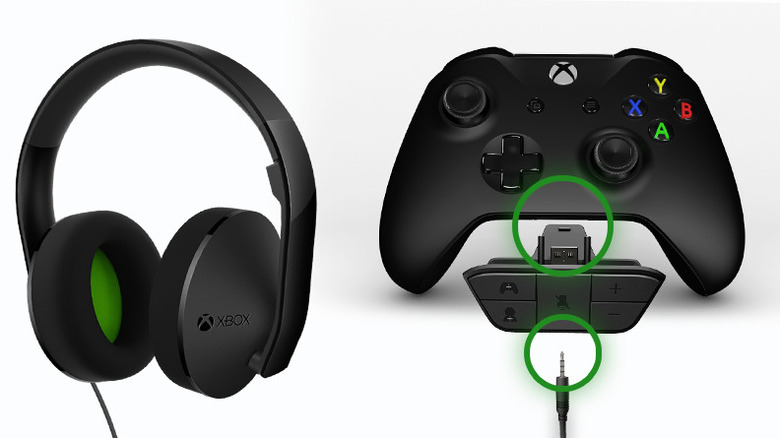
The Expansion Port is located on the bottom of official Xbox One Controllers, typically between the two grips. It appears as a small recessed area, and on newer models, it's often positioned next to the 3.5 mm auxiliary jack. This port allows users to connect various accessories directly to the controller, such as chatpads for easier typing during online interactions. It also supports the use of accessories like the Xbox One Stereo Headset Adapter, enabling voice chat while playing.
While the Expansion Port was once an essential feature of the Xbox One Controller, its importance has diminished over time. Recent iterations of the controller now include both the 3.5 mm aux jack and the Expansion Port. However, some third-party models, such as PowerA's Advantage Controller, have opted to remove the Expansion Port entirely, replacing it with just a 3.5 mm aux jack. This change makes the aux input more versatile, as it can accommodate a wide range of wired headphones, headsets, or earbuds without the need for additional adapters. While this shift simplifies connectivity for many users, it also means that certain accessories, like chatpads, may no longer be compatible with controllers that lack an Expansion Port.
If you're looking to connect your Xbox One to an auxiliary output without using the controller, there are several alternative options available. For example, if you're gaming through a TV, it likely has an auxiliary output port. Connect your Xbox One to the TV using an HDMI cable, then plug your headphones directly into the TV's auxiliary port for audio.
For those who aren't using a TV or another device with a direct auxiliary output, an adapter is the way to go. If you're using a non-S/X series Xbox One, you can use an optical-to-3.5 mm converter. Plug the converter into the optical port on the back of your console (labeled S/PDIF), then connect your headphones or auxiliary cable to the adapter. This setup allows you to enjoy audio from your console without relying on the controller.
If you own an Xbox Series S or X, you'll need to use an HDMI extractor instead, as these models don't have an optical audio output. An HDMI extractor splits your audio and video signals, allowing you to route them separately. This device requires a power supply, so you'll need to plug it in. Connect your console to the extractor using an HDMI cable, then use another HDMI cable to connect the extractor to your monitor. Finally, plug your headphones or auxiliary cable into the extractor's audio output port to enjoy high-quality sound.

Posting Komentar untuk "What's the Purpose of the Bottom Port on an Xbox Controller?"
Posting Komentar