
How to Create a TikTok Ads Manager Account: A Step-by-Step Guide
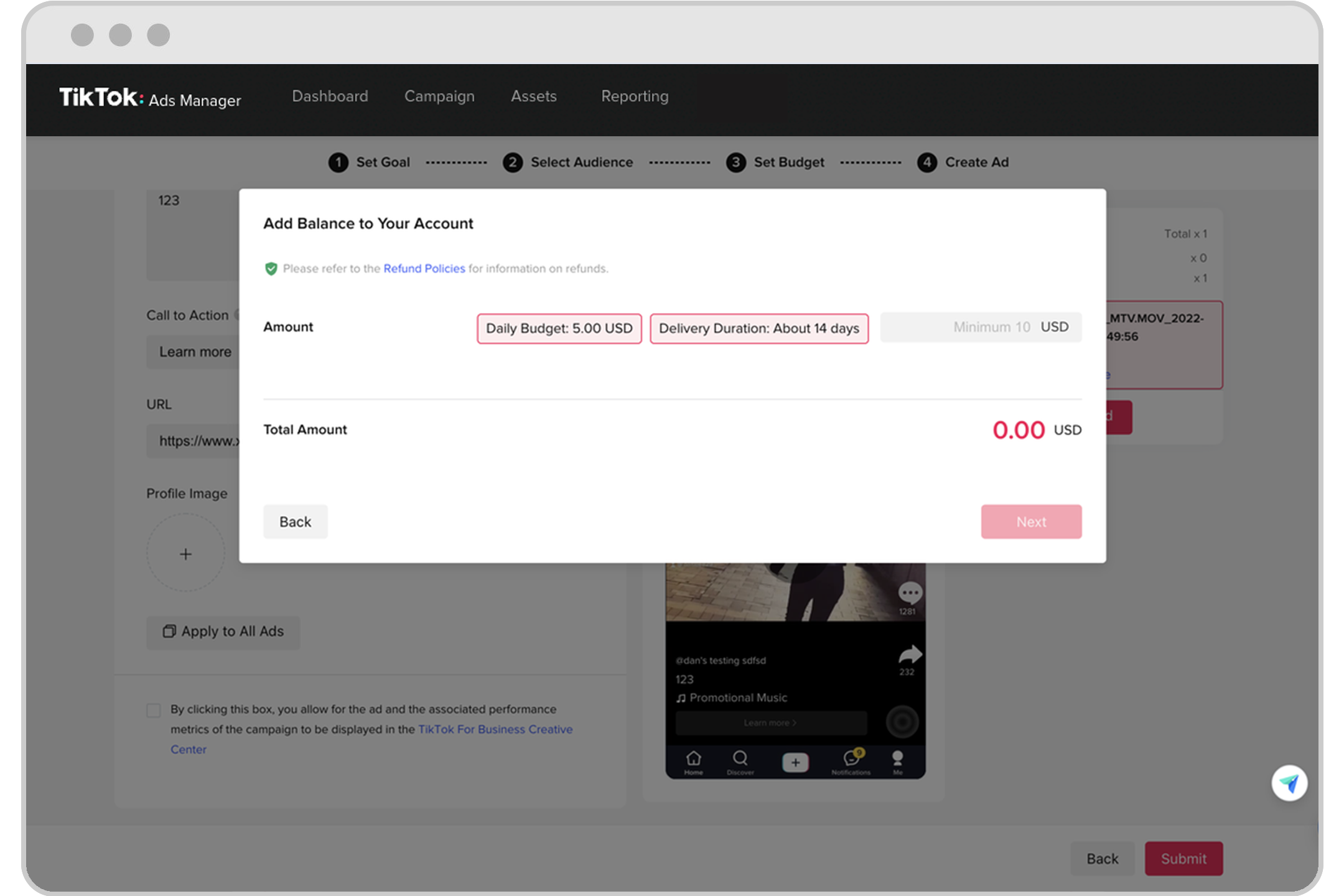
In today's digital landscape, social media platforms like TikTok have become essential tools for businesses to reach and engage with their target audience. One of the most powerful features available to businesses on TikTok is the TikTok Ads Manager, which allows brands to create and manage targeted advertising campaigns. To access these tools, you need to set up a TikTok Business Account first. This guide will walk you through the entire process of creating a TikTok Ads Manager account and optimizing your business presence on the platform.
Understanding the Basics of TikTok Business Accounts

Before diving into the steps, it’s important to understand what a TikTok Business Account entails. Unlike a regular personal account, a business account provides access to advanced features such as:
- Detailed analytics to track the performance of your content.
- Ad creation tools to run targeted advertising campaigns.
- E-commerce integration to sell products directly on the app.
- Audience insights to better understand your followers.
These features are crucial for businesses looking to leverage TikTok's massive user base for marketing and sales.
Step 1: Download and Install the TikTok App
To begin, you’ll need to download the TikTok app from your smartphone’s app store. Ensure that your device is compatible with the latest version of the app. Once downloaded, install the app and open it to start the account creation process.
Step 2: Sign Up for a TikTok Account
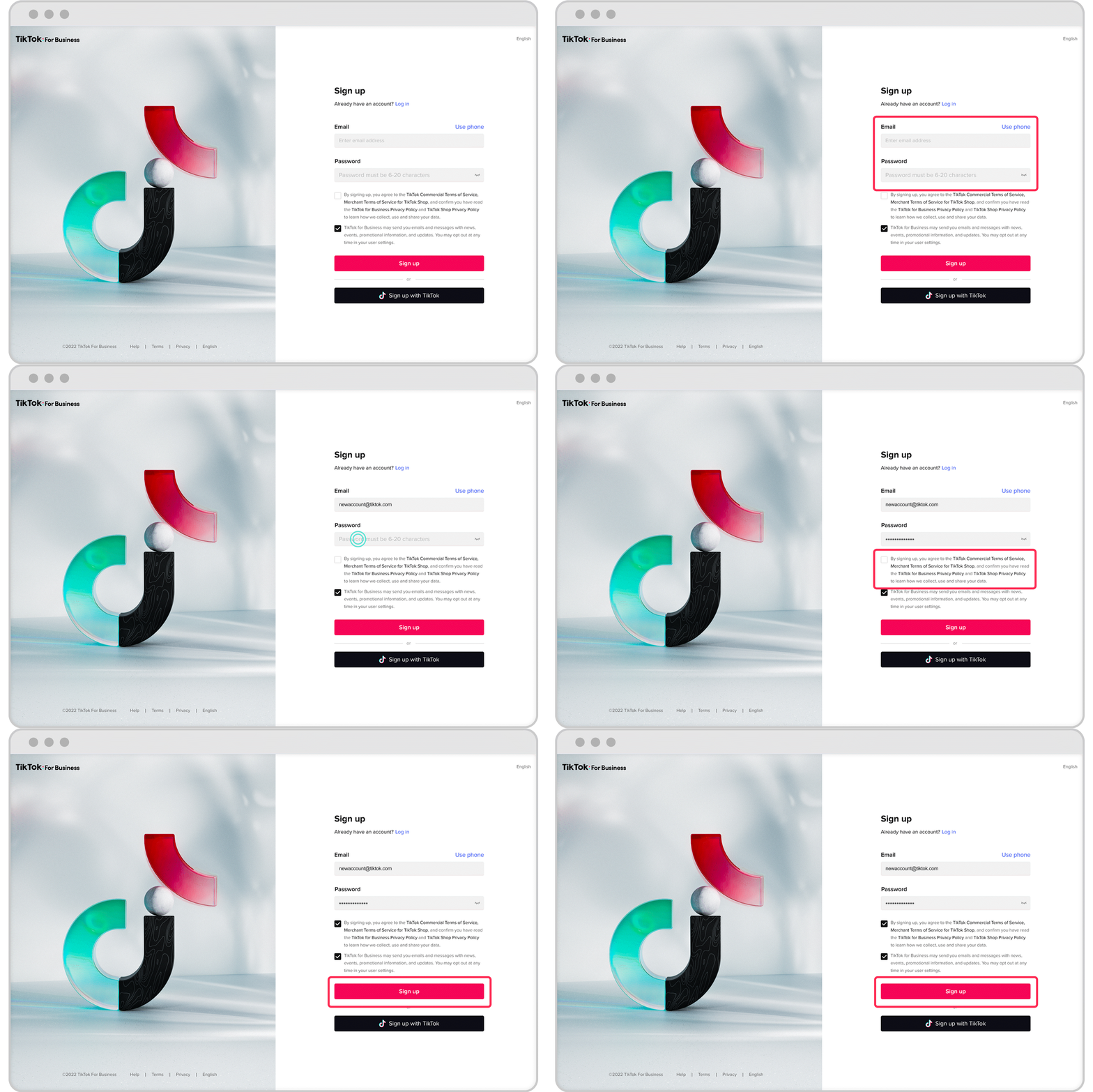
After opening the app, tap on the “Sign Up” option. You can sign up using your email address, phone number, or by linking it to a social media account such as Facebook or Google. Follow the prompts to enter the required information accurately. This step ensures a smooth setup process for your new account.
Step 3: Switch to a Business Account
Once your personal account is active, navigate to your profile by tapping the profile icon. From there, go to Settings and Privacy and select “Manage Account.” Within this section, look for the option to “Switch to Business Account.” This change allows you to access the specialized features designed for businesses.
Step 4: Choose Your Business Category
After switching to a business account, TikTok will prompt you to choose a category that best represents your business. This categorization helps TikTok tailor your experience and recommend relevant content. For example, if you’re a clothing brand, selecting the “Fashion” category will help you connect with users interested in fashion trends.
Step 5: Optimize Your Profile
Once your business account is set up, take time to optimize your profile. Add a clear profile picture, a concise bio, and links to your website or other social media platforms. This information is crucial for branding and helps users understand your business at a glance.
Utilizing TikTok Business Manager
After setting up your business account, the next step is to use TikTok Business Manager to manage your advertising campaigns effectively. Here’s how you can do it:
1. Create a Business Account
Navigate to the TikTok Business website and sign up using your business details. This account provides access to advanced tools and analytics.
2. Set Up Your Business Manager
Access the TikTok Business Manager dashboard to manage your advertising campaigns, assets, and data. Input your business information and configure settings according to your needs.
3. Add Assets and Team Members
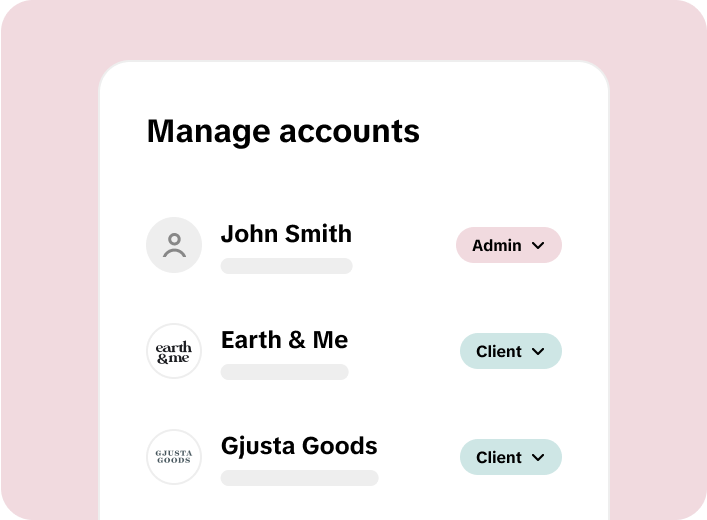
In Business Manager, add assets like ad accounts, catalogs, and pixels. You can also invite team members and assign them roles and permissions for collaborative work.
4. Create and Manage Ad Campaigns
Use the TikTok Ads Manager within the Business Manager to create and manage your ad campaigns. Set your campaign objectives, target audience, budget, and schedule. Analyze performance data to make informed decisions.
5. Analyze Performance Data
Regularly check the analytics provided by TikTok Business Manager. This data includes engagement rates, reach, and conversion metrics. Use this information to refine your strategies and improve campaign effectiveness.
6. Leverage Creative Tools
TikTok Business Manager offers various creative tools and resources to enhance your content. Use these tools to create engaging and platform-specific content that resonates with your audience.
7. Explore Audience Insights
Dive into the Audience Insights feature in the TikTok Business Manager. This tool provides detailed information about your audience’s demographics, interests, and behavior on the platform. Utilize these insights to tailor your content and ads to better match your audience’s preferences.
8. Utilize the Pixel for Website Tracking
Install the TikTok Pixel on your website, available through the Business Manager. This pixel tracks user actions on your website, allowing for more targeted and effective advertising.
9. Manage Your Catalog
If you’re an e-commerce business, use the Business Manager to manage your product catalog. This feature allows you to showcase your products directly on TikTok, facilitating easier discovery and purchase.
10. Respond to Trends and Adapt Strategies
Monitor the latest trends on TikTok and adapt your marketing strategies accordingly. Use the Business Manager to quickly respond to these trends by updating your campaigns or content.
11. Schedule Content and Campaigns
Plan and schedule your content and campaigns in advance using the Business Manager. This helps in maintaining a consistent presence on the platform without the need for daily manual updates.
12. Engage with Your Audience
Use the Business Manager to track comments and messages, and engage with your audience. Responding to comments and messages can build a strong community and increase customer loyalty.
Frequently Asked Questions (FAQs)
What is a TikTok Business Account?
A TikTok Business Account is a type of profile on TikTok specifically designed for businesses, offering advanced features like analytics and advertising tools. Unlike a personal account, it provides insights into your audience and the performance of your content, crucial for marketing strategies.
What are the benefits of switching to a TikTok Business Account?
Switching to a TikTok Business Account benefits businesses by providing access to detailed analytics, advertising options, and additional tools for audience engagement. These features are essential for effective social media marketing and audience analysis.
Is there a cost associated with creating a TikTok Business Account?
No, there is no cost associated with creating a TikTok business account. However, additional costs may be incurred for advertising and promotional activities on the platform. The account itself does not require any subscription or payment.
Can I switch back to a personal account after creating a TikTok Business Account?
Yes, you can switch back to a personal account from a TikTok Business Account at any time. This can be done through the “Manage Account” section in the “Settings and Privacy” menu, allowing flexibility in how you use TikTok.
Conclusion
Creating a TikTok Business Account is a straightforward process that unlocks a wealth of features beneficial for businesses, such as detailed analytics, targeted advertising, and enhanced audience engagement tools. While the account itself is free, it offers significant value for brand promotion and market analysis, making it an essential tool for modern digital marketing strategies. By following the steps outlined in this guide, you can effectively set up and manage your TikTok Ads Manager account to drive growth and engagement on the platform.

Posting Komentar untuk "How to Create a TikTok Ads Manager Account: A Step-by-Step Guide"
Posting Komentar