
How to Create a TikTok Ads Manager Account: Step-by-Step Guide
In today's digital age, social media platforms have become essential tools for businesses to reach their target audience. Among these platforms, TikTok has emerged as a powerful tool for marketing and advertising. With its vast user base and engaging content, TikTok offers a unique opportunity for businesses to connect with potential customers. One of the key components of running successful TikTok ads is setting up a TikTok Ads Manager account. This article will guide you through the steps to create a TikTok Ads Manager account, ensuring you can effectively manage and optimize your advertising campaigns.
Understanding the TikTok Ads Manager
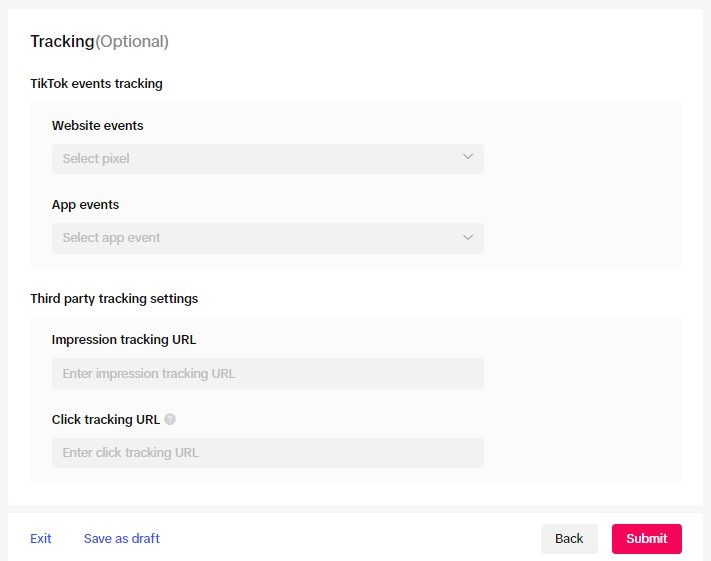
Before diving into the steps, it's important to understand what the TikTok Ads Manager is. The TikTok Ads Manager is a platform that allows businesses to create, manage, and track their advertising campaigns on TikTok. It provides a centralized location where users can set up ad accounts, choose campaign objectives, define target audiences, and monitor performance metrics. By using the TikTok Ads Manager, businesses can streamline their advertising efforts and achieve better results.
Step 1: Accessing the TikTok Ads Manager
To begin, you need to access the TikTok Ads Manager. This can be done by visiting the official TikTok website or by downloading the TikTok app on your mobile device. Once you are on the platform, look for the "Ads" or "Marketing" section. If you don't see it immediately, you may need to log in with your TikTok account credentials. If you don't have a TikTok account, you'll need to create one first.
Step 2: Creating an Ads Manager Account
Once you have accessed the TikTok Ads Manager, the next step is to create an Ads Manager account. This process typically involves providing some basic information about your business. You will be asked to enter your business name, email address, and phone number. Additionally, you may need to provide details about your business type and industry. This information helps TikTok tailor its advertising services to your specific needs.
Step 3: Verifying Your Account
After submitting your business information, you will need to verify your account. TikTok may send a verification code to your email or phone number. Enter this code to confirm your identity and complete the verification process. This step is crucial as it ensures that your account is secure and that you are authorized to manage advertising campaigns on behalf of your business.
Step 4: Setting Up Your Ad Account
Once your account is verified, you can proceed to set up your ad account. This involves choosing a campaign objective that aligns with your business goals. TikTok offers several campaign objectives, including brand awareness, website traffic, conversion ads, app installs, post engagement, and lead generation. Select the objective that best suits your marketing strategy.
[IMAGE: TikTok Ads Manager account creation steps]
Step 5: Defining Your Target Audience
After selecting your campaign objective, the next step is to define your target audience. TikTok allows you to specify various demographics, such as age, gender, location, and interests. You can also use custom audiences and retargeting data to refine your targeting. By understanding your audience, you can create more effective and relevant ad campaigns.
Step 6: Creating Your First Ad Campaign
With your target audience defined, you can now create your first ad campaign. This involves selecting the type of ad you want to run, such as a video ad, image ad, or carousel ad. You will also need to upload your creative assets, write compelling ad copy, and set your budget. TikTok provides tools to help you optimize your ad spend and maximize your return on investment.
Step 7: Monitoring and Optimizing Your Campaign
Once your ad campaign is live, it's essential to monitor its performance regularly. The TikTok Ads Manager provides detailed analytics that allow you to track key metrics such as impressions, clicks, conversions, and engagement rates. Use this data to make informed decisions and optimize your campaigns for better results. Regularly reviewing and adjusting your strategies can significantly improve the effectiveness of your TikTok advertising efforts.
Conclusion
Creating a TikTok Ads Manager account is a straightforward process that can open up new opportunities for your business. By following the steps outlined in this guide, you can effectively set up and manage your advertising campaigns on TikTok. Remember to focus on defining clear objectives, understanding your target audience, and continuously optimizing your strategies. With the right approach, TikTok can become a powerful tool for driving growth and achieving your marketing goals.

Posting Komentar untuk "How to Create a TikTok Ads Manager Account: Step-by-Step Guide"
Posting Komentar