
How to Create a TikTok Stitch Video: A Complete Guide for Beginners
TikTok has become one of the most popular platforms for short-form video content, and its features like Stitch and Duet have revolutionized how users interact with each other. Among these, the Stitch feature allows creators to take a snippet from another user's video and combine it with their own footage. This is an excellent way to engage with other creators, add your perspective, or build on someone else's content. If you're new to TikTok or want to learn how to create a Stitch video, this guide will walk you through everything you need to know.

What Is a TikTok Stitch Video?
A TikTok Stitch video is a type of collaboration where you take a portion of another user's video (up to five seconds) and integrate it into your own. This can be used to respond to a trend, add context, or even create a conversation between two videos. Unlike a Duet, which places your video side by side with the original, a Stitch starts with the original clip before transitioning into your own content.
Stitching is a powerful tool for engagement because it allows you to build on existing content while still giving credit to the original creator. It’s also a great way to participate in trends and increase your visibility on the platform.
Step-by-Step Guide to Creating a TikTok Stitch Video
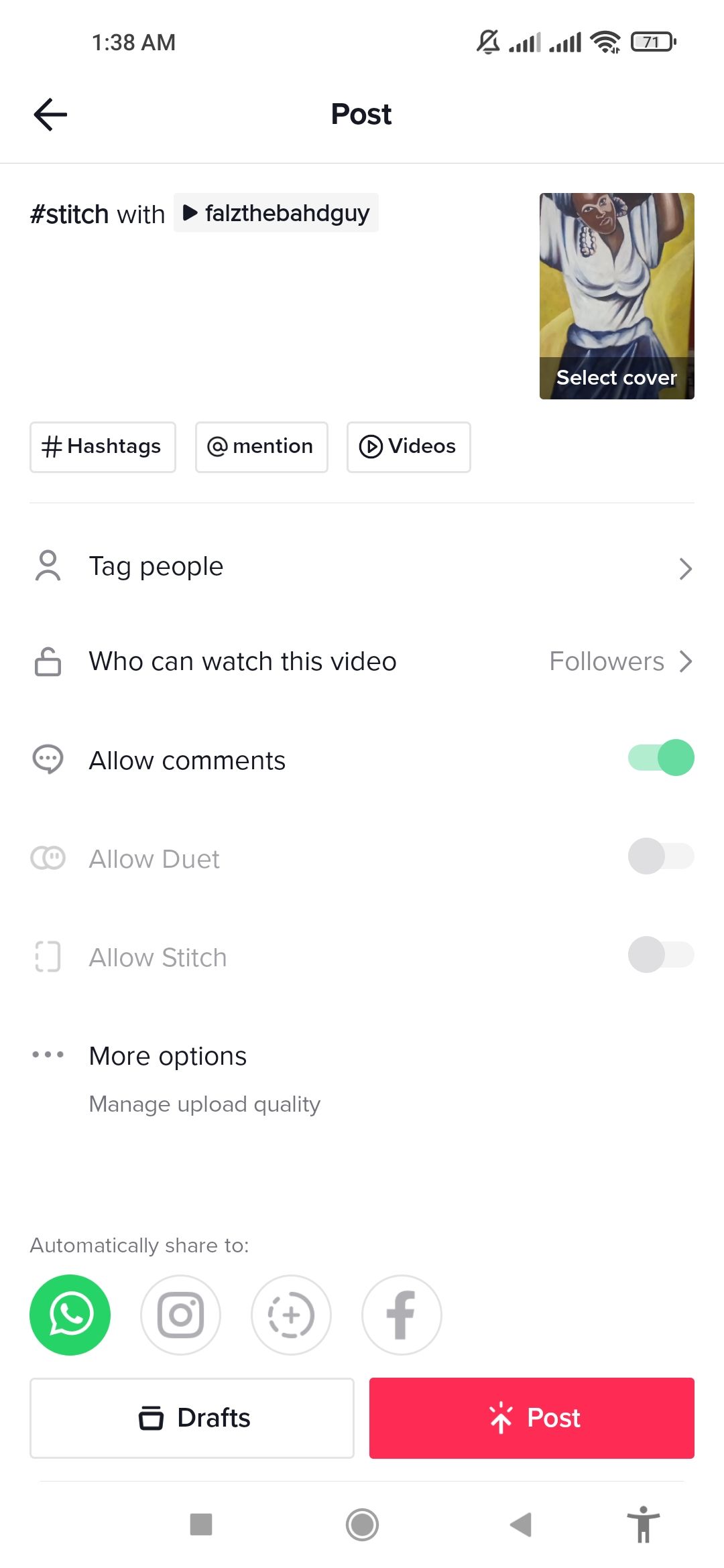
Here’s how to create a Stitch video on TikTok:
-
Find a Video to Stitch
Browse TikTok and find a video that you want to use as a starting point. Not all videos are "stitchable," so look for the "Stitch" button when you tap the share icon. -
Tap the Share Button
Once you’ve found a suitable video, tap the Share button (the arrow icon) located at the bottom right of the screen. -
Select the "Stitch" Option
From the share menu, select Stitch. You’ll now see a preview of the original video, and you can choose the specific part you want to use. -
Choose the Clip Length
TikTok allows you to select up to five seconds of the original video. Swipe left or right on the timeline to pick the exact clip you want. -
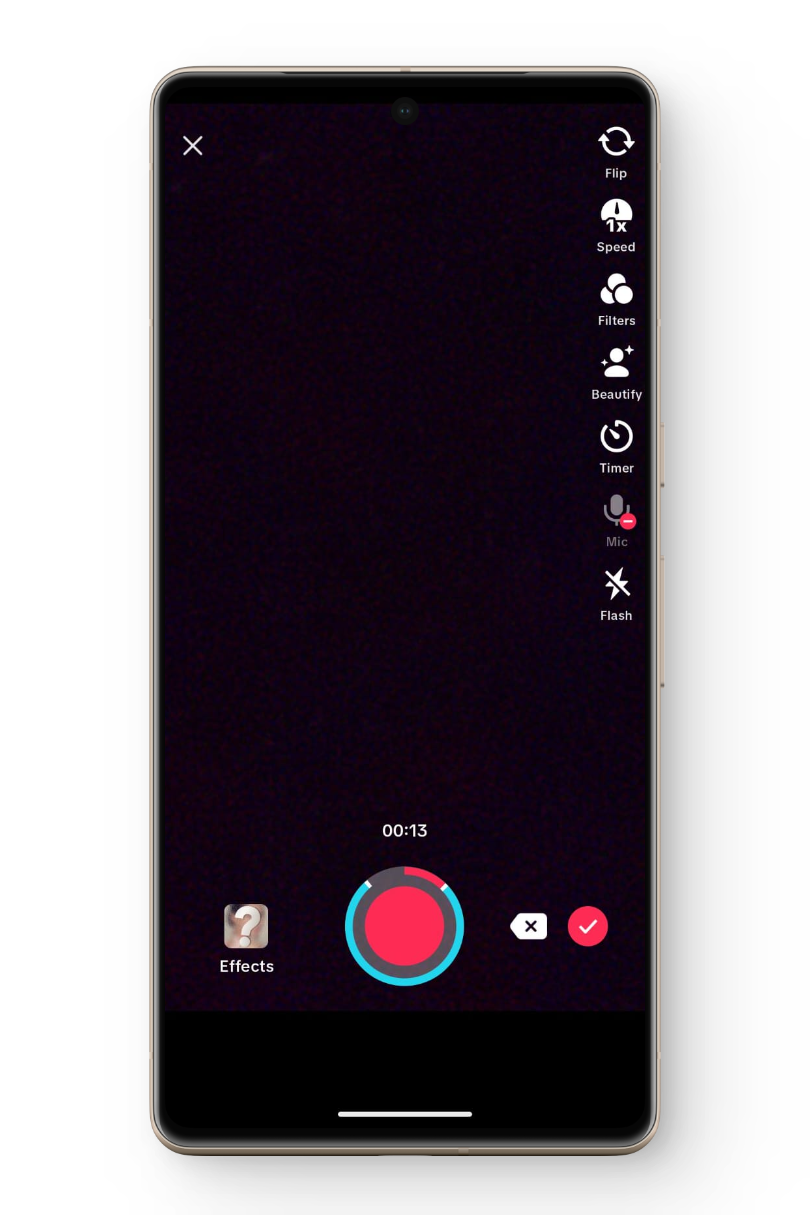
Record Your Response
After selecting the clip, you'll be prompted to record your own video. Use the front or back camera, apply filters, or add text as needed. -
Add a Caption and Hashtags
Before posting, add a caption and relevant hashtags to help your video reach more people. -
Post Your Stitch Video
Review your video, make any edits, and then tap Post to share it with your followers.
Tips for Effective Stitch Videos
Creating a successful Stitch video requires more than just copying a clip — here are some tips to help you stand out:
- Be Relevant: Choose videos that align with your niche or interests. This increases the chances of your Stitch being seen by the right audience.
- Add Value: Whether you’re reacting, explaining, or adding a twist, make sure your content adds something new to the original.
- Engage with the Original Creator: If possible, comment or tag the original creator to foster a sense of community and increase engagement.
- Use Trending Sounds: Incorporate trending audio to boost your video’s visibility and participation in current challenges.
- Keep It Short and Sweet: Since Stitch videos start with a snippet, make sure your response is concise and impactful.
Benefits of Using Stitch on TikTok

Using the Stitch feature offers several advantages for both individual creators and brands:
- Increased Engagement: By responding to others’ content, you encourage interaction and build a stronger connection with your audience.
- Collaboration Opportunities: Stitching allows you to work with other creators, expanding your network and potential reach.
- Content Expansion: You can build on existing trends or topics, making your content more dynamic and engaging.
- Brand Visibility: For businesses, Stitching can be a powerful marketing tool to showcase products or services in a creative and interactive way.
Conclusion
Creating a TikTok Stitch video is a simple yet effective way to engage with other creators and grow your presence on the platform. By following the steps outlined above and incorporating best practices, you can turn a simple clip into a compelling piece of content that resonates with your audience. Whether you're a beginner or an experienced creator, mastering the Stitch feature can open up new opportunities for creativity, collaboration, and growth on TikTok.

Posting Komentar untuk "How to Create a TikTok Stitch Video: A Complete Guide for Beginners"
Posting Komentar