
How to Customize Reports in TikTok Ads Manager for Better Campaign Insights
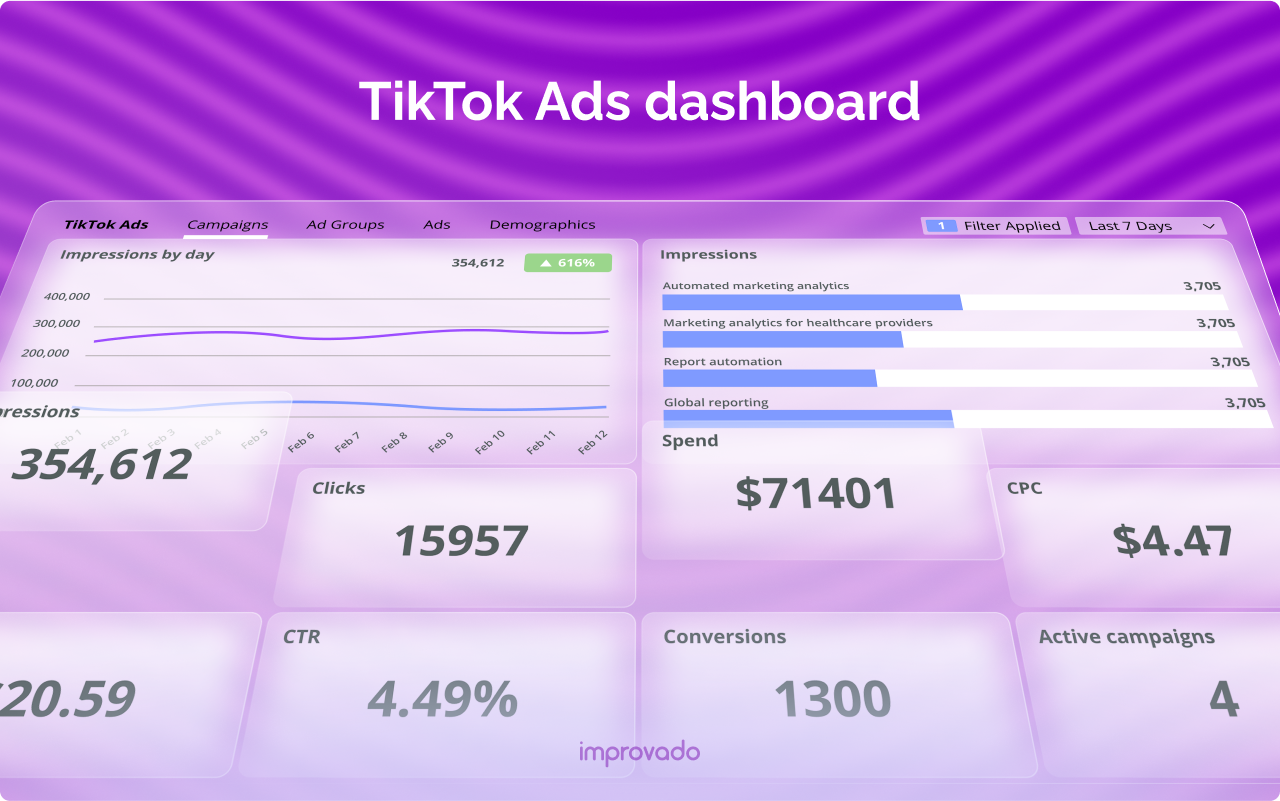
In the ever-evolving world of digital marketing, data is king. For businesses leveraging TikTok Ads Manager, the ability to customize reports has become a critical tool for gaining deeper insights into campaign performance. With over 1 billion active users, TikTok offers a powerful platform for brands to reach younger, engaged audiences. However, without the right reporting tools, it can be challenging to extract meaningful data from the vast amount of information available.
TikTok Ads Manager provides a robust set of analytics features that allow marketers to track key metrics such as impressions, click-through rates (CTR), conversion rates, and return on ad spend (ROAS). But the real value lies in customizing these reports to align with specific business goals and KPIs. This article will guide you through the process of customizing reports in TikTok Ads Manager, helping you unlock more actionable insights and optimize your advertising strategy.
Understanding the Importance of Customized Reporting

Customized reporting in TikTok Ads Manager allows you to focus on the metrics that matter most to your business. Instead of sifting through generic reports, you can tailor them to highlight specific campaigns, ad groups, or even individual creative assets. This level of customization ensures that you’re not just collecting data but using it to make informed decisions.
Some of the key benefits of customized reporting include:
- Improved decision-making: By focusing on relevant metrics, you can quickly identify what’s working and what needs adjustment.
- Enhanced efficiency: Custom reports save time by eliminating unnecessary data and presenting only the most important information.
- Better performance tracking: You can monitor how specific campaigns or ad formats are performing against your business objectives.
Step-by-Step Guide to Customizing Reports in TikTok Ads Manager
To get started with customizing reports in TikTok Ads Manager, follow these steps:
-
Access the Analytics Tab
Once you're logged into your TikTok Ads Manager account, navigate to the "Analytics" tab. This is where you’ll find all the tools for tracking and analyzing your campaign performance. -
Select the Report Type
TikTok Ads Manager offers several report types, including campaign-level, ad group-level, and creative-level reports. Choose the one that best fits your needs. -
Define Your Metrics
In the report settings, you can select the specific metrics you want to include. Common metrics include: - Impressions
- Clicks
- CTR
- Conversions
- CPC
-
ROAS
-
Set Filters and Segments
To narrow down your data, use filters and segments. For example, you can filter by date range, ad format, or audience demographics. This helps you focus on the most relevant data. -
Customize the Report Layout
You can also adjust the layout of your report to suit your preferences. This includes changing the order of metrics, adding custom labels, or grouping data in different ways. -
Save and Export the Report
Once you’ve customized your report, save it for future reference. You can also export the report in various formats, such as CSV or PDF, for easy sharing and analysis.
Best Practices for Effective Reporting
To make the most of your customized reports, consider the following best practices:
- Align reports with business goals: Ensure that the metrics you track are directly tied to your marketing objectives. For example, if your goal is to increase conversions, focus on metrics like conversion rate and ROAS.
- Use consistent time frames: Stick to regular intervals (e.g., weekly or monthly) when generating reports to ensure consistency and ease of comparison.
- Compare performance across campaigns: Use customized reports to compare the performance of different campaigns, ad groups, or creative assets. This helps you identify trends and opportunities for improvement.
- Monitor changes over time: Track how your metrics evolve over time to spot patterns and make data-driven adjustments to your strategy.
Leveraging Custom Reports for Strategic Decisions
Customized reports in TikTok Ads Manager are not just about data—they’re about strategy. By analyzing your reports, you can gain valuable insights into what’s working and what’s not. For instance, if a particular ad group is underperforming, you can quickly identify the issue and make necessary adjustments. On the other hand, if a certain creative asset is driving high engagement, you can allocate more budget to it.
Moreover, custom reports can help you understand your audience better. By segmenting your data based on demographics, interests, or behaviors, you can uncover hidden patterns and refine your targeting strategies. This level of insight is crucial for creating more effective and engaging ads.
Conclusion
In today’s competitive digital landscape, the ability to customize reports in TikTok Ads Manager is essential for any marketer looking to maximize their campaign performance. By tailoring your reports to focus on the most relevant metrics, you can gain deeper insights, make informed decisions, and drive better results. Whether you’re new to TikTok Ads Manager or an experienced marketer, mastering the art of customized reporting will give you a significant edge in your advertising efforts.
[IMAGE: TikTok Ads Manager reporting customization dashboard]

Posting Komentar untuk "How to Customize Reports in TikTok Ads Manager for Better Campaign Insights"
Posting Komentar