
How to Manage TikTok Ads Manager Notification Settings for Maximum Efficiency
TikTok has become one of the most powerful platforms for digital marketing, and managing your ads effectively is crucial for success. One of the key aspects of this management is understanding and customizing TikTok Ads Manager notification settings. These notifications help you stay updated on campaign performance, ad approvals, and other critical updates. In this article, we’ll walk you through how to manage these settings efficiently to maximize your productivity and ensure your campaigns run smoothly.
Why TikTok Ads Manager Notification Settings Matter
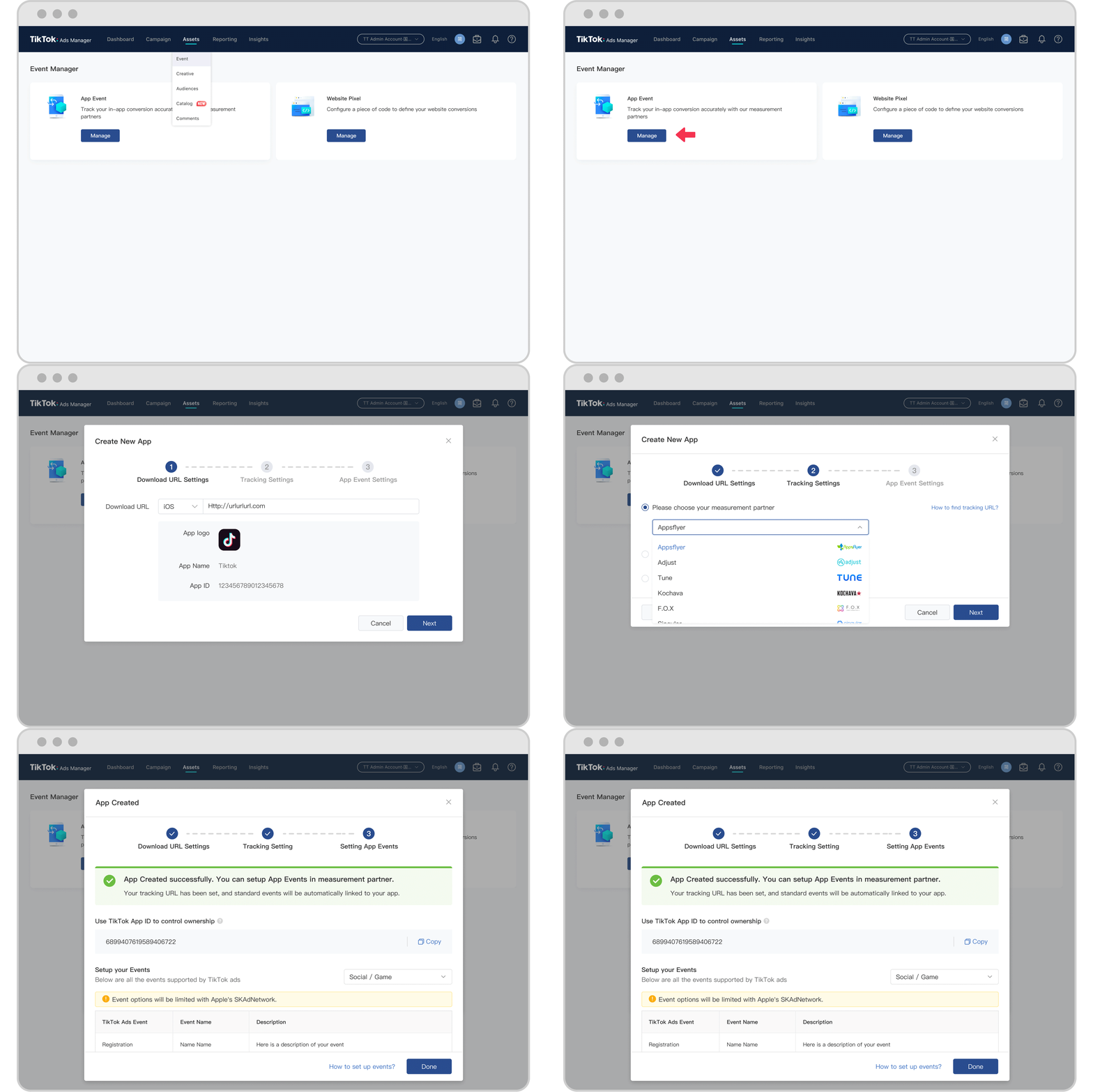
TikTok Ads Manager is a comprehensive tool that allows businesses to create, manage, and track their ad campaigns. However, without proper notification settings, it's easy to miss important updates that could impact your advertising strategy. Notifications act as a bridge between you and your campaigns, ensuring you’re always in the loop about what’s happening with your ads.
By customizing your notification preferences, you can:
- Stay informed about ad status changes
- Receive alerts for campaign performance
- Avoid missing out on critical deadlines or approvals
- Save time by filtering out unnecessary alerts
Step-by-Step Guide to Managing TikTok Ads Manager Notification Settings
Here’s how you can access and customize your notification settings within TikTok Ads Manager:
1. Access Your TikTok Ads Manager Account
To begin, log in to your TikTok Ads Manager account. If you don’t have an account yet, you can create one by following the steps outlined in the official TikTok Business Help Center. For users managing multiple accounts, your sales representative can guide you through the setup process.
2. Navigate to Notification Settings
Once logged in, go to the Settings section of your TikTok Ads Manager dashboard. Look for the Notification Settings option. This is where you can adjust how and when you receive alerts.
3. Customize Your Notification Preferences
You’ll see several options for customizing your notifications. Here are some of the key settings you can adjust:
- Email Notifications: Choose whether you want to receive email alerts for specific events such as ad approvals, campaign changes, or performance reports.
- In-App Notifications: Enable or disable notifications directly within the TikTok Ads Manager app. These appear as pop-ups or banners while you're using the platform.
- Push Notifications: If you use the TikTok Ads Manager mobile app, you can enable push notifications to get real-time alerts on your phone.
4. Select Specific Events to Monitor
TikTok Ads Manager allows you to choose which events trigger notifications. Some common events include:
- Ad approval status
- Campaign budget limits reached
- Changes in ad performance metrics
- New messages from the TikTok support team
Customizing these settings ensures you only receive alerts that are relevant to your workflow.
5. Test Your Notification Settings
After adjusting your preferences, test them by triggering a minor change in your campaign. For example, pause an ad or update its targeting settings. This will help you confirm that the notifications are working as expected.
Best Practices for Efficient Notification Management
To make the most of your TikTok Ads Manager notification settings, consider the following best practices:
- Prioritize Critical Alerts: Focus on notifications related to ad approvals, budget limits, and performance issues. These are the most impactful for your campaigns.
- Avoid Overload: Don’t enable too many notifications at once. Start with the most essential ones and add more as needed.
- Review Regularly: Periodically check your notification settings to ensure they align with your current campaign goals and strategies.
- Use Email for Detailed Reports: If you prefer, set up email notifications for detailed performance reports instead of real-time alerts. This helps reduce distractions while still keeping you informed.
Tips for Maximizing Efficiency
In addition to managing notifications, here are a few tips to help you work more efficiently with TikTok Ads Manager:
- Set Up Automated Alerts: Use the platform’s built-in tools to automate certain alerts, such as when a campaign reaches a specific performance threshold.
- Leverage Analytics: Combine your notification settings with TikTok’s analytics tools to gain deeper insights into your campaign performance.
- Stay Updated on Platform Changes: TikTok frequently updates its features and policies. Staying informed about these changes ensures your notification settings remain effective.
Conclusion
Managing TikTok Ads Manager notification settings is a simple yet powerful way to streamline your advertising efforts. By customizing your preferences and focusing on the most relevant alerts, you can save time, avoid missed opportunities, and maintain control over your campaigns. Whether you're a seasoned marketer or just starting out, taking the time to set up your notification preferences correctly can make a significant difference in your overall efficiency and success on TikTok.

Posting Komentar untuk "How to Manage TikTok Ads Manager Notification Settings for Maximum Efficiency"
Posting Komentar