
How to Master the TikTok Ads Manager Dashboard: A Complete Guide
TikTok has become a powerful platform for advertisers, with over a billion active users worldwide. Its dynamic and engaging environment makes it an ideal space for businesses to connect with their target audience. The TikTok Ads Manager Dashboard is a crucial tool that allows advertisers to create, manage, and optimize their ad campaigns effectively. Whether you're new to digital advertising or looking to expand your marketing strategy, mastering this dashboard can significantly enhance your campaign performance.
Understanding the TikTok Ads Manager Dashboard
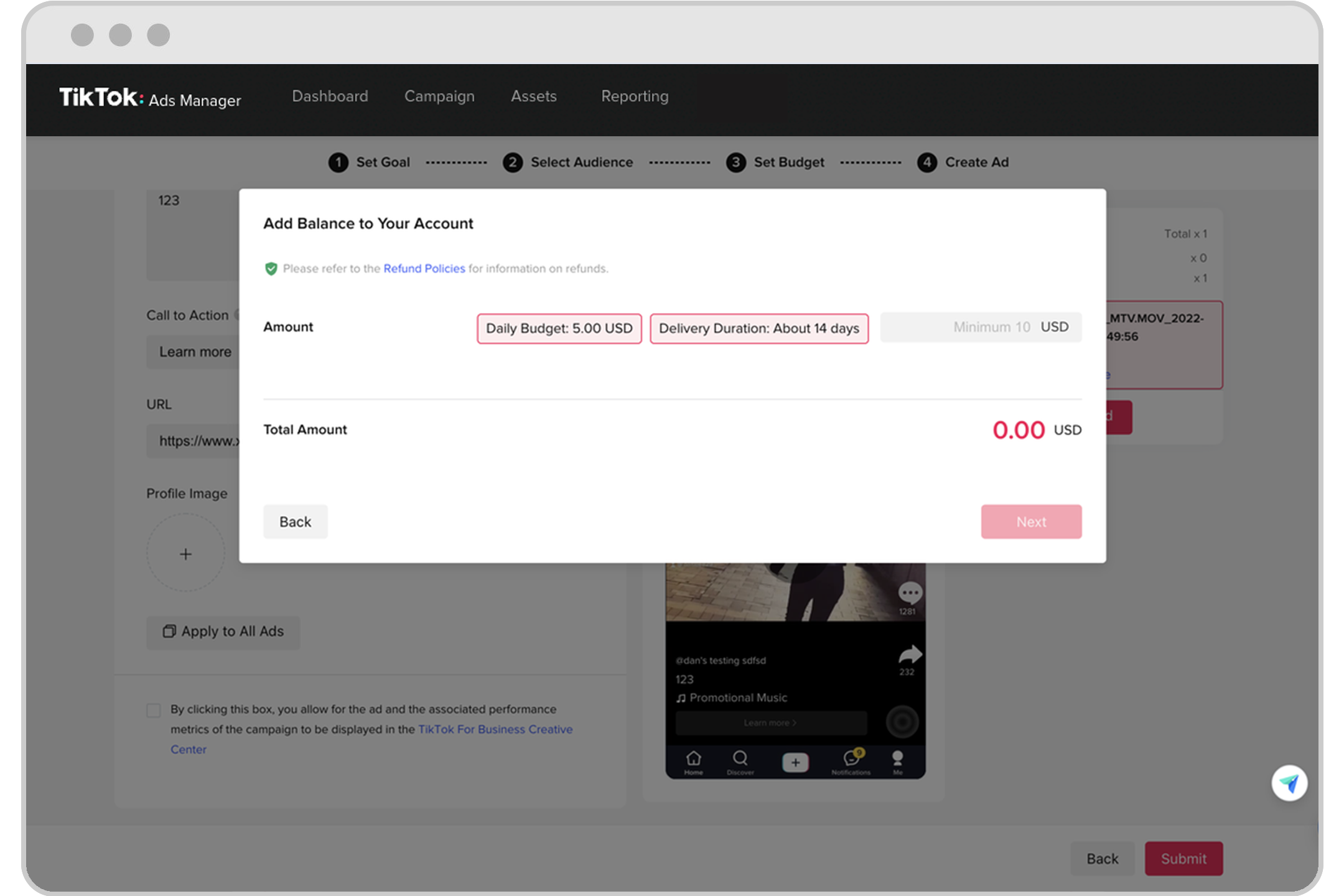
The TikTok Ads Manager Dashboard is a centralized hub where advertisers can monitor and control all aspects of their ad campaigns. It provides real-time data on metrics such as impressions, clicks, conversions, and more. This dashboard is essential for tracking performance, making informed decisions, and optimizing your advertising strategy.
Here are some key features of the dashboard:
- Campaign Creation: Easily set up new campaigns by selecting objectives like Reach, Traffic, App Installs, Video Views, or Conversions.
- Budget Management: Define daily or total budgets and adjust them as needed.
- Ad Group Setup: Customize targeting, placement, scheduling, and bidding strategies for each ad group.
- Performance Analytics: Access detailed reports on metrics like Click-Through Rate (CTR), Conversion Rate (CVR), Cost Per Click (CPC), and Return on Ad Spend (ROAS).
Step-by-Step Guide to Using the TikTok Ads Manager Dashboard

1. Create a TikTok Ads Account
Before you can start running ads, you need to set up a TikTok Ads account. Visit the TikTok Ads Manager website and sign up using your business information. You'll be required to verify your email and set up a payment method. Once completed, you’ll be ready to launch your first campaign.
2. Select a Campaign Objective
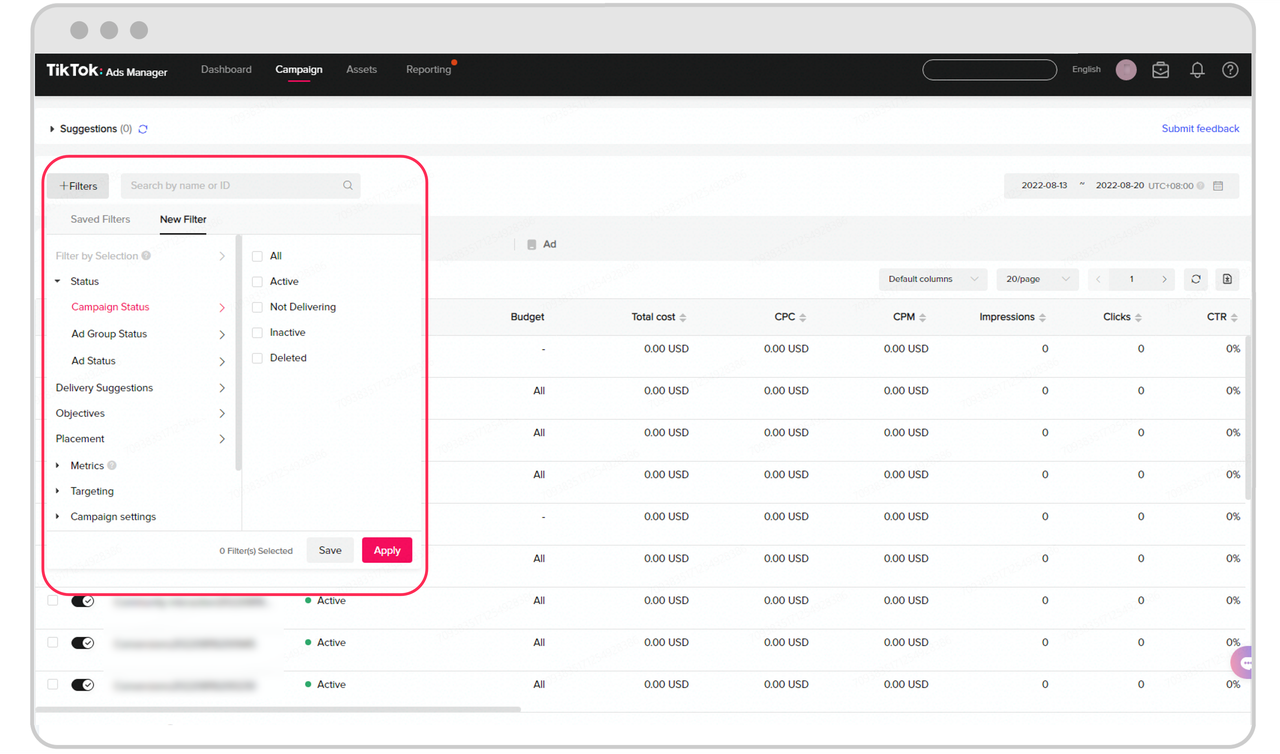
After logging in, navigate to the “Campaign” tab and click “Create.” Choose from several objectives based on your business goals:
- Reach: Maximize the number of people who see your ad.
- Traffic: Drive clicks to your website or landing page.
- App Installs: Promote downloads for your mobile app.
- Video Views: Boost views on your TikTok video content.
- Conversions: Encourage specific actions like purchases or sign-ups.
Select the objective that best aligns with your desired outcome.
3. Set Your Campaign Budget
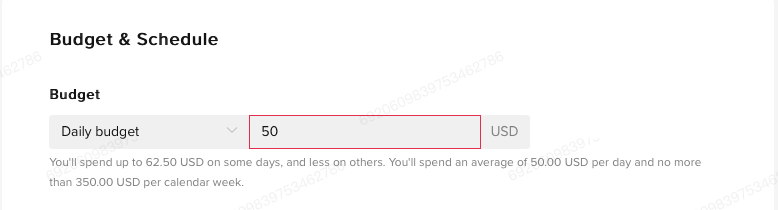
You can choose between a daily budget or a total budget for your campaign. TikTok requires a minimum campaign budget, but you have full control over how much you spend. This flexibility is especially useful if you’re testing different strategies.
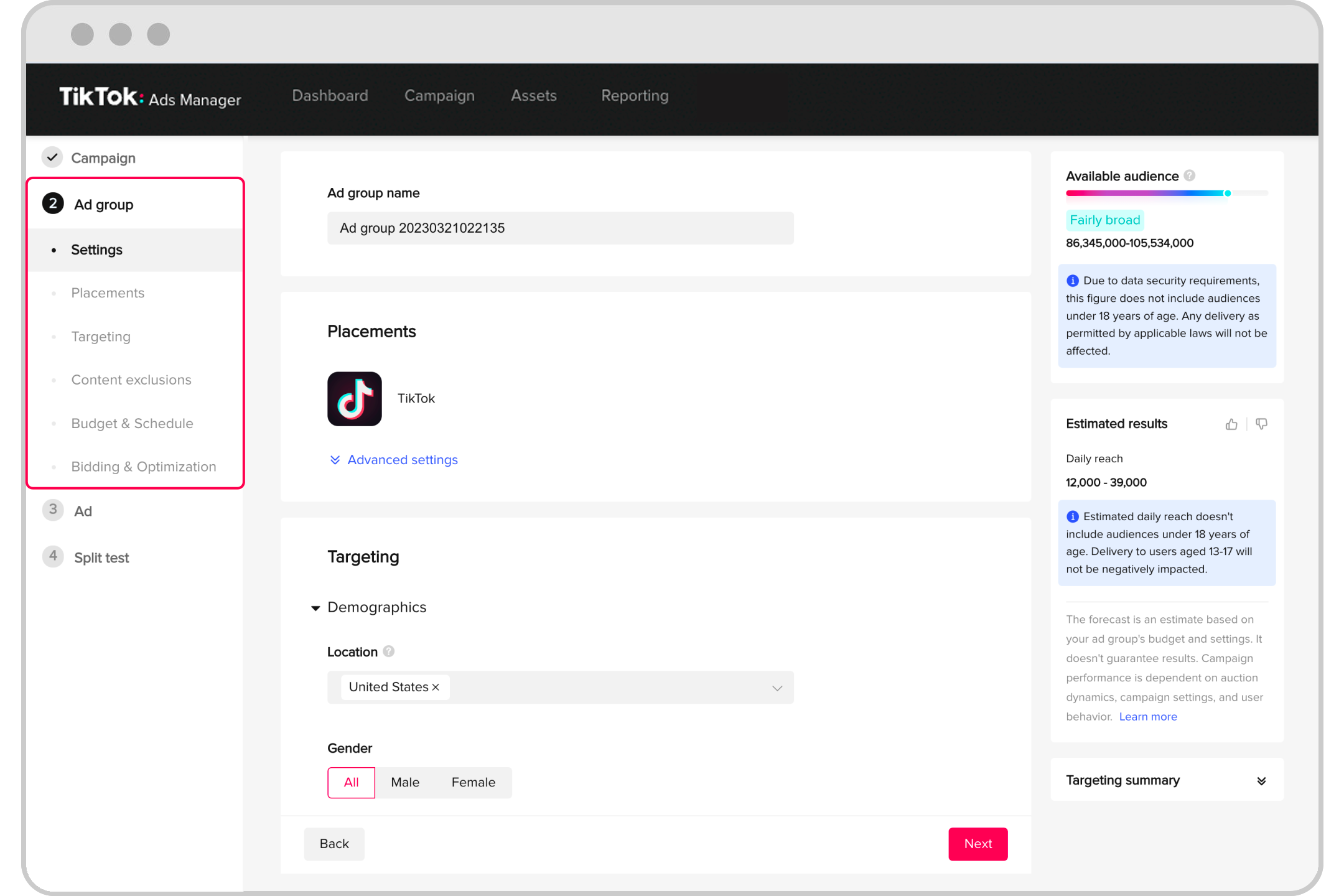
4. Create an Ad Group
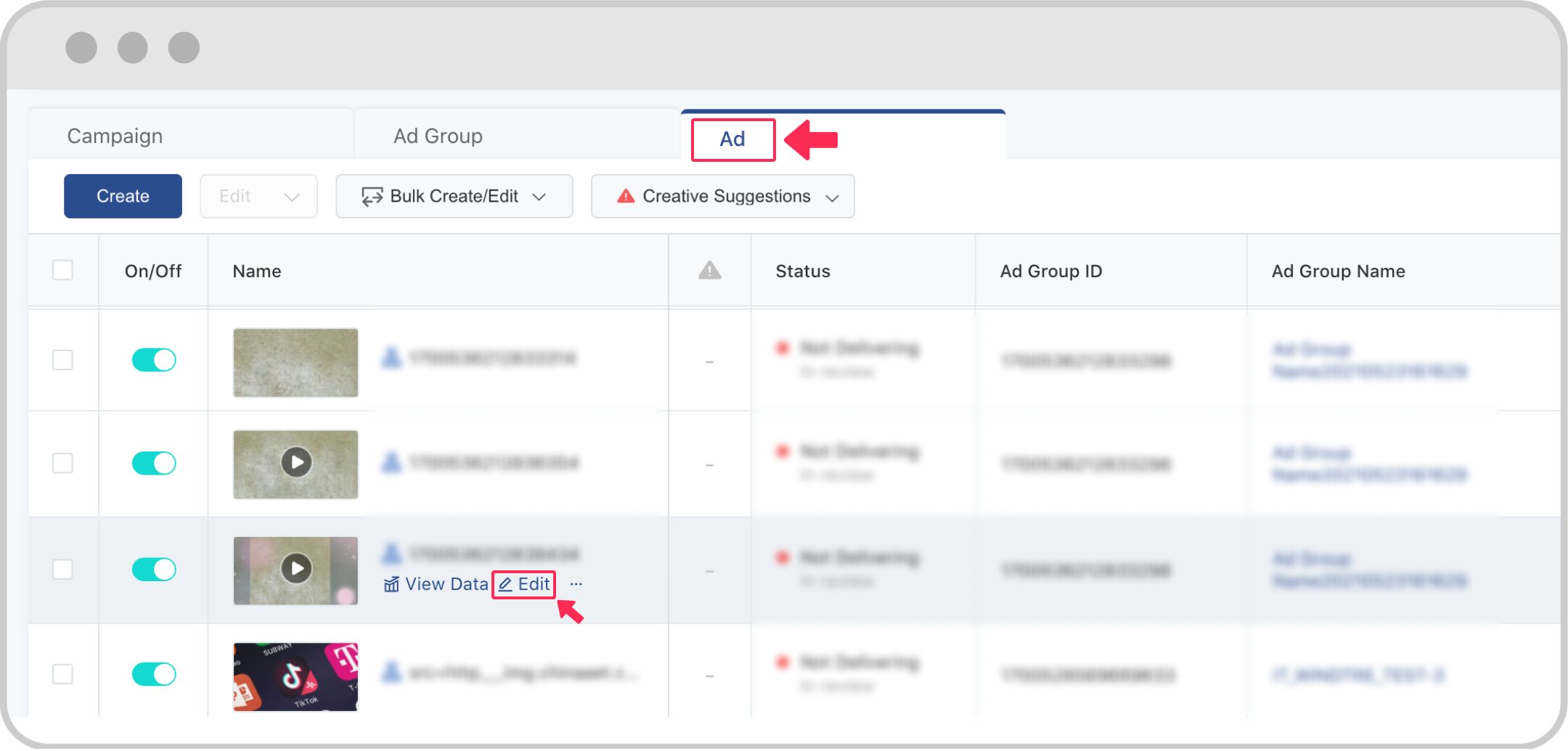
Within your campaign, you can create one or multiple ad groups. Each ad group allows you to define targeting, placement, schedule, bidding, and optimization preferences:
- Placement: Choose where your ads appear (e.g., TikTok feed, partner apps).
- Targeting: Narrow down your audience based on demographics, interests, and behaviors.
- Schedule: Determine when your ads should run (e.g., continuous or specific times).
- Bidding & Optimization: Select your bid strategy (CPC, CPM, oCPC) based on your campaign goals.
5. Design Your TikTok Ad

Next, create your ad content. TikTok supports various formats, but the most common for first-time advertisers is the In-Feed Ad. These ads blend in with natural content and appear in the user’s For You feed.
You can either upload your own video or use TikTok’s Video Creation Kit, which offers templates, stock music, and editing tools. Ensure your ad is visually compelling, includes clear branding, and features a strong call-to-action (CTA) like “Shop Now,” “Download,” or “Learn More.”
6. Submit and Monitor Your Ad
Once your ad is ready, submit it for review. TikTok will check your ad against its policies before approving it. After approval, your campaign will go live.
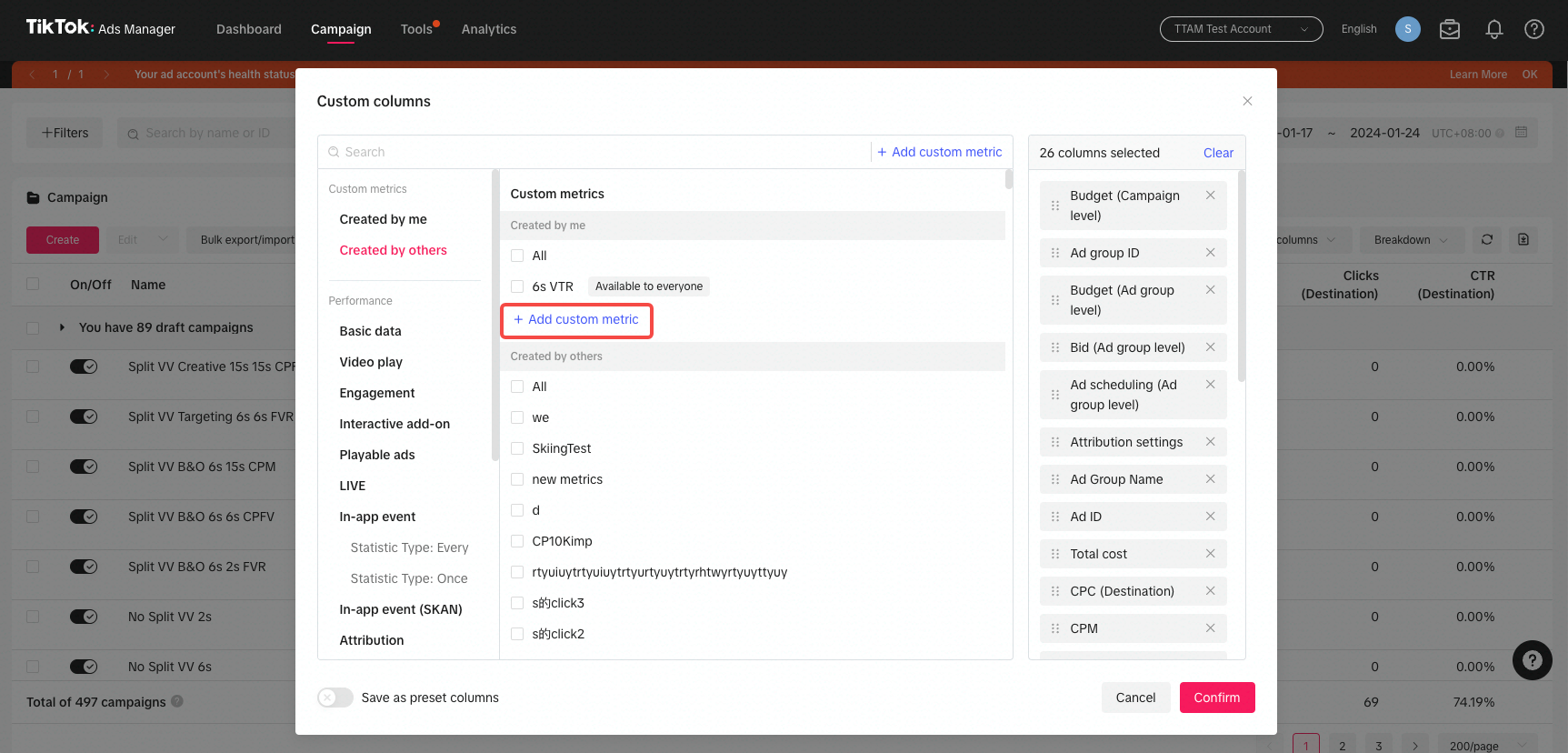
Use the Ads Manager dashboard to monitor performance metrics such as impressions, clicks, CTR, and conversions. This data helps you understand what’s working and where adjustments may be needed.
Key Metrics to Track in the TikTok Ads Manager Dashboard

To ensure your campaigns are effective, track the following metrics:
- Impressions: Measures how many times your ad was shown.
- Clicks (Destination): Tracks the number of clicks on your ad that lead to a destination.
- Click-Through Rate (CTR): Calculates the percentage of users who clicked on your ad after seeing it.
- Conversion Rate (CVR): Measures the percentage of users who complete a desired action after clicking.
- Cost per Click (CPC): Shows how much you pay for each click.
- Cost per View (CPV): Measures the cost for each video view.
- Cost per Action (CPA): Tracks the cost for each conversion or action.
- Cost per Mille (CPM): Measures the cost for every 1,000 impressions.
- Ad Spend: Tracks the total cost of your campaigns.
- Return on Ad Spend (ROAS): Measures the revenue generated compared to your ad spend.
Tips for Optimizing Your TikTok Ads
- Keep It Quick and Snappy: TikTok users prefer short videos (9–15 seconds) with fast hooks.
- Be Authentic: Avoid overly polished content; users prefer native-looking ads.
- Use Trending Sounds and Hashtags: Tap into current trends to increase engagement.
- Test Multiple Creatives: Run A/B tests to see what resonates best with your audience.
Conclusion
Mastering the TikTok Ads Manager Dashboard is essential for any advertiser looking to succeed on this platform. By understanding the key features, following a step-by-step setup process, and tracking the right metrics, you can create effective campaigns that drive results. With the right strategy and continuous optimization, TikTok can become a powerful tool in your marketing arsenal.
Whether you're just starting out or looking to refine your approach, the TikTok Ads Manager Dashboard offers the tools and insights needed to achieve your advertising goals. Start exploring today and unlock the full potential of TikTok advertising.

Posting Komentar untuk "How to Master the TikTok Ads Manager Dashboard: A Complete Guide"
Posting Komentar