
How to Navigate and Understand the TikTok Ads Dashboard
TikTok has become a powerful platform for brands looking to connect with their audience, drive engagement, and generate sales. As more businesses recognize the potential of TikTok, understanding how to use the TikTok Ads Dashboard becomes essential. This dashboard is your central hub for managing and optimizing your ad campaigns, allowing you to track performance, adjust strategies, and maximize your return on investment (ROI). In this article, we’ll guide you through navigating the TikTok Ads Dashboard and provide insights into its key features.
Understanding the TikTok Ads Dashboard
The TikTok Ads Dashboard is a comprehensive tool that enables advertisers to create, manage, and analyze their ad campaigns. It offers a range of functionalities, from setting up ad groups to monitoring real-time analytics. Here’s what you need to know about the main sections:
1. Campaign Overview
This section provides a high-level view of all your active campaigns. You can see metrics such as total spend, impressions, clicks, and conversions. It also allows you to pause or resume campaigns and access detailed reports.
- Key Metrics to Track:
- Total Spend
- Impressions
- Clicks
- Conversions
- Cost Per Click (CPC)
- Return on Ad Spend (ROAS)
2. Ad Groups
Ad groups are subsets of your campaign that allow you to organize your ads by specific objectives, such as brand awareness, lead generation, or direct sales. Each ad group can have different targeting settings, budgets, and creatives.
- Tips for Managing Ad Groups:
- Create separate ad groups for different audiences or products.
- Use A/B testing to compare the performance of different creatives or targeting options.
3. Creatives
This section is where you upload and manage the visual and audio content for your ads. You can add videos, images, and text overlays to your creatives. The dashboard also allows you to preview how your ads will appear on TikTok.
- Best Practices for Creatives:
- Ensure your creatives are optimized for mobile viewing.
- Use clear and concise messaging to grab attention quickly.
- Include a strong call-to-action (CTA) in your videos.
4. Audience Targeting
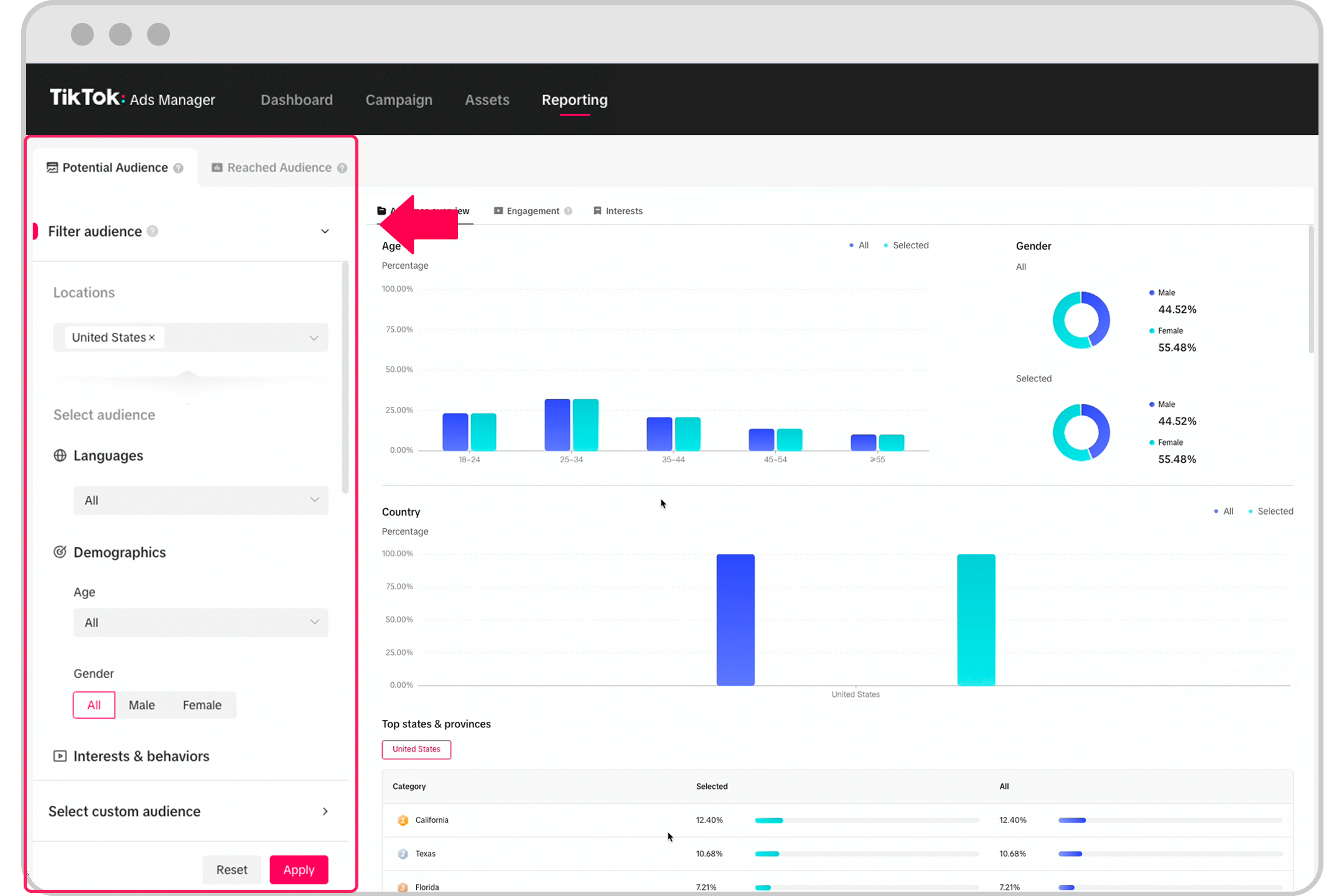
TikTok allows you to target specific demographics, interests, and behaviors. This feature helps you reach the right audience with your ads. You can refine your targeting based on factors such as age, gender, location, and interests.
- Strategies for Effective Audience Targeting:
- Use TikTok's built-in audience insights to understand your target demographic.
- Test different audience segments to find the most responsive group.
- Adjust your targeting based on campaign performance data.
5. Performance Analytics
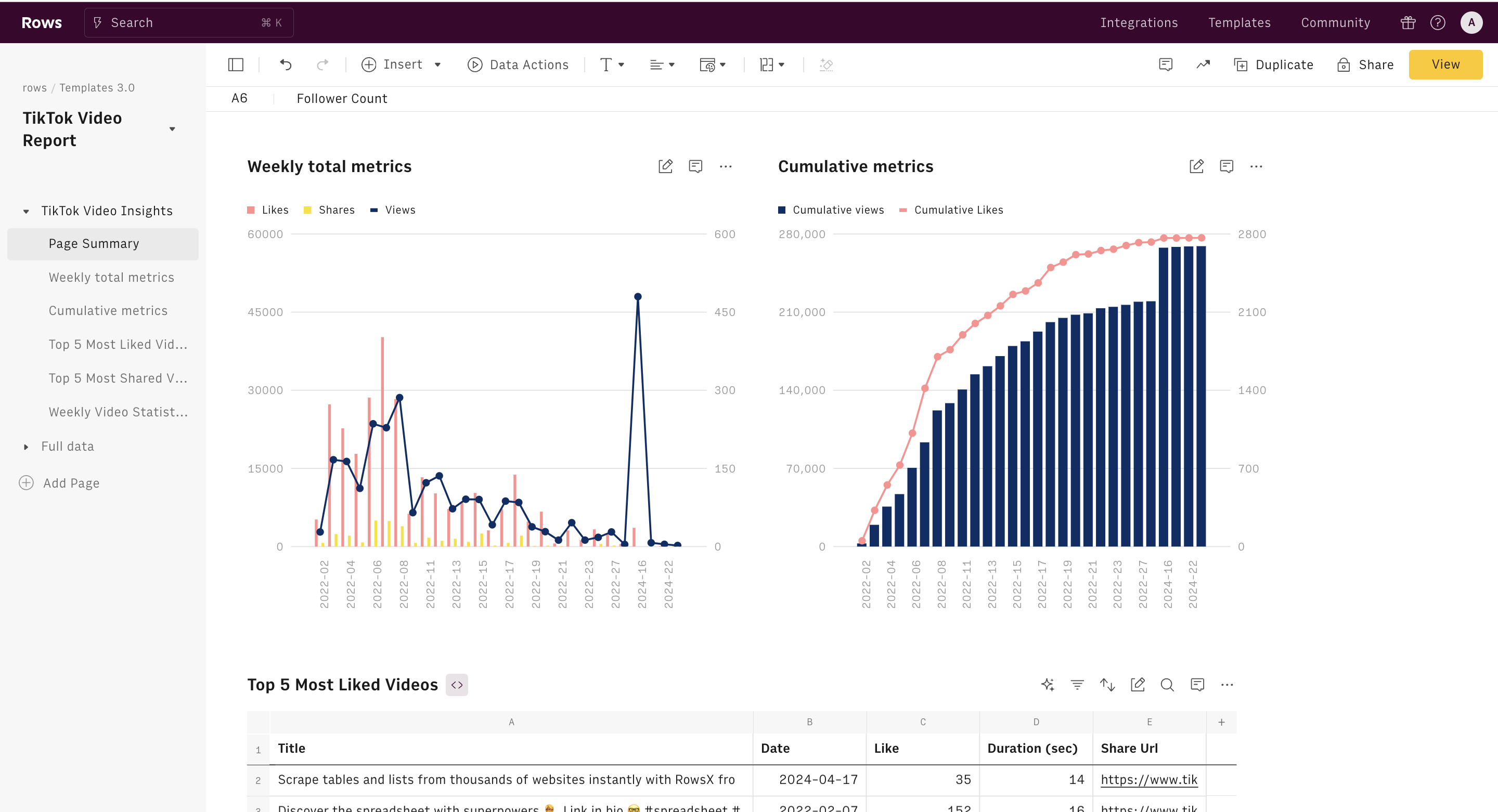
The performance analytics section provides detailed insights into how your ads are performing. You can track metrics such as click-through rate (CTR), conversion rate, and cost per acquisition (CPA). This data helps you make informed decisions about your ad strategy.
- Key Performance Indicators (KPIs):
- Click-Through Rate (CTR)
- Conversion Rate
- Cost Per Click (CPC)
- Return on Ad Spend (ROAS)
Navigating the TikTok Ads Dashboard
To effectively use the TikTok Ads Dashboard, follow these steps:
- Log In to Your Account
-
Go to the TikTok Ads Manager website and log in using your TikTok business account credentials.
-
Create a New Campaign
- Click on "Create Campaign" and select your campaign objective (e.g., brand awareness, traffic, conversions).
-
Set your budget and schedule for the campaign.
-
Set Up Ad Groups
- Within your campaign, create ad groups to organize your ads by specific goals or audiences.
-
Define your targeting parameters, such as location, age, and interests.
-
Upload Creatives
- Upload your video or image ads and add any necessary text overlays or captions.
-
Preview your ads to ensure they meet TikTok's guidelines.
-
Monitor and Optimize
- Regularly check your campaign performance in the analytics section.
-
Adjust your targeting, creatives, or budget based on the data to improve results.
-
Track Key Metrics
- Focus on metrics such as CTR, conversion rate, and ROAS to evaluate the success of your campaigns.
- Use A/B testing to compare different ad variations and identify what works best.
Tips for Maximizing Your TikTok Ads Performance
To get the most out of your TikTok Ads Dashboard, consider the following tips:
- Use High-Quality Creatives: Invest in professional-grade videos and images that align with your brand identity.
- Leverage Trends: Incorporate trending sounds and challenges into your ads to increase visibility.
- Optimize for Mobile: Ensure your ads are optimized for mobile viewing, as most TikTok users access the app on their phones.
- Engage with Your Audience: Respond to comments and messages to build a connection with your audience.
- Analyze Competitors: Study successful campaigns from competitors to gain insights into effective strategies.
By understanding and utilizing the TikTok Ads Dashboard, you can create targeted, engaging ad campaigns that drive results. Whether you're a small business or a large enterprise, mastering the TikTok Ads Dashboard is essential for success on this dynamic platform.

Posting Komentar untuk "How to Navigate and Understand the TikTok Ads Dashboard"
Posting Komentar