
How to Navigate and Understand the TikTok Ad Dashboard
In today's digital age, social media platforms have become essential tools for businesses and creators alike. Among these platforms, TikTok has emerged as a powerful force in the world of content creation and advertising. For those looking to harness the potential of TikTok for their brand or personal endeavors, understanding the TikTok Ad Dashboard is crucial. This article will guide you through the key features and functionalities of the TikTok Ad Dashboard, helping you navigate its complexities with ease.
What is the TikTok Ad Dashboard?
The TikTok Ad Dashboard is a comprehensive tool designed to help users manage and optimize their advertising campaigns on the platform. It serves as a central hub where advertisers can create, monitor, and analyze their ad performance. Whether you're a small business owner or a large corporation, the TikTok Ad Dashboard provides the necessary tools to effectively reach your target audience.
Key Features of the TikTok Ad Dashboard
-
Campaign Creation: The dashboard allows users to create various types of ads, including video ads, carousel ads, and link ads. Each ad type offers unique features that cater to different marketing goals.
-
Video Ads: These are short videos that appear in the user's feed, offering a dynamic way to engage viewers.
- Carousel Ads: Enable users to showcase multiple images or videos within a single ad, allowing for more detailed storytelling.
-
Link Ads: Direct users to external websites, making it easy to drive traffic to your online presence.
-
Targeting Options: One of the most powerful aspects of the TikTok Ad Dashboard is its advanced targeting capabilities. Users can specify demographics, interests, behaviors, and even lookalike audiences to ensure their ads reach the right people.
-
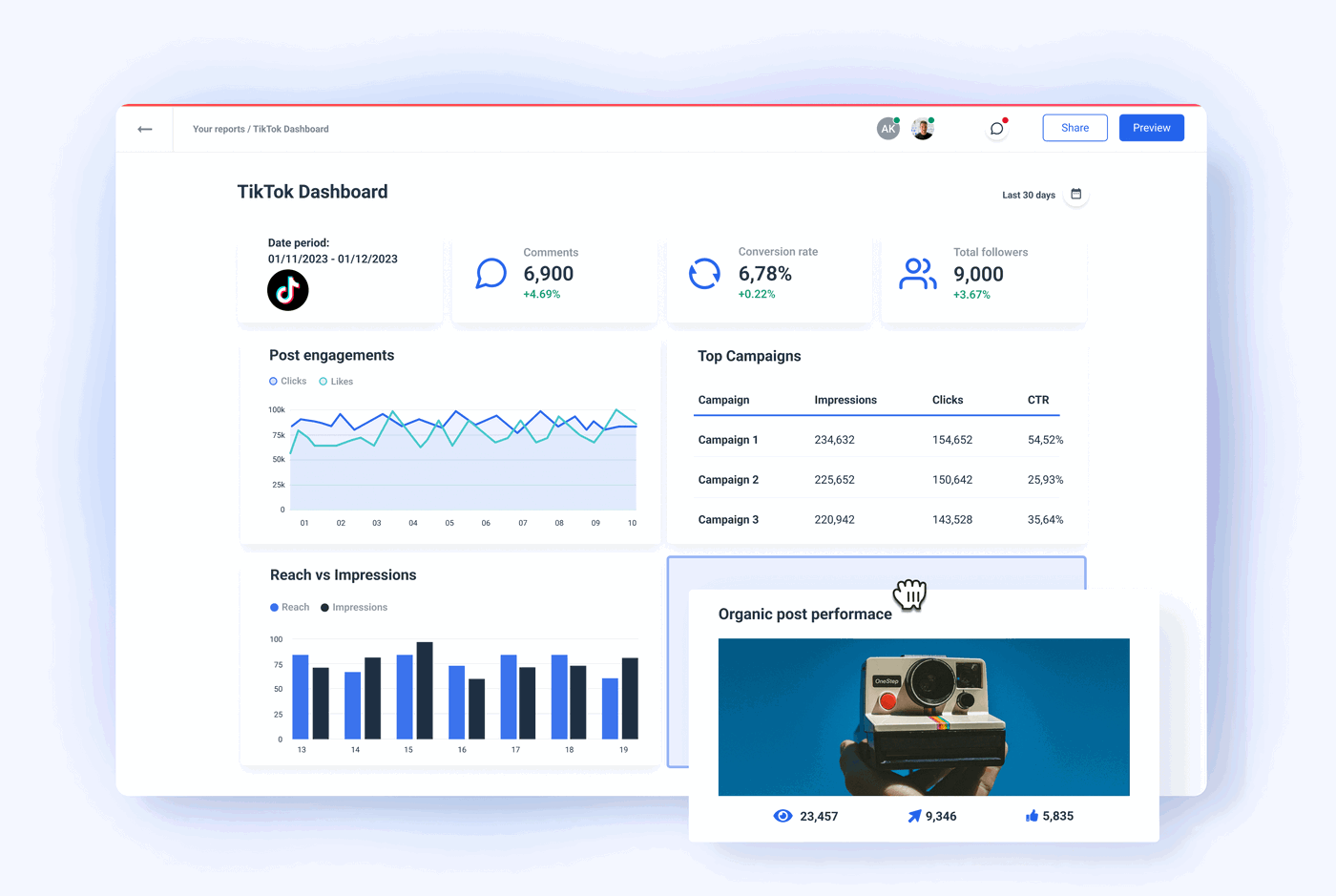
Performance Analytics: The dashboard provides detailed analytics that allow users to track the performance of their ads. Metrics such as views, clicks, engagement rates, and conversion rates are all available, giving insights into what works and what doesn't.
-
Budget Management: Managing your ad budget is straightforward with the TikTok Ad Dashboard. Users can set daily or lifetime budgets, adjust bids, and monitor spending in real-time.
-
A/B Testing: To optimize ad performance, the dashboard supports A/B testing. This feature enables users to compare different versions of their ads to determine which one performs better.
How to Access the TikTok Ad Dashboard
To access the TikTok Ad Dashboard, you need to have a TikTok Business account. Here’s how you can get started:
-
Create a Business Account: If you don’t already have a business account, you can convert your personal account or create a new one through the TikTok app.
-
Set Up Your Ad Account: Once you have a business account, you can set up an ad account by following the prompts within the TikTok app. You may need to provide some basic information about your business and payment details.
-
Access the Dashboard: After setting up your ad account, you can access the TikTok Ad Dashboard through the TikTok app or via the web at https://ads.tiktok.com.
Navigating the Dashboard
Once you’re in the TikTok Ad Dashboard, you’ll find several sections that help you manage your campaigns effectively:
-
Home: This section provides an overview of your current campaigns, including performance metrics and recent activity.
-
Campaigns: Here, you can view and manage all your active and past campaigns. You can edit, pause, or delete campaigns as needed.
-
Ads: This section allows you to create and manage individual ads. You can upload assets, set targeting parameters, and schedule your ads.
-
Audience: The audience section is where you can define and refine your target audience based on various criteria.
-
Analytics: This is where you can dive deep into the performance of your campaigns. You can view detailed reports and insights to make informed decisions.
-
Settings: Customize your ad account settings, including payment methods, billing information, and preferences.
Tips for Effective Advertising on TikTok
-
Understand Your Audience: Use the targeting options to reach the right people. Understanding your audience's interests and behaviors can significantly improve your ad performance.
-
Create Engaging Content: TikTok users are drawn to creative and engaging content. Make sure your ads are visually appealing and align with the platform's style.
-
Monitor Performance: Regularly check your analytics to see how your ads are performing. Adjust your strategies based on the data to maximize your return on investment.
-
Experiment with Different Formats: Don't be afraid to try different ad formats and creative ideas. A/B testing can help you discover what resonates best with your audience.
[IMAGE: Understanding TikTok Ad Dashboard]
In conclusion, the TikTok Ad Dashboard is a powerful tool that can help you effectively manage and optimize your advertising efforts on the platform. By understanding its features and navigating it with confidence, you can unlock the full potential of TikTok for your business or personal brand. With the right strategies and a bit of creativity, you can achieve impressive results and grow your presence on this dynamic platform.

Posting Komentar untuk "How to Navigate and Understand the TikTok Ad Dashboard"
Posting Komentar