
How to Navigate the TikTok Ads Manager Platform: A Complete Guide
TikTok has become a powerful tool for brands looking to connect with their target audience, drive engagement, and boost sales. As more businesses recognize the potential of TikTok, understanding how to navigate the TikTok Ads Manager platform becomes essential. This guide will walk you through the key steps and features of the TikTok Ads Manager, helping you create effective ad campaigns that resonate with your audience.
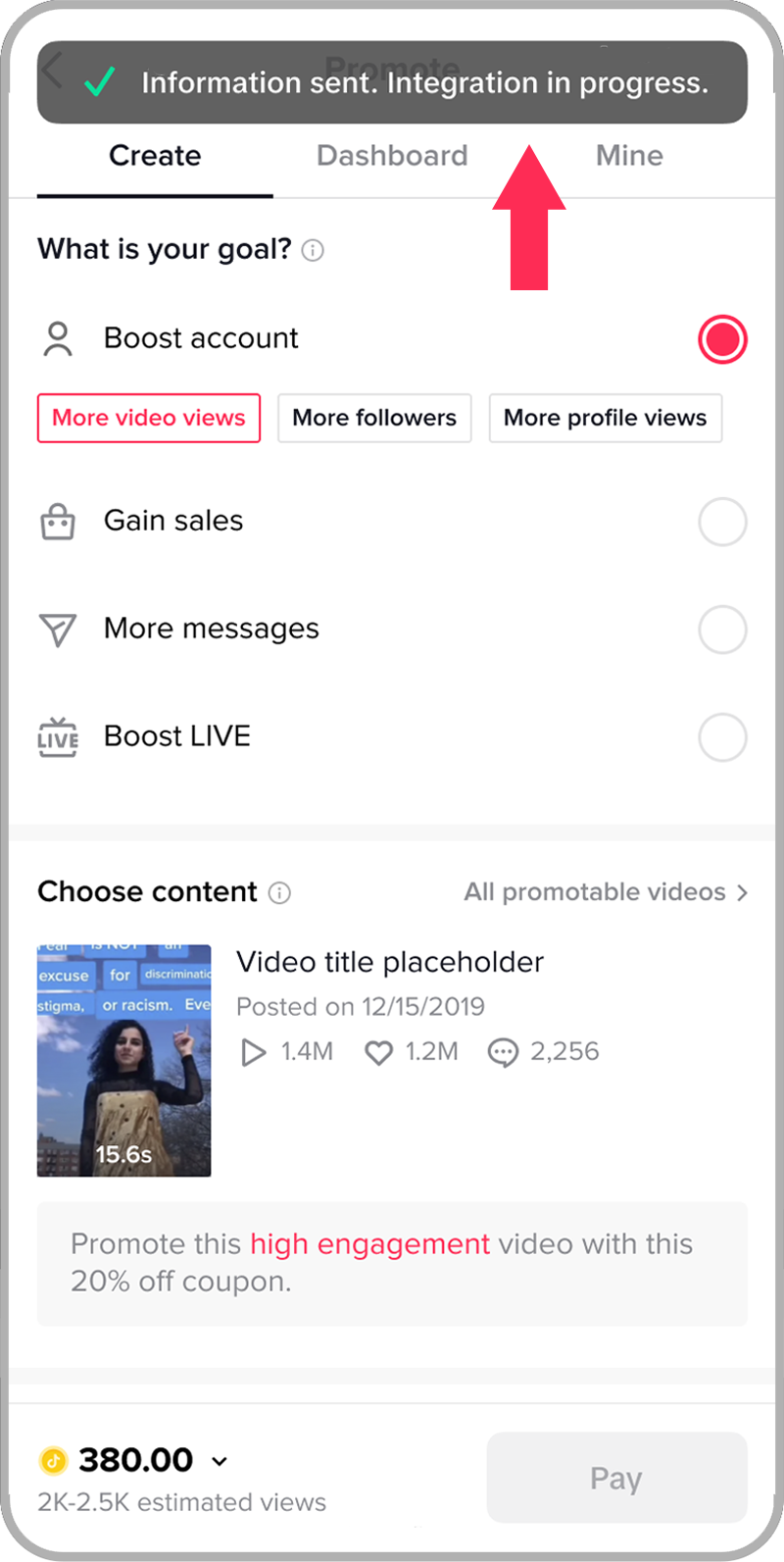
Understanding the TikTok Ads Manager
The TikTok Ads Manager is a comprehensive tool designed to help advertisers create, manage, and track their ad campaigns on TikTok. It offers a range of features, including campaign creation, targeting options, budget management, and performance analytics. Whether you're a seasoned marketer or just starting out, mastering the Ads Manager is crucial for maximizing your return on investment (ROI).
Key Features of TikTok Ads Manager
- Campaign Creation: You can create different types of ad campaigns, such as brand awareness, traffic, conversions, and app installs.
- Targeting Options: The platform allows you to target specific demographics, interests, behaviors, and locations.
- Budget Management: Set daily or lifetime budgets for your campaigns and adjust them as needed.
- Performance Analytics: Track the performance of your ads with detailed metrics, including clicks, impressions, and conversions.
[IMAGE: TikTok Ads Manager platform navigation]
Step-by-Step Guide to Navigating TikTok Ads Manager
1. Accessing the TikTok Ads Manager
To begin, log in to your TikTok business account. If you don't have one, you'll need to create a business account first. Once logged in, navigate to the "Ads Manager" section from the main menu.
2. Creating a New Campaign
Click on the "Create Campaign" button to start setting up your ad campaign. You'll be prompted to choose the objective of your campaign, such as brand awareness, traffic, conversions, or app installs. Select the objective that aligns with your marketing goals.
3. Setting Up Your Ad Group
After selecting your campaign objective, you'll need to set up your ad group. This involves defining your target audience, choosing the ad format (such as video, image, or carousel), and setting your budget. You can also specify the duration of your campaign and any additional settings.
4. Creating Your Ad Content
Next, you'll create the actual ad content. TikTok supports various formats, including video, image, and carousel ads. Ensure your content is engaging and aligns with your brand's message. Use high-quality visuals and compelling captions to capture the attention of your audience.
5. Targeting Your Audience
One of the most critical aspects of running an effective ad campaign is targeting the right audience. Use the targeting options provided in the Ads Manager to define your ideal audience based on factors like age, gender, location, interests, and behaviors. You can also use lookalike audiences to reach users similar to your existing customers.
6. Managing Your Budget
Set a budget for your campaign based on your advertising goals. You can choose between a daily budget or a lifetime budget. Monitor your spending regularly and adjust your budget as needed to optimize your campaign performance.
7. Monitoring and Analyzing Performance
Once your campaign is live, use the performance analytics tools in the Ads Manager to track its success. Key metrics to monitor include:
- Impressions: The number of times your ad was shown.
- Clicks: The number of times users clicked on your ad.
- Conversions: The number of users who completed a desired action, such as making a purchase or signing up for a newsletter.
- Cost Per Click (CPC): The average cost for each click on your ad.
- Return on Ad Spend (ROAS): The revenue generated compared to the amount spent on ads.
[IMAGE: TikTok Ads Manager platform navigation]
Tips for Effective TikTok Ad Campaigns
- Use High-Quality Visuals: Ensure your ad content is visually appealing and professional.
- Leverage Trends: Incorporate popular trends and hashtags to increase the visibility of your ads.
- Test Different Formats: Experiment with various ad formats to see what resonates best with your audience.
- Optimize for Mobile: Since most TikTok users access the platform on mobile devices, ensure your ads are optimized for mobile viewing.
- Engage with Your Audience: Respond to comments and messages to build a connection with your audience.
[IMAGE: TikTok Ads Manager platform navigation]
Conclusion
Navigating the TikTok Ads Manager platform is a crucial step for any brand looking to leverage the power of TikTok for marketing. By following the steps outlined in this guide, you can create effective ad campaigns that engage your target audience and drive meaningful results. Remember to continuously monitor and analyze your campaign performance to make data-driven decisions and optimize your strategies for maximum impact. With the right approach, TikTok can become a valuable asset in your digital marketing arsenal.

Posting Komentar untuk "How to Navigate the TikTok Ads Manager Platform: A Complete Guide"
Posting Komentar