
How to Review Your TikTok Ads Manager Campaign: A Step-by-Step Guide
TikTok has become a powerful platform for businesses to connect with their target audience through engaging and creative content. As a result, many companies are leveraging TikTok Ads Manager to run campaigns that drive brand awareness, engagement, and conversions. However, the success of these campaigns depends on how well you review and optimize them. In this guide, we’ll walk you through the process of reviewing your TikTok Ads Manager campaign, ensuring that your ads are performing at their best.
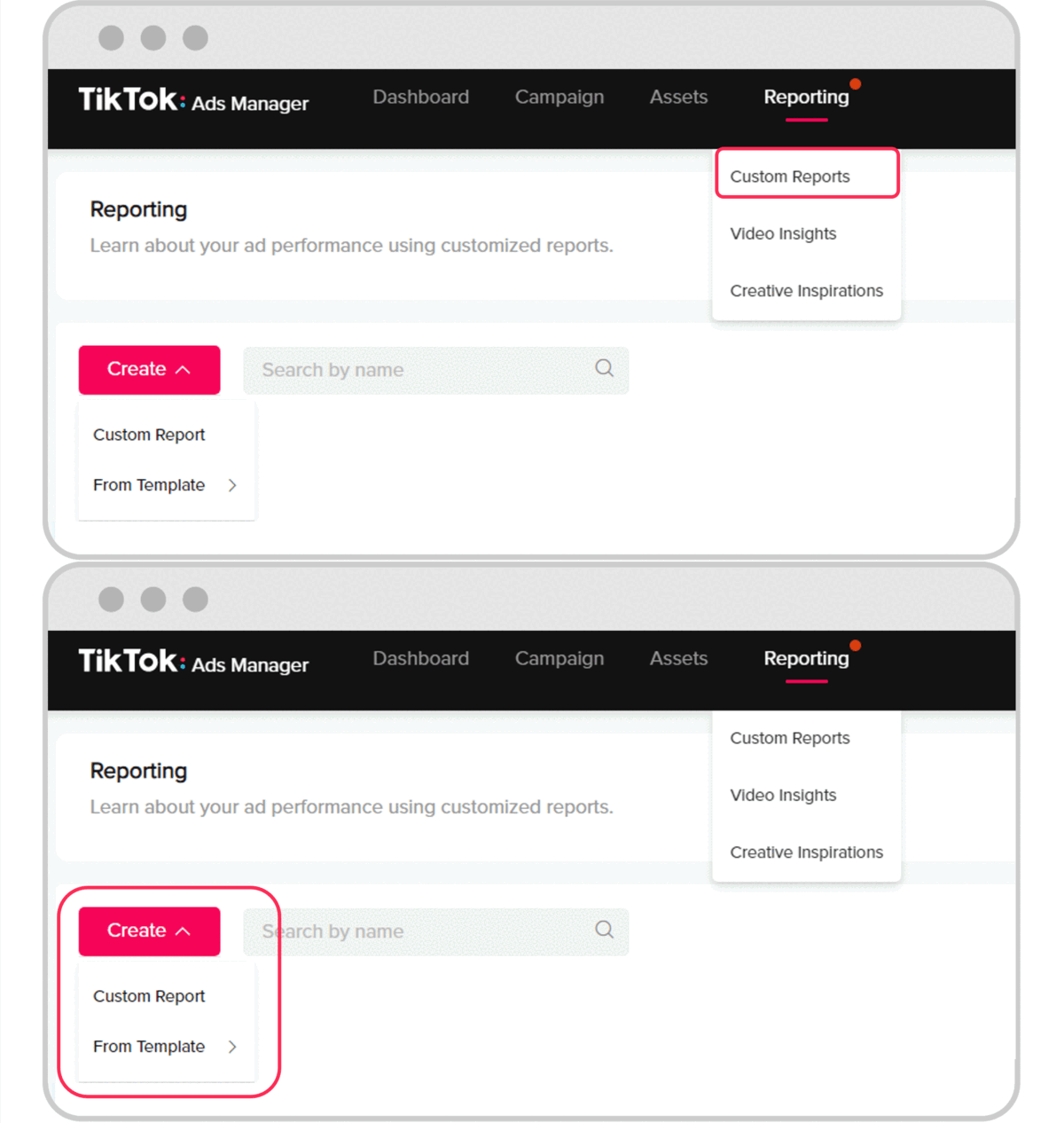
Understanding the TikTok Ads Manager Campaign Structure
Before diving into the review process, it's essential to understand the structure of a TikTok Ads Manager campaign. At the highest level, a campaign is divided into ad groups, which contain individual ad creatives. Each ad group allows you to set specific parameters such as targeting options, budget, ad placement, and scheduling. Inside each ad group, you design the individual ads—these are the ad creatives (images, videos, or text) that are shown to your target audience.
To effectively review your campaign, you need to assess each component of this structure. Start by examining the overall campaign objective, then move to the ad groups, and finally evaluate the individual ad creatives.
Step 1: Accessing Your TikTok Ads Manager Account
To begin the review process, log in to your TikTok Ads Manager account. If you haven’t created an account yet, refer to the Business Help Center for guidance. Once logged in, navigate to the "Campaigns" section where you can view all your active and past campaigns.
[IMAGE: TikTok Ads Manager campaign review process flow]
Step 2: Reviewing Campaign Objectives and Settings
The first step in reviewing your campaign is to check the campaign objective and settings. Ensure that the objective aligns with your business goals—whether it's driving traffic, increasing engagement, or boosting conversions. Also, verify that the budget, duration, and targeting options are correctly set up.
If you notice any discrepancies, make necessary adjustments to ensure your campaign is optimized for success.
Step 3: Evaluating Ad Groups
Once you’ve reviewed the campaign objective, move to the ad groups. Each ad group should have a clear purpose and target audience. Evaluate the following:
- Targeting Options: Ensure that the audience segments are accurately defined and relevant to your campaign.
- Budget Allocation: Check if the budget is distributed effectively across different ad groups.
- Ad Placement: Confirm that the ads are being displayed on the correct platforms and locations.
Make sure each ad group is set up to maximize reach and engagement while staying within your budget.
Step 4: Assessing Individual Ad Creatives
The most critical part of the review process is evaluating the individual ad creatives. These are the visual and audio elements that capture attention and communicate your brand’s message. Consider the following factors when assessing your creatives:
- Hook (0–3 seconds): The first few seconds are crucial for grabbing viewers' attention. Ensure your hook is compelling and sets the tone for the rest of the ad.
- Value Proposition: Clearly demonstrate the benefit or solution your product offers.
- Emotional Connection: Use relatable storytelling or humor to create an emotional connection with your audience.
- Text Overlays: Use text overlays strategically to reinforce key messages without overwhelming the viewer.
- Call-to-Action (CTA): A strong CTA tells users exactly what to do next. Make sure your CTA is clear and visually prominent.
[IMAGE: TikTok Ads Manager campaign review process flow]
Step 5: Analyzing Performance Metrics
After assessing your ad creatives, it's time to analyze the performance metrics. TikTok provides various tools to track the effectiveness of your campaigns. Key metrics to monitor include:
- Hook Rate (3-second view rate): Measures how effectively your video stops the scroll.
- Hold Rate (Retention): Shows how many people who stopped scrolling actually kept watching the body of your video.
- Click-through Rate (CTR): Reflects how effective your core message and CTA are at driving action.
- Conversion Rate (CVR): Indicates the real impact on your business results post-click.
Use these metrics to identify high-performing creatives and areas that need improvement.
Step 6: Testing and Optimization
Even the best TikTok ad creative needs testing. Use TikTok’s Automated Creative Optimization (ACO) to test different variations of your creatives and see which ones perform best. Additionally, leverage TikTok Creative Center Insights to identify trending sounds and formats that resonate with your audience.
Regularly test new ideas and optimize your creatives based on performance data. This will help you stay ahead of trends and maintain a competitive edge.
Conclusion
Reviewing your TikTok Ads Manager campaign is an essential part of ensuring its success. By understanding the campaign structure, evaluating ad groups, assessing individual creatives, analyzing performance metrics, and continuously testing and optimizing, you can maximize the impact of your TikTok ads. With the right approach, your campaigns will not only capture attention but also drive meaningful results for your business.
[IMAGE: TikTok Ads Manager campaign review process flow]

Posting Komentar untuk "How to Review Your TikTok Ads Manager Campaign: A Step-by-Step Guide"
Posting Komentar