
How to Set Up Payment for TikTok Ads: A Complete Guide
TikTok has become a powerful platform for businesses and creators to reach their target audience. One of the most effective ways to leverage this platform is through TikTok Ads. However, setting up payment for TikTok Ads can be a bit confusing for newcomers. This guide will walk you through the process of setting up payment for TikTok Ads, ensuring a smooth and efficient experience.
Understanding TikTok Ads Payment Setup
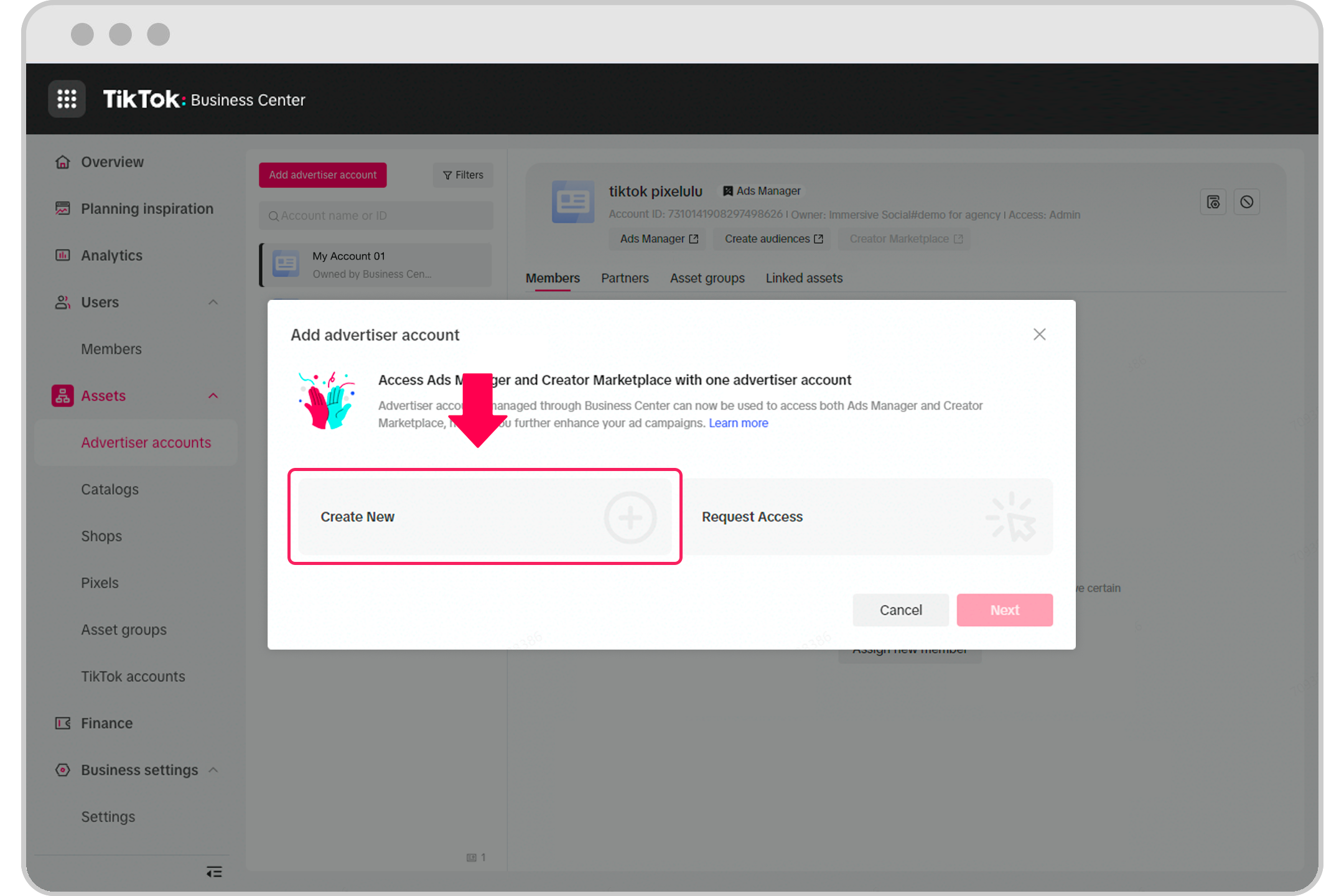
Before diving into the setup process, it's essential to understand what TikTok Ads entails. TikTok Ads allows businesses to create and run advertisements on the platform, targeting specific audiences based on demographics, interests, and behaviors. To set up payment for these ads, you'll need to follow a series of steps that involve account creation, verification, and payment method setup.
Step 1: Create a TikTok Business Account
To start, you'll need to create a TikTok business account. This account is different from a personal account and offers additional features and tools for advertising. Here’s how to create one:
- Open the TikTok app and navigate to your profile.
- Tap the three dots in the top right corner and select "Manage Account."
- Choose "Switch to Pro Account" or "Create a Business Account."
- Follow the prompts to complete the account setup, including providing your business name, email address, and phone number.
Step 2: Verify Your Business Account
Once you've created a business account, the next step is to verify it. Verification ensures that your account is legitimate and allows you to access advanced features, including ad creation and payment setup. To verify your account:
- Go to the TikTok Business Center.
- Navigate to the "Account" section and select "Verify Account."
- Provide the necessary documents, such as a government-issued ID, business license, and proof of address.
- Wait for TikTok to review your submission. This process can take a few days.
Step 3: Set Up Your Payment Method
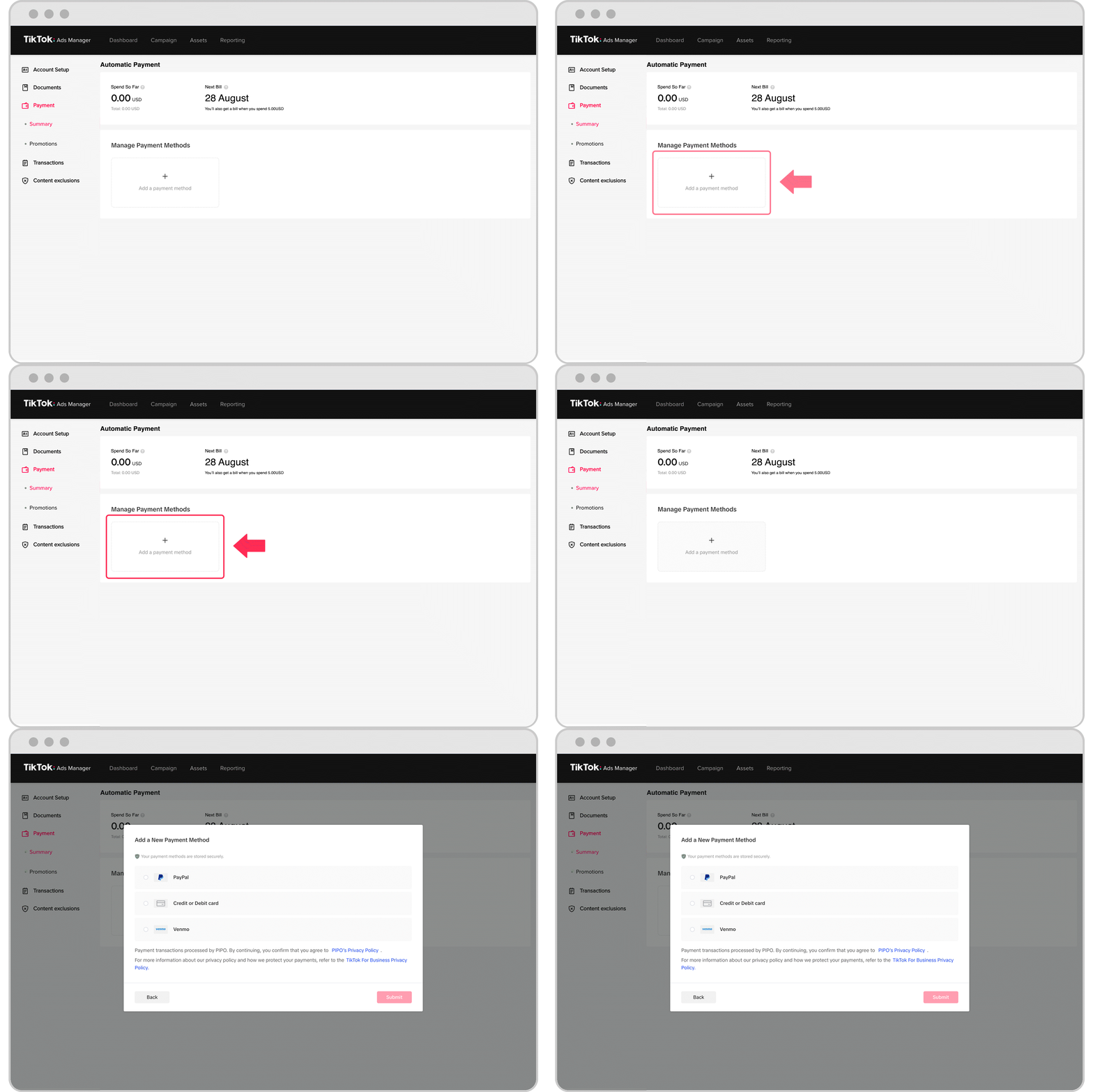
After verifying your account, you'll need to set up a payment method to fund your TikTok Ads campaigns. TikTok supports various payment methods, including credit cards, bank transfers, and digital wallets. Here’s how to set up your payment method:
- Go to the TikTok Business Center.
- Navigate to the "Billing" section and select "Payment Methods."
- Choose the payment method you want to use, such as a credit card or bank transfer.
- Enter the required details, including the card number, expiration date, and CVV code (for credit cards).
- Confirm the payment method and save your changes.
Step 4: Fund Your Account
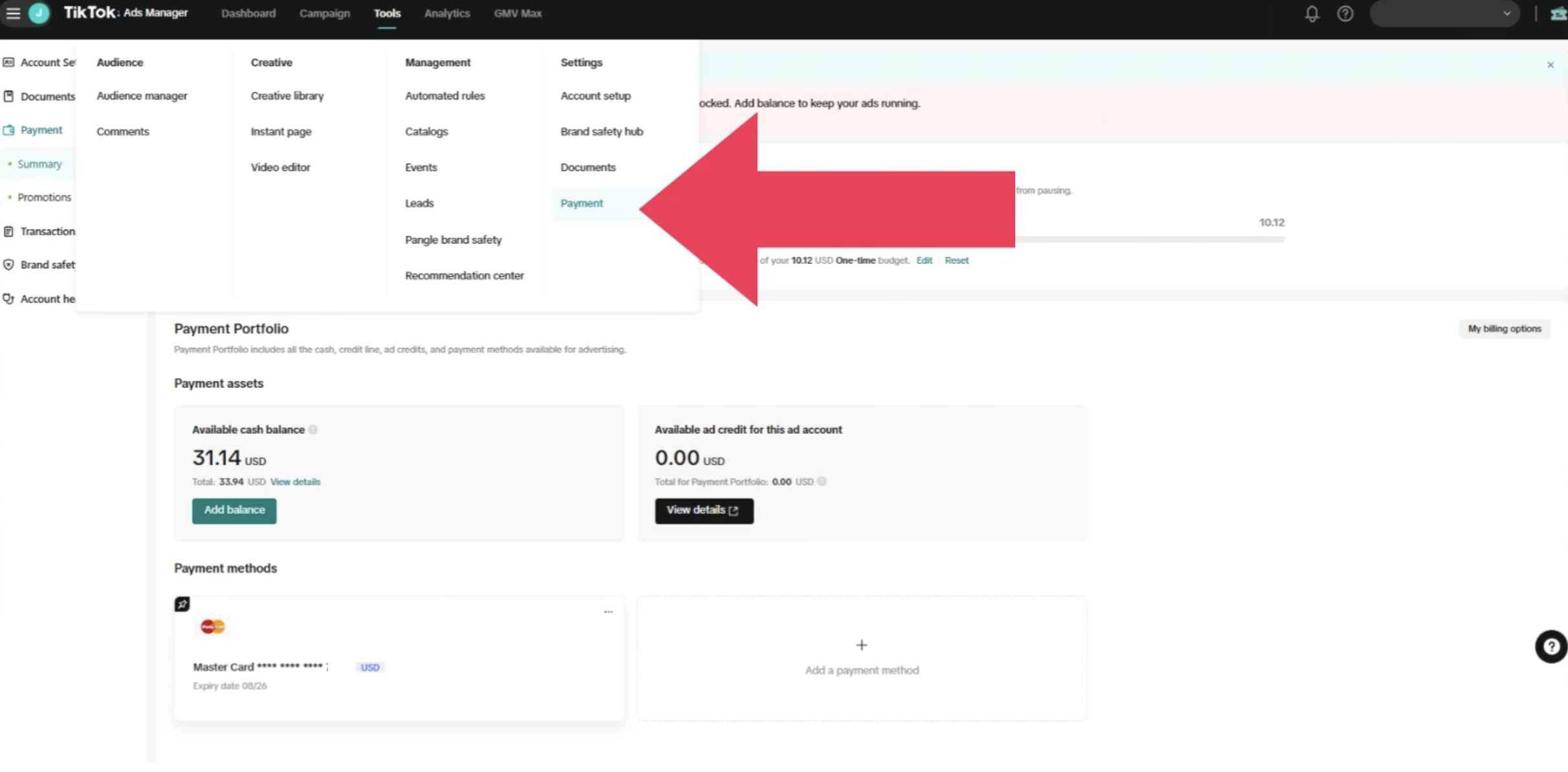
Once your payment method is set up, you'll need to fund your account to start running ads. Funding your account involves adding money to your TikTok Ads balance, which you can then use to pay for your campaigns. Here’s how to fund your account:
- Go to the TikTok Business Center.
- Navigate to the "Billing" section and select "Add Funds."
- Choose the amount you want to add to your account.
- Confirm the transaction and wait for the funds to be added to your balance.
Step 5: Create and Run Your First Ad Campaign
With your account funded, you're ready to create and run your first ad campaign. Here’s a quick overview of the process:
- Go to the TikTok Business Center.
- Navigate to the "Ads Manager" section and select "Create Campaign."
- Choose the type of ad you want to run, such as a video ad, carousel ad, or lead generation ad.
- Set your budget, targeting options, and ad schedule.
- Upload your creative assets and write your ad copy.
- Review your campaign settings and click "Publish."
Tips for Effective TikTok Ads Payment Setup
Setting up payment for TikTok Ads is just the beginning. To ensure the success of your campaigns, consider the following tips:
- Monitor Your Budget: Keep track of your ad spend and adjust your budget as needed to maximize your return on investment.
- Optimize Your Targeting: Use TikTok's advanced targeting options to reach the right audience for your business.
- Track Your Performance: Use TikTok's analytics tools to monitor the performance of your campaigns and make data-driven decisions.
- Stay Updated: Keep an eye on TikTok's updates and new features to stay ahead of the competition.
By following these steps and tips, you can effectively set up payment for TikTok Ads and start running successful campaigns. Whether you're a small business owner or a marketing professional, TikTok Ads offers a powerful way to connect with your audience and achieve your marketing goals.

Posting Komentar untuk "How to Set Up Payment for TikTok Ads: A Complete Guide"
Posting Komentar