
How to Set Up Payment Methods for TikTok Ads in 2024
TikTok has become a powerful platform for financial services providers looking to reach a wide and engaged audience. As more users turn to the app for budgeting tips, credit advice, and investment insights, it's essential for brands to understand how to set up payment methods for TikTok ads effectively. This guide will walk you through the process of setting up payment methods for TikTok ads in 2024, ensuring your campaigns are both compliant and successful.
Understanding TikTok Ads and Payment Methods
Before diving into the setup process, it's important to understand what TikTok Ads are and how they work. TikTok Ads allow businesses to create targeted advertisements that appear on the platform, reaching users based on demographics, interests, and behaviors. These ads can be in various formats, such as In-Feed Ads, Brand Takeover Ads, and Lead Generation Ads.
To run these ads, you'll need to set up a payment method. TikTok allows various payment methods, including credit cards, debit cards, and digital wallets. The specific options available may vary depending on your location and the type of account you have.
Step-by-Step Guide to Setting Up Payment Methods for TikTok Ads
- Create or Log Into Your TikTok Business Account
- If you don't already have a business account, you'll need to create one. This involves verifying your business and providing necessary information.
-
Once your account is set up, navigate to the "Ads" section to begin the payment method setup.
-
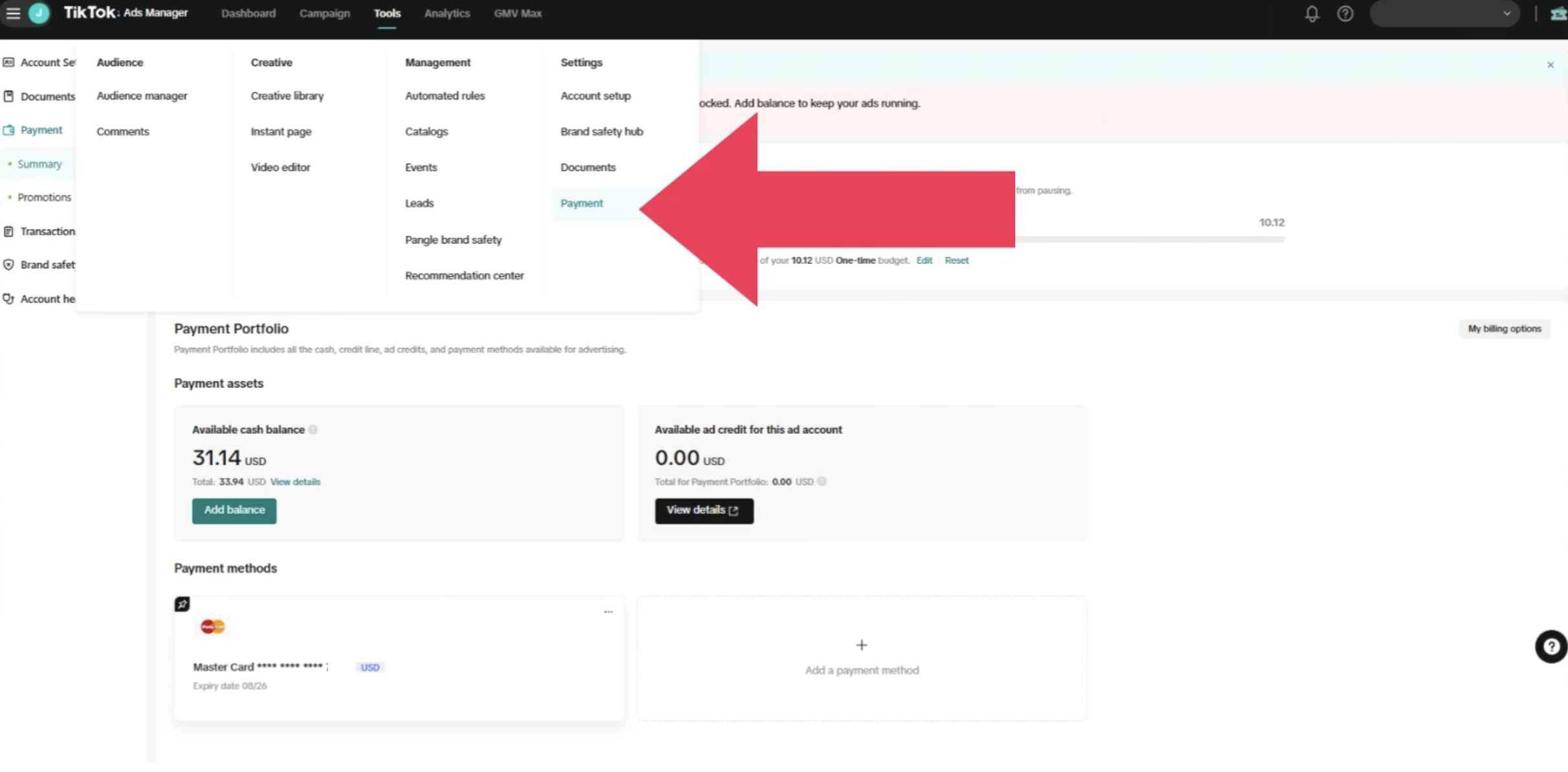
Access the Payment Settings
- Within the Ads section, look for the "Payment" or "Billing" settings. This is where you'll manage your payment methods.
-
You may need to verify your business details before proceeding.
-
Add a Payment Method
- Click on "Add Payment Method" to start the process.
- Choose from the available options, which typically include credit cards, debit cards, and digital wallets like PayPal or Apple Pay.
-
Enter the required information, such as card number, expiration date, and security code.
-
Verify the Payment Method
- After entering your payment details, you'll need to verify the method. TikTok may send a small charge to your card to confirm it's valid.
-
Follow the instructions provided to complete the verification process.
-
Set Up Billing Preferences
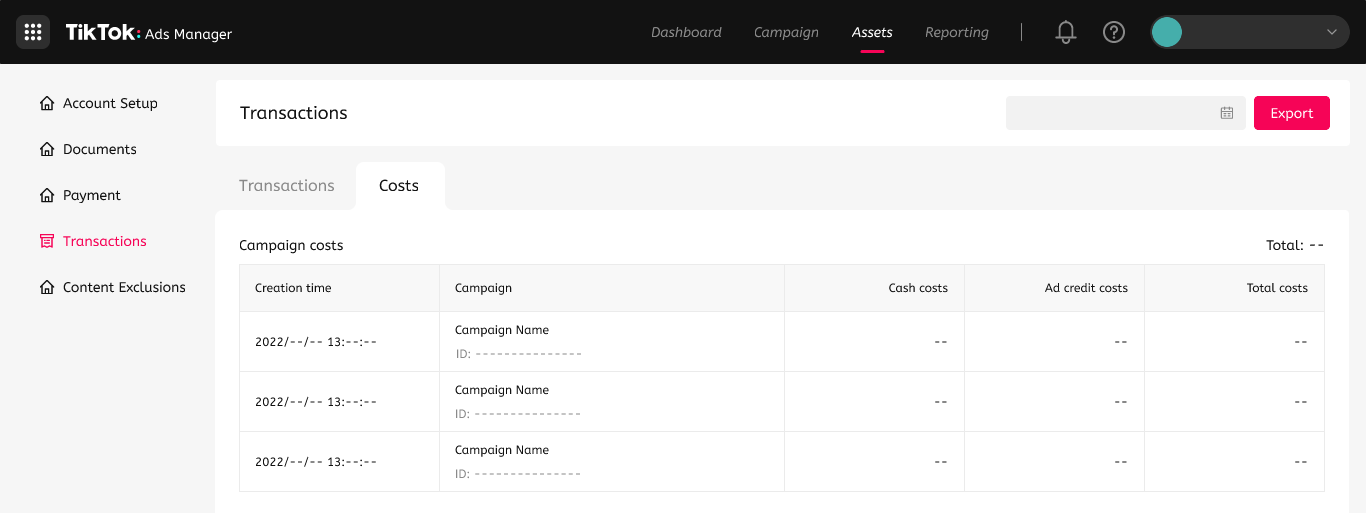
- Once your payment method is verified, you can set up billing preferences. This includes choosing the currency, setting up automatic payments, and managing your billing history.
-
Ensure that your billing preferences align with your campaign goals and budget.
-
Review and Confirm
- Before finalizing the setup, review all the information to ensure accuracy.
- Confirm your payment method and proceed to create your first ad campaign.
Tips for Effective Payment Method Setup
- Use a Secure Payment Method: Always use a secure and reliable payment method to avoid any issues with your ad campaigns.
- Keep Your Information Updated: Regularly update your payment information to ensure that your campaigns run smoothly without interruptions.
- Monitor Your Billing History: Keep track of your billing history to stay informed about your ad spending and make adjustments as needed.
Common Issues and Troubleshooting
While setting up payment methods for TikTok Ads, you may encounter some common issues. Here are a few troubleshooting tips:
- Payment Method Declined: If your payment method is declined, check the details you entered for accuracy. Contact your bank or card issuer to resolve the issue.
- Verification Problems: If you're having trouble verifying your payment method, ensure that you've followed all the steps correctly. Reach out to TikTok support for assistance.
- Currency Mismatch: Make sure that the currency you've selected matches the currency of your payment method to avoid any confusion or errors.
Conclusion
Setting up payment methods for TikTok Ads is a crucial step in launching effective advertising campaigns. By following the steps outlined above and keeping the tips in mind, you can ensure a smooth and successful setup process. Remember to monitor your billing and payment methods regularly to maintain the integrity of your campaigns and achieve your marketing goals on TikTok.

Posting Komentar untuk "How to Set Up Payment Methods for TikTok Ads in 2024"
Posting Komentar