
How to Set Up TikTok Ads Manager Webhook Integration for Your Business
Introduction to TikTok Ads Manager and Webhook Integration
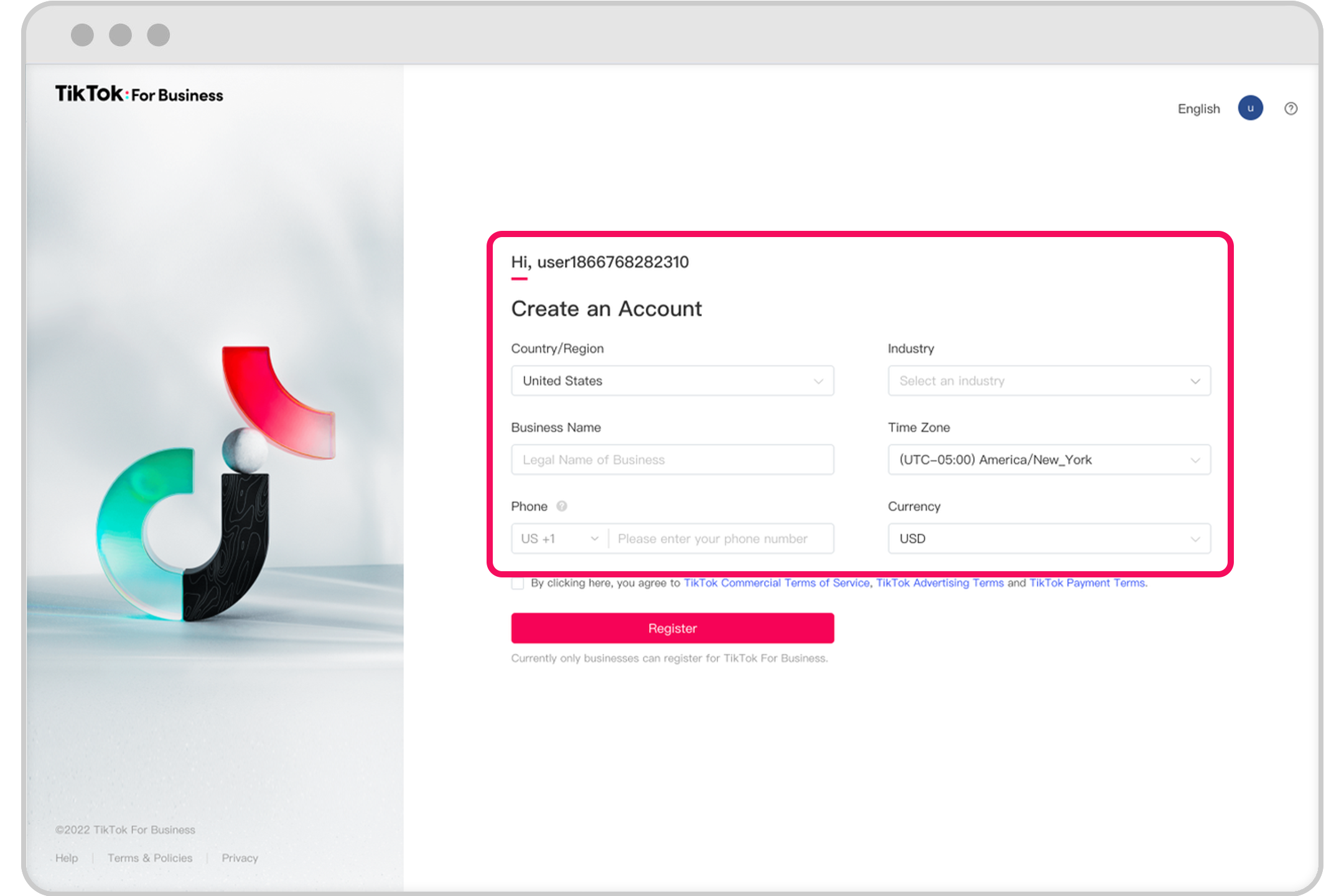
In the ever-evolving digital marketing landscape, businesses are constantly seeking ways to streamline their advertising efforts. One of the most effective tools available is the TikTok Ads Manager, which allows businesses to create, manage, and optimize their ad campaigns on TikTok. However, to truly harness the power of this platform, integrating it with a webhook system can significantly enhance your advertising strategy.
A webhook is essentially a way for apps to communicate with each other in real-time. When an event occurs in one app, it sends a message (or "webhook") to another app, triggering specific actions. In the context of TikTok Ads Manager, webhook integration enables automated data exchange between TikTok and other services, allowing for more efficient campaign management and performance tracking.
This article will guide you through the process of setting up TikTok Ads Manager webhook integration, ensuring that your business can benefit from automation and improved performance.
Why Webhook Integration Matters for TikTok Ads
Webhook integration offers several advantages that can make a significant difference in your advertising efforts:
- Automation: By automating repetitive tasks such as data collection and reporting, you can save time and reduce the risk of human error.
- Real-Time Updates: Webhooks allow for real-time data synchronization, ensuring that your marketing team has the latest information at their fingertips.
- Enhanced Performance Tracking: With automated data exchange, you can monitor campaign performance more effectively and make informed decisions quickly.
- Custom Actions: You can set up custom actions based on specific events, allowing for more personalized and targeted advertising strategies.
These benefits make webhook integration a valuable tool for any business looking to maximize its presence on TikTok.
Steps to Set Up TikTok Ads Manager Webhook Integration
Setting up webhook integration with TikTok Ads Manager involves several key steps. Here's a detailed guide to help you get started:
-
Create a TikTok Ads Manager Account
Before you can integrate webhooks, you need to have a TikTok Ads Manager account. If you're new to TikTok Ads, follow the steps outlined in the official Business Help Center article. This will ensure that you have the necessary permissions and access to the features required for webhook integration. -
Understand Your Webhook Requirements
Determine what kind of data you want to exchange between TikTok and your other services. Consider the events that trigger actions, such as when an ad campaign is created, modified, or paused. This will help you define the scope of your webhook integration. -
Choose a Webhook Service
There are several webhook services available that can facilitate communication between TikTok and your other applications. Choose a service that aligns with your business needs and technical capabilities. Popular options include Zapier, Integromat, and custom-built solutions. -
Configure the Webhook in TikTok Ads Manager
Once you've selected a webhook service, navigate to the TikTok Ads Manager settings and configure the webhook. This typically involves specifying the URL where the webhook should send data and defining the events that trigger the webhook. -
Test the Webhook Integration
After configuring the webhook, test it to ensure that it works correctly. Trigger an event in TikTok Ads Manager and verify that the corresponding action is performed in your other services. This step is crucial to identify and resolve any issues before going live. -
Monitor and Optimize
Once the webhook integration is set up, continuously monitor its performance. Track the data exchanged and the actions taken to ensure that everything is functioning as expected. Use this information to optimize your advertising strategy over time.
Best Practices for Effective Webhook Integration
To ensure that your webhook integration is as effective as possible, consider the following best practices:
- Keep It Simple: Start with a basic setup and gradually add complexity as needed. This approach helps avoid unnecessary complications.
- Document Everything: Maintain clear documentation of your webhook configuration and any changes made. This will be invaluable for troubleshooting and future reference.
- Secure Your Data: Ensure that your webhook service is secure and that all data transmitted is encrypted. This protects your business from potential security threats.
- Regularly Update: As TikTok and other services evolve, regularly review and update your webhook integration to maintain compatibility and functionality.
Conclusion
Integrating TikTok Ads Manager with a webhook system can significantly enhance your advertising efforts by automating tasks, providing real-time updates, and enabling custom actions. By following the steps outlined in this article, you can set up a robust webhook integration that supports your business goals.
As the digital marketing landscape continues to evolve, staying ahead of the curve with innovative tools like webhook integration will be essential for success. Whether you're a small business owner or a marketing professional, leveraging the power of TikTok Ads Manager and webhook integration can help you achieve greater efficiency and better results.
With the right approach and a solid understanding of how to set up and manage webhook integrations, your business can unlock new opportunities for growth and engagement on TikTok.

Posting Komentar untuk "How to Set Up TikTok Ads Manager Webhook Integration for Your Business"
Posting Komentar