
How to Set Up TikTok Ads Step by Step: A Complete Guide for Beginners

TikTok has evolved from a platform for Gen-Z dance videos into a powerful advertising tool with over 1.5 billion active users. For businesses looking to tap into this massive audience, setting up TikTok ads can be a game-changer. However, the key to success lies in understanding how TikTok ads differ from traditional ad formats and following a structured setup process. This guide will walk you through each step of setting up TikTok ads, ensuring your campaigns are optimized for maximum impact.
Step 1: Create a Business Account
Before you can start running ads on TikTok, you need to switch from a personal account to a business account. This is essential because it provides access to advanced analytics, ad creation tools, and other features that are crucial for effective advertising.
- Open the TikTok app and go to your profile.
- Tap the menu icon (three dots) at the top right.
- Select "Settings and Privacy."
- Navigate to "Account" and tap "Switch to Business Account."
- Follow the prompts to complete the setup, including adding your business information and verifying your account.
Step 2: Integrate TikTok with Your Shopify Store (Optional)
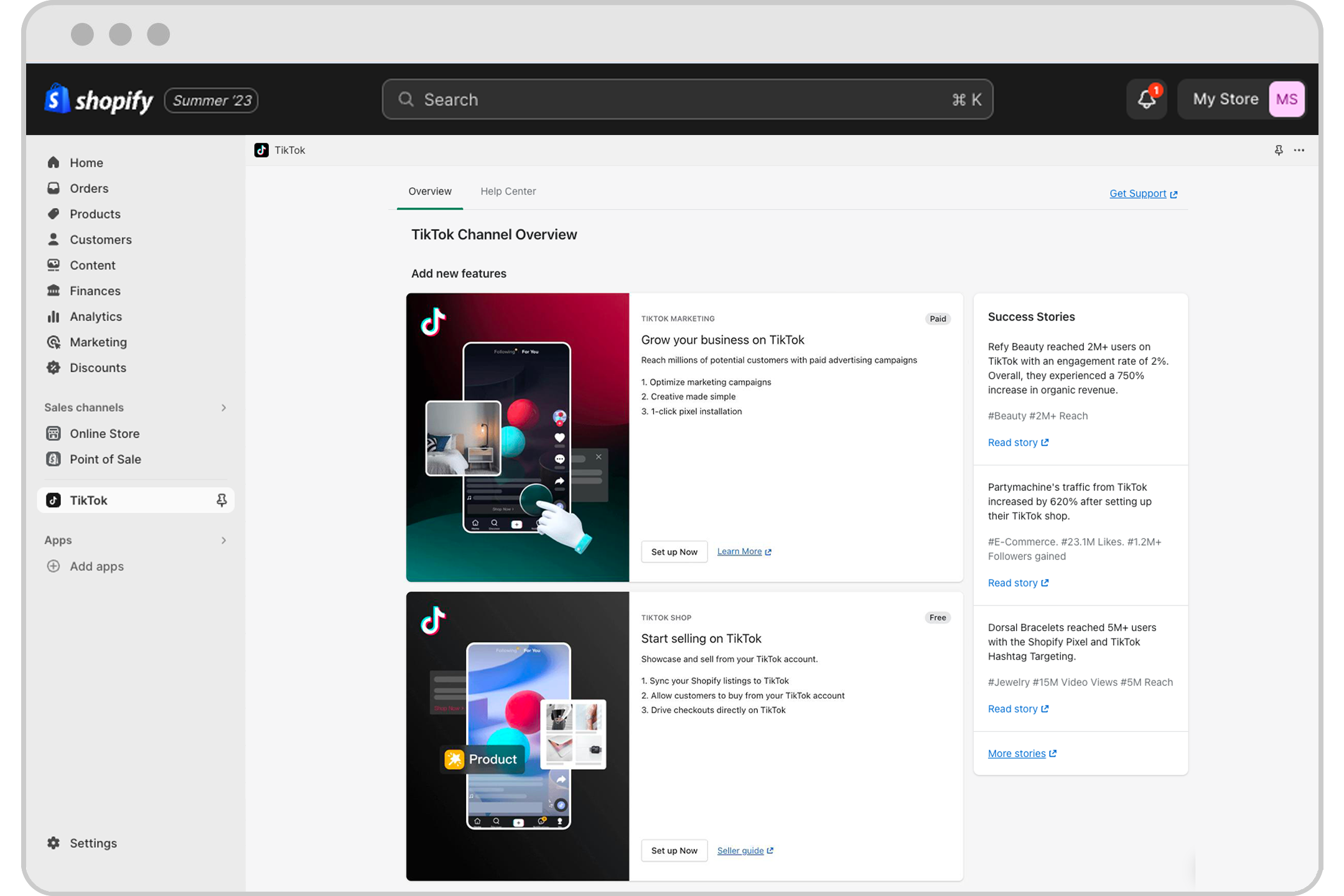
If you run an online store using Shopify, integrating TikTok with your Shopify account can streamline the ad creation process and allow you to showcase products directly on your TikTok profile.
- Log in to your Shopify admin panel.
- Go to the "Apps" section and search for "TikTok."
- Install the TikTok app and follow the setup instructions.
- Connect your TikTok business account to your Shopify store.
Step 3: Access the TikTok Ads Manager

Once your business account is set up, you can access the TikTok Ads Manager to start creating your first ad campaign.
- Visit the TikTok Ads Manager on your desktop.
- Log in with your TikTok business account credentials.
- You’ll be directed to the Ads Manager dashboard, where you can start building your campaign.
Step 4: Define Your Advertising Goal
TikTok offers several advertising goals to choose from, depending on what you want to achieve with your campaign. Common objectives include increasing website traffic, generating leads, boosting brand awareness, or driving app installs.
- Click on "Create Campaign" to start.
- Choose your primary objective from the list of available options.
- Each goal corresponds to different stages of the customer journey, so select one that aligns with your marketing strategy.
Step 5: Select Your Target Audience

One of the most critical steps in setting up TikTok ads is defining your target audience. TikTok allows you to create highly specific audience profiles based on demographics, interests, behaviors, and more.
- In the Ads Manager, navigate to the "Audience" section.
- Use the targeting options to define your ideal audience.
- You can also use TikTok's AI-powered "Automatic Audience" feature to let the platform handle the targeting for you.
Step 6: Set Your Budget and Schedule

TikTok operates on a bid model, meaning the cost of your ads depends on factors like competition, targeting, and ad format. Start with a modest budget to test your campaign before scaling up.
- Decide on a daily or total budget. The minimum daily budget for TikTok ads is $5.
- Choose whether you want your campaign to run for a set period or indefinitely.
- Adjust your budget as needed based on performance data.
Step 7: Create and Submit Your Ad

Now it's time to create your ad content. TikTok supports various ad formats, including In-Feed Ads, TopView Ads, Spark Ads, and more.
- Upload your video or image content.
- Add a catchy caption that includes a clear call-to-action (CTA), such as "Shop Now," "Learn More," or "Download Free."
- Choose a CTA button that aligns with your campaign goal.
- Review your ad and submit it for approval.
Step 8: Monitor and Optimize Your Campaign
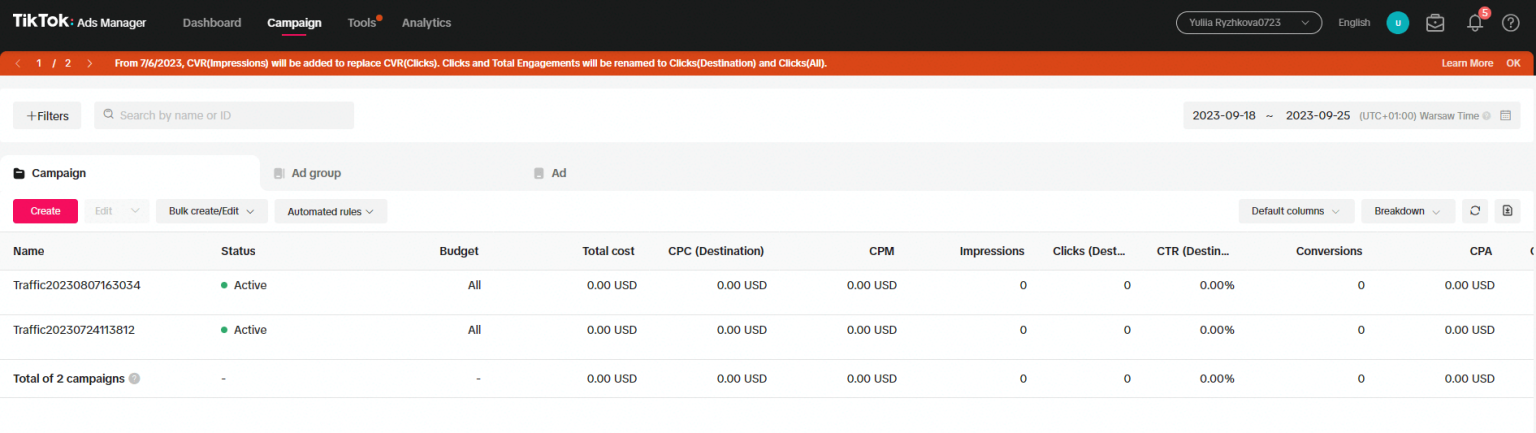
After submitting your ad, TikTok will review it, usually within 24 hours. Once approved, your campaign will go live, and you can start monitoring its performance.
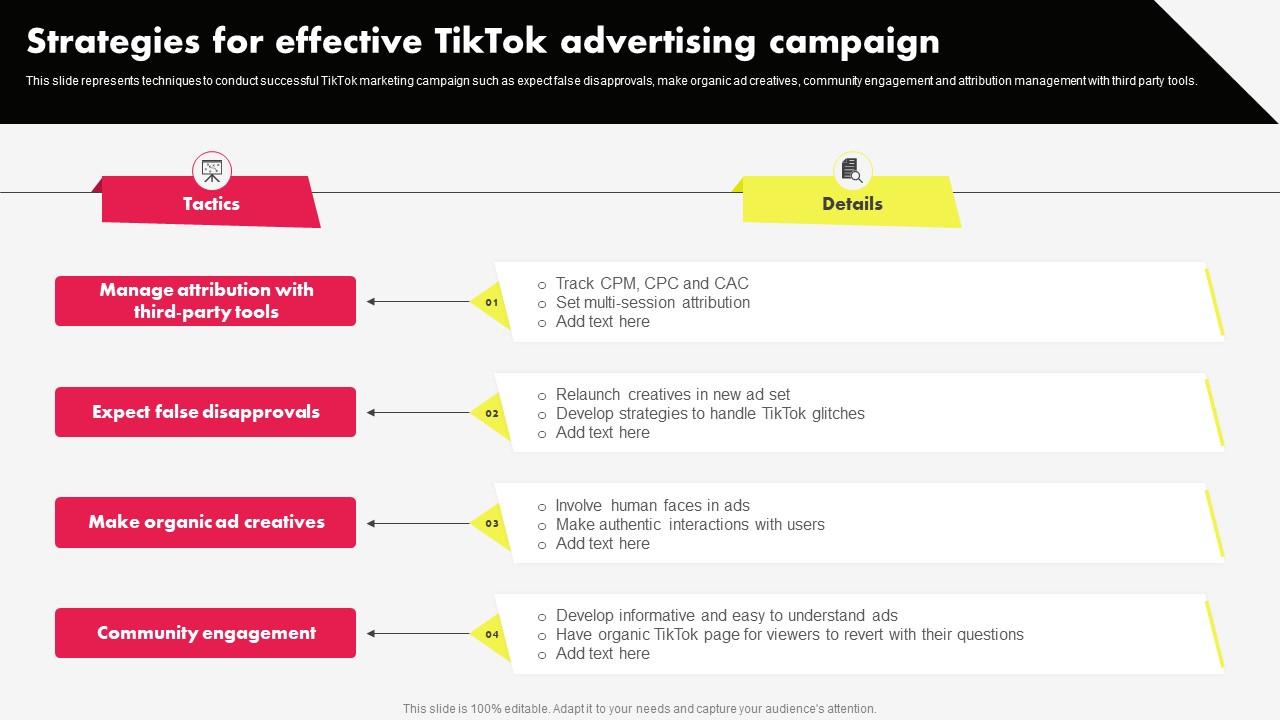
- Use TikTok’s analytics tools to track key metrics like click-through rate (CTR), engagement, and conversion rates.
- Regularly review your campaign data to identify what’s working and what needs improvement.
- A/B test different ad creatives, audiences, and CTAs to optimize your results.
Conclusion

Setting up TikTok ads requires a strategic approach, but with the right tools and techniques, you can effectively reach and engage your target audience. By following these steps—creating a business account, defining your goals, selecting the right audience, and optimizing your campaigns—you'll be well on your way to leveraging TikTok's massive user base for your business.
Remember, the key to success on TikTok is authenticity. Focus on creating content that resonates with your audience, and don’t hesitate to experiment with different ad formats and strategies. With consistent effort and optimization, your TikTok ads can drive real business results and help you stand out in a competitive market.

Posting Komentar untuk "How to Set Up TikTok Ads Step by Step: A Complete Guide for Beginners"
Posting Komentar