
How to Set Up the TikTok Pixel: A Complete Step-by-Step Guide

In today's digital marketing landscape, TikTok has emerged as a powerful platform for businesses to reach their target audience. With over 1 billion active users, TikTok offers unique opportunities for brands to connect with potential customers through engaging video content. One of the essential tools for maximizing the effectiveness of TikTok advertising is the TikTok Pixel. This article will guide you through the process of setting up the TikTok Pixel, ensuring accurate tracking of user interactions and optimizing your ad campaigns.
Understanding the TikTok Pixel
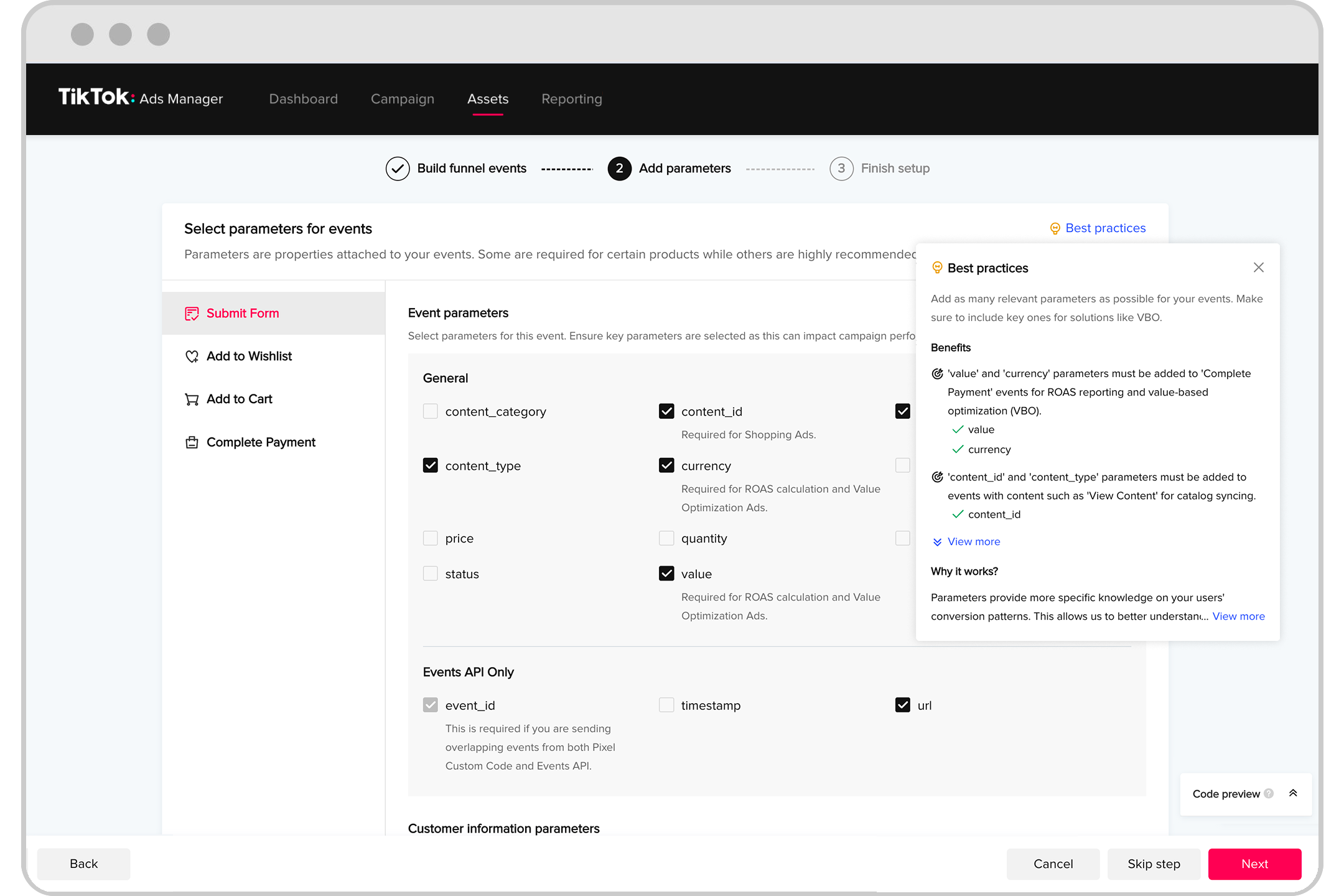
The TikTok Pixel is a small piece of code that you install on your website. It captures user actions, measures traffic, and tracks the effectiveness of your TikTok ads. The pixel shares information with TikTok whenever a visitor takes an action (also known as an event) on your website. This tracking information can be used with any TikTok Business tools to:
- Attribute conversions to a specific ad
- Optimize ad campaigns and performance
- Build custom audiences
- Find new customers (lookalike audiences)
By implementing the TikTok Pixel, you gain valuable insights into how users interact with your website after seeing an ad, allowing you to make data-driven decisions to improve your marketing strategy.
Step-by-Step Guide to Setting Up the TikTok Pixel
Step 1: Log in to TikTok Ads Manager
To begin, log in to your TikTok Ads Manager account at ads.tiktok.com. Navigate to the "Assets" section and click on "Events." From there, select "Web Events" and click the "Manage" button.
Step 2: Set Up Web Events

Click the "Set Up Web Events" button. Enter your website’s name as the Pixel Name and choose "TikTok Pixel" from the two option boxes. Click "Next" to proceed.
Step 3: Choose Manual Installation
For the most flexibility, choose "Manually Install Pixel Code" and continue. Select "Custom Code" and hit "Next" to create the pixel.
Step 4: Copy the Pixel Code
At this point, you’ll see a dialog close, and there will be a set of additional technical steps you’ll need to take to implement the pixel on your website. Copy the pixel code provided.
Step 5: Install the Pixel on Your Website
Install the pixel code on your website, either directly in the codebase on every page or through a tag management system like Segment.com or Google Tag Manager. Ensure that the "Allow first-party cookie" option is enabled and that "Automatic advanced matching" is selected. Check both "Phone Number" and "Email" options.
Step 6: Verify the Installation
Once these steps are complete, verify that the installation is correct and working properly. Use the TikTok Pixel Helper browser extension to check for errors and ensure that the pixel is loading correctly on your website.
Tracking Standard Events

TikTok supports several standard events for tracking your funnels. These events include:
- ViewContent: When a page is viewed on a site
- ClickButton: Tracking button clicks throughout a site
- Search: User search is entered
- AddToWishlist: Usually not used, but can track social shares or bookmarks
- AddToCart: User becomes a prospect
- InitiateCheckout: First value is collected during a lead funnel
- AddPaymentInfo: Final payment details are collected
- CompletePayment: Payment information is verified as valid
- PlaceAnOrder: Order or product purchase is made
- Contact: Contact or consultation occurs
- Download: File downloads
- SubmitForm: Form is submitted
- CompleteRegistration: Registration is completed
- Subscribe: Subscription is made to a newsletter
To track any of these events, use the ttq.track method:
ttq.track('CompleteRegistration');
Some events allow recommended parameters, which can be found in TikTok’s documentation.
Advanced Matching
In addition to tracking pixel and API-based events, it's recommended to configure automatic and manual advanced matching. Advanced matching allows you to send encrypted customer data to TikTok, helping to identify users. This approach is officially recommended by TikTok.
Automatic & Manual Advanced Tracking with the TikTok Pixel
To implement manual advanced matching, use the ttq.identify() method to pass in a user’s phone number and email address when they’re collected. The phone number must be in international format to avoid tracking diagnostic errors.
Manual Advanced Matching with Events API
Advanced matching with the Events API is manual only. You’ll have to send specific values in the context.user object of an event payload. These values need to be encrypted as a SHA256 hash.
If you're using PHP, you can use the following function to encrypt user.email and user.phone values sent in with Events API calls:
function sha256($data) {
    return hash('sha256', $data);
}
Other web programming languages share a similar approach, just look for a method to generate a SHA256 hash. Once you’ve encrypted the values, add them onto your event payload as the context.user object.
Server-Side Events API Tracking
The TikTok Events API allows you to track customer activity on a website or web application using server-side code. This generally involves more technical overhead, but results in more reliable tracking. When properly configured, the conversion events you track will happen for every user that passes through your funnel.
A typical JSON payload to the Events API looks like this:
{
  "pixel_code": "{PIXEL-ID}",
  "event_id": "{UUID}",
  "timestamp": 1670353390,
  "event": "CompleteRegistration",
  "context": {
    "page": {
      "url": "https://apply.website.com/signup-complete"
    },
    "user": {
      "email": "{SHA256-EMAIL}",
      "phone_number": "{SHA256-PHONE}",
      "external_id": "{SHA256-USER-ID}"
    },
    "client_user_agent": "Mozilla/5.0 (Linux; Android 13; Pixel 6) AppleWebKit/537.36 (KHTML, like Gecko) Chrome/108.0.0.0 Mobile Safari/537.36",
    "ip": "{IP-ADDRESS}"
  },
  "properties": {
    "description": "New customer signup successfully completed",
    "content_type": "product",
    "content_id": "/signup-complete",
    "content_category": "apply.website.com"
  }
}
Conclusion
Setting up the TikTok Pixel is a crucial step in optimizing your TikTok advertising efforts. By following the steps outlined in this guide, you can ensure accurate tracking of user interactions and gain valuable insights into the effectiveness of your ad campaigns. Whether you're a small business owner or a digital marketer, implementing the TikTok Pixel will help you make data-driven decisions to improve your marketing strategy and achieve better results.

Posting Komentar untuk "How to Set Up the TikTok Pixel: A Complete Step-by-Step Guide"
Posting Komentar