
How to Set Up TikTok Shop Ads: A Complete Step-by-Step Tutorial
Introduction to TikTok Shop Ads

TikTok has rapidly become one of the most influential platforms for digital marketing, especially with its growing focus on e-commerce. The introduction of TikTok Shop has opened new avenues for businesses to reach potential customers through short-form video ads. Setting up TikTok Shop ads can be a game-changer for brands looking to boost sales and visibility. This tutorial will guide you through the process of setting up TikTok Shop ads, ensuring your campaigns are both engaging and conversion-focused.
Step 1: Prepare Your TikTok Business Account
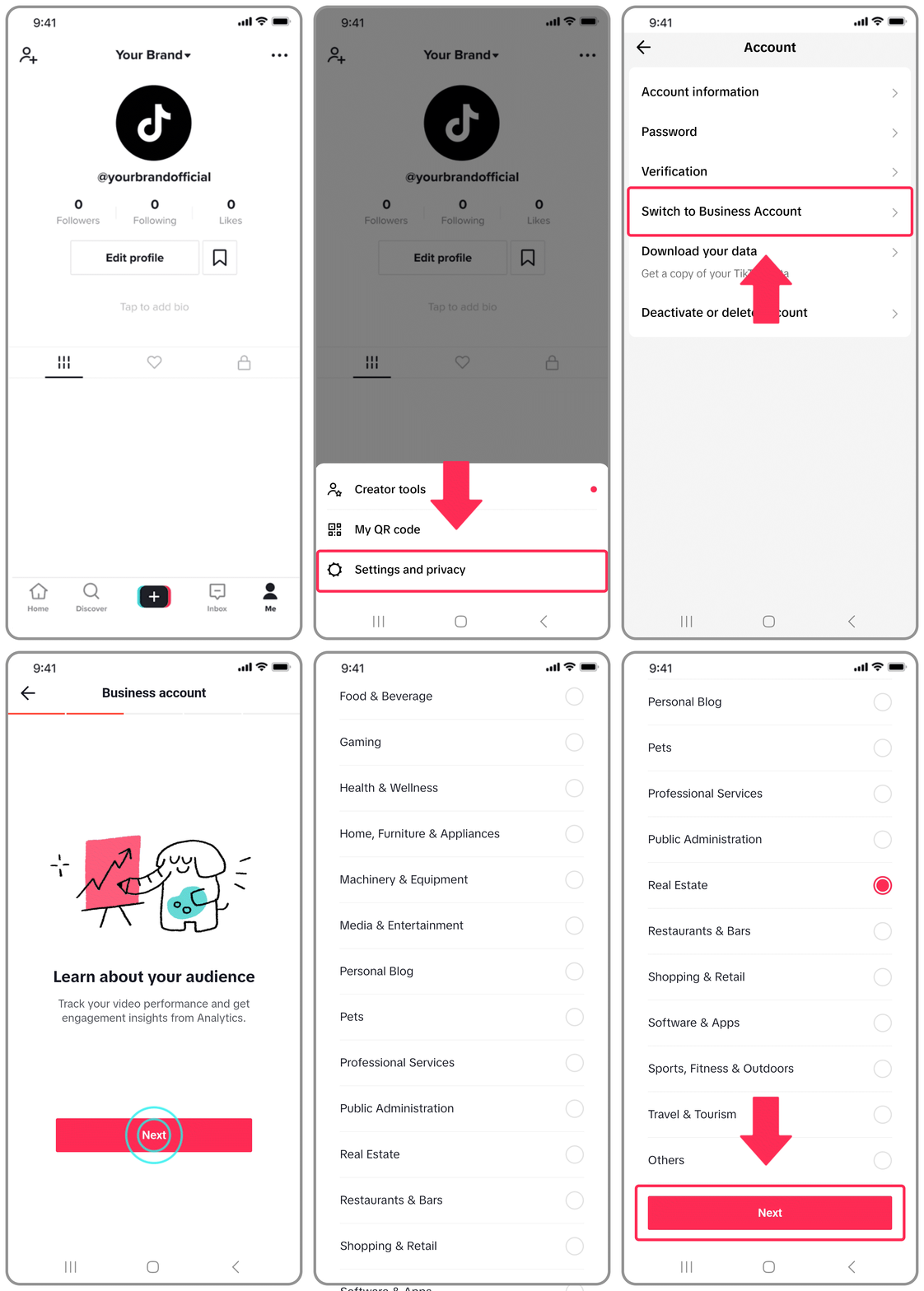
Before diving into ad creation, ensure that your TikTok account is set up as a business account. This step is crucial because it grants access to TikTok Ads Manager, where you'll create and manage your campaigns. To convert your personal account to a business account:
- Open the TikTok app and go to your profile.
- Tap the three dots (•••) in the top right corner.
- Select "Manage Account."
- Choose "Switch to Pro Account" and follow the prompts to complete the setup.
Once your account is upgraded, you'll have access to advanced features like analytics, insights, and ad management tools.
Step 2: Access TikTok Ads Manager

After setting up your business account, the next step is to access TikTok Ads Manager. This platform allows you to create, manage, and track your ad campaigns. Here's how to get started:
- Go to https://ads.tiktok.com.
- Log in using your TikTok credentials.
- You'll be directed to the Ads Manager dashboard, where you can start creating your first campaign.
Step 3: Define Your Campaign Objective
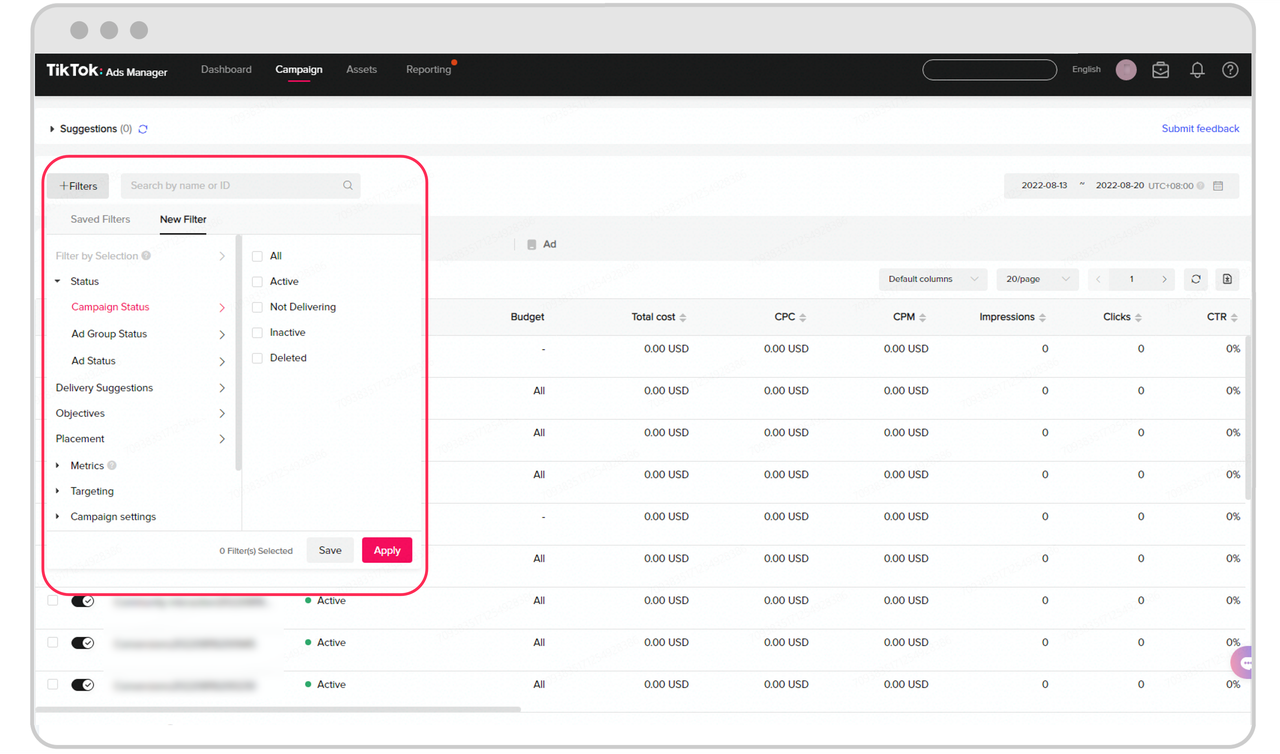
When creating a new campaign, you'll need to define your objective. TikTok offers several options, including:
- Brand Awareness: For increasing visibility and reaching a broader audience.
- Traffic: To drive users to your website or TikTok Shop.
- Conversions: Focused on encouraging purchases or sign-ups.
- Engagement: Aimed at boosting likes, comments, shares, and views.
Choose the objective that aligns with your business goals. If you're promoting products via TikTok Shop, the "Conversions" or "Traffic" objective may be the most effective.
Step 4: Set Your Budget and Schedule
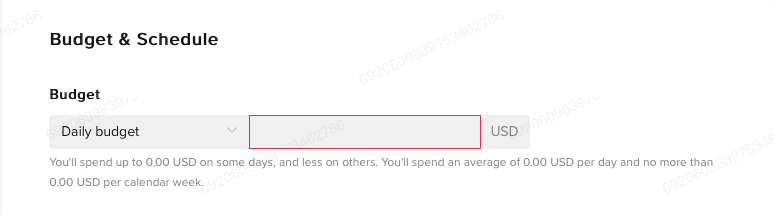
Next, determine your budget and schedule for the campaign. TikTok allows flexibility in how much you want to spend daily or over the course of the campaign. Consider the following:
- Daily Budget: Set a daily limit based on your overall advertising budget.
- Campaign Duration: Decide how long you want the campaign to run, whether it's a few days or several weeks.
You can also choose to run your campaign continuously or set specific start and end dates.
Step 5: Create Your Ad Content
Creating compelling ad content is key to the success of your TikTok Shop ads. Here are some tips:
- Use High-Quality Videos: Ensure your videos are clear, well-lit, and visually appealing.
- Highlight Your Product: Showcase the product in action, emphasizing its benefits and unique selling points.
- Add Captions and Text Overlays: Use text to reinforce your message and make the video more engaging.
- Include a Call-to-Action (CTA): Encourage viewers to take action, such as "Shop Now" or "Learn More."
Remember, TikTok users engage with content quickly, so your video should capture attention within the first few seconds.
Step 6: Target Your Audience
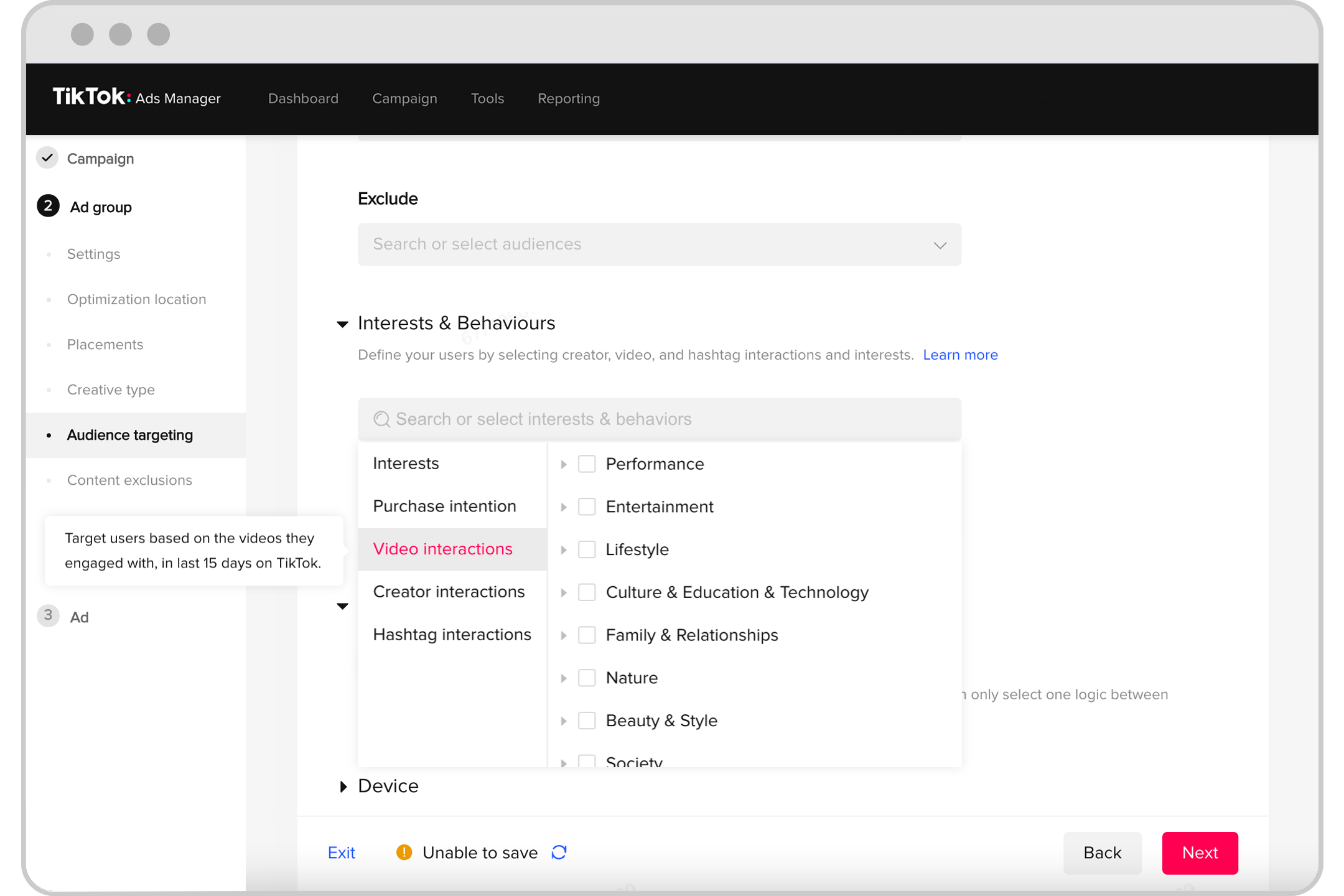
TikTok Ads Manager allows you to target specific audiences based on demographics, interests, behaviors, and more. Here's how to set up your audience targeting:
- Click on "Audience" in the Ads Manager.
- Choose from options like age, gender, location, and interests.
- Add custom audiences if you have existing customer data.
- Exclude irrelevant audiences to ensure your ads are shown to the right people.
Effective targeting ensures your ads reach the right people, increasing the chances of conversions.
Step 7: Launch and Monitor Your Campaign

Once your campaign is set up, it's time to launch it. Before going live, review all the details to ensure everything is correct. After launching, monitor your campaign regularly to track performance and make adjustments as needed.
Key metrics to watch include:
- Impressions: How many times your ad was shown.
- Click-Through Rate (CTR): The percentage of users who clicked on your ad.
- Conversion Rate: The percentage of users who completed a desired action, such as making a purchase.
Use these insights to optimize your campaigns and improve future results.
Conclusion
Setting up TikTok Shop ads is an effective way to boost your online sales and reach a wider audience. By following this step-by-step tutorial, you can create engaging and conversion-focused ad campaigns that drive real results. With the right strategy, content, and targeting, your TikTok Shop ads can become a powerful tool for growing your business. Start today and unlock the full potential of TikTok's advertising platform.
Posting Komentar untuk "How to Set Up TikTok Shop Ads: A Complete Step-by-Step Tutorial"
Posting Komentar