
How to Set Up TikTok Shop Ads: A Complete Step-by-Step Guide
TikTok has become a powerful platform for businesses looking to reach a vast and engaged audience. With its unique blend of entertainment and commerce, TikTok Shop offers an innovative way to sell products directly through the app. Setting up TikTok Shop ads can be a game-changer for your business, but it requires careful planning and execution. This guide will walk you through the entire process of setting up TikTok Shop ads.
Understanding TikTok Shop Ads
TikTok Shop ads are a form of digital advertising that allows businesses to promote their products or services on the TikTok platform. These ads can appear in users' feeds, as in-feed videos, or as branded content. The goal is to drive traffic to your TikTok Shop and increase sales.
To set up TikTok Shop ads, you need a few essential elements:
- A TikTok Business Account
- A Shopify Store (or another e-commerce platform)
- A TikTok Pixel (for tracking conversions)
- A clear understanding of your target audience
Once these elements are in place, you can start creating and launching your TikTok Shop ads.
Step 1: Create a TikTok Business Account
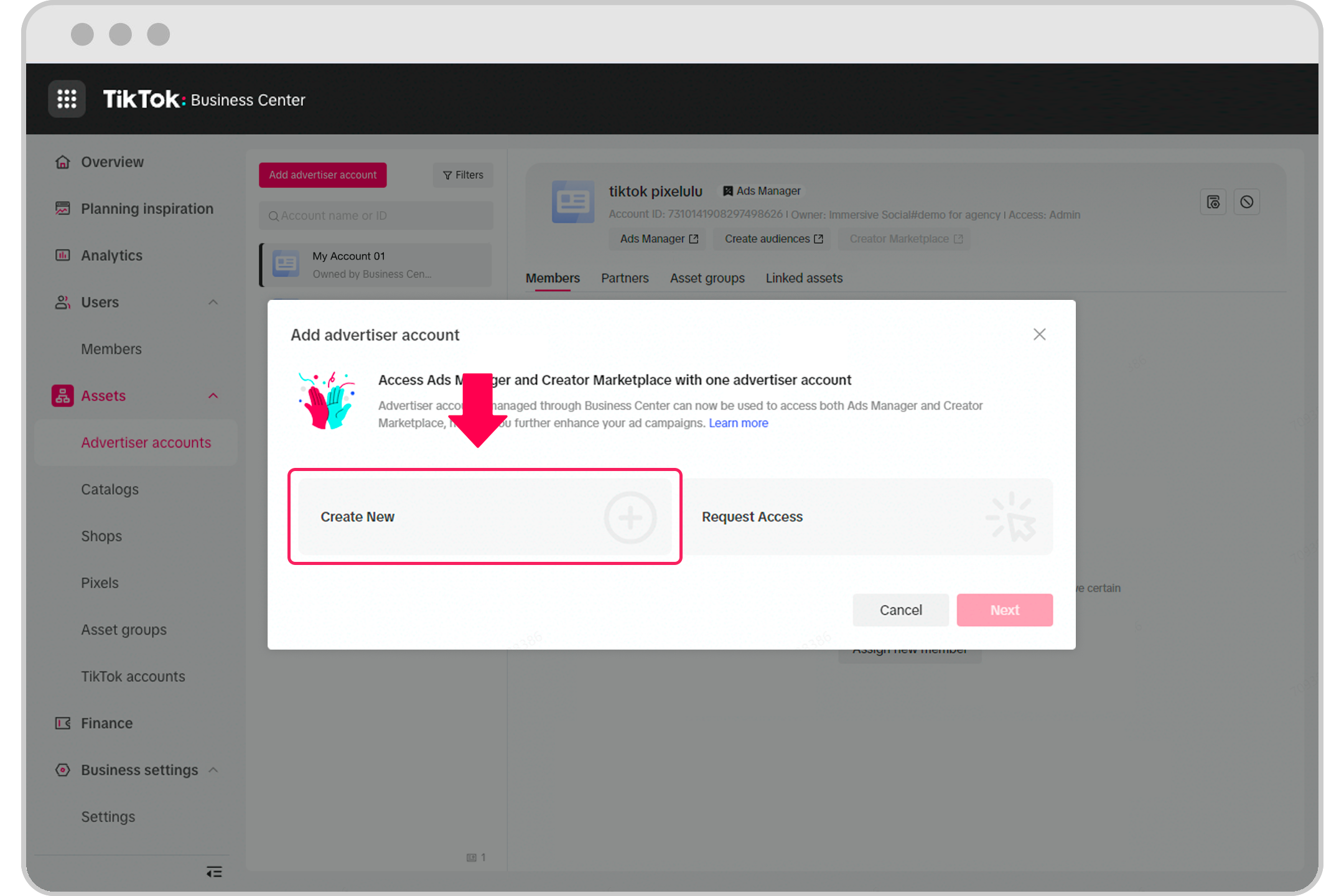
If you don't already have a TikTok Business Account, you'll need to create one. Here's how:
- Download the TikTok app and sign in with your existing account.
- Tap on your profile icon and select "Edit Profile."
- Scroll down and tap "Switch to Pro Account."
- Choose the type of account you want (e.g., "Business" or "Creator").
- Follow the prompts to complete the setup, including providing your business information and payment details.
Step 2: Connect Your E-Commerce Store

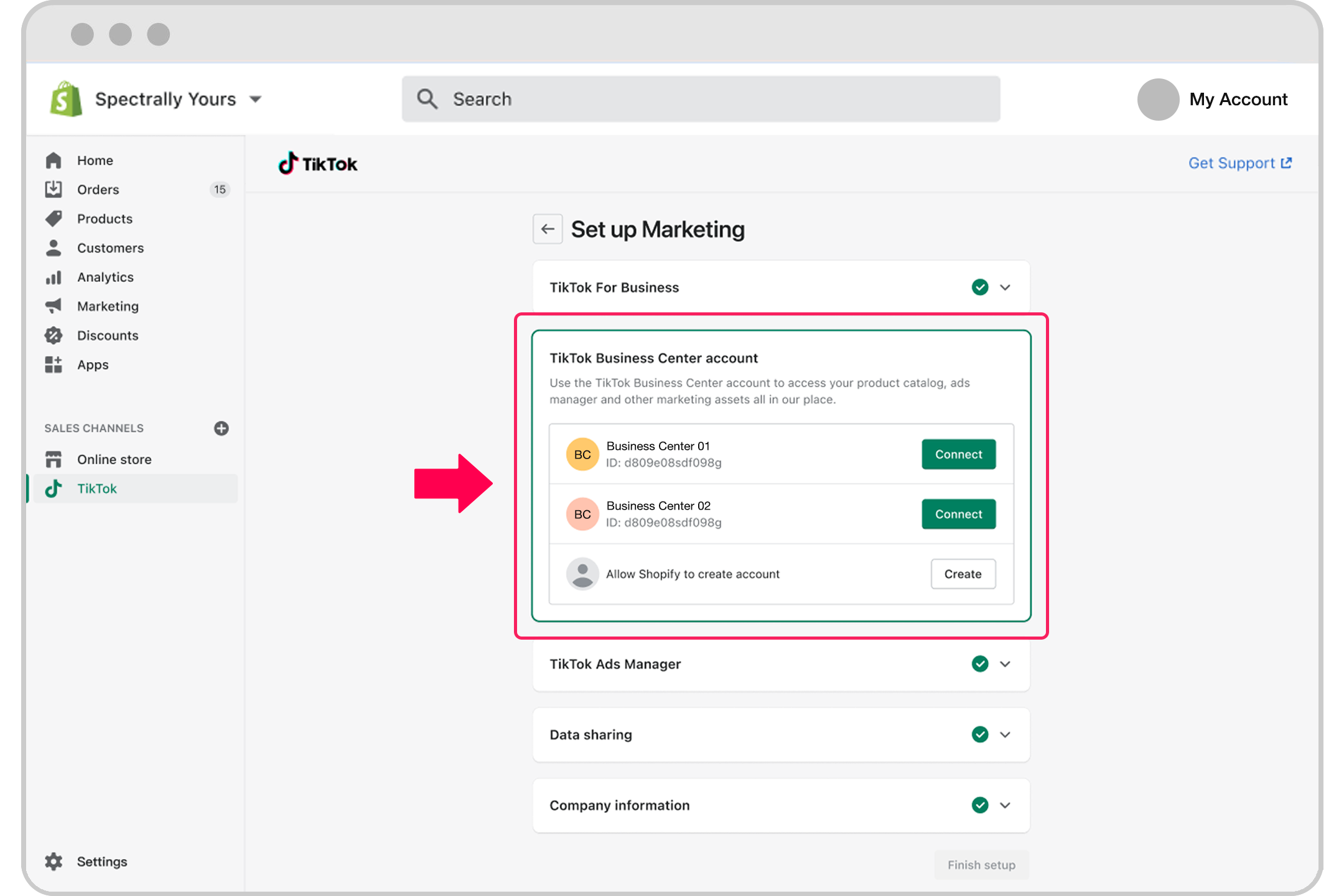
To sell products on TikTok Shop, you need to connect your e-commerce store. If you're using Shopify, follow these steps:
- Log in to your Shopify admin panel.
- Navigate to the "Apps" section and search for "TikTok."
- Install the official TikTok app and click "Add Sales Channel."
- Follow the prompts to connect your TikTok Business Account to your Shopify store.
- Ensure that the TikTok Pixel is properly set up to track user interactions and conversions.
Step 3: Set Up the TikTok Pixel
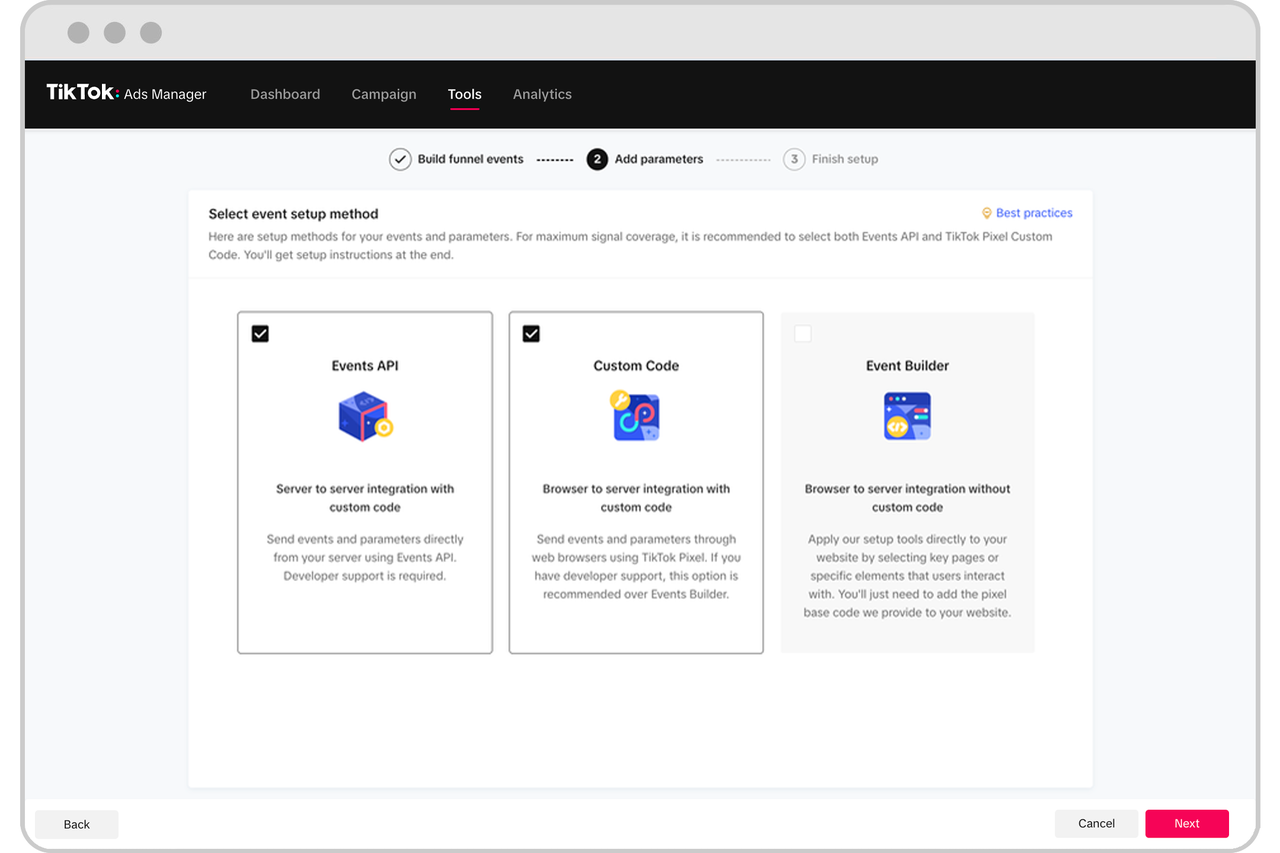
The TikTok Pixel is a tracking code that helps you measure the effectiveness of your ads. Here's how to set it up:
- Go to your Shopify store and navigate to the "TikTok" app settings.
- Click on "Pixel Setup" and copy the pixel code.
- Paste the pixel code into the header section of your website.
- Use the TikTok Pixel Helper Chrome extension to verify that the pixel is firing correctly.
Step 4: Create Your First Campaign
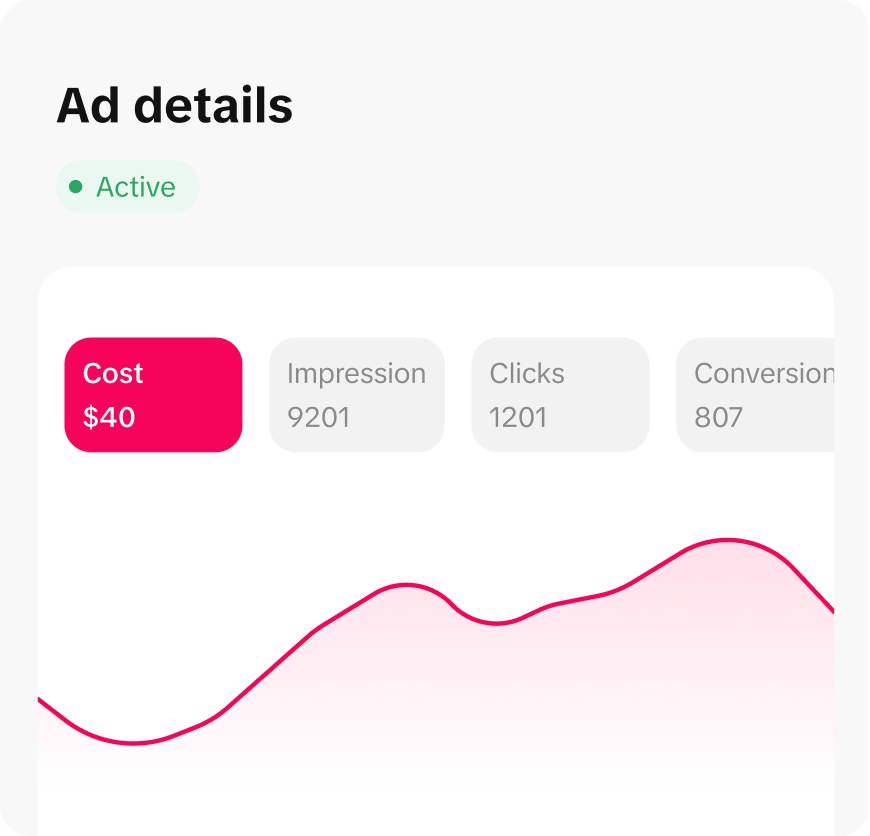
Once your TikTok Business Account and Shopify store are set up, you can start creating your first campaign:
- Go to ads.tiktok.com and log in with your TikTok Business Account.
- Click "Create Campaign" and choose your campaign objective (e.g., "Sales," "Leads," or "Brand Awareness").
- Select your target audience based on demographics, interests, and behaviors.
- Set your budget and schedule for the campaign.
- Upload your ad creative (e.g., video, image, or carousel).
Step 5: Optimize Your Ads
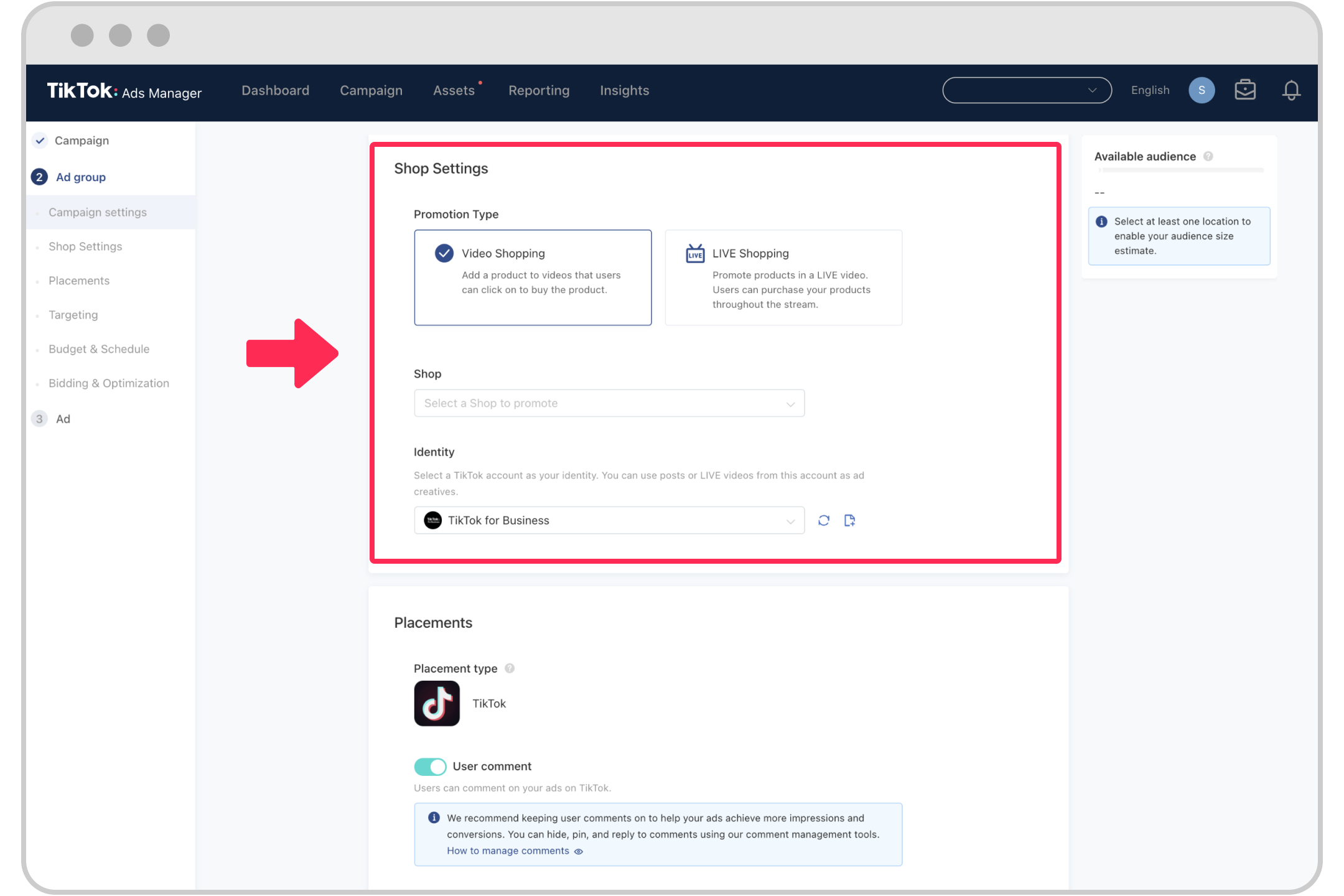
After launching your campaign, it's essential to monitor and optimize your ads for better performance:
- Track Conversions: Use the TikTok Pixel to track user actions such as product views, add-to-cart events, and purchases.
- A/B Testing: Experiment with different ad creatives, headlines, and calls to action to see what resonates best with your audience.
- Adjust Targeting: Refine your targeting based on the performance data to reach the most relevant users.
- Review Analytics: Regularly review your campaign analytics to identify trends and areas for improvement.
Conclusion
Setting up TikTok Shop ads can be a highly effective way to grow your e-commerce business. By following this step-by-step guide, you can ensure that your ads are well-structured, targeted, and optimized for success. Remember to continuously monitor and refine your campaigns to achieve the best results. With the right strategy and execution, TikTok Shop ads can help you reach new customers and boost your sales.

Posting Komentar untuk "How to Set Up TikTok Shop Ads: A Complete Step-by-Step Guide"
Posting Komentar