
How to Set Up TikTok Shopping Ads in 2024: A Step-by-Step Guide
Introduction to TikTok Shopping Ads

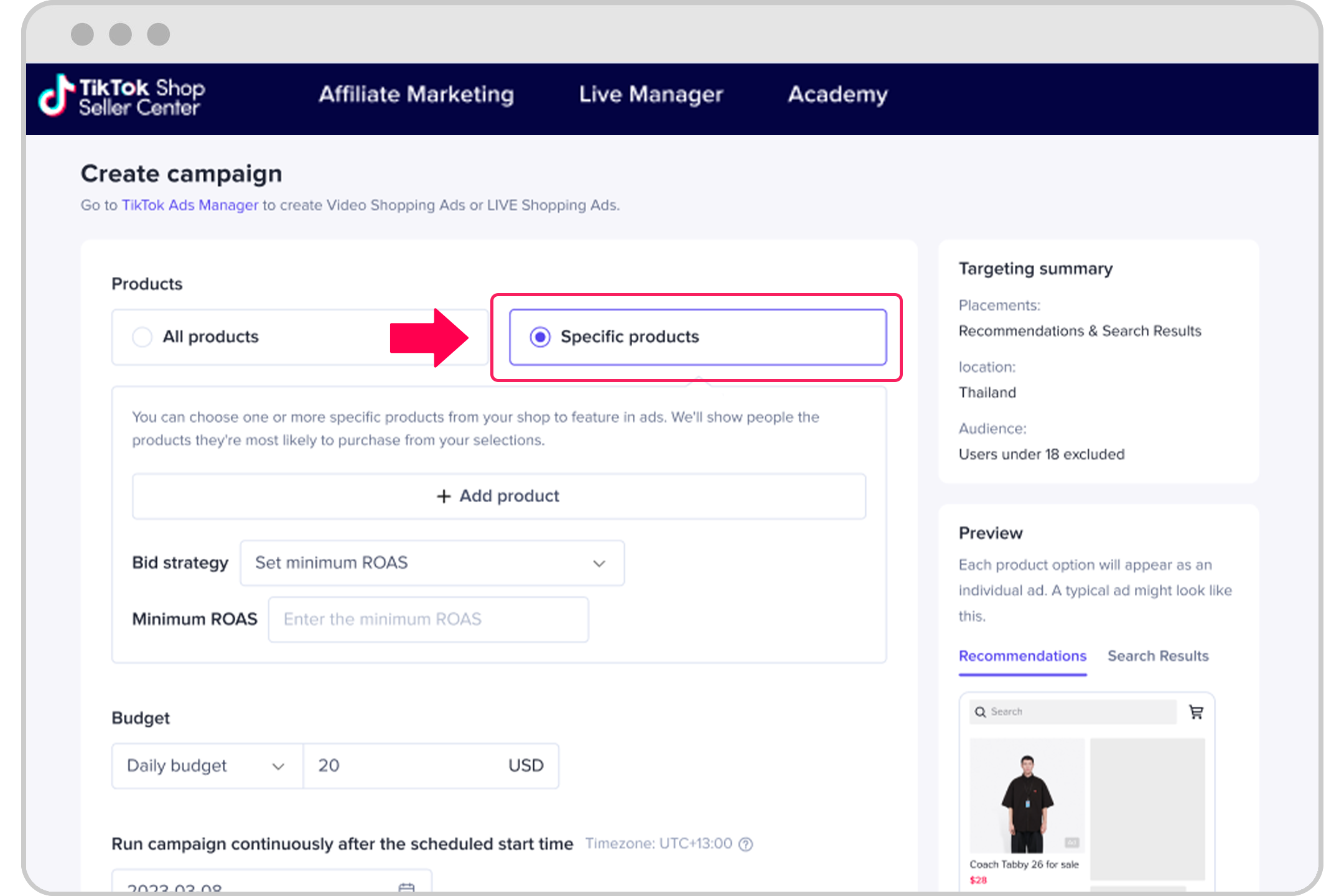
TikTok has emerged as a powerful platform for businesses looking to connect with a younger, highly engaged audience. With its unique blend of entertainment and commerce, TikTok offers a variety of advertising options, including shopping ads. These ads allow businesses to showcase their products directly within the app, making it easier for users to discover and purchase items without leaving the platform.
Setting up TikTok shopping ads can be a game-changer for your business, especially if you're targeting a demographic that spends significant time on the app. However, the process requires careful planning and execution to ensure maximum effectiveness. In this guide, we’ll walk you through the steps to set up TikTok shopping ads in 2024, helping you leverage this powerful tool to boost your sales and brand visibility.
Step 1: Create a TikTok For Business Account
Before you can start running shopping ads, you need to have a TikTok For Business account. This account allows you to access advanced features such as analytics, ad management, and product catalog integration.
- Sign up for a TikTok For Business account: Visit the TikTok website or use the TikTok app to create an account.
- Verify your business: Provide necessary details such as your business name, address, and contact information.
- Link your TikTok Ads Manager and TikTok Business Center: These tools will help you manage your ad campaigns and business operations more efficiently.
Step 2: Install the TikTok Pixel
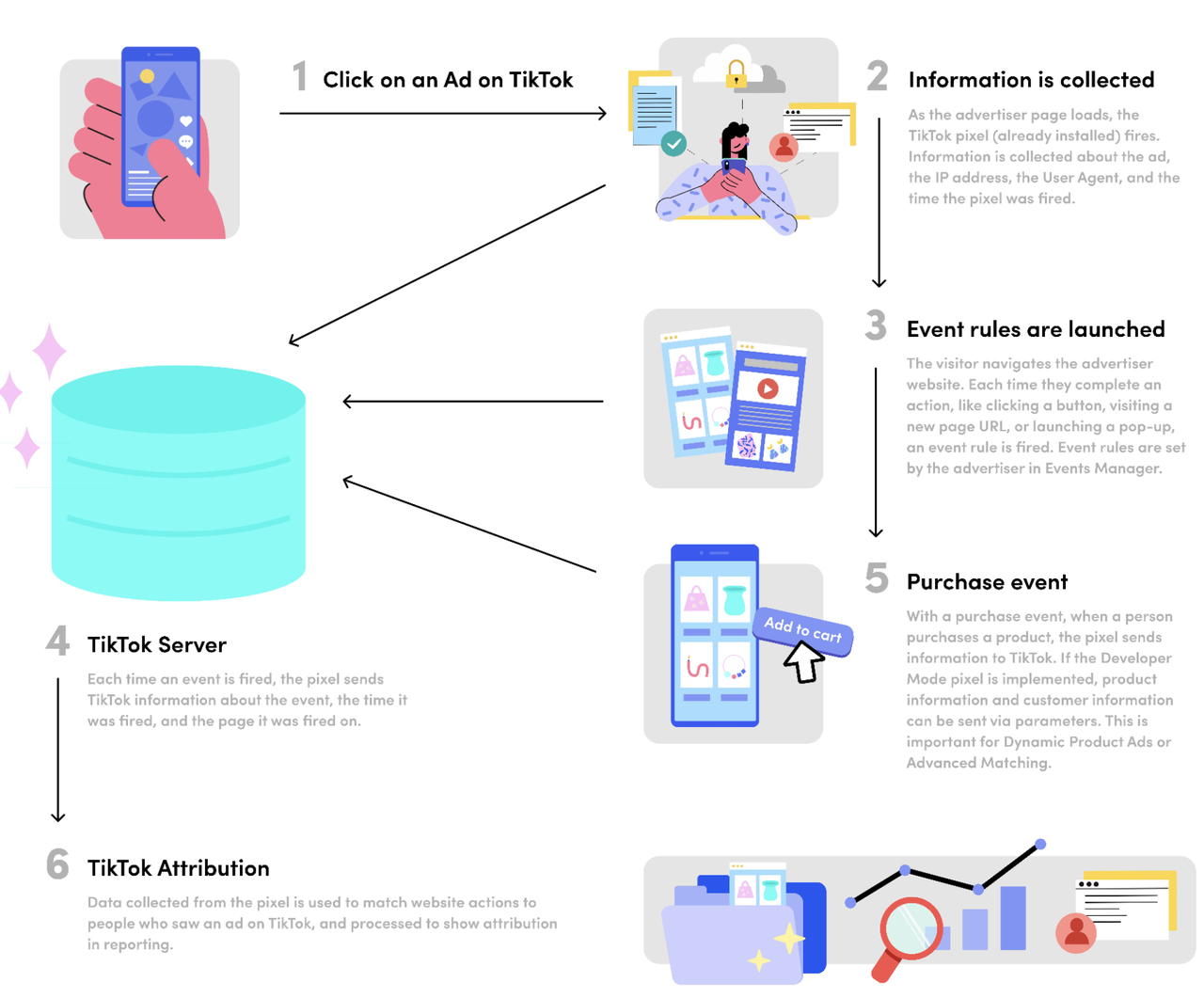
The TikTok Pixel is a tracking code that helps you measure the performance of your ads and understand user behavior on your website. It’s essential for optimizing your ad campaigns and improving your return on ad spend (ROAS).
- Install the TikTok Pixel: Go to the TikTok Business Center and follow the instructions to install the pixel on your website.
- Set up event tracking: Define the events you want to track, such as purchases, page views, and sign-ups.
Step 3: Sync Your Product Catalog
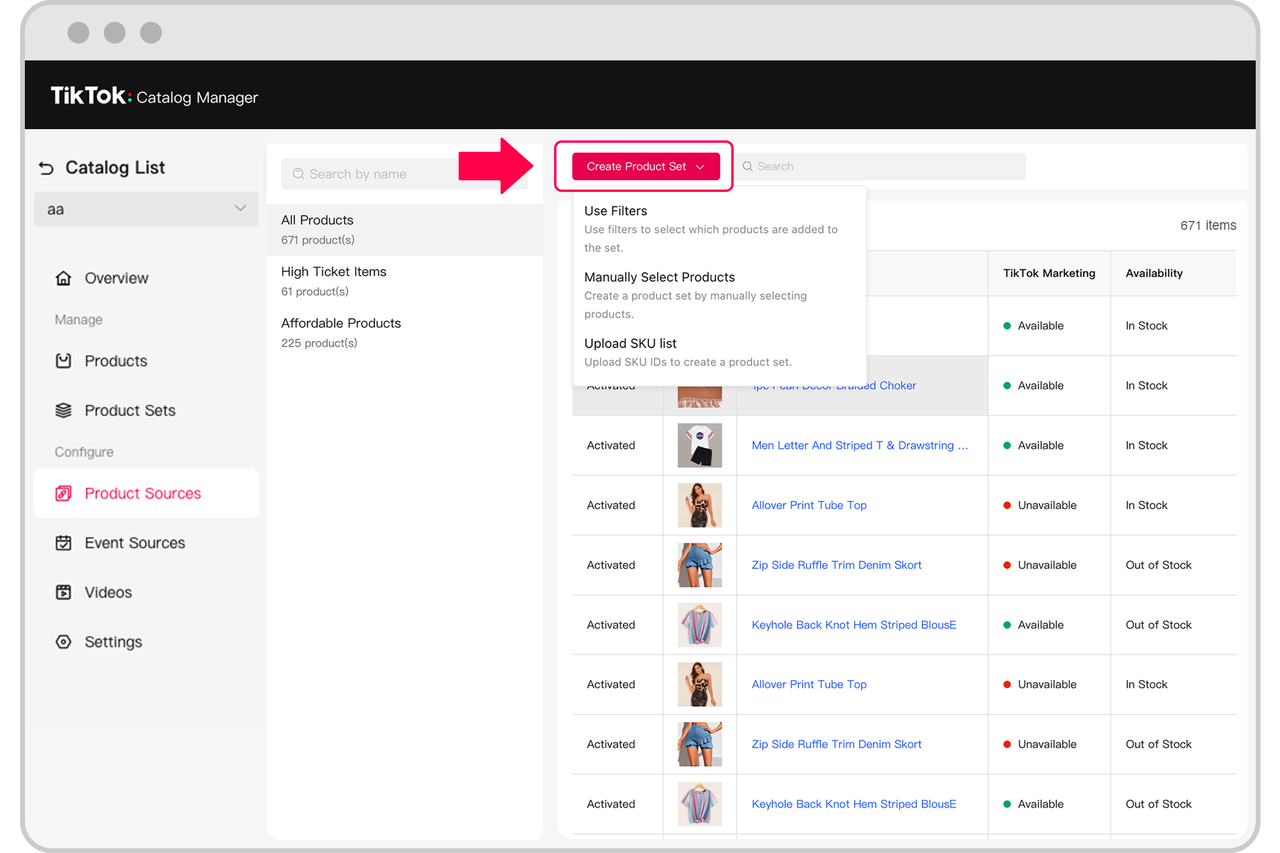
To run shopping ads, you need to sync your product catalog with TikTok. This ensures that your products are displayed correctly in the ads and that users can view and purchase them directly from the app.
- Prepare your product data: Ensure your product data is accurate and includes details such as product titles, descriptions, prices, and images.
- Upload your catalog: Use the TikTok Business Center to upload your product catalog. You can do this manually or through an automated feed.
Step 4: Create Your First Shopping Ad
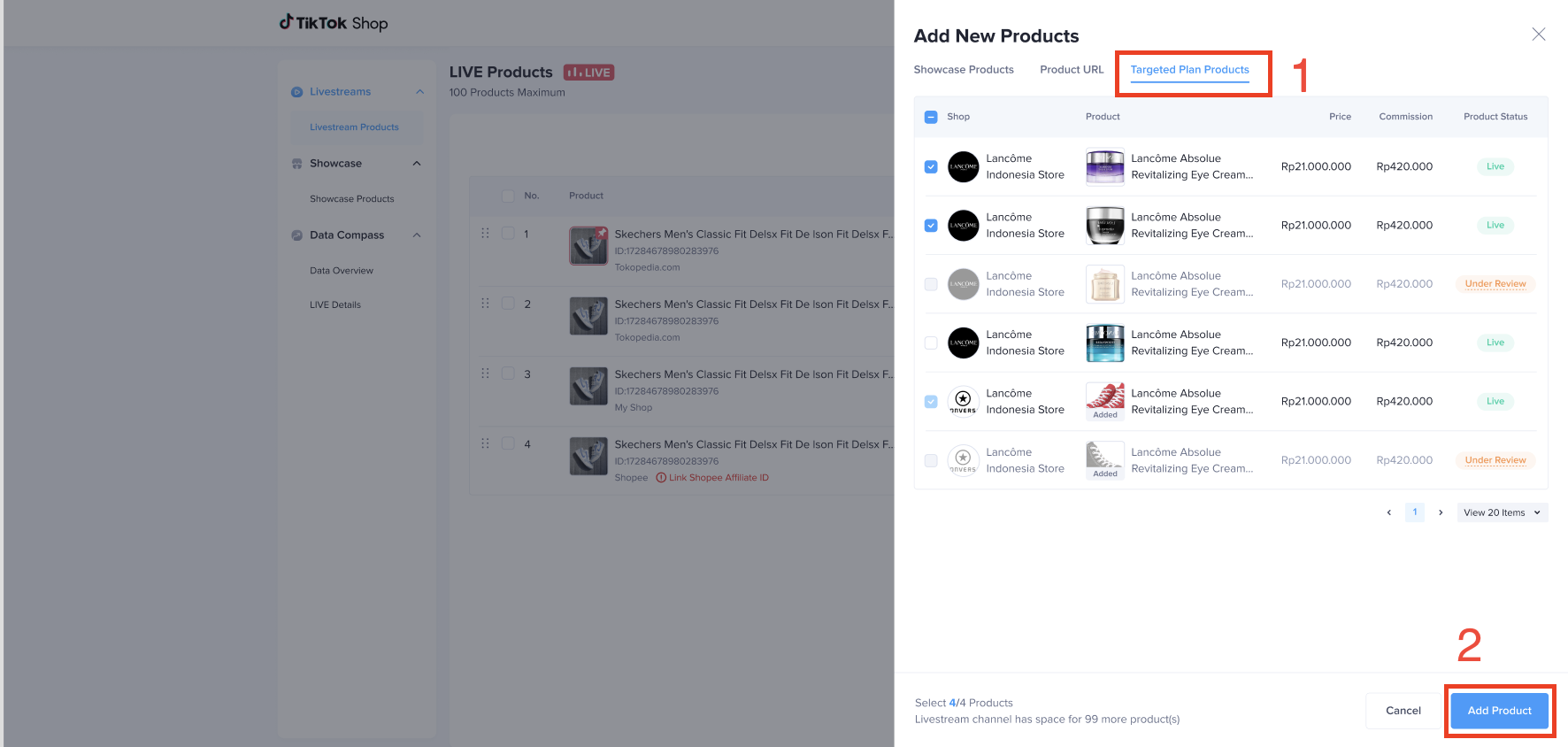
Once your account is set up and your product catalog is synced, you can start creating your first shopping ad.
- Choose your ad objective: Select an objective that aligns with your business goals, such as driving traffic, increasing sales, or boosting brand awareness.
- Select your target audience: Define your target audience based on factors like age, location, interests, and behaviors.
- Design your ad: Use high-quality images and engaging video content to showcase your products. Make sure your ad complies with TikTok’s guidelines and standards.
Step 5: Optimize Your Ad Campaign
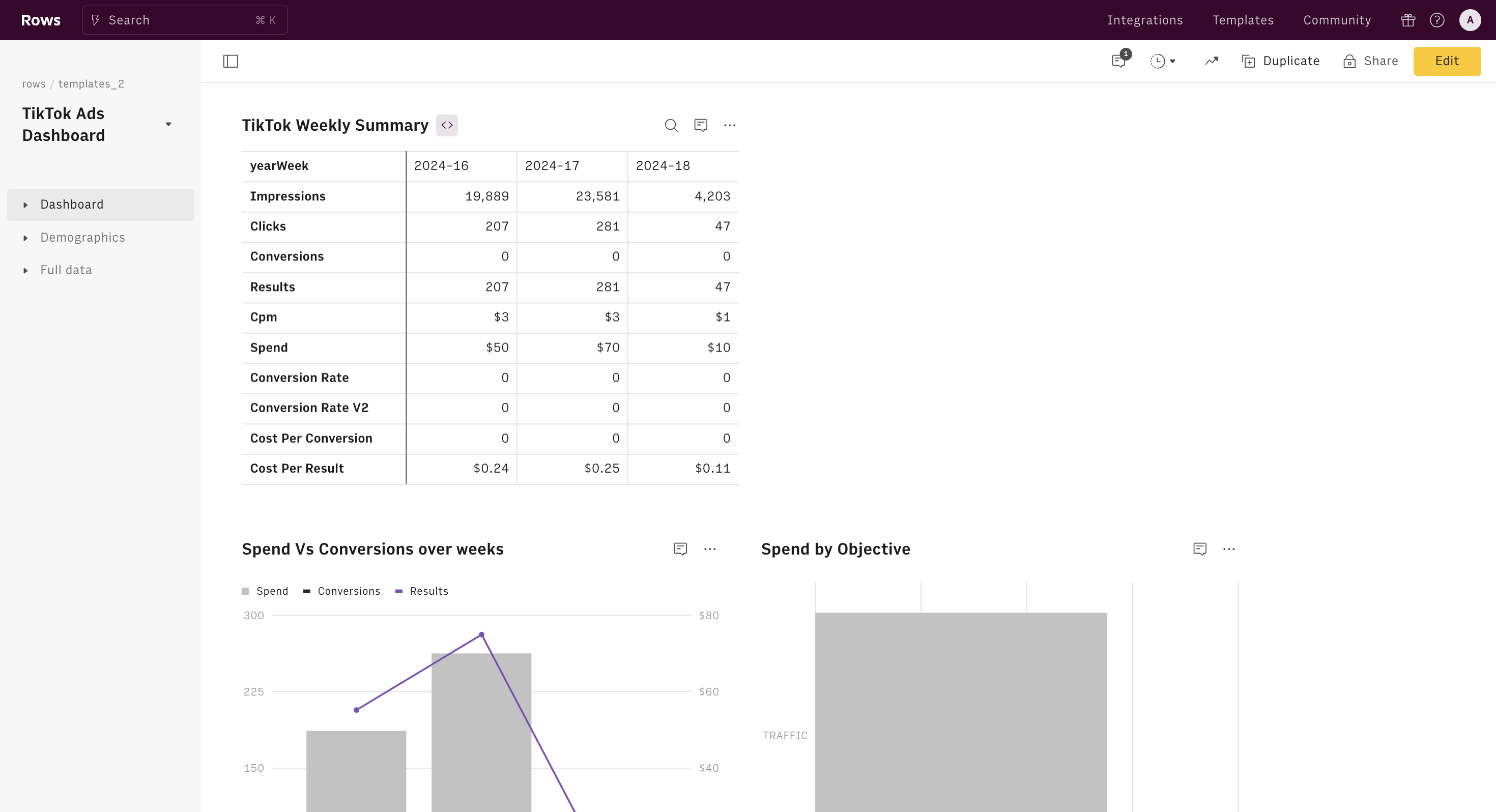
After launching your shopping ad, it’s crucial to monitor its performance and make adjustments as needed.
- Track key metrics: Monitor metrics such as click-through rate (CTR), conversion rate, and ROAS to evaluate the effectiveness of your ad.
- A/B test different elements: Experiment with different headlines, images, and calls to action to see what resonates best with your audience.
- Adjust your budget and bids: Based on your campaign performance, adjust your budget and bids to maximize your return on investment.
Additional Tips for Success

In addition to the steps outlined above, consider the following tips to enhance your shopping ad strategy:
- Leverage user-generated content: Encourage customers to share their experiences with your products on TikTok. This can help build trust and increase engagement.
- Engage with your audience: Respond to comments and messages promptly to foster a sense of community and loyalty.
- Stay updated with trends: Keep an eye on the latest trends and challenges on TikTok to ensure your ads remain relevant and engaging.
Conclusion
Setting up TikTok shopping ads in 2024 can be a highly effective way to reach a new audience and drive sales for your business. By following the steps outlined in this guide, you can create compelling ads that resonate with your target audience and deliver measurable results.
Remember, the key to success lies in continuous optimization and adaptation. Stay informed about the latest trends and best practices, and don’t hesitate to experiment with different strategies to find what works best for your business. With the right approach, TikTok shopping ads can become a valuable asset in your marketing toolkit.

Posting Komentar untuk "How to Set Up TikTok Shopping Ads in 2024: A Step-by-Step Guide"
Posting Komentar