
How to Set Up Your TikTok Business Manager: A Complete Step-by-Step Guide
TikTok has become one of the most powerful platforms for businesses looking to connect with a massive audience. With over 1 billion active users, it's no wonder that many brands are turning to TikTok to boost their visibility and drive sales. One of the key tools that can help you manage your business on TikTok is the TikTok Business Manager. This platform allows you to create and manage multiple accounts, track performance, and run targeted ads. In this guide, we’ll walk you through how to set up your TikTok Business Manager step by step.
What is TikTok Business Manager?
Before diving into the setup process, it's important to understand what TikTok Business Manager is. It’s a centralized hub where you can manage all your TikTok business accounts, including your brand account, creator accounts, and even third-party accounts. The Business Manager also provides access to analytics, ad creation tools, and campaign management features that are essential for any business looking to grow on TikTok.
Step 1: Create a TikTok Business Account
To start using the TikTok Business Manager, you first need to have a business account on TikTok. If you already have a personal account, you can convert it to a business account by following these steps:
- Open the TikTok app and go to your profile.
- Tap the three dots (menu) in the top-right corner.
- Select "Switch to Pro Account."
- Choose the type of business account you want (e.g., "Business" or "Creator").
- Follow the prompts to complete the setup.
Once you’ve converted your account, you’ll be prompted to add a phone number and email address. These will be used to verify your account and receive important notifications.
Step 2: Access the TikTok Business Manager
After setting up your business account, you can access the TikTok Business Manager from your profile settings. Here’s how:
- Open the TikTok app and go to your profile.
- Tap the three dots (menu) in the top-right corner.
- Select "Business Tools."
- Tap "Business Manager."
From here, you can add other accounts, manage your ad campaigns, and access detailed analytics about your content performance.
Step 3: Add Additional Accounts
One of the main benefits of the TikTok Business Manager is the ability to manage multiple accounts from a single dashboard. To add another account:
- In the Business Manager, tap "Add Account."
- Choose the type of account you want to add (e.g., "Brand," "Creator," or "Agency").
- Enter the username or email associated with the account.
- Follow the prompts to confirm the addition.
This feature is especially useful for agencies or large brands that manage multiple TikTok profiles.
Step 4: Set Up Ad Campaigns
The TikTok Business Manager also allows you to create and manage ad campaigns. Here’s how to get started:
- In the Business Manager, tap "Ads."
- Select "Create Campaign."
- Choose the objective of your campaign (e.g., "Brand Awareness," "Traffic," or "Conversions").
- Set your budget, target audience, and ad format (e.g., video, image, or carousel).
- Upload your ad creative and review the details.
- Tap "Submit" to launch your campaign.
You can monitor the performance of your ads in real-time and make adjustments as needed to optimize your results.
Step 5: Use Analytics and Insights
One of the most valuable features of the TikTok Business Manager is its built-in analytics tools. These tools provide insights into your content performance, audience demographics, and engagement metrics. To access these insights:
- In the Business Manager, tap "Analytics."
- Choose the account you want to analyze.
- View reports on views, likes, shares, comments, and more.
- Use the data to refine your content strategy and improve your overall performance.
Tips for Success
- Consistency is Key: Regularly post high-quality content to keep your audience engaged.
- Engage with Your Audience: Respond to comments and messages to build a loyal community.
- Use Hashtags Strategically: Research popular hashtags related to your niche to increase your reach.
- Analyze Performance: Use the analytics tools to track what works and adjust your strategy accordingly.
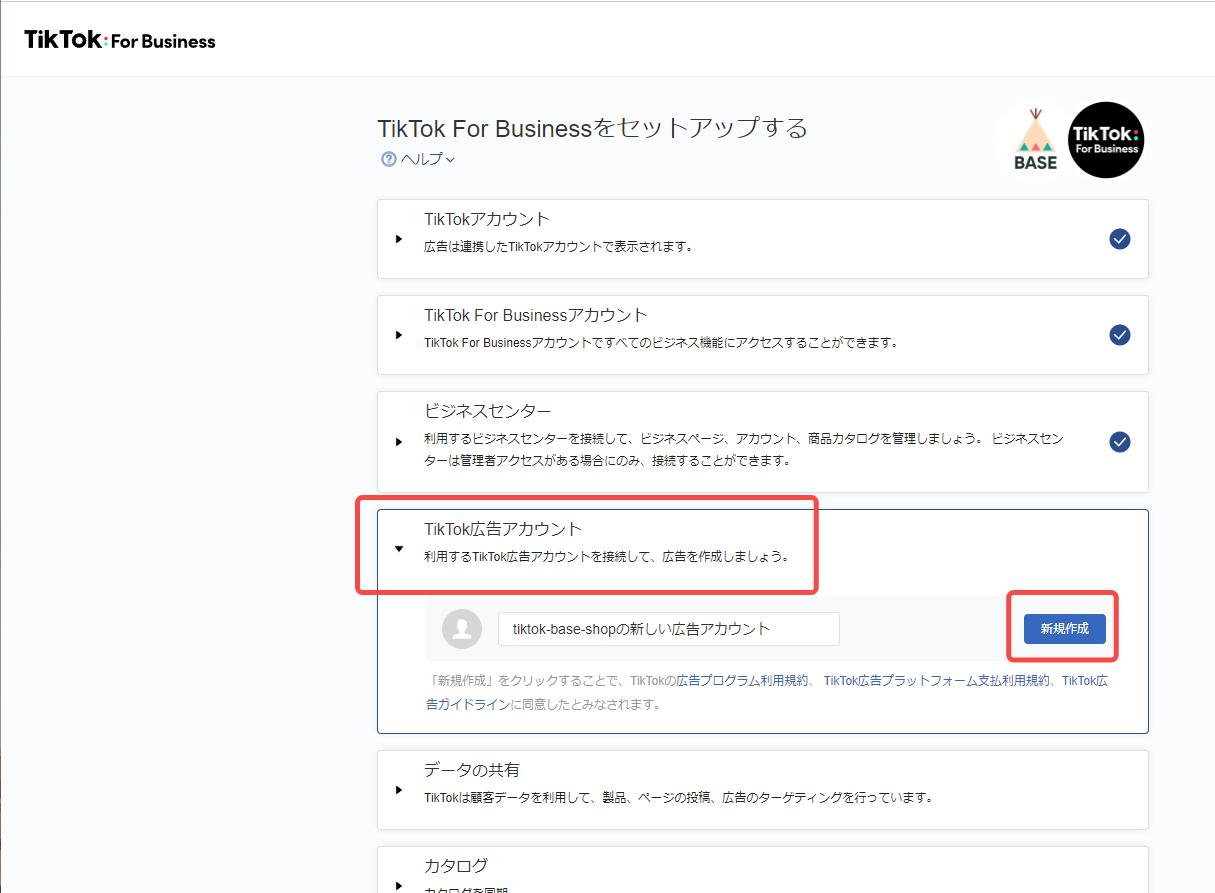
[IMAGE: TikTok Business Manager setup guide]
By following these steps, you’ll be well on your way to mastering the TikTok Business Manager and leveraging its full potential for your brand. Whether you're just starting out or looking to scale your presence on TikTok, this tool can help you achieve your goals and grow your business effectively.

Posting Komentar untuk "How to Set Up Your TikTok Business Manager: A Complete Step-by-Step Guide"
Posting Komentar