
How to Set Up Your TikTok Business Center: A Step-by-Step Tutorial
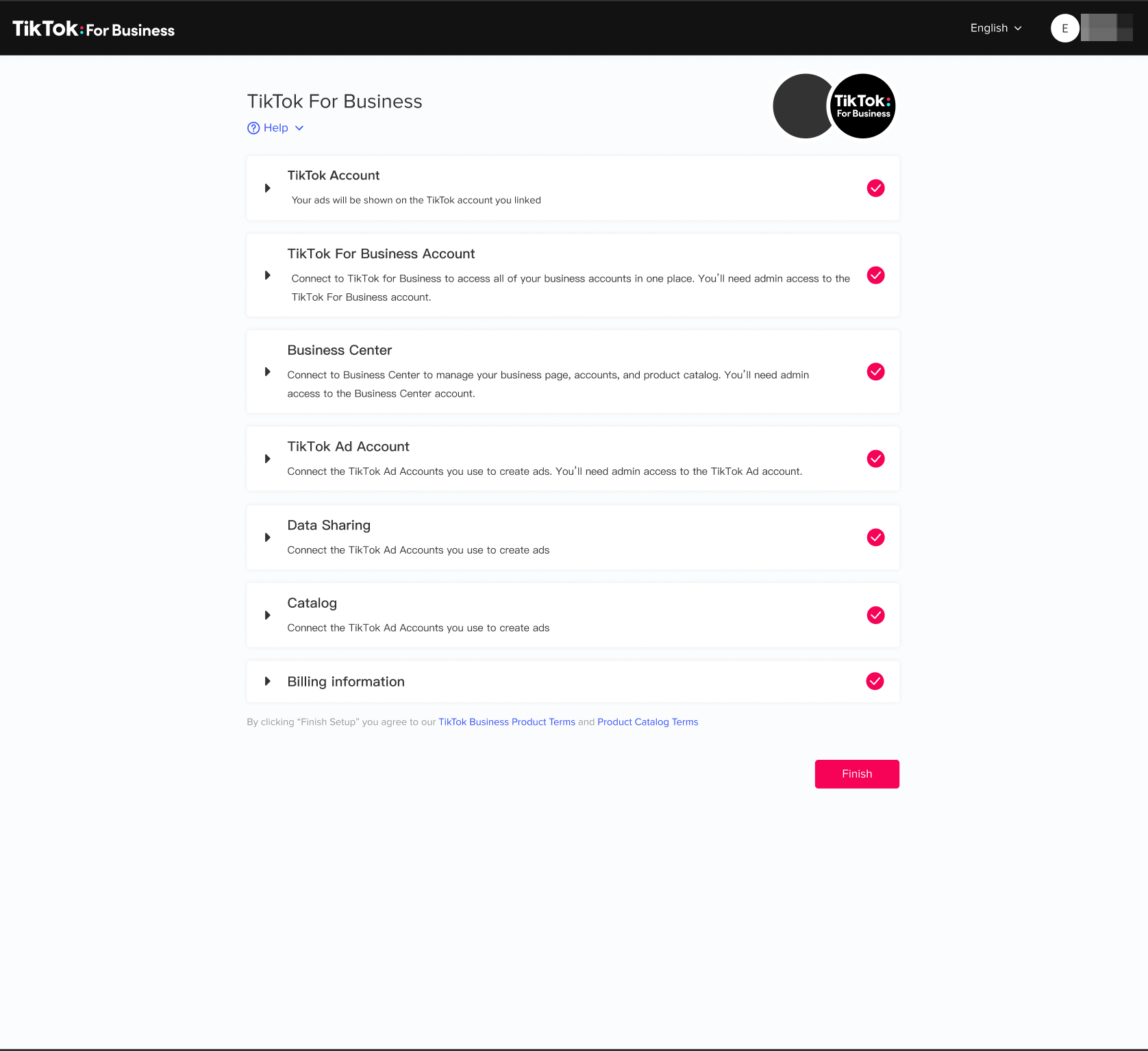
TikTok has become a powerful platform for businesses to connect with their audience, promote products, and drive sales. With over one billion users globally, it's no surprise that brands are leveraging its viral potential and creative tools. One of the most effective ways to harness this power is by setting up a TikTok Business Account. This guide will walk you through the process of creating and optimizing your TikTok Business Center, ensuring you can make the most of the platform’s features.
1. Create a TikTok Business Account
The first step in setting up your TikTok Business Center is to create a business account. Here's how you can do it:
Download and Install TikTok
Start by downloading the TikTok app from your smartphone’s app store. Make sure your device is compatible and has enough storage space. Once installed, open the app and begin the account creation process.
Sign Up for a TikTok Account
Choose the “Sign Up” option on the app. You can sign up using your email, phone number, or a linked social media account. Enter the required information accurately to ensure a smooth setup.
Switch to a Business Account
Once your personal account is active, go to your profile and access “Settings and Privacy.” From there, select “Manage Account” and tap on “Switch to Business Account.” This change allows you to access business-specific features.
Choose a Business Category
After switching, TikTok will prompt you to choose a business category. Select one that best represents your business. This categorization helps TikTok tailor your experience and recommend relevant content.
Optimize Your Profile
Finally, optimize your business profile. Add a clear profile picture, a concise bio, and links to your website or other social media. This information is crucial for branding and helps users understand your business at a glance.
[IMAGE: TikTok Business Center setup tutorial]
2. Optimize Your TikTok Bio
Your TikTok bio is the first impression users have of your brand. Here are 15 things to consider when optimizing it:
Use Clear and Concise Language
Avoid jargon or overly complex phrases. Keep your bio simple and engaging to make it more approachable.
Incorporate Relevant Keywords
Include keywords that are trending in your industry. This increases your visibility and attracts a targeted audience.
Highlight Unique Selling Points (USPs)
Clearly communicate what makes your brand unique. This could include quality, innovation, or a compelling brand story.
Include a Call-to-Action (CTA)
Encourage visitors to take a specific action, such as visiting your website or checking out a new product.
Utilize Emojis and Visual Elements
Emojis add personality and visual appeal. Use them to highlight key points and make your bio more engaging.
Update Regularly
Keep your bio updated with current information, such as new product launches or promotions. This keeps your profile fresh and relevant.
Link to Other Platforms or Websites
Use the limited space in your bio to provide links to your website, online store, or other social media platforms.
Showcase Social Proof or Endorsements
Mention any notable awards, recognitions, or endorsements. This builds credibility and trust with your audience.
Personalize with Brand Voice and Tone
Ensure your bio reflects your brand’s unique voice and tone. This creates a strong brand identity and makes your profile more relatable.
Monitor and Adapt Based on Performance
Regularly review the performance of your bio using analytics. Be willing to adapt and tweak your bio based on what resonates best with your audience.
Highlight Contact Information
If your business model relies on direct communication, include contact information in your bio. This enhances customer service and increases inquiries.
Use Hashtags Strategically
Incorporate relevant hashtags into your bio. This improves discoverability and helps your profile reach a wider audience.
Mention Collaborations or Partnerships
If you’ve collaborated with other brands or influencers, mention this in your bio. This increases your brand’s credibility and appeal.
Showcase Achievements or Milestones
Celebrate significant milestones, such as follower growth or customer success stories. This humanizes your brand and attracts like-minded followers.
Reflect Your Brand’s Values or Mission
Briefly state or imply your brand’s core values or mission. This helps attract a like-minded audience and fosters a deeper connection.
[IMAGE: TikTok Business Center setup tutorial]
3. Use TikTok Business Manager
Once your business account is set up, you can use TikTok Business Manager to manage your brand effectively. Here are 12 steps to get started:
Create a TikTok Business Account
Navigate to the TikTok Business website and sign up using your business details. This account provides access to advanced business tools and analytics.
Set Up Your Business Manager
Access the TikTok Business Manager and input your business information. Configure settings according to your needs.
Add Assets and Team Members
Add assets like ad accounts, catalogs, and pixels. Invite team members and assign roles and permissions for collaborative work.
Create and Manage Ad Campaigns
Utilize the TikTok Ads Manager within the Business Manager to create and manage your ad campaigns. Set objectives, target audience, budget, and schedule.
Analyze Performance Data
Regularly check the analytics provided by TikTok Business Manager. This data includes engagement rates, reach, and conversion metrics.
Leverage TikTok’s Creative Tools
Use the creative tools and resources to enhance your content. Create engaging videos that resonate with your audience.
Explore Audience Insights
Dive into the Audience Insights feature to understand your audience’s demographics, interests, and behavior on the platform.
Utilize the Pixel for Website Tracking
Install the TikTok Pixel on your website to track user actions and retarget visitors with ads.
Manage Your Catalog
If you’re an e-commerce business, use the Business Manager to manage your product catalog. Showcase your products directly on TikTok.
Respond to Trends and Adapt Strategies
Monitor the latest trends on TikTok and adapt your marketing strategies accordingly. Use the Business Manager to quickly respond to these trends.
Schedule Content and Campaigns
Plan and schedule your content and campaigns in advance using the Business Manager. This ensures a consistent presence on the platform.
Engage with Your Audience
Use the Business Manager to track comments and messages, and engage with your audience. Responding to comments and messages builds a strong community and increases customer loyalty.
[IMAGE: TikTok Business Center setup tutorial]
4. Turn Off Your TikTok Business Account
If you need to switch back to a personal account, follow these steps:
Open TikTok and Access Your Profile
Open the TikTok app and navigate to your profile. Ensure you’re logged into the correct account.
Go to Settings and Privacy
Look for the three dots or lines icon representing the “Settings and Privacy” menu. Tap this icon to adjust your account settings.
Select “Manage Account” Option
Within the “Settings and Privacy” menu, find and select the “Manage Account” option. This section allows you to change your account type.
Switch to a Personal Account
In the “Manage Account” settings, look for an option to switch to a personal account. Confirm the switch, and your account will revert to a personal account, removing business-specific features.
[IMAGE: TikTok Business Center setup tutorial]
Frequently Asked Questions (FAQs)
What is a TikTok Business Account?
A TikTok Business Account is a type of profile designed for businesses, offering advanced features like analytics and advertising tools.
What are the benefits of switching to a TikTok Business Account?
Switching to a TikTok Business Account provides access to detailed analytics, advertising options, and additional tools for audience engagement.
Is there a cost associated with creating a TikTok Business Account?
No, there is no cost associated with creating a TikTok business account. However, additional costs may be incurred for advertising and promotional activities.
Can I switch back to a personal account after creating a TikTok Business Account?
Yes, you can switch back to a personal account from a TikTok Business Account at any time through the “Manage Account” section in the “Settings and Privacy” menu.
[IMAGE: TikTok Business Center setup tutorial]
Conclusion
Creating a TikTok Business Account is a straightforward process that unlocks a wealth of features beneficial for businesses. From detailed analytics to targeted advertising and enhanced audience engagement tools, the TikTok Business Center is essential for modern digital marketing strategies. By following this step-by-step tutorial, you can effectively set up and optimize your TikTok Business Center, ensuring your brand thrives on this dynamic platform.

Posting Komentar untuk "How to Set Up Your TikTok Business Center: A Step-by-Step Tutorial"
Posting Komentar