
How to Track Sales with TikTok Pixel: A Complete Guide for Marketers
In today's digital landscape, social media platforms have become essential tools for businesses looking to reach new audiences and drive sales. Among these platforms, TikTok has emerged as a powerful tool for marketers, offering a unique blend of creativity and engagement. One of the most effective ways to harness TikTok's potential is by using the TikTok Pixel, a tracking tool that allows you to monitor user activity, track sales, and optimize your ad campaigns.
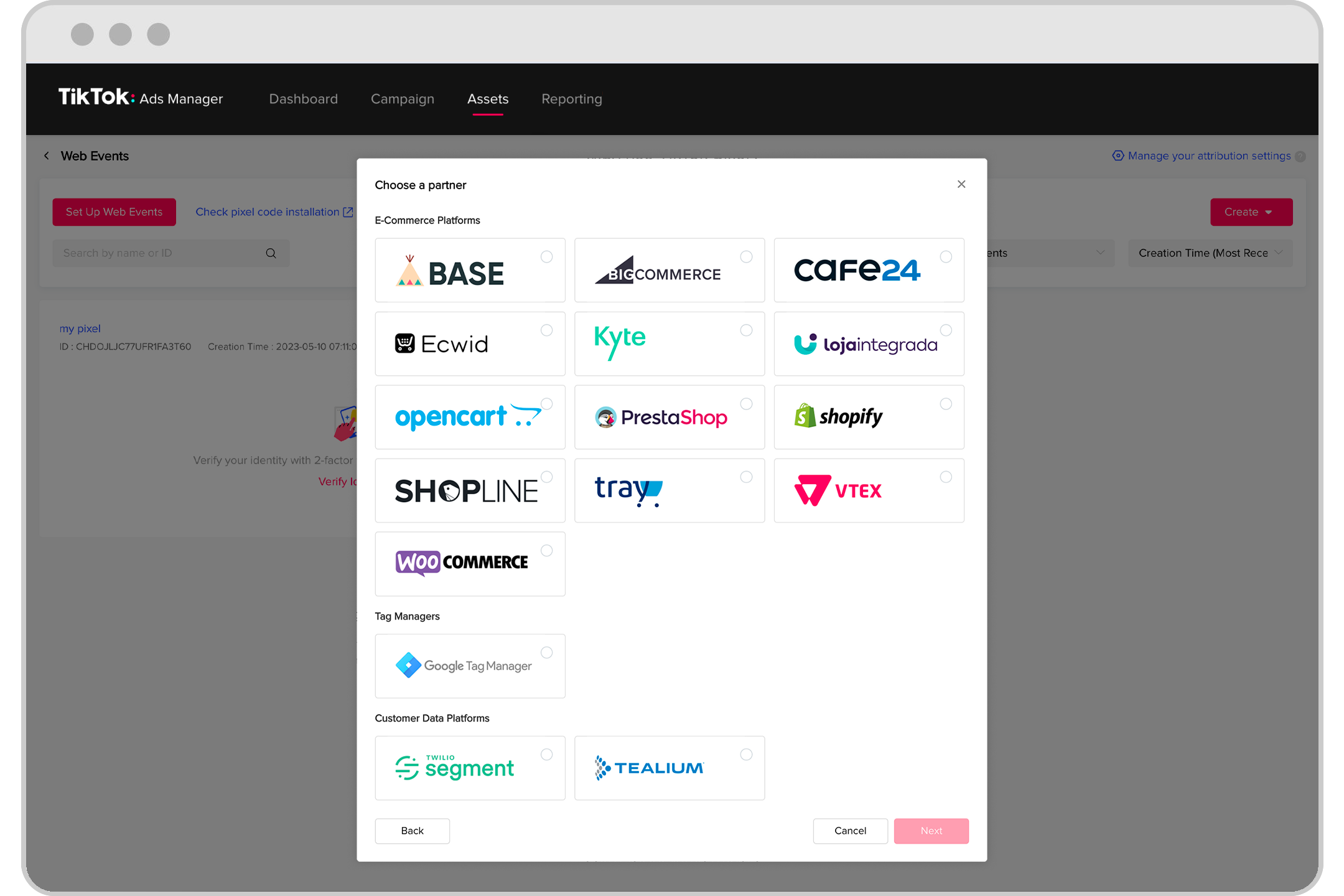
What is a TikTok Pixel?

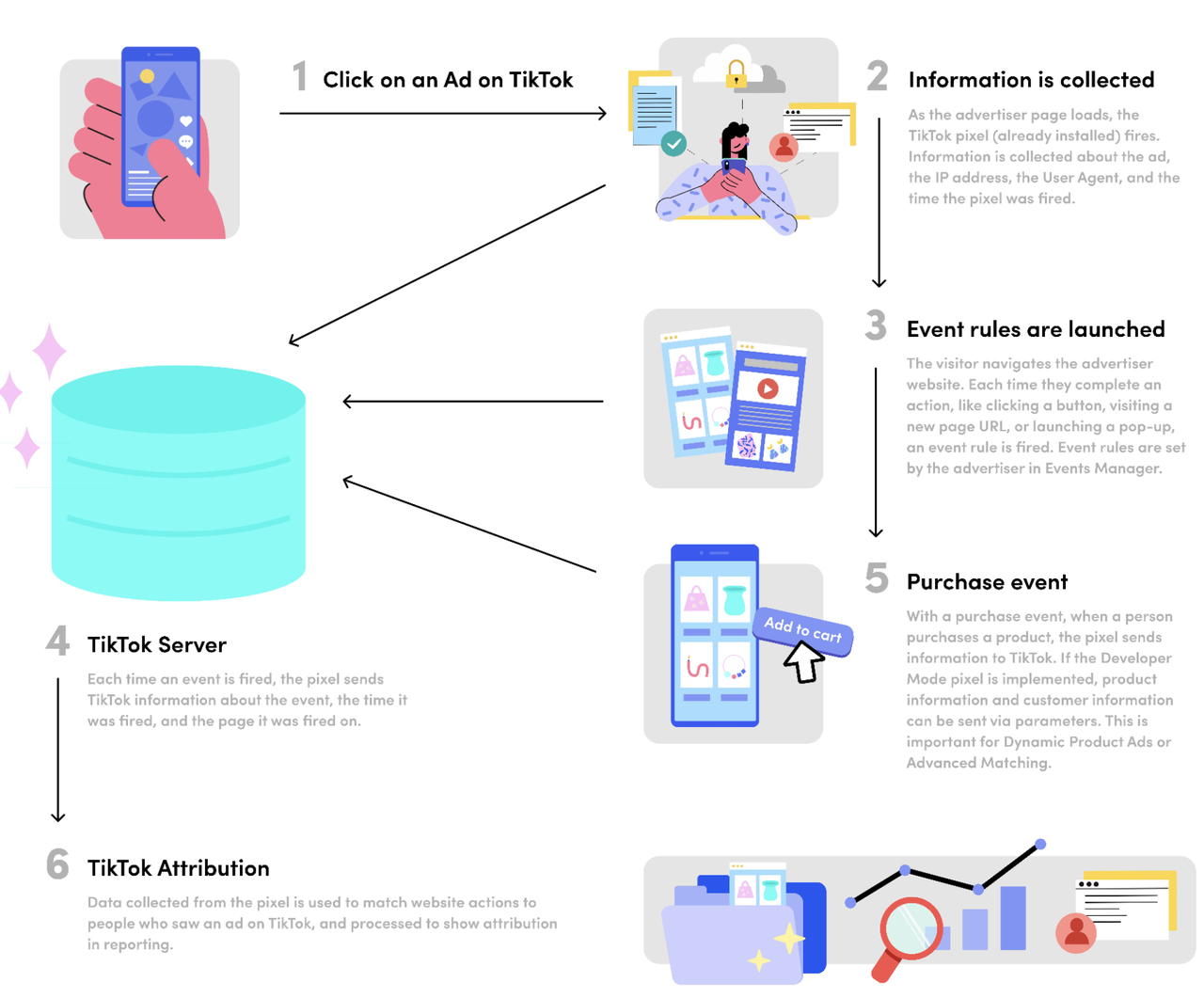
The TikTok Pixel is a JavaScript code snippet that you place on your website. This pixel tracks user interactions, such as page views, product views, and purchases. By doing so, it provides valuable insights into how users engage with your site and which ads are driving conversions. For businesses using TikTok, the pixel is an essential tool for measuring the effectiveness of their advertising efforts.
Why Integrate TikTok Pixel with WooCommerce?
For WooCommerce store owners, integrating the TikTok Pixel can offer several benefits:
Enhanced Ad Targeting
The TikTok Pixel tracks user behavior on your WooCommerce store, such as page visits, product views, and completed purchases. This data allows you to create custom and lookalike audiences on TikTok, enabling highly targeted ads tailored to users who have shown interest in your products.
Optimize Ad Spend
By tracking user interactions and conversions, the TikTok Pixel helps you allocate your ad budget more effectively. You can focus on high-performing campaigns, minimizing costs associated with less effective ads while improving your return on ad spend (ROAS).
Accurate Conversion Tracking
The TikTok Pixel captures detailed conversion data, allowing you to see the number of sales, leads, or other valuable actions directly attributed to your TikTok ads. This data insight is key for assessing the effectiveness of your ad campaigns while identifying areas for improvement.
Retargeting Capabilities
The TikTok Pixel allows you to target potential customers who visited your WooCommerce store but didn’t make a purchase. By retargeting, you can re-engage these users with reminders, discounts, or promotions, increasing the likelihood of conversion.
Valuable Insights into User Behavior
The TikTok Pixel explains in detail how users interact with your WooCommerce site. It helps you identify the most popular products, users’ buying behavior, and potential obstacles they face. These valuable insights will improve the customer experience and optimize your site.
How to Install TikTok Pixel on WooCommerce
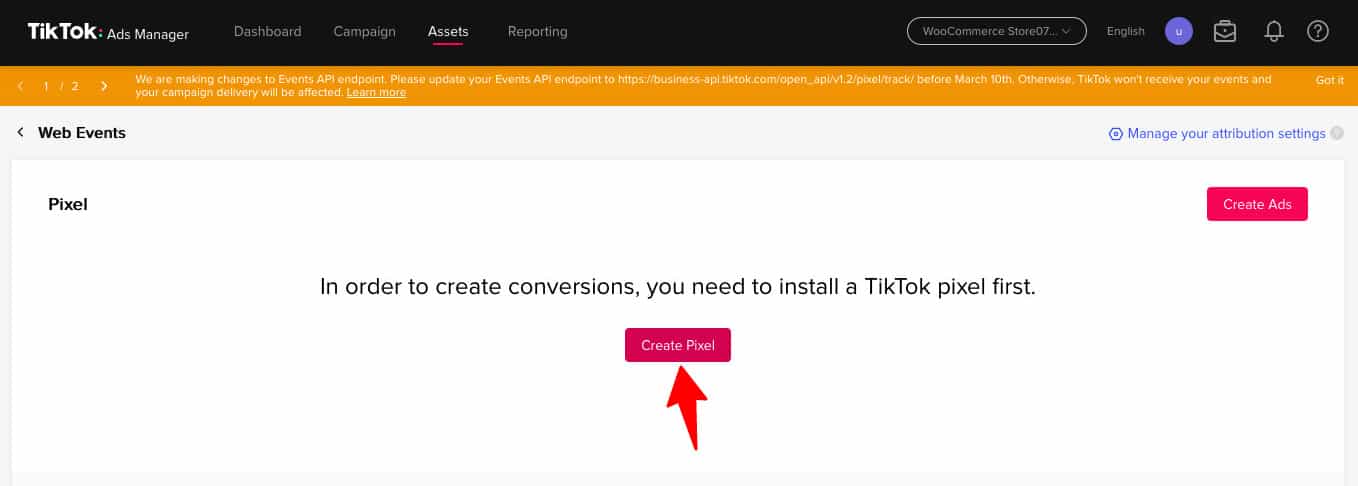
To install the TikTok Pixel on your WooCommerce store, follow these steps:
Step 1: Create a TikTok Pixel
Log in to your TikTok Business Manager account and navigate to the Events section. Click on "Get Started" to begin the process. Choose the option to manually install the pixel code.
Step 2: Generate the Pixel ID
After creating the TikTok Pixel, you will receive a Pixel ID. This ID is necessary for integrating the pixel with your WooCommerce store.
Step 3: Add the Pixel ID to Your WooCommerce Store
Use a plugin like FunnelKit Funnel Builder to add the TikTok Pixel ID to your WooCommerce store. Navigate to the settings section of the plugin and paste the Pixel ID.
Step 4: Enable Event Tracking
Enable the events you want to track with your TikTok Pixel. These events include Page View, Add to Cart, View Content, and more. The plugin will automatically manage these events.
Testing the TikTok Pixel

Once the TikTok Pixel is installed, it's essential to test it to ensure it's working correctly. Use the TikTok Pixel Helper, a Google Chrome extension, to check if the events are firing correctly. Navigate through your website and observe the events being tracked in real-time.
Tips for Optimizing TikTok Pixel
To get the most out of your TikTok Pixel, consider the following tips:
- Enable Advanced Matching: Turn on Advanced Matching to send important customer information such as email and phone number to TikTok. This helps improve attribution and TikTok's algorithm-optimized ad delivery.
- Use UTM Parameters: Add UTM tracking to your ad links to analyze TikTok-driven traffic inside FunnelKit UTM and conversion reports.
- Set Up Retargeting and Lookalike Audiences: Create custom audiences based on past visitors, purchasers, or add-to-cart users. Use lookalike audiences to find new customers matching your best buyers.
- A/B Test Multiple Creatives and Offers: Test different formats of ads, including Spark Ads, UGC-style videos, and product demos, to see what resonates with your audience.
Frequently Asked Questions

What is the TikTok Pixel?
The TikTok Pixel is a JavaScript code snippet that needs to be installed on your website. This pixel code helps you track and capture users' actions on your website, such as adding an item to their cart or placing an order. These events further help you build custom audiences and optimize your ad campaigns.
How Do I Connect the TikTok Pixel to WooCommerce?
You can connect the TikTok Pixel to WooCommerce with the help of plugins like FunnelKit. First, you need to create a TikTok Pixel ID from the TikTok Ads Manager account. Then, enter the pixel ID into the plugin and enable the events you want to track.
Where Can I View the TikTok Pixel for Campaign Performance?
You can view TikTok Pixels for campaign performance inside your TikTok Ads Manager account. Click on 'Reporting' to view how your ad campaigns are performing.
Can I Add TikTok Pixels to My WordPress Website?
Yes, you can add TikTok Pixels to your WordPress website with the help of plugins like FunnelKit. The process is straightforward and similar to the steps outlined above.
Conclusion
Tracking sales with TikTok Pixel is an essential step for any marketer looking to leverage the power of TikTok for their business. By integrating the TikTok Pixel with your WooCommerce store, you can gain valuable insights into user behavior, optimize your ad campaigns, and ultimately drive more sales. With the right tools and strategies, you can unlock the full potential of TikTok and take your marketing efforts to the next level.

Posting Komentar untuk "How to Track Sales with TikTok Pixel: A Complete Guide for Marketers"
Posting Komentar