
How to Troubleshoot TikTok Ads Manager Pixel Issues in 2024
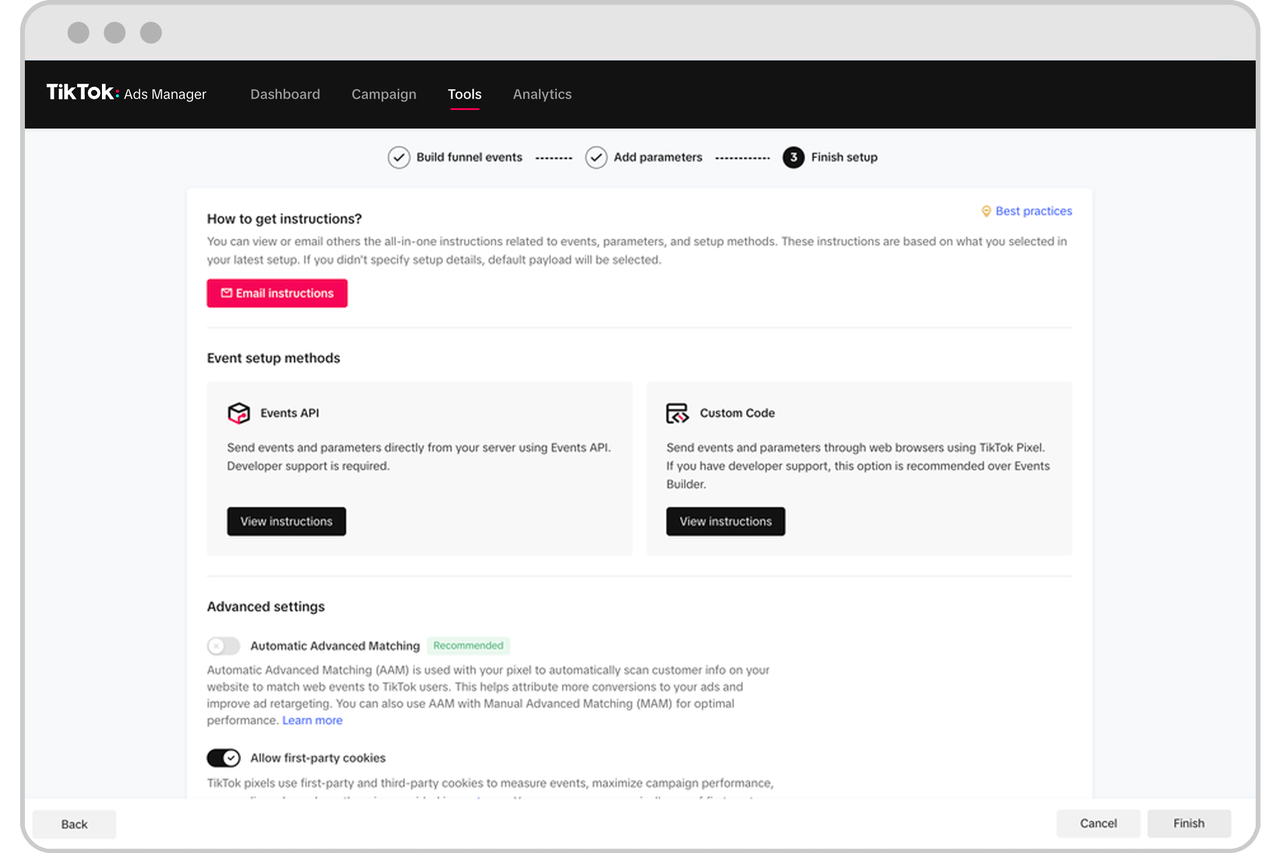
As TikTok continues to evolve as a powerful advertising platform, the importance of effective pixel tracking and conversion management has never been more critical. The TikTok Ads Manager Pixel is a vital tool for advertisers looking to track user interactions, measure campaign performance, and optimize their ad strategies. However, issues with the pixel can lead to inaccurate data, missed conversions, and ultimately, a decline in ROI. In this guide, we’ll walk through the most common TikTok Ads Manager pixel issues and provide actionable solutions to resolve them.
Understanding the TikTok Ads Manager Pixel

The TikTok Ads Manager Pixel is a small piece of code that you place on your website to track user behavior. It helps you understand how users interact with your ads and what actions they take after clicking on them. This data is essential for measuring the effectiveness of your campaigns and making informed decisions about future ad spend.
Key Functions of the TikTok Pixel:
- Conversion Tracking: Measures specific actions taken by users, such as purchases, sign-ups, or downloads.
- Event Tracking: Tracks user interactions like clicks, page views, and form submissions.
- Audience Targeting: Helps refine your audience targeting based on user behavior.
- Optimization: Enables you to optimize your ads for better performance and higher ROI.
Common TikTok Ads Manager Pixel Issues and Solutions

1. Pixel Not Firing
One of the most common issues is when the pixel fails to fire, meaning it doesn’t collect any data from user interactions.
Symptoms: - No data appears in the Events Manager. - Conversion tracking isn't working.
Solutions: - Check Installation: Ensure the pixel code is correctly installed on all relevant pages of your website. - Verify Domain: Confirm that the domain in your TikTok Ads Manager matches the actual domain of your website. - Use TikTok Pixel Helper: Install the TikTok Pixel Helper browser extension to diagnose and fix pixel implementation issues.
2. Duplicate Events
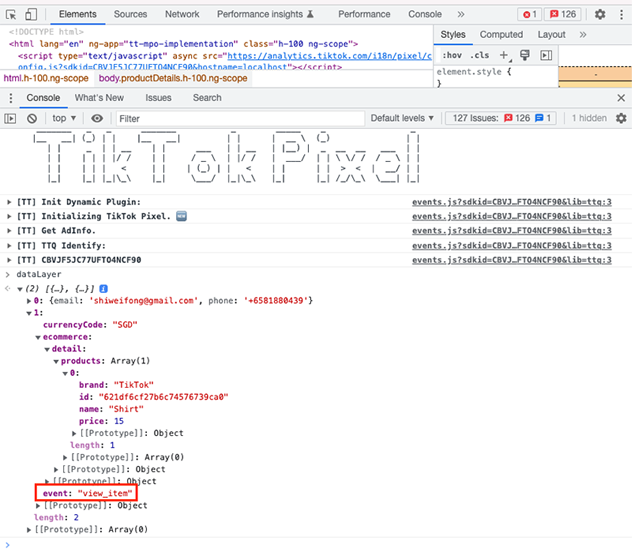
Duplicate events occur when the same action is recorded multiple times, leading to inflated conversion numbers.
Symptoms: - Unusually high conversion counts. - Inaccurate performance metrics.
Solutions: - Remove Duplicate Codes: Check for and remove any duplicate pixel codes on your website. - Use Google Tag Manager (GTM): Implement GTM to manage and deploy your pixel code more efficiently. - Test Thoroughly: Use TikTok’s Event Test Tool to verify that events are firing correctly.
3. Parameter Mismatch
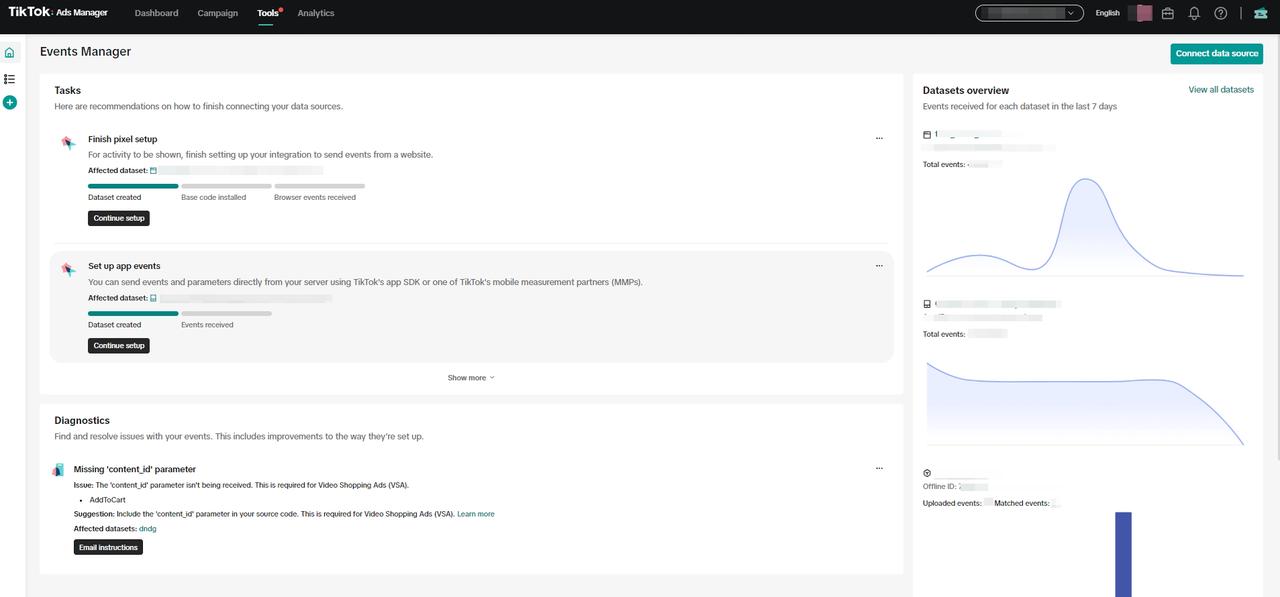
Incorrect event parameters can lead to inaccurate conversion values and misattributed actions.
Symptoms: - Incorrect or missing conversion values. - Misaligned data between TikTok and your website.
Solutions: - Update Event Parameters: Ensure that all event parameters match the data you’re tracking on your website. - Test Event Firing: Use the Event Test Tool to verify that events are firing correctly. - Consult Documentation: Refer to TikTok’s official documentation for guidance on setting up event parameters.
4. iOS 14.5+ Tracking Issues

With the introduction of iOS 14.5, Apple introduced new privacy features that can affect how TikTok tracks user interactions.
Symptoms: - Reduced conversion tracking accuracy. - Missing data for iOS users.
Solutions: - Implement Conversions API: Use the Conversions API to track user interactions server-side, bypassing some of the limitations imposed by iOS. - Use Aggregated Events: Enable aggregated events to comply with Apple’s privacy policies while still collecting useful data.
Advanced Troubleshooting Techniques

1. Error Log Analysis
TikTok Ads Manager provides detailed error logs that can help you identify the root cause of pixel issues.
Steps: - Access Error Logs: Navigate to the account or campaign error section in TikTok Ads Manager. - Identify Patterns: Look for recurring error codes or timing patterns. - Cross-Reference Actions: Match errors to recent account or campaign changes. - Document Solutions: Keep records of successful resolution methods. - Implement Monitoring: Set up alerts for critical error types to proactively address issues.
2. Systematic Testing
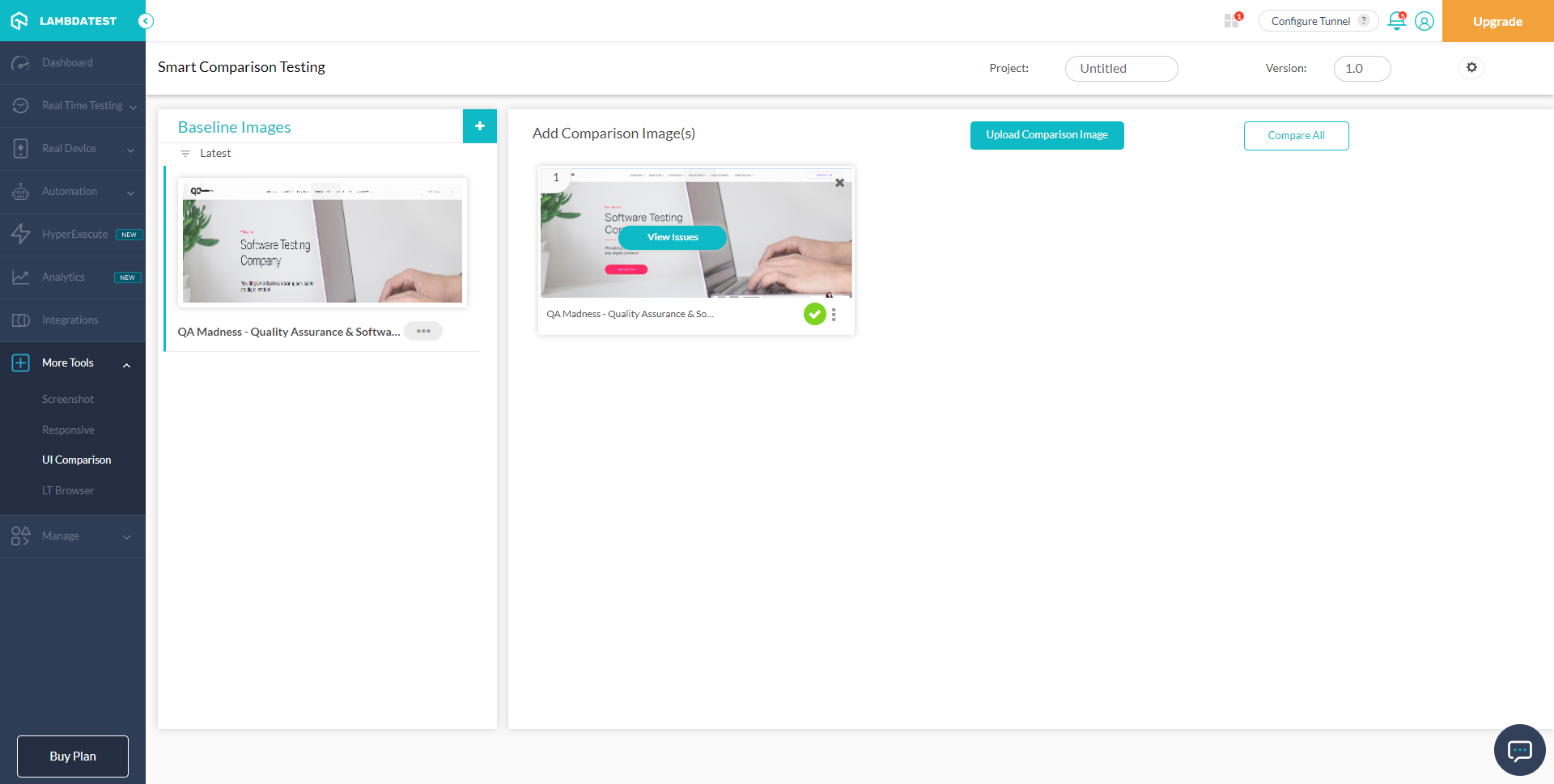
When facing complex pixel issues, a systematic approach can help isolate variables and identify specific causes.
Testing Framework: - Establish Baseline: Document current error state and symptoms. - Change One Variable: Modify only one setting or parameter at a time. - Monitor Results: Allow sufficient time for changes to take effect. - Document Outcomes: Record both successful and unsuccessful changes. - Implement Solutions: Apply successful changes to affected campaigns. - Monitor Ongoing: Ensure solutions remain effective over time.
Preventive Measures and Best Practices

1. Regular Maintenance
Regularly review and update your pixel setup to ensure it aligns with TikTok’s latest guidelines and features.
Best Practices: - Daily Checks: Review campaign performance and delivery status. - Weekly Audits: Audit account settings and configurations. - Monthly Reviews: Analyze performance trends and optimization opportunities.
2. Team Training

Ensure your team is well-versed in TikTok’s advertising policies and best practices to prevent user-generated errors.
Training Topics: - Understanding TikTok’s content policies. - Proper use of the pixel and event tracking. - Handling account suspensions and policy violations.
3. Stay Updated

Keep an eye on TikTok’s official announcements and industry resources to stay ahead of platform changes.
Resources: - TikTok Business Center: Official business management platform. - TikTok Help Center: Comprehensive support and troubleshooting guides. - Industry Blogs and Forums: Stay informed about the latest trends and updates.
Conclusion
Troubleshooting TikTok Ads Manager pixel issues requires a combination of technical knowledge, systematic approaches, and proactive prevention strategies. By understanding the common issues and implementing the solutions outlined in this guide, you can ensure accurate tracking, improved campaign performance, and a better return on your ad spend. As TikTok continues to evolve, staying informed and adaptable will be key to maintaining a successful advertising strategy in 2024 and beyond.

Posting Komentar untuk "How to Troubleshoot TikTok Ads Manager Pixel Issues in 2024"
Posting Komentar