
How to Understand TikTok Ads Reporting Dashboard: A Complete Guide
TikTok has evolved from a platform for entertainment into a powerful tool for brand marketing and sales. As more businesses leverage TikTok for advertising, understanding the TikTok Ads Reporting Dashboard becomes essential. This dashboard is your go-to resource for tracking the performance of your ad campaigns, analyzing user engagement, and optimizing your strategy for better results. In this guide, we’ll walk you through how to navigate and interpret the TikTok Ads Reporting Dashboard effectively.
What Is the TikTok Ads Reporting Dashboard?
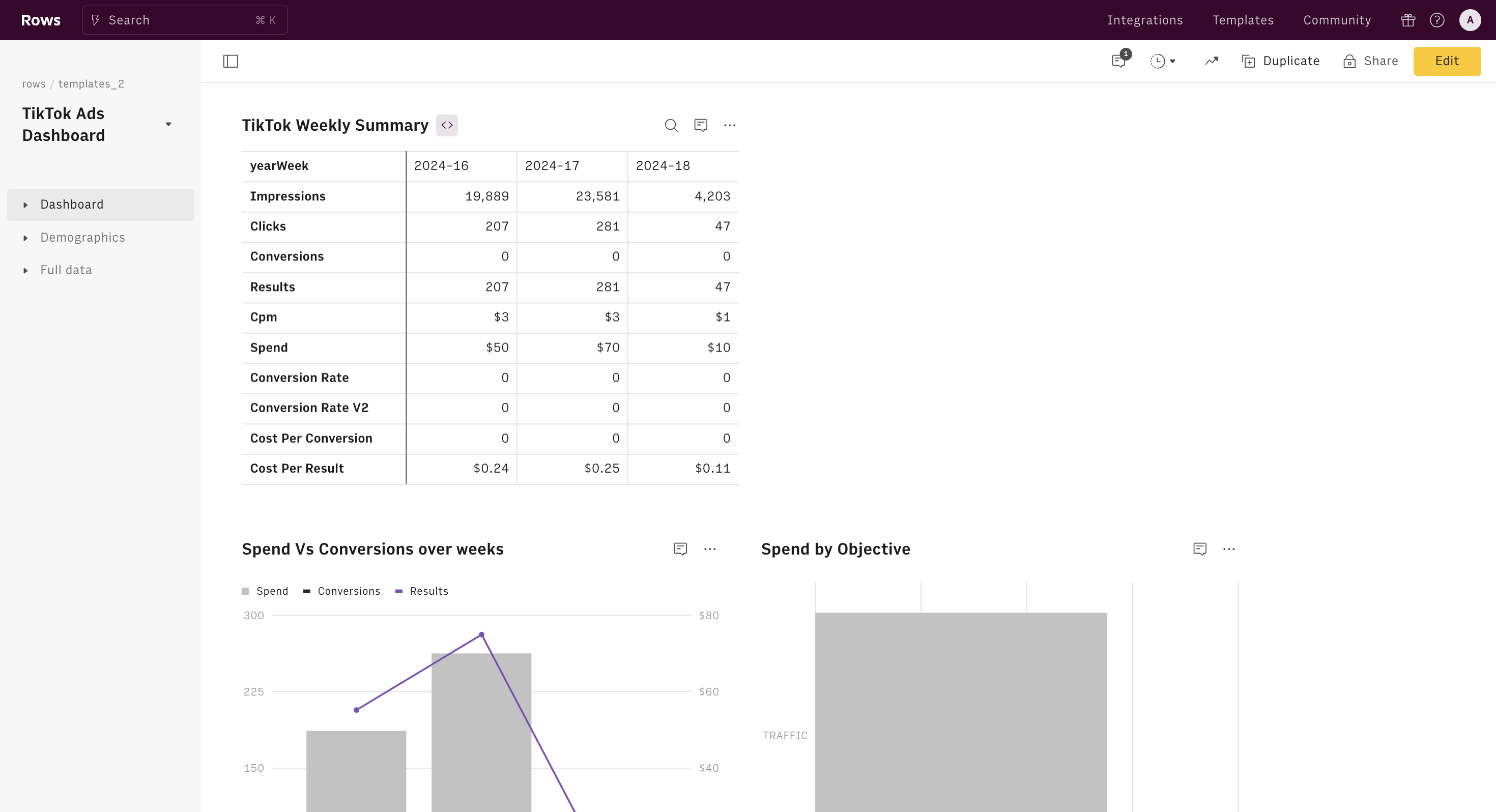
The TikTok Ads Reporting Dashboard is a centralized hub where advertisers can view detailed analytics about their ad campaigns. It provides insights into metrics such as impressions, clicks, conversions, and audience demographics. The dashboard is designed to help marketers make data-driven decisions by offering real-time performance tracking and historical data analysis.
Key Features of the TikTok Ads Reporting Dashboard
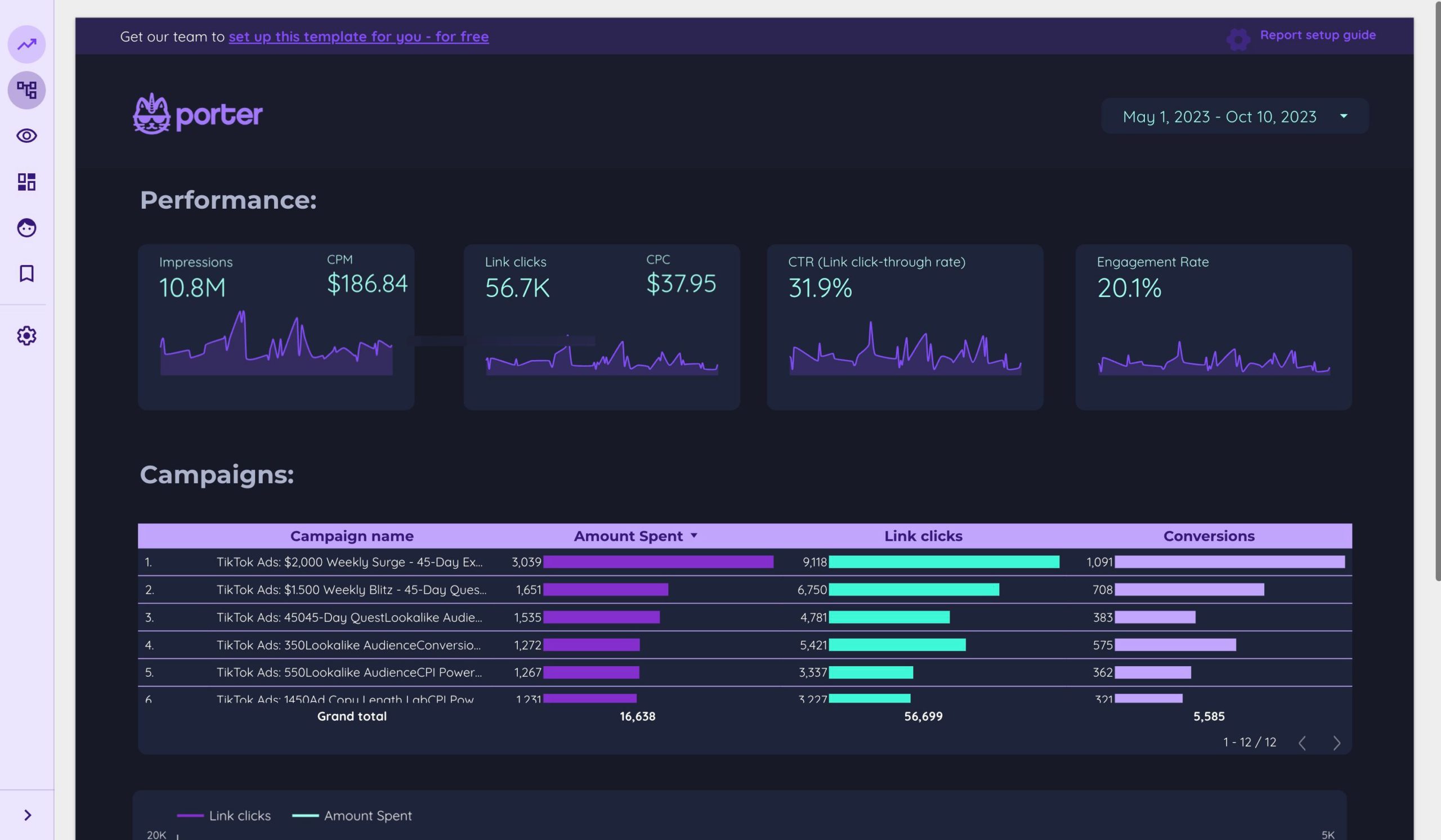
Here are some of the most important features you’ll find in the TikTok Ads Reporting Dashboard:
1. Campaign Overview
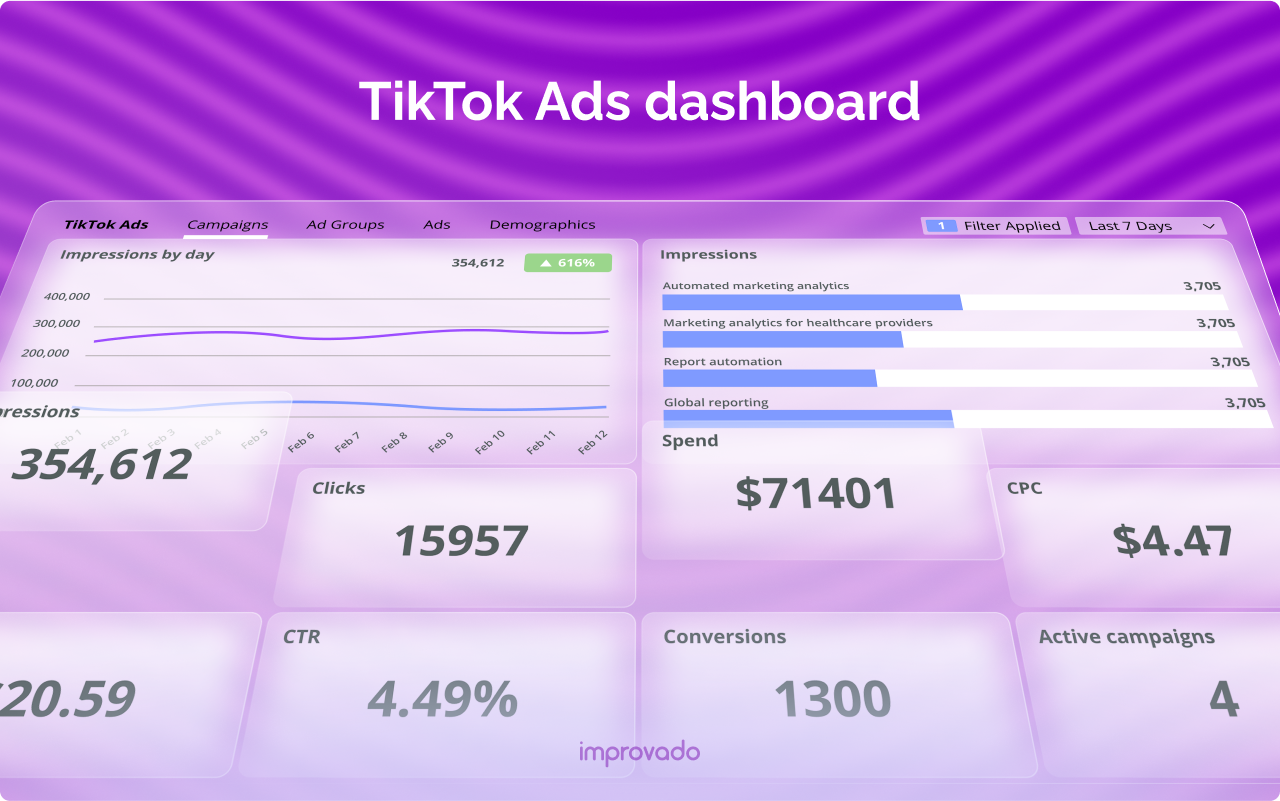
This section gives you a high-level summary of all your active and past campaigns. You can view metrics like total spend, impressions, click-through rate (CTR), and conversion rates. It’s useful for quickly assessing the overall health of your campaigns.
2. Performance Metrics
The dashboard breaks down key performance indicators (KPIs) such as: - Impressions: The number of times your ad was shown. - Clicks: The number of times users clicked on your ad. - Conversions: The number of users who completed a desired action (e.g., making a purchase, signing up). - Cost Per Click (CPC): The average cost for each click. - Return on Ad Spend (ROAS): The revenue generated per dollar spent on ads.
3. Audience Insights
Understanding your audience is crucial for effective targeting. The dashboard provides demographic data such as age, gender, location, and interests. This helps you refine your targeting strategies and create more relevant content.
4. Ad Creative Performance
You can track which ad creatives (videos, images, or text) are performing best. This allows you to identify successful formats and replicate them in future campaigns.
5. Conversion Tracking
If you’re running e-commerce ads, the dashboard includes tools for tracking conversions. This helps you measure the effectiveness of your ads in driving sales and other key actions.
How to Access the TikTok Ads Reporting Dashboard
To access the TikTok Ads Reporting Dashboard, follow these steps:
- Log in to TikTok Ads Manager: Go to https://ads.tiktok.com and log in with your account credentials.
- Navigate to the Reporting Section: Once logged in, click on the "Reporting" tab in the top navigation menu.
- Select Your Campaigns: Choose the specific campaign or set of campaigns you want to analyze.
- Customize Your View: Use the filters and sorting options to customize the data displayed based on your needs.
Tips for Interpreting the Data
Interpreting the data from the TikTok Ads Reporting Dashboard requires a strategic approach. Here are some tips to help you make the most of the insights:
1. Track KPIs Over Time
Monitor your key performance indicators over time to identify trends and patterns. For example, if your CTR is declining, it may indicate that your ad creative or targeting needs adjustment.
2. Compare Campaigns
Use the dashboard to compare the performance of different campaigns. This can help you determine which strategies are working and which need refinement.
3. Analyze Audience Behavior
Look at the audience insights to understand who is engaging with your ads. This can help you tailor your messaging and targeting to better align with your audience’s preferences.
4. Optimize Based on Conversions
If your goal is to drive sales, focus on the conversion tracking features. Analyze which ads are generating the most conversions and adjust your budget accordingly.
5. Test and Iterate
Use the data to test different ad variations and strategies. The TikTok Ads Reporting Dashboard provides the tools you need to experiment and optimize your campaigns for better results.
Common Challenges and Solutions
While the TikTok Ads Reporting Dashboard is a powerful tool, there are some common challenges that users may encounter:
1. Data Overload
With so much information available, it can be overwhelming to know where to start. To avoid this, focus on the metrics that are most relevant to your goals.
2. Misinterpreting Metrics
Some metrics can be misleading if not understood in context. For example, a high number of impressions doesn’t necessarily mean your ad is effective. Always look at the full picture, including engagement and conversion rates.
3. Lack of Actionable Insights
Sometimes, the data provided may not offer clear guidance on how to improve your campaigns. To address this, use the dashboard in conjunction with other tools and strategies to gain deeper insights.
Conclusion
Understanding the TikTok Ads Reporting Dashboard is essential for any business looking to maximize the effectiveness of their TikTok advertising efforts. By leveraging the insights provided, you can make informed decisions, optimize your campaigns, and achieve better results. Whether you're a seasoned marketer or just starting out, mastering the reporting dashboard will give you a competitive edge in the ever-evolving world of social media advertising.

Posting Komentar untuk "How to Understand TikTok Ads Reporting Dashboard: A Complete Guide"
Posting Komentar