
How to Upload Video Content for Ads: A Step-by-Step Guide

In today's digital-first marketing landscape, video content has become a cornerstone of effective advertising. Whether you're running a campaign on TikTok, YouTube, or other platforms, understanding how to upload video content for ads is essential. This guide will walk you through the process, ensuring your videos are optimized for maximum impact.
Understanding the Importance of Video in Advertising

Video content is more engaging than text or images. According to The Media Lab, video content posted on social media is shared 1200% more than text- or picture-based content. Additionally, viewers retain 95% of a message presented in a video compared to only 10% for text. These statistics underscore why video should be a key component of your ad strategy.
Key Benefits of Using Video in Ads
- Higher engagement rates
- Better retention of information
- Increased shareability
- Stronger emotional connection with the audience
Preparing Your Video for Upload

Before you begin the upload process, ensure your video meets the technical and creative requirements of the platform you're targeting. Here are some steps to prepare your video:
1. Choose the Right Format
Most platforms support common video formats like MP4, AVI, and MOV. Check the specific requirements of the platform where you plan to upload your video.
2. Optimize for Mobile Viewing
Since many users watch videos on their phones, ensure your video is in a vertical or square format (9:16 or 1:1). This makes it easier to view on mobile devices without cropping or letterboxing.
3. Keep It Short and Engaging
Viewers typically don't watch videos longer than 30 seconds. Aim for a maximum of 15 seconds to ensure your message sticks. The first three seconds are crucial—start with a strong hook to grab attention.
4. Add Captions
Many users watch videos without sound, so adding captions ensures your message is clear and accessible. Use tools like YouTube’s auto-generated captions or manually add them for better accuracy.
Uploading Your Video to Different Platforms
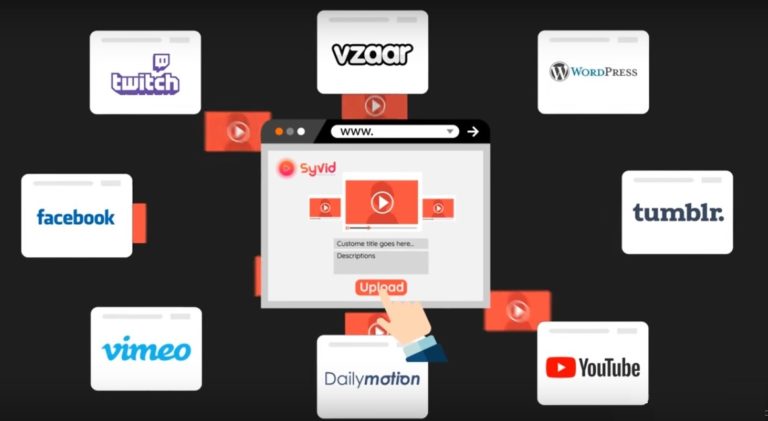
Each platform has its own process for uploading video content. Below are step-by-step guides for some of the most popular platforms.
1. YouTube
YouTube is a powerful platform for video advertising. Follow these steps to upload your video:
- Open the YouTube app or website.
- Click "Create" and select "Upload Video."
- Choose the file from your device.
- Add a title, description, and tags.
- Set privacy settings (public, private, or unlisted).
- Choose monetization options if applicable.
- Review your settings and click "Publish."
Tip: If your video is under 3 minutes and has a square or vertical aspect ratio, it will automatically be uploaded as a Short.
2. TikTok
TikTok is ideal for short, engaging videos that resonate with younger audiences. To upload your video:
- Open the TikTok app.
- Tap the "+" icon to create a new video.
- Record or select a video from your gallery.
- Add filters, effects, or music.
- Edit the video as needed.
- Add a caption and hashtags.
- Tap "Post" to publish.
Tip: Use trending sounds and hashtags to increase visibility.
3. Instagram
Instagram allows for both video posts and Stories. To upload a video:
- Open the Instagram app.
- Tap the "+" icon and select "Photo or Video."
- Choose the video from your library.
- Add a caption and location.
- Select the audience (public, followers, or specific people).
- Tap "Share."
Tip: Use Instagram Reels for longer, more engaging content.
Best Practices for Effective Video Ads

To maximize the impact of your video content, follow these best practices:
1. Use High-Quality Visuals
Ensure your video is clear and well-lit. Poor quality can detract from your message and reduce viewer engagement.
2. Include a Clear Call-to-Action
Encourage viewers to take action by including a call-to-action (CTA) such as "Visit our website," "Download the app," or "Follow us for more updates."
3. Test Different Formats
Experiment with different video formats, such as vertical, horizontal, or square, to see what resonates best with your audience.
4. Monitor Performance
Use analytics tools provided by each platform to track the performance of your videos. Look at metrics like views, engagement, and shares to refine your strategy.
Conclusion
Uploading video content for ads is a critical part of any digital marketing strategy. By following the steps outlined in this guide, you can ensure your videos are optimized for maximum impact. Remember to keep your content engaging, concise, and tailored to your target audience. With the right approach, your video ads can help drive brand awareness, engagement, and conversions.

Posting Komentar untuk "How to Upload Video Content for Ads: A Step-by-Step Guide"
Posting Komentar