
How to Use TikTok Ads Manager: A Complete Walkthrough for Beginners

TikTok has become a powerful platform for businesses looking to connect with younger audiences. With over 1.5 billion monthly active users, it's no wonder that brands are turning to TikTok Ads Manager to promote their products and services. If you're new to the platform, this guide will walk you through the process of setting up and using TikTok Ads Manager effectively.
Getting Started with TikTok Ads Manager

Before you can start advertising on TikTok, you need to create a business account. This is a straightforward process and can be done within the TikTok app. Here's how:
1. Switch to a Business Account
Open the TikTok app and go to Settings and Privacy > Manage Account > Switch to Business Account. This will give you access to analytics and other business features.
2. Integrate with Shopify (Optional)
If you have a Shopify store, consider installing the TikTok app to streamline your ad creation process. This integration allows you to launch a shopping tab on your TikTok profile if you're in a supported country.
3. Access TikTok Ads Manager
Once you have a business account, navigate to ads.tiktok.com and log in with your TikTok business account. This is where you'll manage all your ads.
Setting Up Your First Campaign
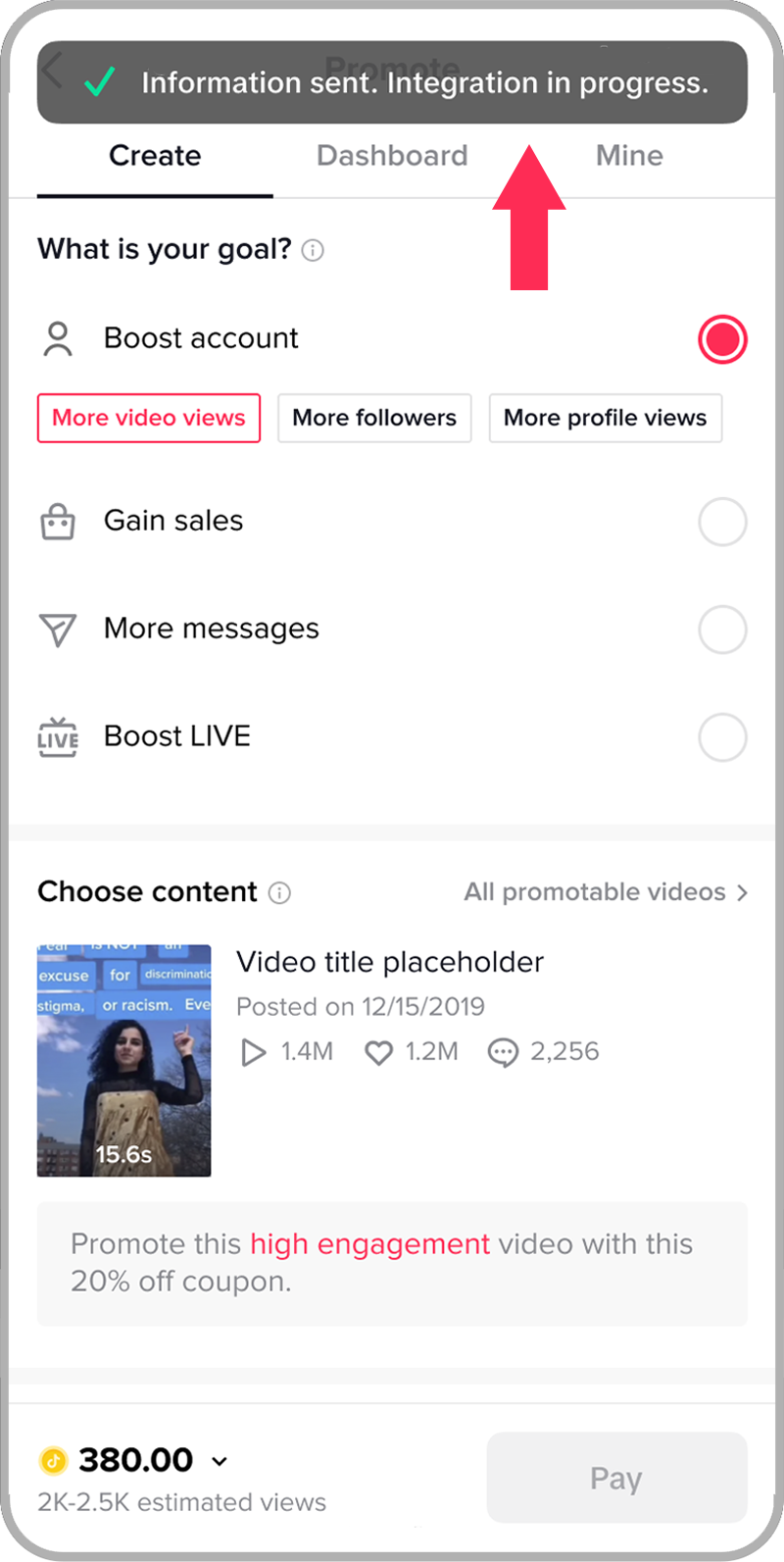
After logging into TikTok Ads Manager, you'll be prompted to set up your first campaign. Here's a step-by-step guide:
1. Choose Your Campaign Objective
TikTok offers several campaign objectives to choose from, including:
- Increase Traffic: Drive prospective customers to your website.
- Drive Community Interaction: Build community and grow your TikTok presence.
- Improve Lead Generation: Capture viewer information for retargeting.
- Generate Website Conversions: Drive more conversions by encouraging specific actions.
- Encourage App Installs: Drive visitors to your app store page.
Select the objective that aligns with your marketing goals.
2. Select Your Audience
Next, define your target audience. You can choose from automatic audience selection or customize your targeting based on:
- Demographics: Gender, age group, language, and location.
- Interests: Target users who have shown interest in specific topics.
- Behaviors: Reach users based on their online behavior.
You can also target users who interact with TikTok content by liking and commenting.
3. Set Your Budget and Schedule
Determine your daily budget, starting at a minimum of $5 per day or $70 for the campaign lifetime. Decide how long you want your campaign to run. For an indefinite run, select "No end date."
4. Create and Submit Your Ad
Now, it's time to create your ad. You can either use existing TikTok content or upload a new video. Make sure to include a compelling caption and call-to-action (CTA), such as "Shop Now," with a link to your website.
After hitting Submit, your ad will go into a review process that averages about 24 hours. If your ad is flagged, you'll receive a notification via the Ad Group section of TikTok Ads Manager.
Best Practices for Creating Engaging TikTok Ads

To maximize the effectiveness of your TikTok ads, consider the following best practices:
1. Start with an Attention-Grabbing Hook
The first two seconds of your ad are crucial. Use a strong hook to stop users from scrolling. Leverage TikTok trends and transitions to create scroll-stopping content.
2. Opt for a TikTok-Native Feel
Create content that feels like it was made by a user, not a brand. Shoot vertical videos on your mobile phone and incorporate popular TikTok fonts, sounds, and editing techniques.
3. Use Trending Sounds and Hashtags
Leverage trending TikTok sounds and hashtags to boost visibility and engagement. Stay updated on the latest trends by browsing the For You page.
4. Leverage User-Generated Content
User-generated content (UGC) can enhance authenticity. Encourage your customers to create TikTok videos featuring your products and consider running a branded hashtag challenge to inspire UGC.
5. Partner with Influencers
Collaborating with TikTok influencers can help you reach new audiences. Provide them with a clear brief that outlines your campaign goals, key talking points, and any specific guidelines they should follow.
6. Provide a Compelling Offer
TikTok users, who are often younger, tend to be more price-conscious. Feature a discount or offer in your TikTok ads to grab their attention and drive sales.
Troubleshooting TikTok Ads
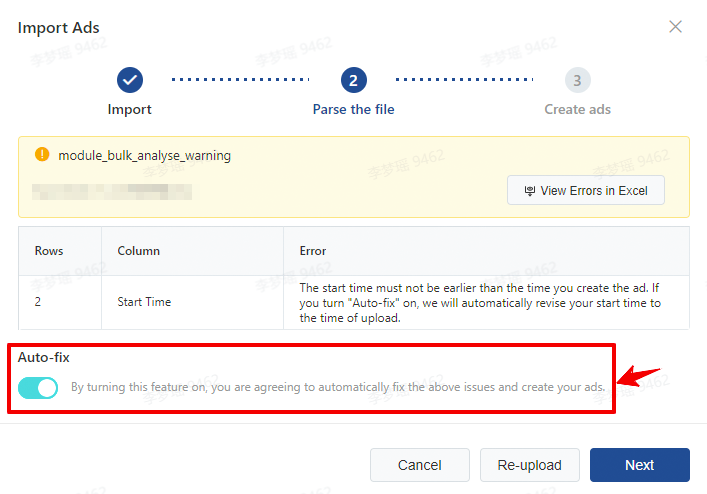
TikTok’s ad platform is powerful, but it comes with a learning curve. Here are some common issues and how to deal with them:
1. Common Ad Rejection Reasons
TikTok’s ad review process can be strict. If your ads are getting rejected, check for:
- Prohibited or restricted content: Double-check TikTok’s ad policies.
- Inappropriate or misleading language: Avoid phrases like “before and after” or exaggerated claims.
- Low-quality visuals or formatting issues: Ensure your videos are high-resolution and vertical.
- Broken or irrelevant landing pages: Make sure your landing page is mobile-friendly and matches the product in your ad.
2. Why Your Ads Aren’t Converting
If you’re getting views and clicks but no sales, consider the following:
- The creative isn't hooking people: Test new hooks, trending audio, or UGC-style videos.
- Your offer isn't strong enough: A/B test your offers to find what works best.
- You're targeting too broadly or too narrowly: Adjust your targeting to better match buyer intent.
- The landing page isn't doing its job: Use A/B testing to generate simple and effective messaging.
When to Pivot Your Strategy

Sometimes, you've got to know when to walk away. If your click-through rate (CTR) is lower than 0.5%, your creative probably isn't attention-grabbing. Try a new hook or concept. On the flip side, if you have a high CTR but aren't generating conversions, you're probably attracting the wrong traffic. Audit your landing page, review your offer, and test a new audience.
If your ROAS is less than one time for more than two weeks and you've tested five or more creatives, it might be time to pause and regroup. And, if your CPM is unusually high ($15+), it might mean your ad is low quality. Try again with fresh, visually appealing creative with native TikTok energy.
Conclusion
TikTok Ads Manager offers a powerful way to connect with a massive, engaged audience. By following the steps outlined in this guide and implementing best practices, you can create effective TikTok ads that drive engagement, brand awareness, and sales. Whether you're a small business owner or a large enterprise, TikTok provides the tools you need to succeed in the digital marketing landscape. Start advertising on TikTok today and take advantage of its creative ad formats and precise targeting options to grow your business.

Posting Komentar untuk "How to Use TikTok Ads Manager: A Complete Walkthrough for Beginners"
Posting Komentar