
How to Use TikTok Ads Manager Dashboard Insights for Better Campaign Performance
TikTok has become a dominant force in the digital advertising landscape, offering brands a unique opportunity to engage with a highly active and diverse audience. With its dynamic algorithm and ever-evolving trends, mastering TikTok ads requires more than just creating content—it demands strategic use of tools like the TikTok Ads Manager Dashboard. This platform provides critical insights that can help advertisers refine their campaigns, improve targeting, and boost ROI. In this article, we’ll explore how to leverage these dashboard insights effectively.
Understanding the TikTok Ads Manager Dashboard
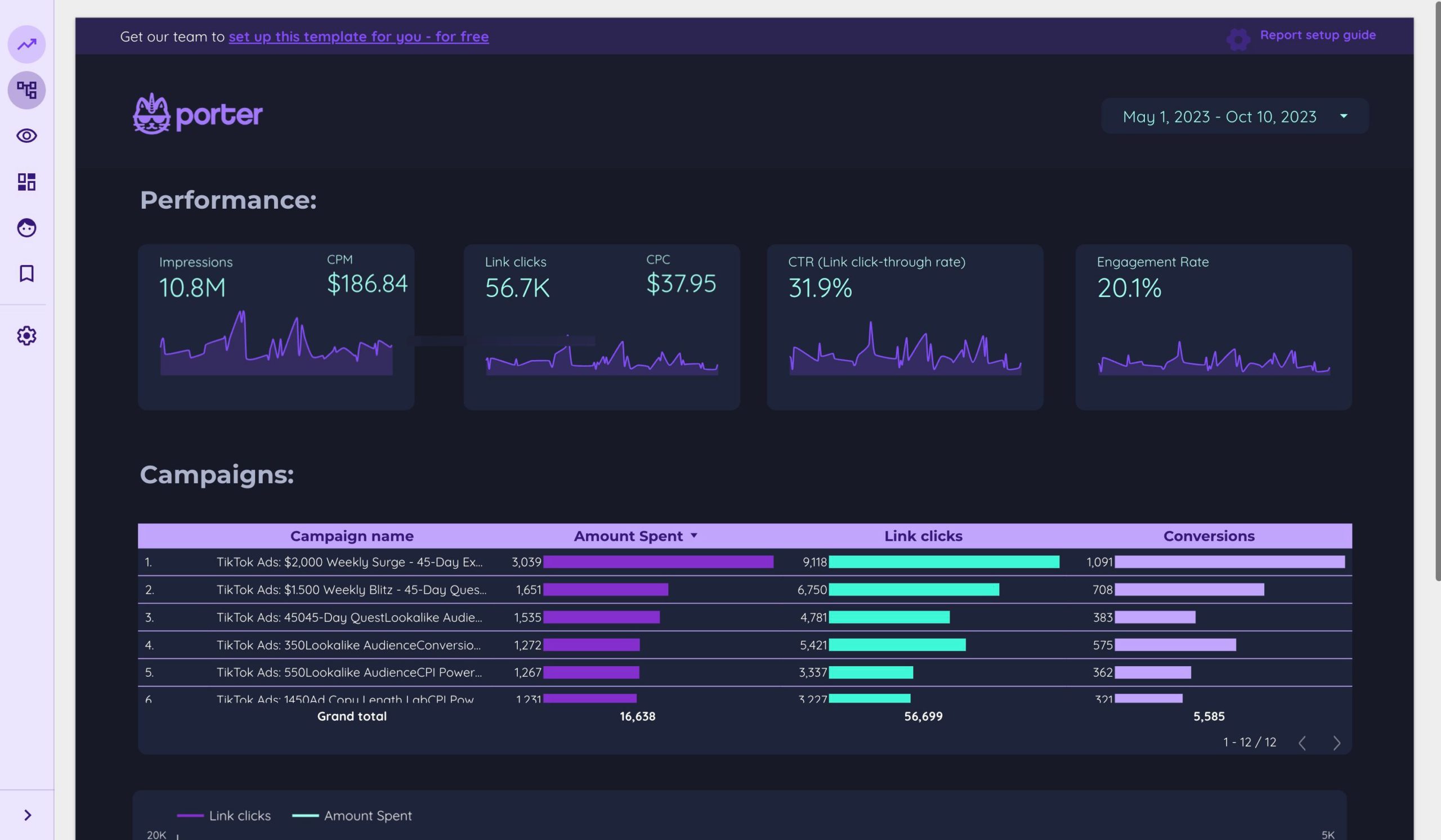
The TikTok Ads Manager is a powerful tool designed for businesses and marketers to create, manage, and analyze their ad campaigns on TikTok. It offers a comprehensive view of campaign performance through metrics such as reach, engagement, conversions, and cost per result. The dashboard serves as a central hub where you can monitor real-time data, adjust strategies, and optimize your ad spend.
To begin, it's essential to familiarize yourself with the layout and key features of the dashboard. These include:
- Campaign Overview: A summary of all active and past campaigns.
- Performance Metrics: Detailed breakdowns of views, clicks, likes, shares, and more.
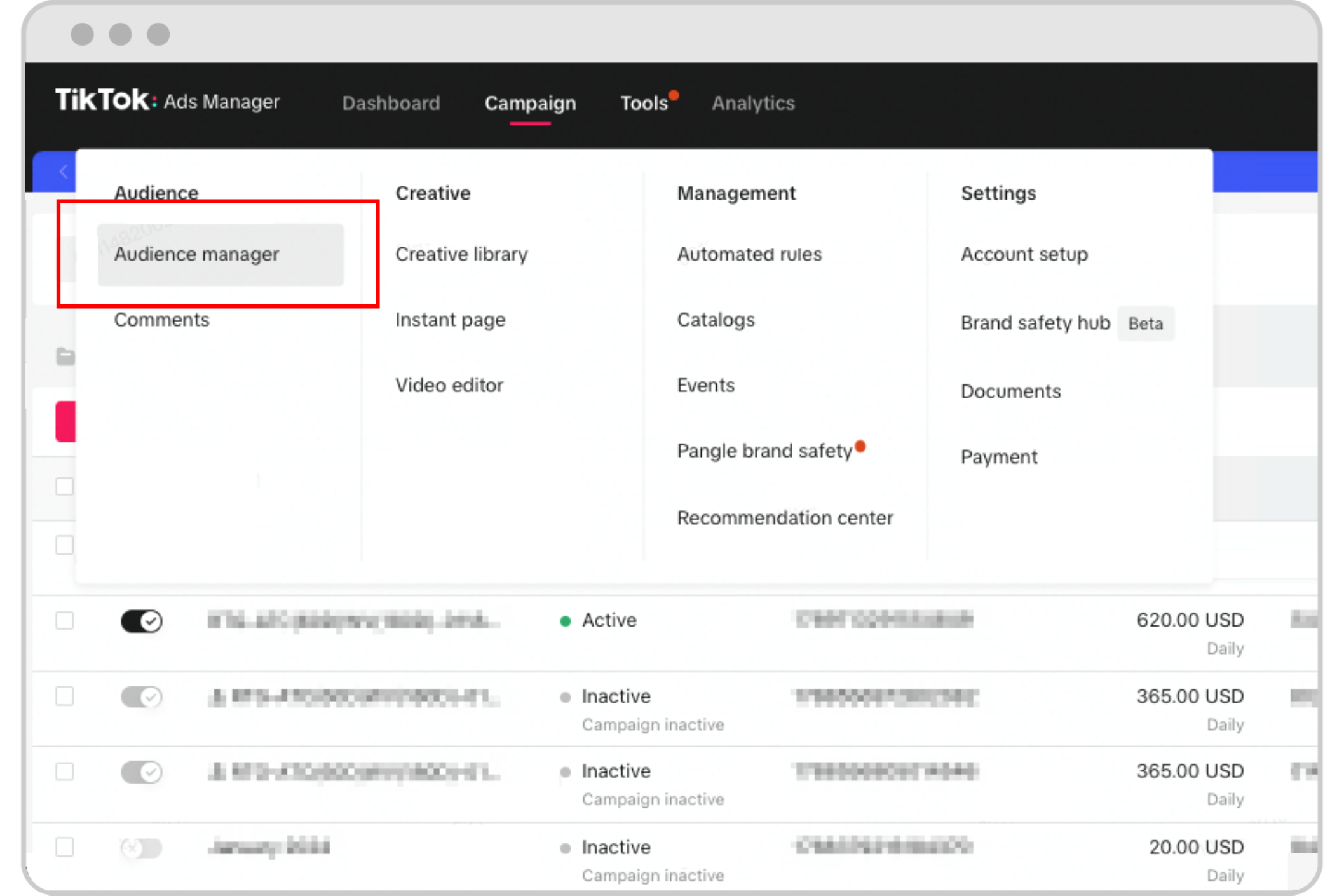
- Audience Insights: Information about the demographics and behaviors of your target audience.
- Ad Creative Analysis: Data on which ad formats (video, image, carousel) perform best.
- Budget and Spend Tracking: Tools to manage your ad budget and track spending efficiency.
Key Insights to Monitor for Optimal Campaign Performance
To make the most of the TikTok Ads Manager Dashboard, focus on the following key insights:
1. Engagement Rates
Engagement is a strong indicator of how well your ad resonates with the audience. Look at metrics such as: - Likes - Comments - Shares - Saves
High engagement rates suggest that your content is compelling and relevant. If certain ads have high engagement but low conversions, consider adjusting your call-to-action (CTA) or refining your targeting.
2. Click-Through Rate (CTR)
CTR measures how many users click on your ad after seeing it. A high CTR indicates that your ad is effective at capturing attention and driving traffic. Use this metric to evaluate the effectiveness of your ad copy, visuals, and CTAs.
3. Conversion Rate
This metric shows how many users complete a desired action after clicking on your ad, such as making a purchase, signing up for a newsletter, or downloading an app. A high conversion rate means your ad is not only attracting attention but also driving meaningful results.
4. Cost Per Result (CPR)
CPR helps you understand the efficiency of your ad spend. It calculates how much you’re paying for each conversion, helping you identify which campaigns are delivering the best return on investment (ROI).
5. Audience Demographics
Understanding who your audience is can help you tailor your messaging and creative assets. The dashboard provides data on: - Age - Gender - Location - Interests
Use this information to refine your targeting and ensure your ads are reaching the right people.
Leveraging Dashboard Insights for Strategic Adjustments
Once you’ve gathered data from the dashboard, it’s time to use these insights to make informed decisions. Here are some actionable steps:
1. Optimize Ad Creatives
Use the Ad Creative Analysis section to determine which types of content perform best. For example: - Are video ads outperforming image ads? - Are certain music tracks or visual styles driving higher engagement?
Refine your creatives based on what resonates with your audience.
2. Adjust Targeting Parameters
If certain demographics are underperforming, consider adjusting your targeting. For instance: - Narrow down your age range. - Focus on specific locations. - Refine interests or behaviors.
Testing different audience segments can help you find the most responsive group.
3. Refine Your Budget Allocation
Review your Budget and Spend Tracking to see where your money is going. Allocate more budget to high-performing campaigns and pause underperforming ones. This ensures you’re maximizing your ad spend.
4. Experiment with Different CTAs
Your call-to-action (CTA) plays a crucial role in driving conversions. Test different CTAs such as: - "Shop Now" - "Learn More" - "Sign Up Today"
Track which CTAs yield the highest conversion rates and adjust accordingly.
5. Monitor Trending Content
TikTok’s algorithm favors content that aligns with current trends. Use the dashboard to identify which trends are driving engagement and incorporate them into your ad strategy.
Best Practices for Using TikTok Ads Manager Dashboard Insights
To get the most out of the TikTok Ads Manager Dashboard, follow these best practices:
- Regularly Review Performance Data: Set aside time each week to analyze your campaign performance and make necessary adjustments.
- Use A/B Testing: Experiment with different ad creatives, CTAs, and targeting options to determine what works best.
- Stay Updated on Platform Changes: TikTok frequently updates its algorithm and features. Stay informed to adapt your strategy accordingly.
- Track Long-Term Trends: While daily performance is important, also look at long-term trends to identify patterns and opportunities.
Conclusion
The TikTok Ads Manager Dashboard is an invaluable resource for any advertiser looking to maximize their impact on the platform. By leveraging its insights, you can gain a deeper understanding of your audience, refine your strategies, and drive better results. Whether you're a seasoned marketer or just starting out, using the dashboard effectively can help you stay ahead of the competition and achieve your marketing goals.
Remember, success on TikTok isn’t just about creating great content—it’s about continuously analyzing, adapting, and optimizing your approach. With the right tools and insights, you can turn your TikTok ads into powerful drivers of engagement and growth.

Posting Komentar untuk "How to Use TikTok Ads Manager Dashboard Insights for Better Campaign Performance"
Posting Komentar