
How to Use the TikTok Ads Manager Dashboard: A Complete Guide
TikTok has become a powerful platform for brands to connect with their target audience. With over a billion users worldwide, it's no surprise that businesses are leveraging TikTok Ads Manager to grow their reach and drive engagement. Whether you're new to digital advertising or looking to refine your strategy, understanding how to navigate the TikTok Ads Manager dashboard is essential. This guide will walk you through the process of setting up an account, creating campaigns, and optimizing your ads for maximum impact.
Setting Up Your TikTok Ads Manager Account
The first step in using TikTok Ads Manager is creating an account. This process is straightforward and can be completed in just a few minutes. Here’s how to get started:
- Visit the TikTok Ads Manager website and click on the "Sign Up" button.
- Provide your email address or phone number, along with a password.
- Enter your business details, including the country or region where you operate, your time zone, and preferred currency.
- Confirm your legal business name and specify the industry you’re in.
It’s crucial to double-check your time zone information, as this cannot be changed once your account is set up. Once you’ve completed these steps, you’ll be directed to the TikTok Ads Manager dashboard, where you can begin creating your first campaign.
Creating a TikTok Ad Campaign
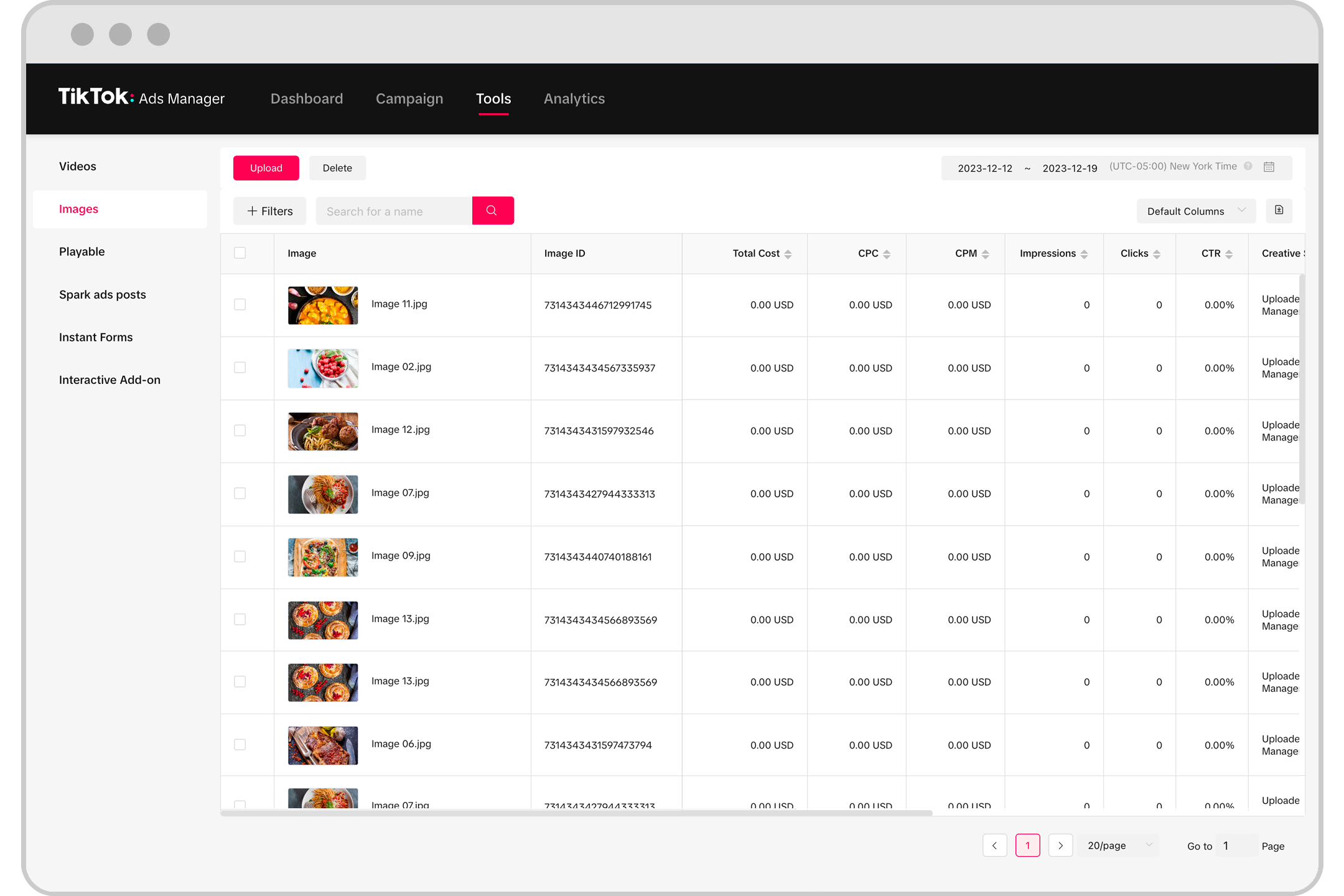
Once your account is ready, the next step is to create your first ad campaign. The TikTok Ads Manager offers a streamlined workflow that guides you through each stage of the process. Here’s a breakdown of the key steps:
- Choose Your Campaign Objective:
TikTok Ads Manager categorizes objectives into three main groups: Awareness, Consideration, and Conversion. - Awareness: Ideal for increasing brand visibility.
- Consideration: Designed to drive engagement and interest.
-
Conversion: Focused on driving specific actions, such as purchases or sign-ups.
-
Select Your Target Audience:
TikTok allows you to target users based on location, demographics, interests, and behaviors. For beginners, starting with broad targeting is recommended. However, advanced advertisers can experiment with more specific criteria to refine their reach. -
Set Your Budget and Schedule:
You can choose between a daily or lifetime budget. This determines how much you’re willing to spend on your campaign over a specified period. -
Add Your Creatives:
Upload your video content or connect to an existing TikTok account to run live posts. TikTok also provides creative tools to help you produce engaging content without needing advanced editing skills.
Monitoring and Optimizing Your Campaigns
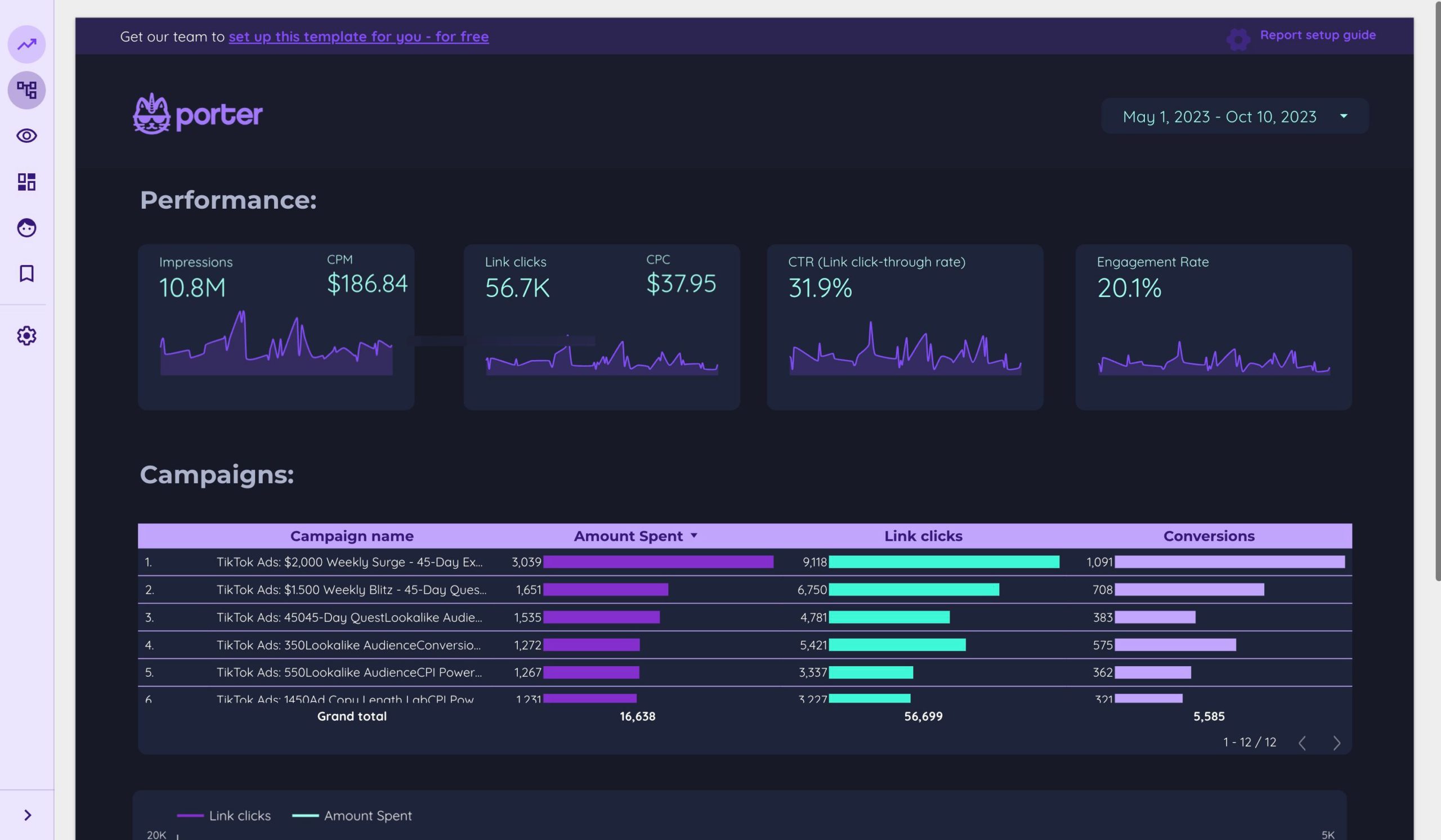
After launching your ad, it’s important to monitor its performance and make adjustments as needed. The TikTok Ads Manager dashboard provides detailed analytics and reporting features to help you track your progress. Here are some key metrics to watch:
- Impressions: The number of times your ad was shown.
- Click-Through Rate (CTR): Measures how often users clicked on your ad after seeing it.
- Engagement Rate: Tracks likes, comments, shares, and other interactions.
- Conversion Rate: Indicates how many users completed a desired action, such as making a purchase.
By regularly reviewing these metrics, you can identify what’s working and make data-driven decisions to improve your campaign performance.
Tips for Success with TikTok Ads Manager
To maximize the effectiveness of your TikTok ads, consider the following best practices:
- Leverage Creative Tools: Use TikTok’s built-in tools to enhance your content and make it more engaging.
- Test Different Objectives: Experiment with different campaign goals to see which ones yield the best results.
- Refine Your Targeting: Continuously adjust your audience segments to ensure your ads reach the right people.
- Analyze Performance: Regularly review your reports to gain insights and optimize your strategy.
Conclusion
TikTok Ads Manager offers a powerful and user-friendly platform for brands to connect with their audience and drive meaningful results. By following this guide, you can confidently navigate the dashboard, create effective campaigns, and measure your success. Whether you're looking to increase brand awareness, generate leads, or boost sales, TikTok provides the tools and reach needed to achieve your goals. Start exploring today and unlock the full potential of your brand on TikTok.

Posting Komentar untuk "How to Use the TikTok Ads Manager Dashboard: A Complete Guide"
Posting Komentar