
How to Use TikTok Ads Manager on Your Phone: A Step-by-Step Tutorial
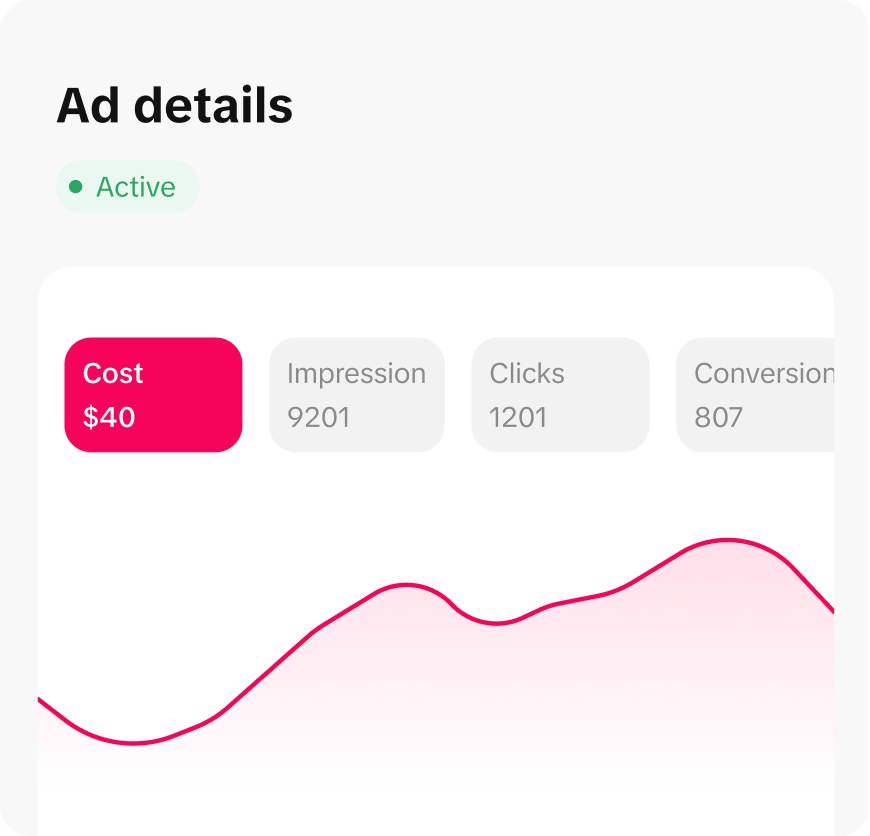
TikTok has become a powerful platform for businesses and marketers to reach their target audience. With its massive user base and engaging content, it's no wonder that many advertisers are turning to TikTok Ads Manager to run their campaigns. If you're looking to get started with TikTok Ads on your phone, this step-by-step tutorial will guide you through the process.
Understanding TikTok Ads Manager
TikTok Ads Manager is a tool that allows advertisers to create, manage, and optimize their ad campaigns directly from their mobile devices. It offers a range of features, including targeting options, budget management, and performance analytics. Whether you're a seasoned marketer or just starting out, TikTok Ads Manager provides an intuitive interface that makes it easy to run effective ad campaigns.
Getting Started with TikTok Ads Manager
To begin using TikTok Ads Manager on your phone, follow these steps:
-
Download the TikTok App: Make sure you have the latest version of the TikTok app installed on your phone. You can download it from the App Store (iOS) or Google Play Store (Android).
-
Create a Business Account: If you don't already have a business account, you'll need to create one. This allows you to access advanced advertising features. To create a business account, go to your profile settings and select "Switch to Pro Account."
-
Access TikTok Ads Manager: Once you have a business account, you can access TikTok Ads Manager by tapping on the "Ads" tab in the app. From here, you can start creating your first ad campaign.
Creating Your First Ad Campaign
Creating an ad campaign on TikTok is straightforward. Here's how to do it:
-
Select Campaign Objective: Choose the objective for your campaign. Options include brand awareness, traffic, conversions, and more. Select the one that aligns with your marketing goals.
-
Set Budget and Schedule: Determine your budget and the duration of your campaign. You can choose a daily or total budget, and set the start and end dates for your campaign.
-
Choose Target Audience: Define your target audience based on demographics, interests, and behaviors. TikTok provides various targeting options to help you reach the right people.
-
Create Ad Content: Upload your ad content, which can be a video or image. Make sure your content is engaging and relevant to your target audience. You can also add captions, hashtags, and links to your website.
-
Review and Submit: Review your ad campaign to ensure everything is set up correctly. Once you're satisfied, submit your campaign for approval.
Managing and Optimizing Your Campaign
Once your campaign is live, you can manage and optimize it using TikTok Ads Manager. Here are some tips to help you get the most out of your ads:
-
Monitor Performance: Track the performance of your campaigns using the analytics tools provided by TikTok. Look at metrics such as impressions, clicks, and conversions to understand what's working and what needs improvement.
-
A/B Testing: Test different versions of your ads to see which ones perform better. This can help you refine your strategy and improve your ROI.
-
Adjust Targeting: Based on the performance data, adjust your targeting options to reach a more engaged audience. This can help you increase your conversion rates and reduce your cost per click.
-
Optimize Budget: Allocate your budget effectively by focusing on the campaigns that are delivering the best results. You can also adjust your budget as needed to maximize your return on investment.
Tips for Success
To ensure your TikTok ad campaigns are successful, consider the following tips:
-
Use High-Quality Content: Create visually appealing and engaging content that resonates with your target audience. High-quality videos and images can significantly impact your ad performance.
-
Leverage Trends: Stay up-to-date with the latest trends on TikTok and incorporate them into your ad content. This can help you reach a wider audience and increase engagement.
-
Engage with Your Audience: Encourage interaction by asking questions, running polls, and responding to comments. Building a connection with your audience can lead to higher engagement and loyalty.
-
Stay Consistent: Consistency is key when it comes to advertising on TikTok. Regularly post new content and maintain a consistent brand presence to keep your audience engaged.
Conclusion
TikTok Ads Manager is a powerful tool that enables advertisers to create and manage effective ad campaigns on their phones. By following the steps outlined in this tutorial, you can quickly get started with TikTok Ads and reach your target audience. Remember to monitor your campaign performance, make adjustments as needed, and stay engaged with your audience to maximize your success on TikTok.
[IMAGE: TikTok Ads Manager on phone tutorial]

Posting Komentar untuk "How to Use TikTok Ads Manager on Your Phone: A Step-by-Step Tutorial"
Posting Komentar