
How to Use TikTok Ads Manager: A Quick Start Guide for Beginners
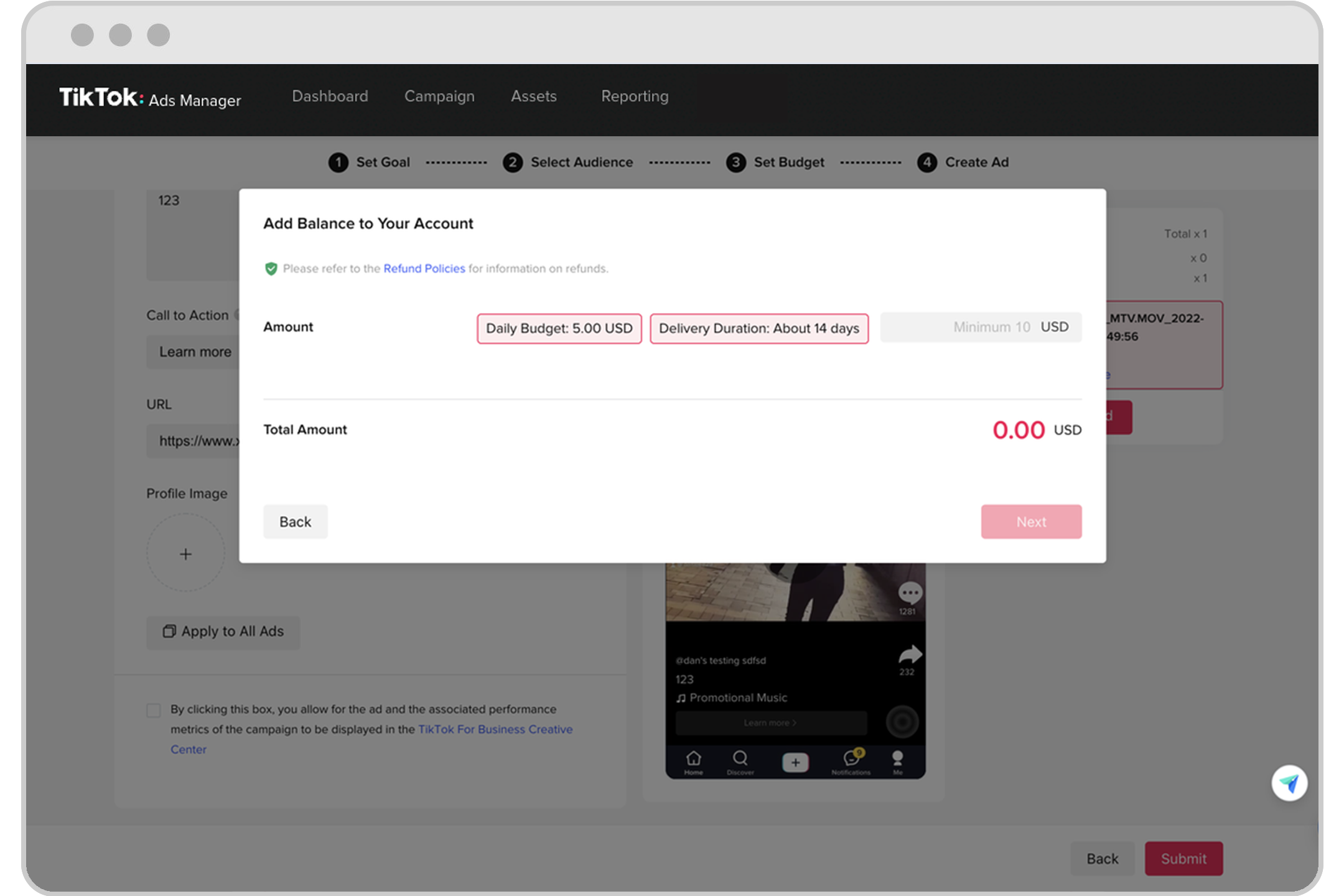
TikTok has become a powerful platform for businesses looking to connect with younger audiences. With its vast user base and engaging content, it's no wonder that many brands are turning to TikTok Ads Manager to promote their products and services. If you're new to this platform, the process might seem overwhelming, but with the right guidance, you can quickly get started. This article will walk you through the basics of using TikTok Ads Manager, helping you create effective ad campaigns that resonate with your target audience.
Understanding TikTok Ads Manager
TikTok Ads Manager is the official advertising platform provided by TikTok for businesses. It allows users to create, manage, and optimize their ad campaigns directly from a centralized dashboard. The platform offers various ad formats, including in-feed ads, brand takeovers, and branded hashtag challenges, making it versatile for different marketing goals.
One of the key advantages of TikTok Ads Manager is its user-friendly interface, which simplifies the ad creation process. Whether you're a small business owner or a marketing professional, you'll find the tools and features accessible and intuitive.
Getting Started with TikTok Ads Manager
Before you can start creating ads, you need to set up a TikTok Ads account. Here’s a step-by-step guide to help you get started:
- Create a TikTok Ads Account:
- Visit the TikTok Ads Manager website.
- Click on "Create an Account" and select whether you're setting up an account for a business or an individual.
- Fill out the required information, including your business details and contact information.
-
After submitting your application, TikTok will review it and contact you to finalize the setup.
-
Set Up Your Campaign:
- Once your account is approved, log in to TikTok Ads Manager.
- Click on "Create Campaign" to start a new campaign.
- Choose your campaign objective, such as Traffic, Conversions, or App Installs.
-
Set your overall budget and daily budget limits.
-
Choose Ad Placements:
-
Select where you want your ads to appear. You can choose automatic placement or specify particular platforms, such as TikTok, Vigo Video, or TopBuzz.
-
Target Your Audience:
- Define your target audience based on factors like age, gender, location, interests, and more.
-
You can also create custom audiences using data from your website, app, or previous ad interactions.
-
Set Your Budget and Schedule:
- Determine how much you want to spend on your campaign and set a schedule for when your ads should run.
-
Choose between standard delivery (evenly distributing your budget) or accelerate (spending your budget more quickly).
-
Optimize Your Ads:
- Decide on your optimization goal, such as conversions, clicks, or impressions.
-
This will affect how TikTok bids on your behalf and the pricing model used for your ads.
-
Design Your Ad:
- Upload your creative assets, such as images, videos, and logos.
- Use TikTok’s Video Creation Kit to design your ad if needed.
[IMAGE: TikTok Ads Manager quick start guide for beginners]
Tips for Effective TikTok Ads
To make the most of your TikTok Ads Manager experience, consider the following tips:
- Know Your Audience: Understand who your target audience is and tailor your ads to their preferences and behaviors.
- Use High-Quality Content: Create visually appealing and engaging content that captures attention and aligns with your brand.
- Leverage Trends: Stay updated with current trends and challenges on TikTok to increase the visibility of your ads.
- Monitor Performance: Regularly check your ad performance in the TikTok Ads Manager dashboard and make adjustments as needed.
Conclusion
TikTok Ads Manager offers a powerful way for businesses to reach a large and engaged audience. By following the steps outlined in this guide, you can quickly set up and manage your ad campaigns, ensuring they are both effective and efficient. Whether you're promoting a product, service, or brand, TikTok provides the tools and insights needed to succeed in today's digital landscape. Start your journey with TikTok Ads Manager today and unlock the potential of this dynamic platform.

Posting Komentar untuk "How to Use TikTok Ads Manager: A Quick Start Guide for Beginners"
Posting Komentar