
How to Use TikTok Ads Reporting Dashboard for Better Marketing Insights
TikTok has evolved from a platform for entertainment into a powerful marketing tool. With its massive user base and unique algorithm, brands are increasingly turning to TikTok to reach new audiences, drive engagement, and boost sales. One of the most valuable tools for optimizing your TikTok marketing efforts is the TikTok Ads Reporting Dashboard. This dashboard provides detailed insights into your ad performance, helping you make data-driven decisions that improve your return on investment (ROI). In this article, we’ll explore how to use the TikTok Ads Reporting Dashboard effectively to gain better marketing insights.
Understanding the TikTok Ads Reporting Dashboard
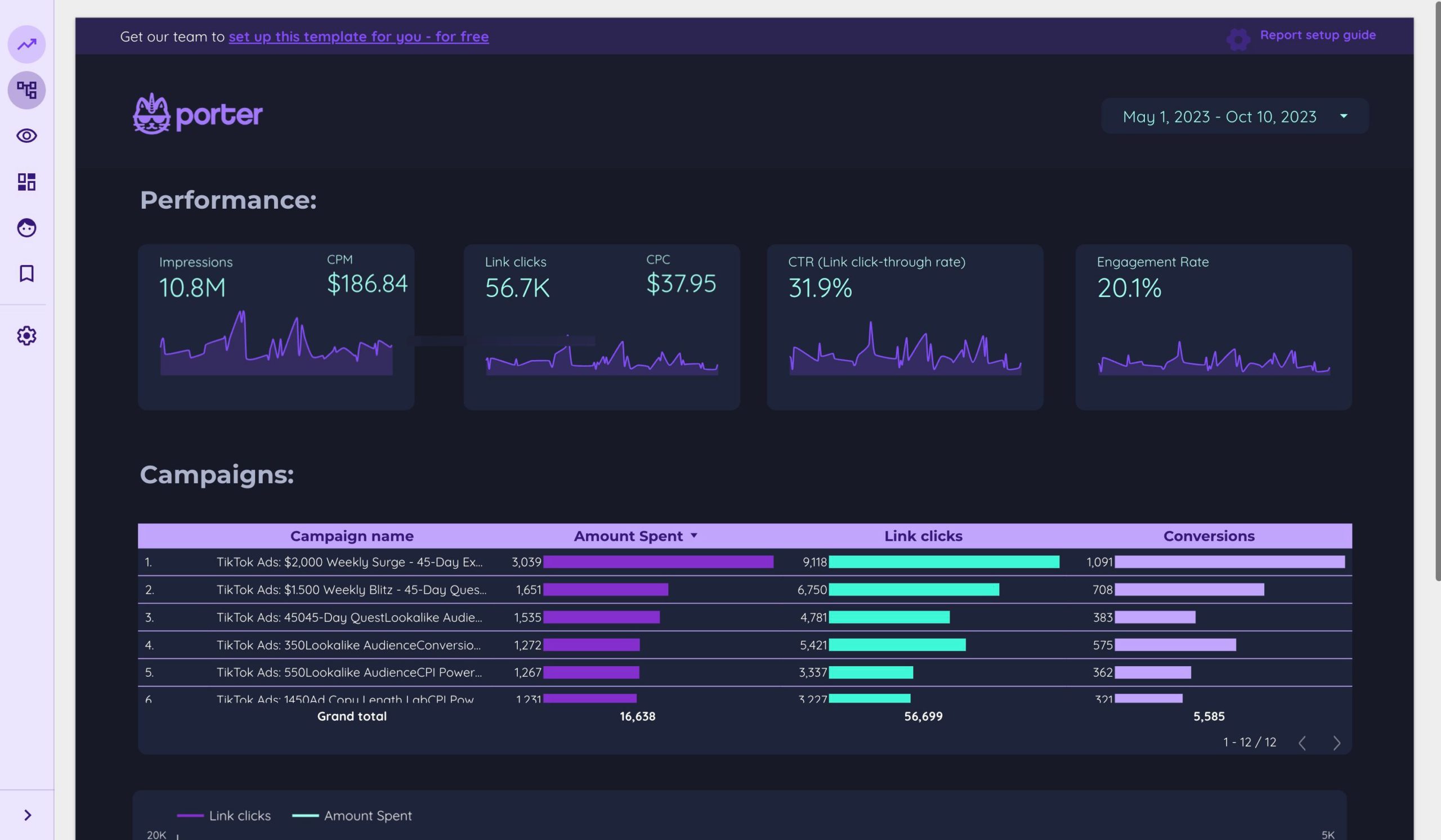
The TikTok Ads Reporting Dashboard is a centralized hub where you can track the performance of your TikTok ads. It offers a comprehensive overview of key metrics such as impressions, clicks, conversions, and engagement rates. The dashboard is designed to help marketers understand what’s working and what needs improvement, allowing for more strategic ad planning.
Key Features of the Dashboard:
- Campaign Overview: View a summary of all your active campaigns, including their objectives, budgets, and performance.
- Ad Group Analysis: Drill down into specific ad groups to see how different variations of your ads are performing.
- Ad Performance: Track individual ad performance with metrics like click-through rate (CTR), cost per click (CPC), and conversion rate.
- Demographic Insights: Understand which audience segments are engaging most with your ads.
- Geographic Data: Analyze how your ads perform in different regions or countries.
Step-by-Step Guide to Using the TikTok Ads Reporting Dashboard
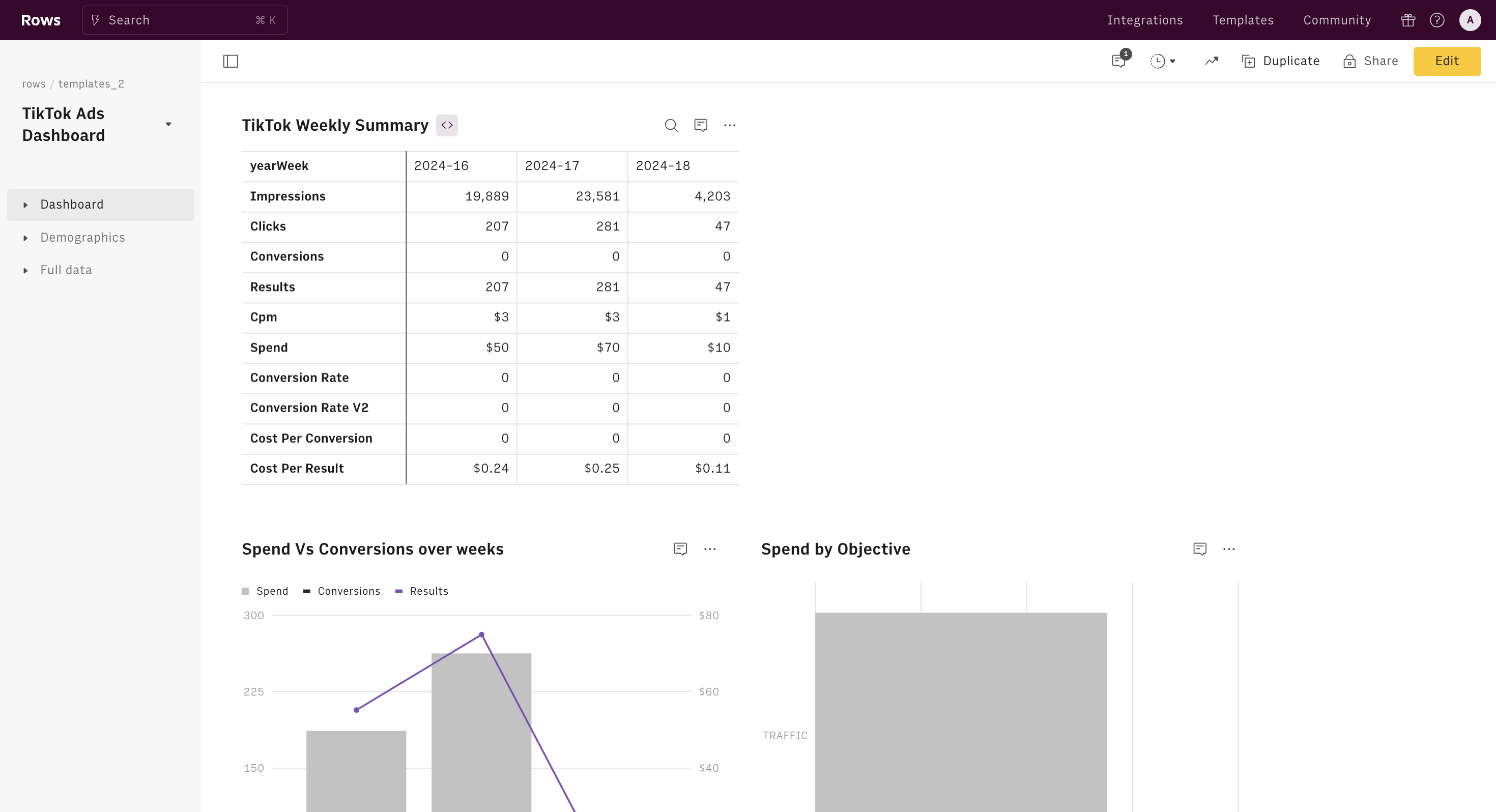
To get the most out of the TikTok Ads Reporting Dashboard, follow these steps:
1. Access the Dashboard
Log in to your TikTok Business Account and navigate to the Ads Manager section. From there, select Reporting to access the dashboard.
2. Set Up Campaigns with Clear Objectives
Before diving into the dashboard, ensure your campaigns are set up with clear goals. Whether it's brand awareness, lead generation, or direct sales, having defined objectives will help you interpret the data more effectively.
3. Monitor Key Metrics
Focus on the following metrics to gauge your campaign's success:
- Impressions: The number of times your ad was shown.
- Click-Through Rate (CTR): Measures how often users clicked on your ad after seeing it.
- Conversion Rate: Tracks how many users completed a desired action (e.g., making a purchase).
- Cost Per Click (CPC): Indicates how much you're paying for each click.
- Return on Ad Spend (ROAS): Helps determine the profitability of your ad spend.
4. Analyze Audience Demographics
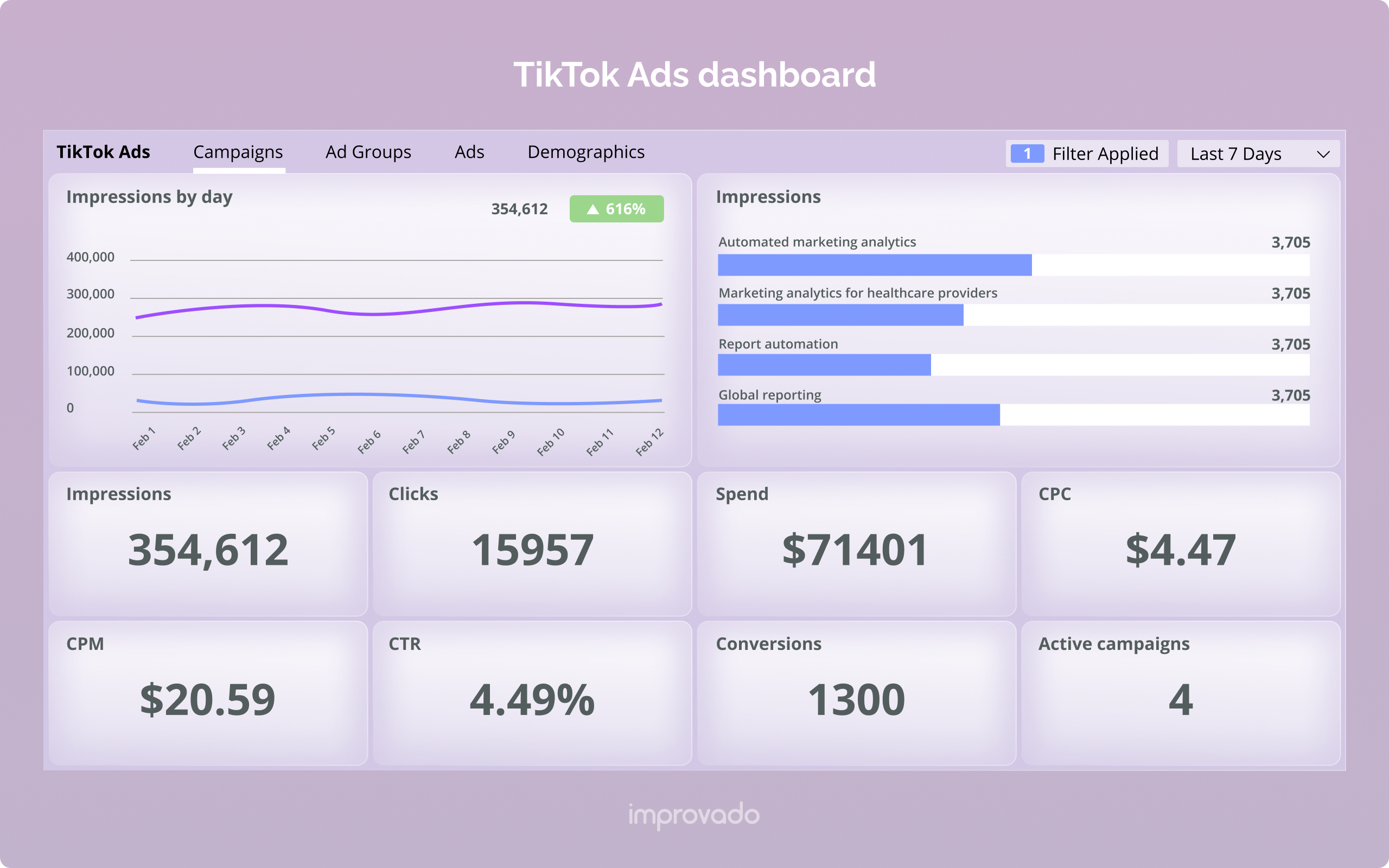
Use the demographic insights feature to understand who is engaging with your ads. Look at factors like age, gender, location, and interests to refine your targeting strategy.
5. Track Geographic Performance
If your business operates in multiple regions, use the geographic data to identify high-performing areas. This can help you allocate your budget more effectively and tailor your messaging to local audiences.
6. Compare Campaigns and Ad Groups
Use the dashboard to compare the performance of different campaigns and ad groups. This can highlight which strategies are most effective and where adjustments are needed.
7. Adjust Your Strategy Based on Data
Leverage the insights from the dashboard to optimize your campaigns. For example, if a particular ad group has a high CTR but low conversion rate, consider revising the landing page or call-to-action (CTA).
Best Practices for Using the TikTok Ads Reporting Dashboard
To maximize the value of the TikTok Ads Reporting Dashboard, consider the following best practices:
- Regularly Review Performance: Set aside time each week to review your campaign data. This helps you stay on top of trends and make timely adjustments.
- Test Different Ad Formats: Experiment with various ad formats, such as video, carousel, and image ads, to see what resonates with your audience.
- Optimize for Mobile: Since most TikTok users access the app via mobile devices, ensure your ads are optimized for smaller screens and fast loading times.
- Utilize A/B Testing: Test different versions of your ads to determine which elements (such as headlines, visuals, or CTAs) perform best.
- Stay Updated on Algorithm Changes: TikTok frequently updates its algorithm, so staying informed about these changes can help you adapt your strategy accordingly.
Conclusion
The TikTok Ads Reporting Dashboard is an essential tool for any marketer looking to harness the power of TikTok for business growth. By leveraging the insights provided by the dashboard, you can make informed decisions that improve your ad performance and drive better results. Whether you're a small business owner or a digital marketer, understanding how to use the TikTok Ads Reporting Dashboard effectively can give you a competitive edge in today's fast-paced digital landscape.
Remember, the key to success on TikTok lies in continuous learning and adaptation. Use the data from the dashboard to refine your strategies, experiment with new ideas, and stay ahead of the curve. With the right approach, TikTok can become a powerful ally in your marketing arsenal.

Posting Komentar untuk "How to Use TikTok Ads Reporting Dashboard for Better Marketing Insights"
Posting Komentar