
Mastering TikTok Ads Manager: Advanced Features You Need to Know
TikTok has become a dominant force in the digital advertising landscape, offering brands an unparalleled opportunity to connect with Gen Z and Gen Alpha audiences. With over 1.5 billion monthly active users as of 2025, TikTok is more than just a platform for entertainment—it's a powerful tool for driving engagement, brand awareness, and sales. For advertisers looking to maximize their return on ad spend (ROAS), mastering the advanced features of TikTok Ads Manager is essential.
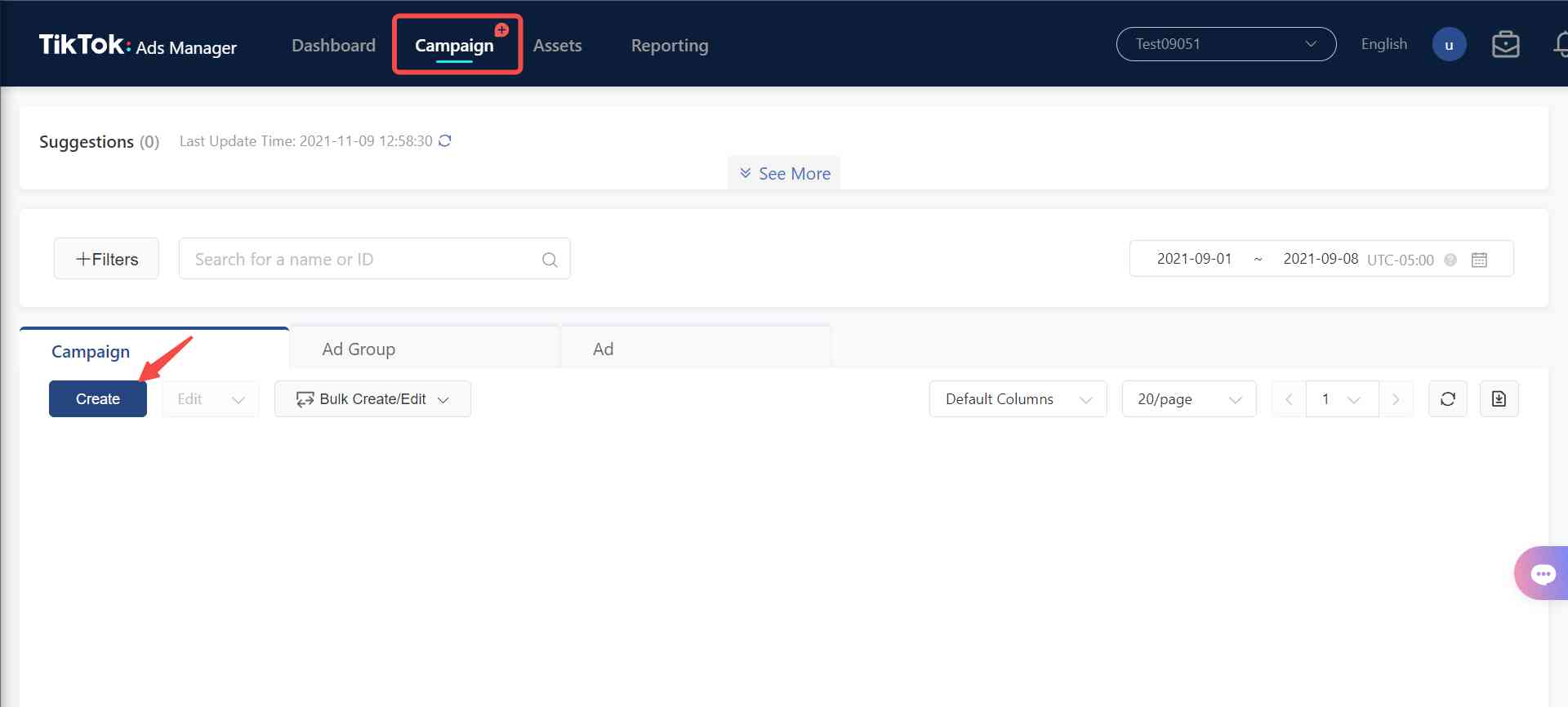
Understanding TikTok Ads Manager
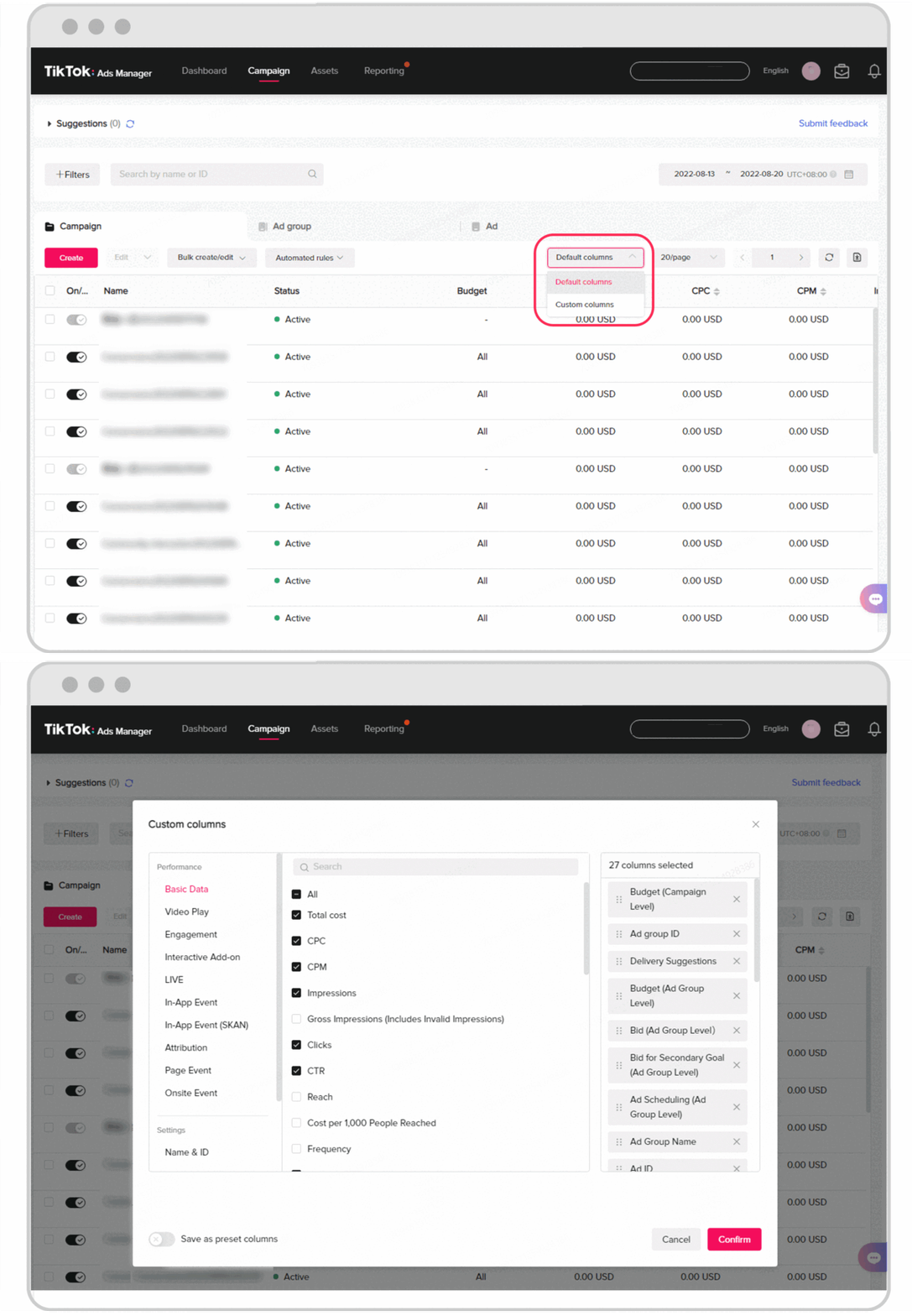
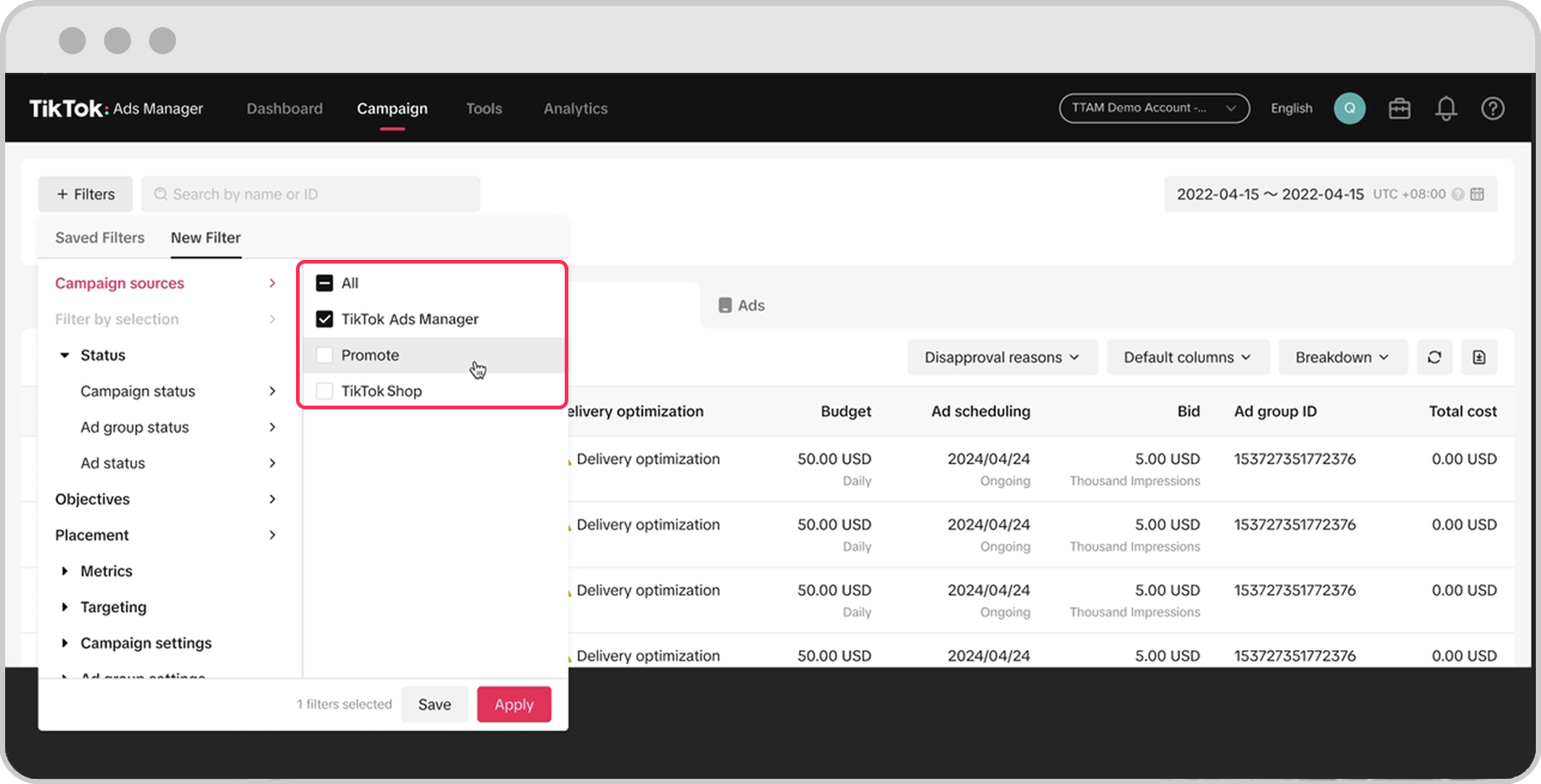
Before diving into the advanced features, it’s important to understand what TikTok Ads Manager is. It is the platform where advertisers create, manage, and optimize their TikTok ad campaigns. The interface offers a range of tools that allow businesses to target specific audiences, set budgets, and track performance metrics in real time.
Key Features of TikTok Ads Manager
- Campaign Objectives: Choose from objectives like traffic, conversions, app installs, or brand awareness.
- Audience Targeting: Leverage demographic, interest-based, and behavior-based targeting to reach your ideal audience.
- Budget Control: Set daily or lifetime budgets and choose between cost per click (CPC) or cost per thousand impressions (CPM).
- Creative Tools: Upload video or image ads, add call-to-action buttons, and use branded effects to enhance engagement.
- Analytics & Reporting: Access detailed insights on campaign performance, including views, clicks, conversions, and ROAS.
Advanced Features to Master
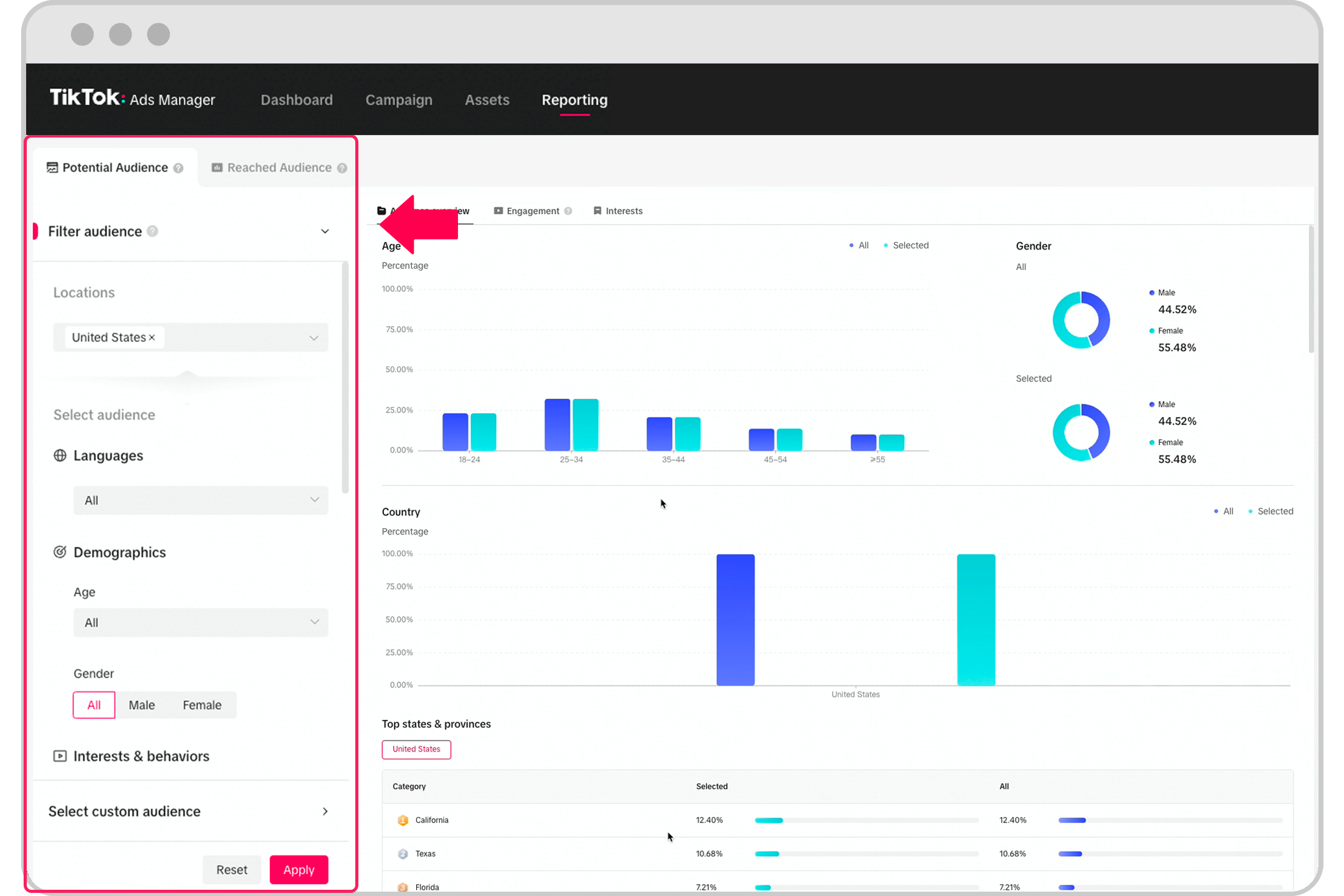
While the basic features of TikTok Ads Manager are sufficient for beginners, leveraging its advanced capabilities can significantly boost your ad performance. Here are some of the most powerful tools you should know:
1. Custom Audiences
Custom audiences allow you to target users who have interacted with your brand in the past. This includes people who have visited your website, engaged with your TikTok content, or downloaded your app. By creating custom audiences, you can retarget these users with personalized ads, increasing the likelihood of conversion.
How to Use: - Go to the "Audience" section in TikTok Ads Manager. - Select "Custom Audience" and upload a list of email addresses or phone numbers. - Define the parameters for your custom audience, such as engagement history or purchase behavior.
2. Lookalike Audiences
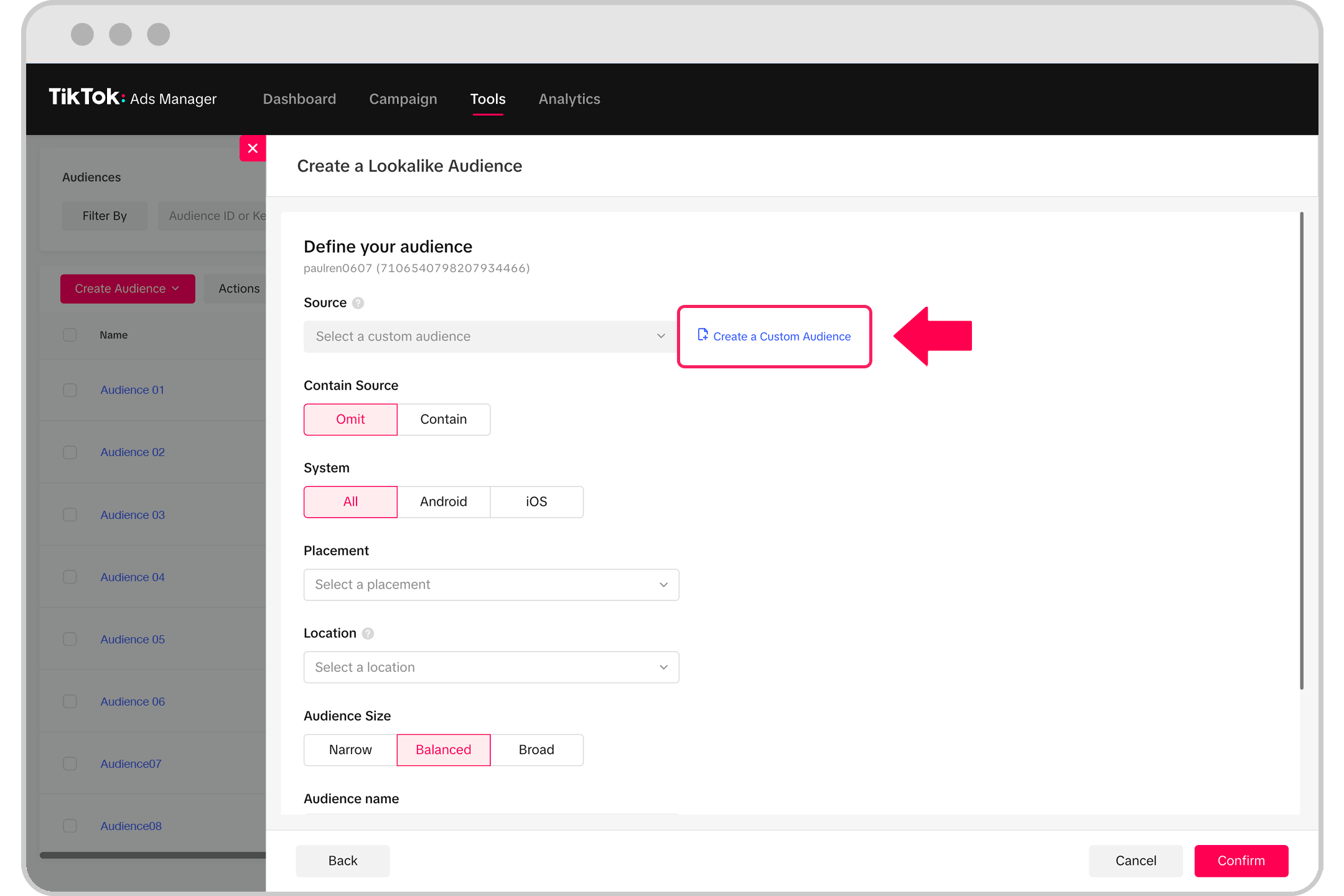
Lookalike audiences are similar to custom audiences but are generated based on the characteristics of your existing customers. TikTok uses machine learning to identify users who resemble your best-performing customers, allowing you to expand your reach to new, high-potential audiences.
How to Use: - Start with a custom audience of your most engaged or loyal customers. - In the "Audience" section, select "Lookalike Audience." - Choose the size of the lookalike audience (e.g., 1%, 2%, or 5%).
3. Retargeting Campaigns
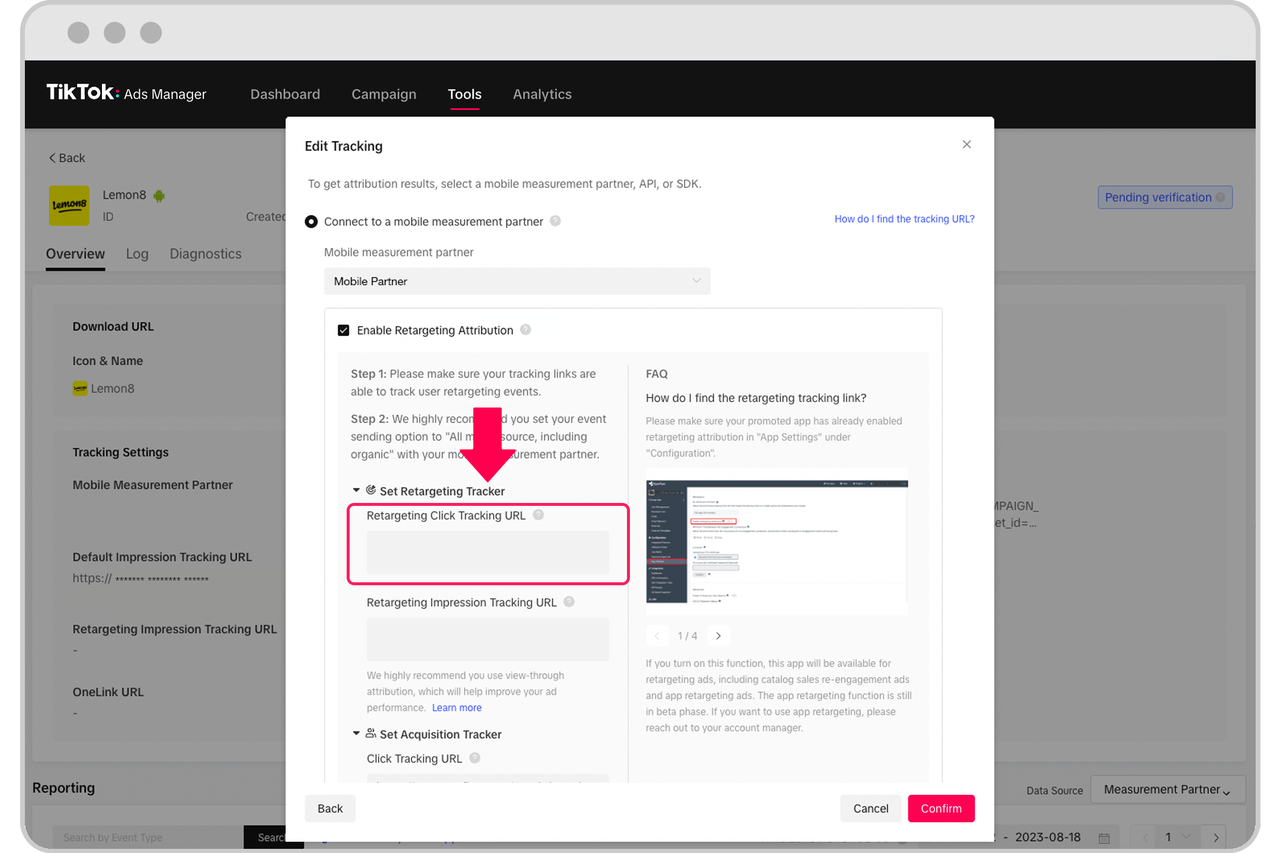
Retargeting is a powerful strategy for converting users who have already shown interest in your brand. TikTok allows you to create retargeting campaigns that follow users across the platform, reminding them of your products or services.
How to Use: - Create a custom audience based on user behavior, such as website visits or app activity. - Set up a retargeting campaign with a specific objective, such as conversions or app installs. - Use dynamic creatives to show users personalized ads based on their previous interactions.
4. Branded Effects
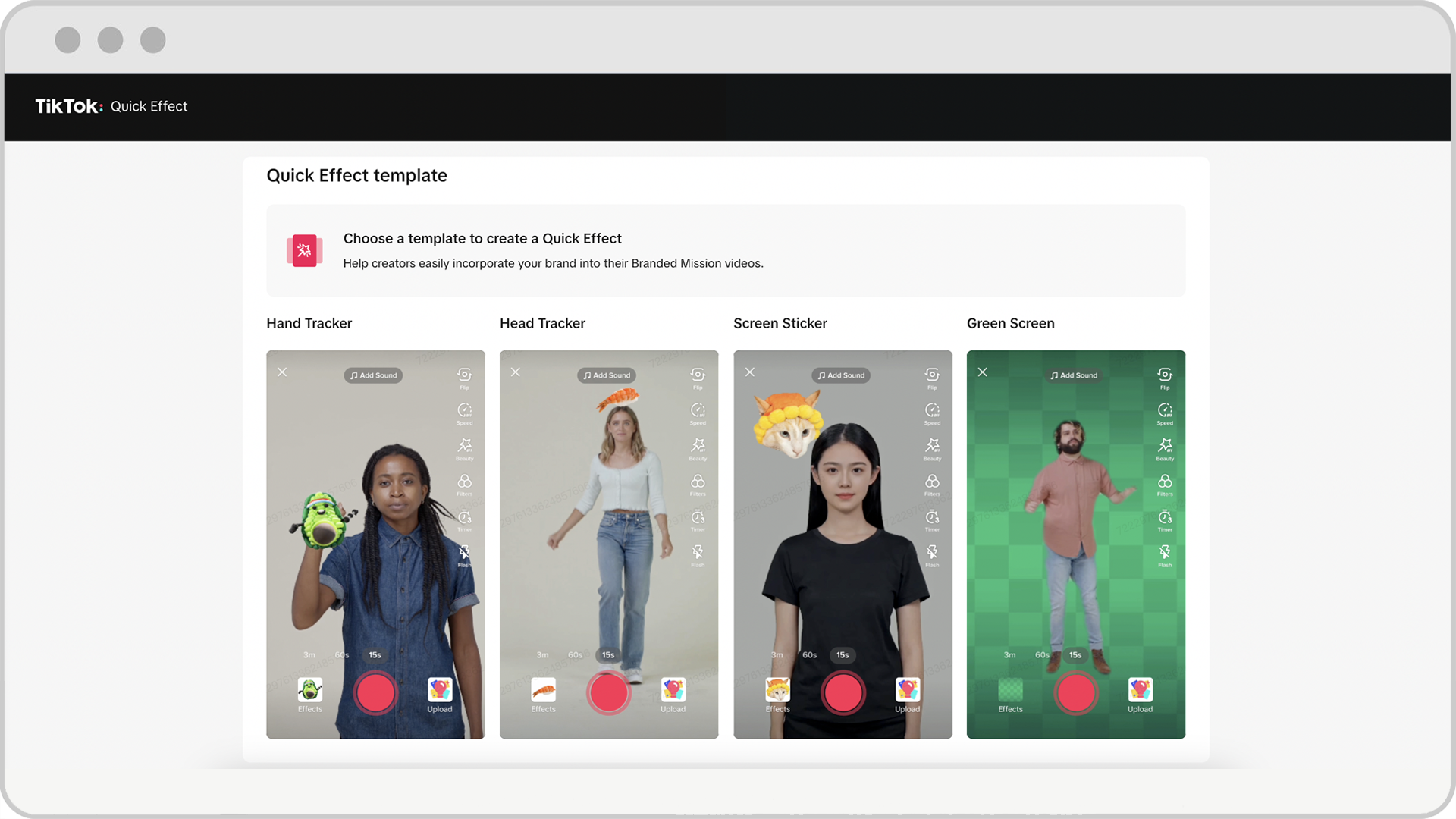
Branded effects are interactive filters, lenses, or stickers that users can apply to their own videos. These effects can be used to promote your brand, increase engagement, and encourage user-generated content (UGC).
How to Use: - Go to the "Effects" section in TikTok Ads Manager. - Create a custom effect using TikTok’s built-in tools or work with a designer. - Promote your branded effect through other ad formats, such as in-feed ads or branded hashtag challenges.
5. Branded Hashtag Challenges
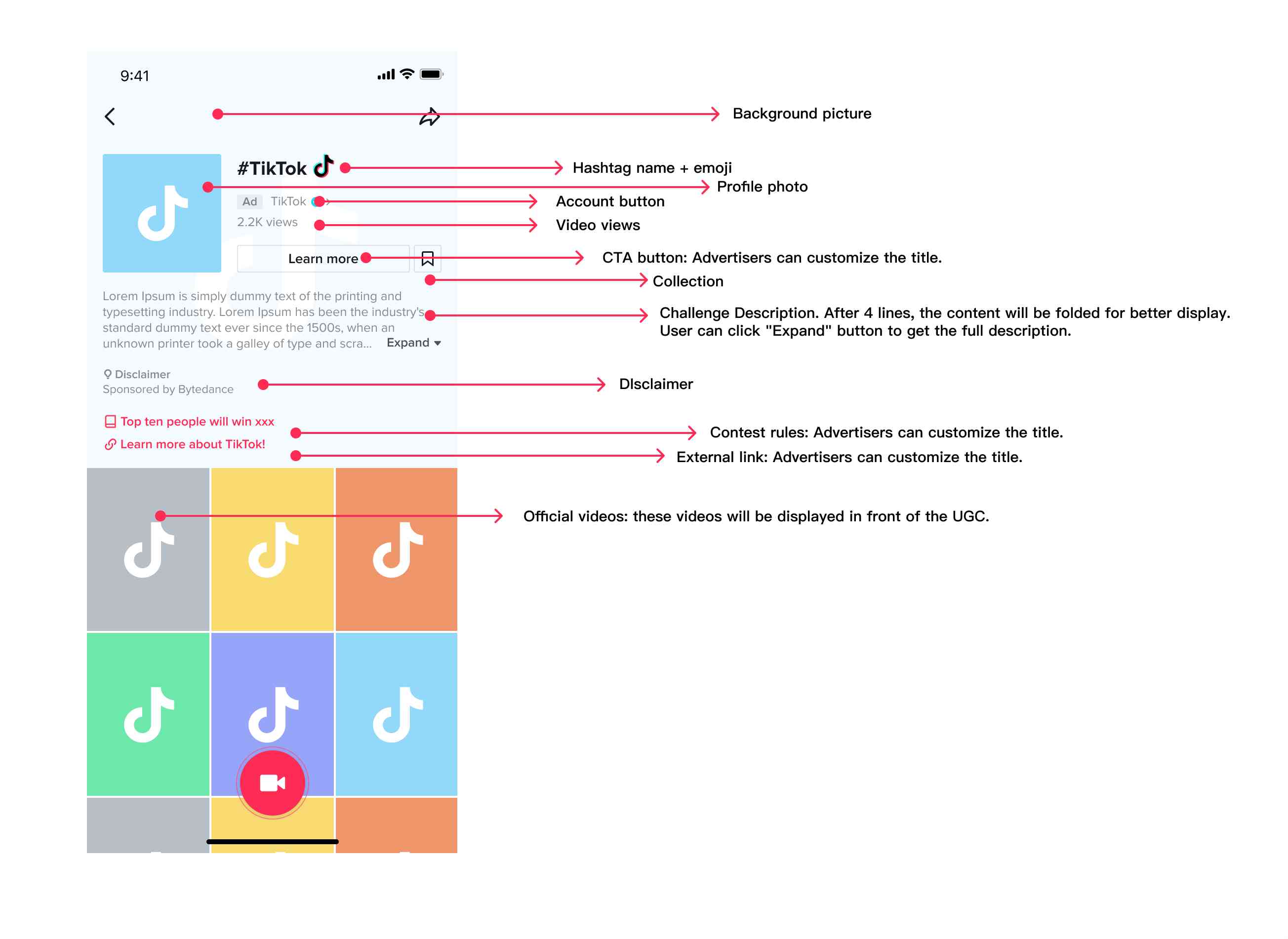
Branded hashtag challenges encourage users to create content around a specific theme or trend. These challenges can help build brand awareness, drive engagement, and generate UGC that can be repurposed in future campaigns.
How to Use: - Create a unique hashtag for your campaign (e.g., #YourBrandChallenge). - Partner with TikTok creators to promote the challenge and inspire participation. - Monitor the hashtag’s performance and use the UGC in your ads or social media content.
6. Video Shopping Ads

With TikTok Shop, you can create video shopping ads that allow users to purchase products directly within the app. These ads are ideal for e-commerce brands looking to drive sales and streamline the customer journey.
How to Use: - Connect your Shopify store to TikTok Shop. - Create video ads that showcase your products with product tags, descriptions, and pricing. - Use TikTok’s shoppable features to enable seamless checkout and reduce friction for users.
7. Spark Ads
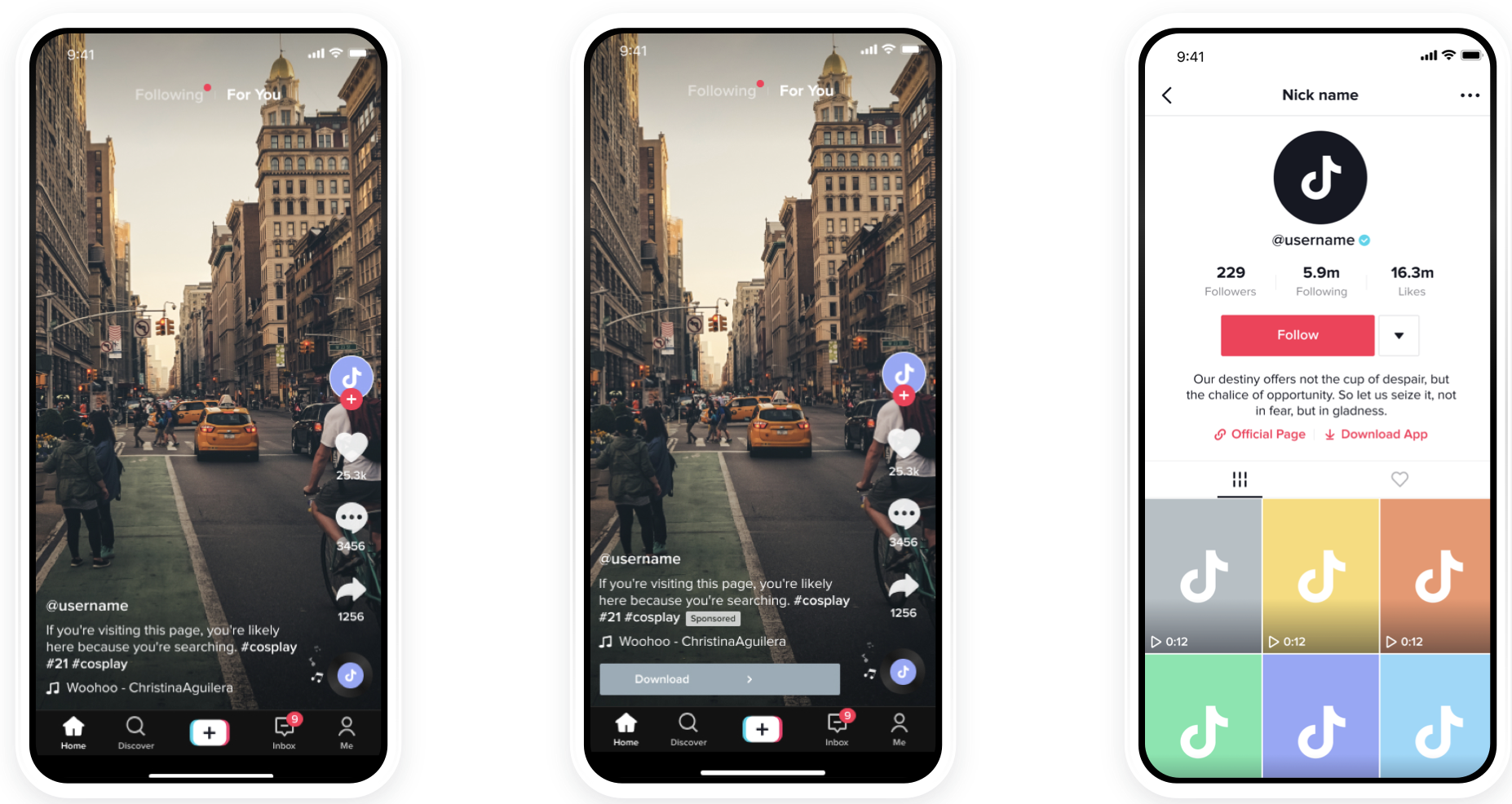
Spark ads allow you to amplify existing organic content from your TikTok account or from other users who have granted permission to promote their videos. This feature is great for leveraging user-generated content and building trust with your audience.
How to Use: - Select a top-performing video from your account or a creator’s content. - Boost the video with a Spark ad to increase its reach and engagement. - Use the ad to drive traffic to your TikTok profile, website, or app store.
Best Practices for Using Advanced Features

To get the most out of TikTok Ads Manager’s advanced features, consider the following best practices:
- Test and Optimize: Continuously test different ad formats, audiences, and creatives to find what works best for your brand.
- Leverage Data: Use TikTok’s analytics tools to track performance and make data-driven decisions.
- Stay Updated: Keep an eye on TikTok’s algorithm updates and new features to stay ahead of the curve.
- Collaborate with Creators: Partner with TikTok creators to tap into their audiences and create authentic, engaging content.
- Focus on Quality: Invest in high-quality creatives that align with TikTok’s native style and resonate with your target audience.
Conclusion
Mastering the advanced features of TikTok Ads Manager is crucial for any brand looking to succeed on the platform. From custom audiences and lookalike audiences to branded effects and video shopping ads, these tools offer powerful ways to connect with your audience, drive engagement, and boost conversions. By staying informed, testing regularly, and focusing on quality, you can unlock the full potential of TikTok as a marketing channel.

Posting Komentar untuk "Mastering TikTok Ads Manager: Advanced Features You Need to Know"
Posting Komentar