
The Ultimate TikTok Ads Split Testing Guide for Maximum ROI
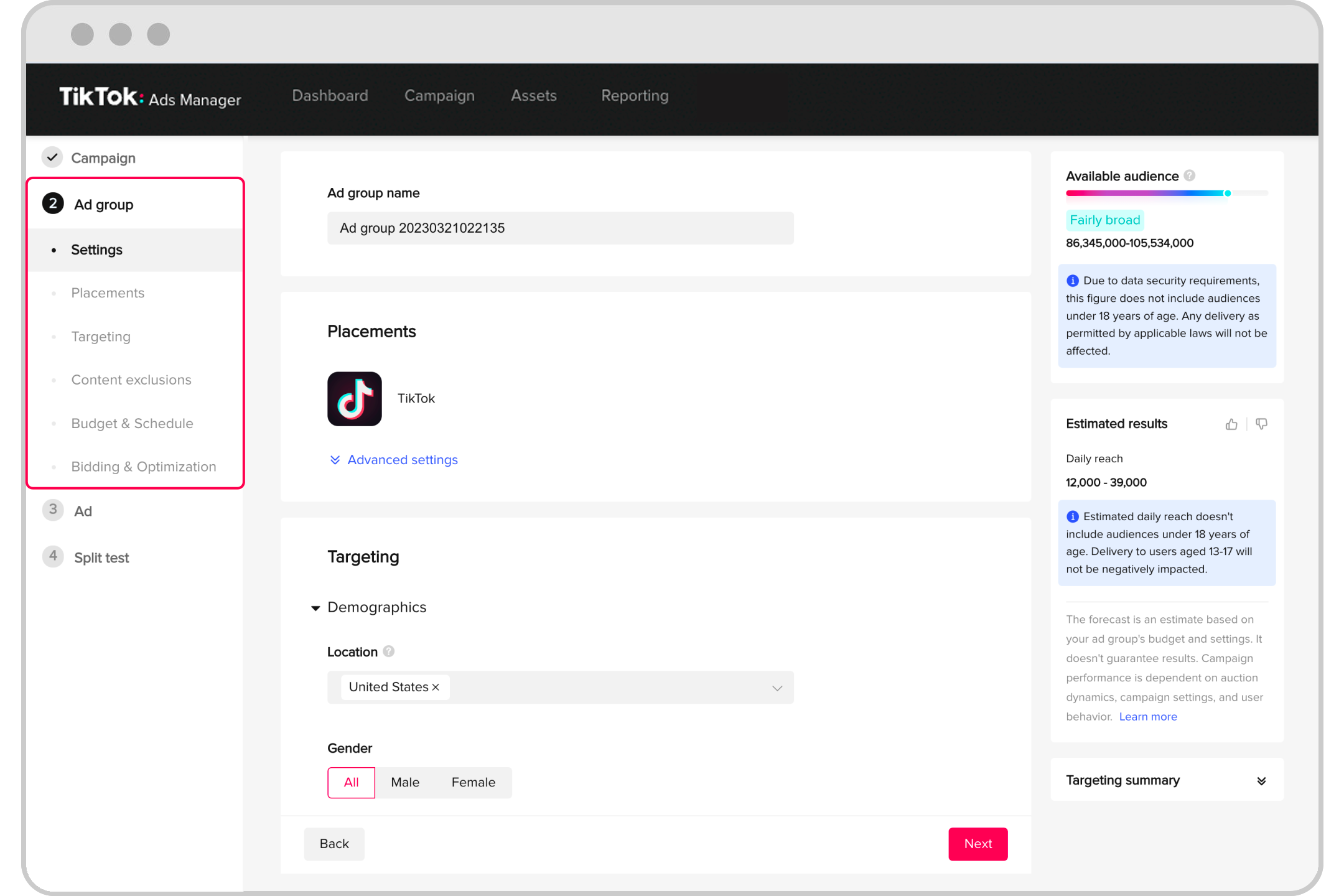
TikTok has become a powerhouse for brands looking to connect with audiences in a dynamic and engaging way. With its vast user base and unique algorithm, TikTok offers unparalleled opportunities for growth, engagement, and sales. However, to truly harness the platform's potential, brands must adopt a strategic approach to advertising. One of the most effective strategies is split testing—also known as A/B testing—which allows advertisers to compare different versions of their ads to determine which performs best.
In this guide, we’ll walk you through the essentials of split testing on TikTok, from setting up your campaigns to optimizing your results for maximum return on investment (ROI).
Understanding Split Testing on TikTok
Split testing is a method used to compare two or more variations of an ad to see which one performs better. This process involves creating multiple versions of your ad with slight differences in elements such as targeting, bidding, or creative content. By analyzing the performance of each variation, you can identify what works best and refine your strategy accordingly.
Why Split Testing Matters
- Optimize Ad Performance: By testing different elements, you can identify what resonates with your audience and improve your ad's effectiveness.
- Reduce Waste: Split testing helps you avoid spending money on underperforming ads by allowing you to focus on the best-performing ones.
- Gain Insights: You can gather valuable data about your audience’s preferences and behaviors, which can inform future campaigns.
[IMAGE: TikTok Ads Split Testing Guide for Maximum ROI]
Setting Up Your TikTok Ads Account
Before you can start split testing, you need to set up your TikTok Ads account. Here are the steps:
- Create a Business Account: If you haven’t already, sign up for a TikTok business account.
- Describe Your Business: Provide detailed information about your business, including your industry and target audience.
- Set Up Billing Information: Enter your payment details to enable ad spending.
- Choose Your Experience: Decide whether you want a basic or advanced experience based on your needs.
Once your account is set up, you can begin creating your first campaign.
[IMAGE: TikTok Ads Split Testing Guide for Maximum ROI]
Launching Your First TikTok Ad
Creating a successful TikTok ad involves several key steps:
- Select Your Campaign Objective: Choose from options like Reach, Traffic, Video Views, Lead Generation, Community Interaction, App Promotion, Website Conversions, or Product Sales.
- Define Your Target Audience: Use TikTok’s targeting tools to reach the right people. You can also create lookalike audiences to expand your reach.
- Choose Your Ad Format: Select the type of ad that best suits your goals, such as In-Feed Ads, TopView Ads, or Branded Hashtag Challenges.
- Create Your Ad Content: Develop engaging and relevant content that captures attention within the first few seconds. Use music, captions, and visuals to enhance your message.
- Set Your Budget and Schedule: Determine how much you’re willing to spend and when your ad will run.
- Upload Your Content: Add your video or image to the ad and ensure it meets TikTok’s specifications.
[IMAGE: TikTok Ads Split Testing Guide for Maximum ROI]
Conducting Split Tests
Once your initial campaign is set up, you can start conducting split tests. Here’s how to do it effectively:
1. Create a Split Test
- Go to the "Create" section in TikTok Ads Manager.
- Toggle “Create Split Test” under Settings at the campaign level.
- Complete the settings for Ad Group A (Control), ensuring the run dates are at least 7 days to gather a significant sample.
2. Choose a Variable to Test
- Select the variable you want to test, such as targeting, bidding, or creative content.
- Choose a key metric to compare the ad groups and determine a winner. Set a high daily budget for sufficient testing power.
3. Set Up Ad Group B (Test)
- Create Ad Group B with the same 7-day minimum run dates.
- Click "Complete" to finalize your split test.
4. Monitor and Analyze Results
- Track the performance of both ad groups using TikTok’s analytics tools.
- Compare metrics such as click-through rate (CTR), cost per acquisition (CPA), and return on ad spend (ROAS) to determine which ad performs better.
[IMAGE: TikTok Ads Split Testing Guide for Maximum ROI]
Optimizing Your Campaigns
After conducting split tests, use the insights gained to optimize your campaigns:
1. Refine Your Targeting
- Use the data from your split tests to adjust your targeting parameters and reach the most relevant audience.
2. Improve Your Creative Content
- Based on the performance of your ad variations, refine your creative content to better resonate with your audience.
3. Adjust Bidding and Optimization
- Experiment with different bidding strategies and optimization settings to maximize your ROI.
4. Retargeting Strategies
- Use retargeting to reach users who have interacted with your content before. TikTok offers various retargeting options, including website retargeting, customer list retargeting, app activity retargeting, and engagement retargeting.
[IMAGE: TikTok Ads Split Testing Guide for Maximum ROI]
Conclusion
Split testing is a powerful tool that can significantly enhance your TikTok advertising efforts. By comparing different ad variations, you can gain valuable insights into what resonates with your audience and optimize your campaigns for maximum ROI. Whether you're a seasoned advertiser or just starting out, implementing a structured split testing strategy will help you navigate TikTok's dynamic landscape and achieve your marketing goals.
Remember, the key to success on TikTok lies in continuous experimentation, data analysis, and adaptation. By staying agile and responsive to your audience's preferences, you can unlock the full potential of TikTok advertising and drive meaningful growth for your brand.
[IMAGE: TikTok Ads Split Testing Guide for Maximum ROI]

Posting Komentar untuk "The Ultimate TikTok Ads Split Testing Guide for Maximum ROI"
Posting Komentar