
TikTok Ads Manager: A Complete Guide for Marketers
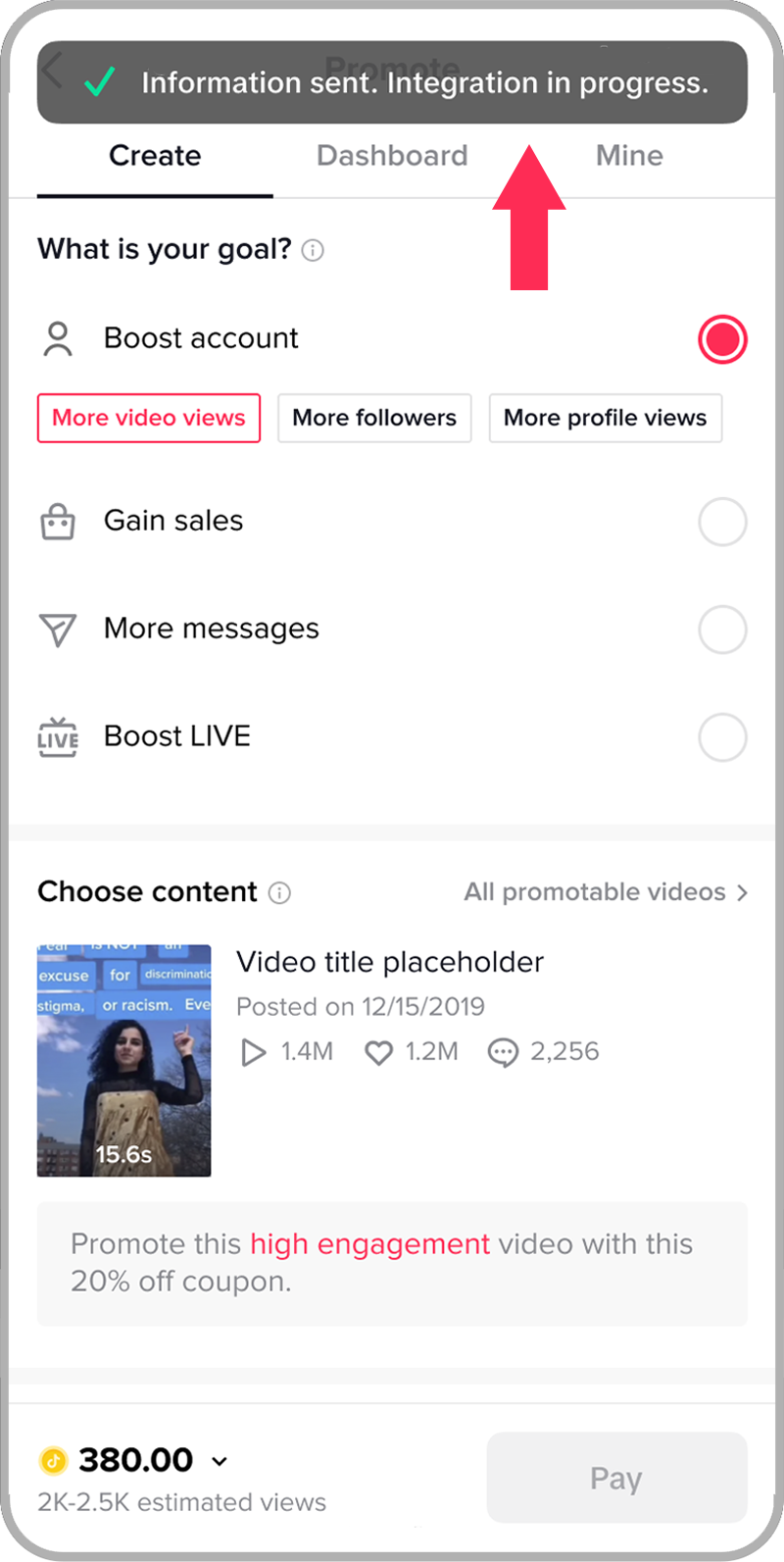
TikTok has evolved from a simple social media platform into a powerful marketing tool, offering businesses a unique way to connect with their target audience. With over 4.1 billion downloads globally, TikTok provides an unparalleled opportunity for brands to reach a vast and engaged user base. For marketers, understanding the TikTok Ads Manager is essential to leveraging this platform effectively.
Understanding TikTok Ads
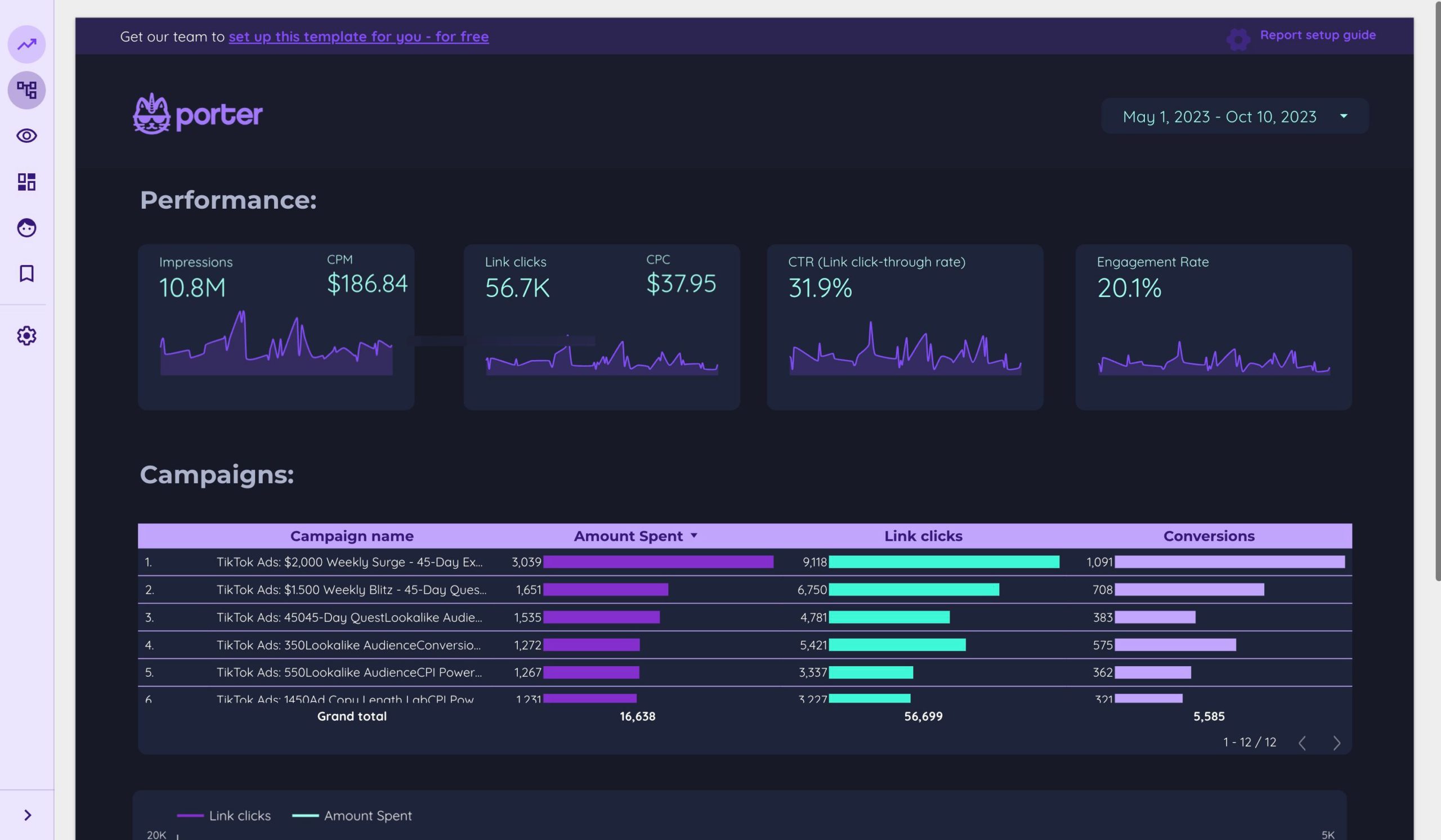
TikTok ads are short-form video advertisements that appear in users' feeds as they scroll through content. These ads can be up to 60 seconds long and come in various formats, including in-feed ads, Spark ads, Top View ads, and more. The key to success on TikTok lies in creating content that resonates with the audience, blending seamlessly with the organic content they already enjoy.
Types of TikTok Ads
- In-Feed Ads: These are short video ads that appear in users' "For You" feed. They typically last up to 15 seconds and can include links to websites or apps.
- Spark Ads: These boost organic content from any user’s account and blend with other TikTok content.
- Top View Ads: Full-screen ads that appear when users open the TikTok app, offering prominent placement.
- Hashtag Challenge Ads: Companies can create branded challenges, encouraging users to participate and generate content around a specific hashtag.
- Sound On Display Ads: Brands can create and promote their own augmented reality (AR) effects or filters.
- TikTok Shop Ads: These ads promote products directly within the app, allowing businesses to showcase and sell products.
Key Features of TikTok Ads Manager
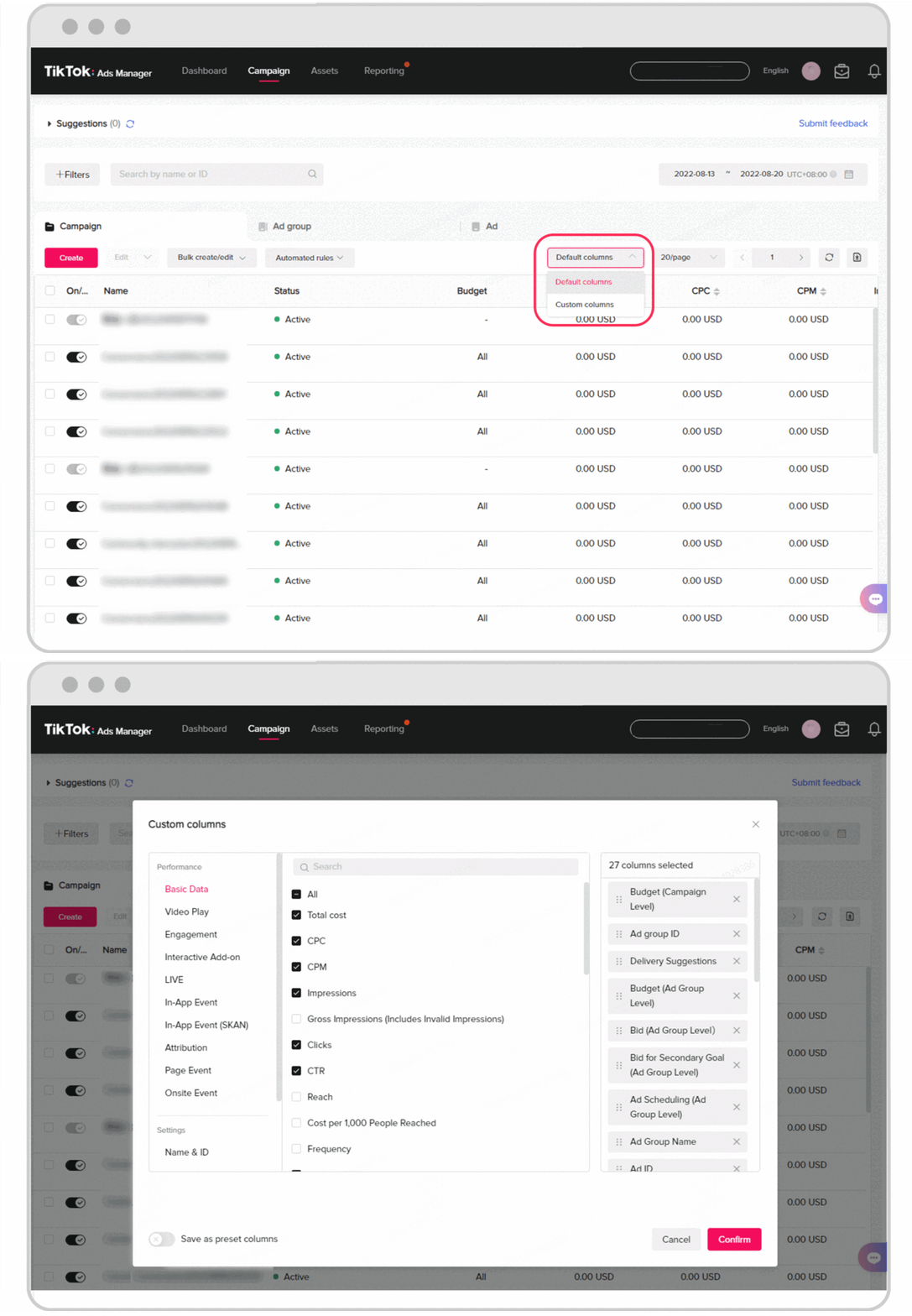
The TikTok Ads Manager is a comprehensive tool that allows marketers to create, manage, and track their advertising campaigns. Here are the key sections of the manager:
Dashboard
The dashboard provides an overview of your TikTok advertising data, including campaign performance, active campaigns, budgets, and more. It's the central hub for monitoring your ad efforts.
Campaign
Here, you can view and manage your campaigns, ad groups, and individual ads. Creating a new campaign involves setting objectives, budgets, and targeting parameters.
Library
The library is where you store and manage your advertising assets, including images, videos, and targeting settings. It helps keep your ad content organized and easily accessible.
Reporting
This section allows you to export detailed campaign reports, which can be scheduled for regular delivery or accessed on demand. Reports help in analyzing performance and making data-driven decisions.
How to Start a TikTok Ads Manager Account
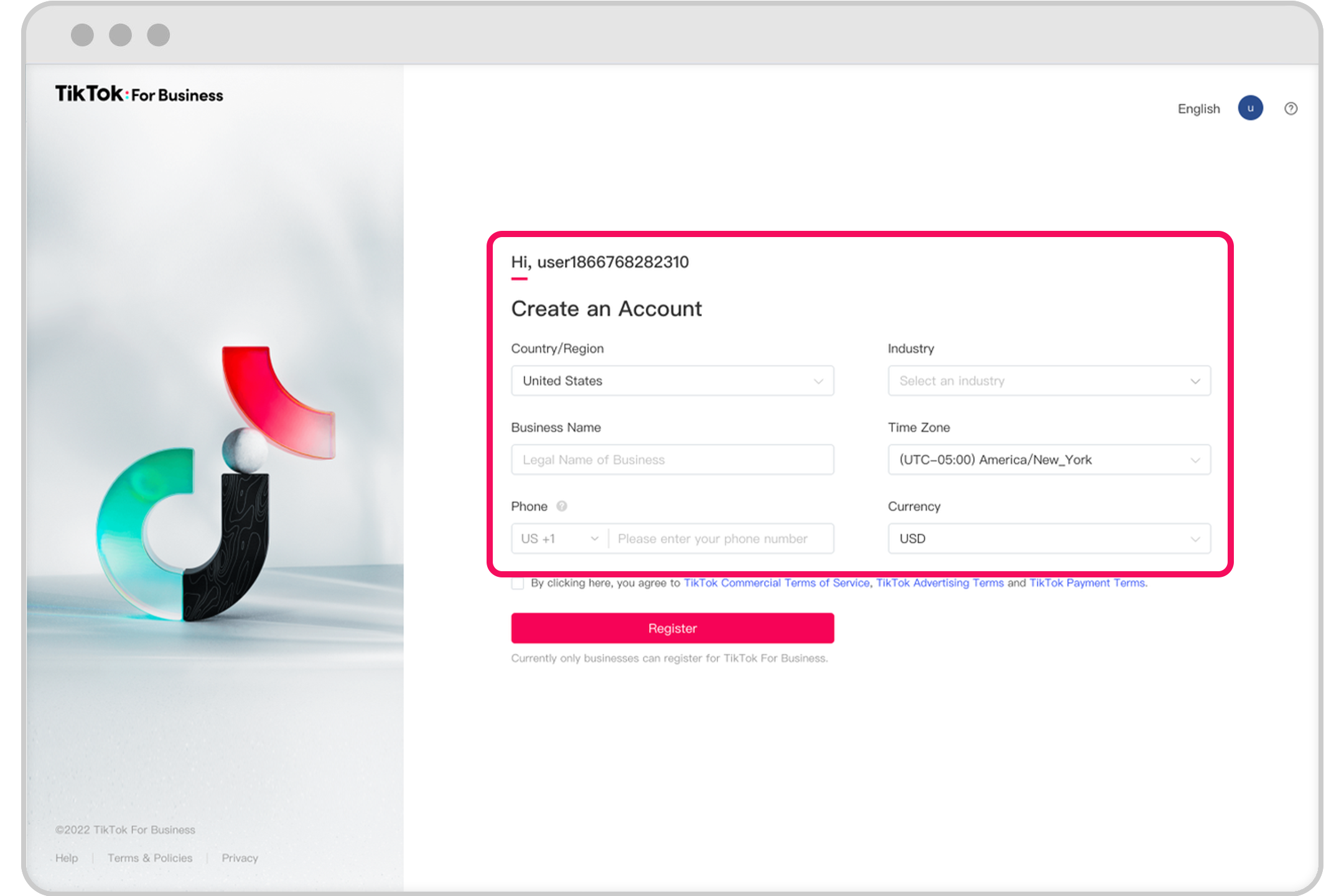
To start using TikTok Ads Manager, follow these steps:
- Create an Ad Account: Begin by setting up an ad account through the Business Help Center.
- Manage Multiple Accounts: If you need to manage more than one ad account, your sales representative can guide you through the process.
- Onboarding Guide: Refer to the comprehensive onboarding guide for detailed instructions on setting up your account.
Setting Up Your First Campaign
Creating a successful TikTok advertising campaign involves several steps:
Step 1: Create a Campaign
Log in to your TikTok Ads Manager and click on 'Campaign' to start a new campaign.
Step 2: Choose the Right Objective
Select your business objective, such as increasing website traffic, driving conversions, or attracting viewers to your video content.
Step 3: Set Up a Campaign Name and Budget
Determine your budget, choosing between No Limit, Daily Budget, or Lifetime Budget options.
Step 4: Set Up an Ad Group
Create ad groups by selecting placements, ad details, targeting, budget, bidding method, and delivery type.
Step 5: Create an Ad
Upload your ad content, select a cover image, enter an ad name, add ad text, and choose a call-to-action.
Monitoring Ad Performance
After launching your ad, it's crucial to monitor its performance. Use the Ads Manager to track metrics such as reach, engagement, and conversion rates. Regularly review your campaign data to optimize your strategy and improve results.
Conclusion
TikTok Ads Manager offers a powerful platform for marketers to connect with their target audience. By understanding the different ad formats, leveraging the tools provided, and continuously optimizing your campaigns, you can effectively utilize TikTok for your business. Whether you're a startup or an established brand, TikTok provides a cost-effective and creative way to reach a global audience. Start your TikTok advertising journey today and unlock new opportunities for growth.

Posting Komentar untuk "TikTok Ads Manager: A Complete Guide for Marketers"
Posting Komentar