
TikTok Ads Quick Start Guide: How to Launch Your First Campaign in 2024
TikTok has become a powerful platform for businesses looking to connect with a vast and engaged audience. With over 1 billion active users, the app offers a unique opportunity to reach Gen Z and millennial demographics through short-form video content. However, navigating TikTok's advertising ecosystem can be daunting for beginners. This quick start guide will walk you through the essential steps to launch your first TikTok ad campaign in 2024.

Step 1: Understand TikTok Ads Basics

Before diving into creating your first campaign, it's crucial to understand how TikTok ads work. TikTok offers several ad formats, including:
- In-Feed Ads: These appear in users' For You pages and look like regular videos.
- Brand Takeover Ads: Full-screen ads that appear when users open the app.
- Spark Ads: Short, engaging videos that appear in the For You page.
- Branded Hashtag Challenges: Encourage users to create content using a specific hashtag.
Each ad format has its own benefits and use cases. For example, In-Feed Ads are great for brand awareness, while Brand Takeover Ads are ideal for maximum visibility.
Step 2: Set Up Your TikTok Business Account
To run ads on TikTok, you need a business account. Here's how to set one up:
- Download the TikTok app and log in with your personal account.
- Go to your profile and tap the three dots (•••) in the top right corner.
- Select "Switch to Pro Account" and follow the prompts to convert your account to a business account.
- Verify your business by providing necessary information such as your business name, address, and phone number.
Once your business account is set up, you'll have access to TikTok's Ads Manager, where you can create and manage your campaigns.
Step 3: Define Your Campaign Objectives
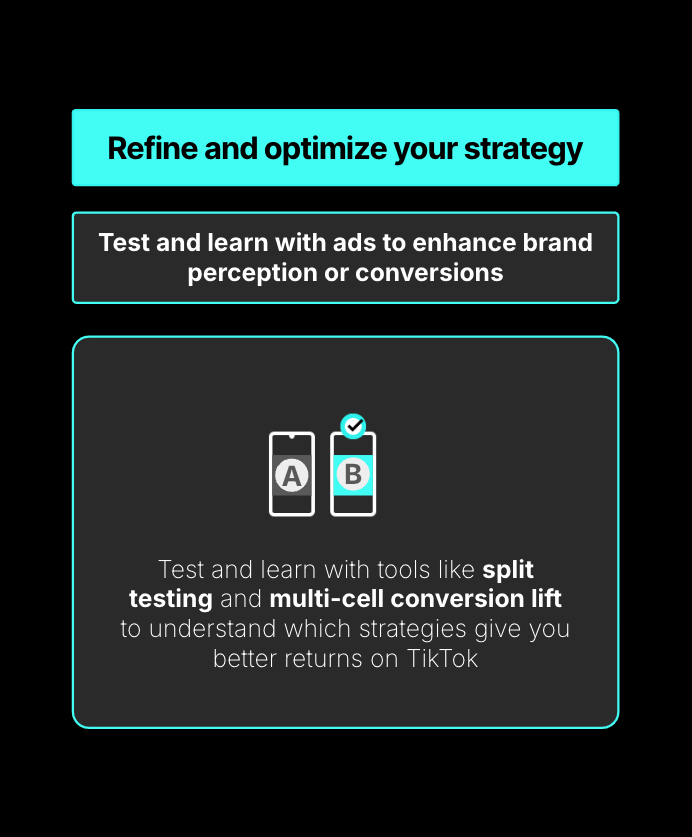
TikTok offers several campaign objectives to help you achieve your marketing goals. Common objectives include:
- Brand Awareness: Increase visibility and recognition of your brand.
- Consideration: Drive traffic to your website or app.
- Conversions: Encourage users to take specific actions, such as making a purchase or signing up for a newsletter.
Choose an objective that aligns with your overall marketing strategy. For example, if you're launching a new product, the "Consideration" objective might be more appropriate to drive traffic to your website.
Step 4: Choose Your Target Audience

TikTok allows you to target your ads based on various criteria, including:
- Demographics: Age, gender, location, and language.
- Interests: Based on users' preferences and behaviors.
- Behaviors: Based on users' past interactions with your brand or similar brands.
- Custom Audiences: Upload your existing customer data to target specific groups.
Use these targeting options to narrow down your audience and ensure your ads reach the right people. For example, if you're targeting young adults, you might focus on users aged 18-34 who are interested in fashion or technology.
Step 5: Create Your Ad Content

Creating compelling ad content is crucial for capturing users' attention. Here are some tips for creating effective TikTok ads:
- Hook Users in the First Few Seconds: The first few seconds of your video are critical. Use eye-catching visuals and a strong opening to grab viewers' attention.
- Keep It Short and Engaging: TikTok users have short attention spans, so keep your videos concise and focused on your message.
- Use Trending Sounds and Hashtags: Incorporate popular sounds and hashtags to increase the chances of your video being discovered.
- Include a Clear Call-to-Action: Encourage users to take a specific action, such as visiting your website or following your account.
Step 6: Set Your Budget and Schedule
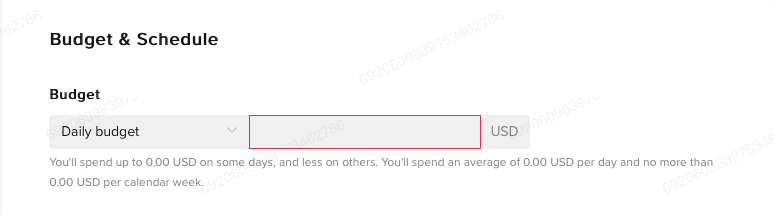
TikTok allows you to set a daily or total budget for your campaigns. Here's how to set your budget:
- Log in to TikTok Ads Manager.
- Select "Create Campaign" and choose your campaign objective.
- Set your budget by selecting either a daily or total budget.
- Choose your ad schedule by selecting the start and end dates for your campaign.
It's important to monitor your budget closely and adjust it as needed based on performance. For example, if your ad is performing well, you might consider increasing your budget to maximize reach.
Step 7: Monitor and Optimize Your Campaign

Once your campaign is live, it's essential to monitor its performance and make adjustments as needed. Key metrics to track include:
- Impressions: The number of times your ad was shown.
- Click-Through Rate (CTR): The percentage of users who clicked on your ad.
- Conversion Rate: The percentage of users who completed a desired action after clicking on your ad.
- Cost Per Click (CPC): The average cost for each click on your ad.
Use these metrics to identify what's working and what needs improvement. For example, if your CTR is low, you might need to refine your ad content or targeting.
By following these steps, you can effectively launch your first TikTok ad campaign in 2024. Remember to stay consistent, experiment with different strategies, and continuously optimize your campaigns based on performance data. With the right approach, TikTok can be a valuable tool for growing your brand and reaching your target audience.

Posting Komentar untuk "TikTok Ads Quick Start Guide: How to Launch Your First Campaign in 2024"
Posting Komentar