
TikTok Ads Reporting Explained: A Complete Guide for Marketers
In the ever-evolving digital marketing landscape, TikTok has emerged as a powerful platform for brands to connect with their audiences. However, the success of TikTok ads hinges on understanding and effectively utilizing the platform’s reporting tools. For marketers, mastering TikTok Ads reporting is essential to optimize campaigns, measure performance, and drive meaningful results. This guide will walk you through the key aspects of TikTok Ads reporting, from tracking metrics to leveraging insights.
Understanding TikTok Ads Metrics
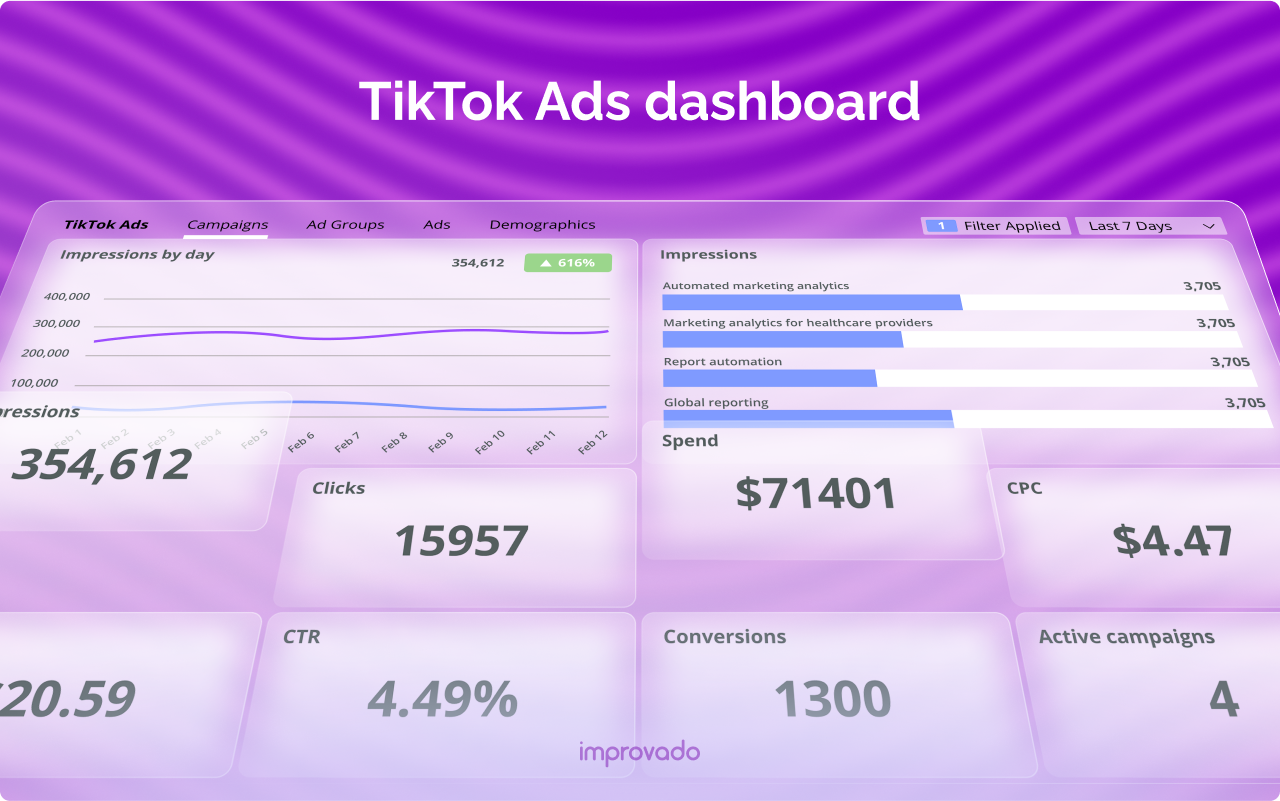
TikTok Ads metrics are the data points that help you evaluate how your ad campaigns are performing. These metrics include impressions, reach, clicks, conversion rates, and more. By analyzing these numbers, you can gain valuable insights into what's working and what needs improvement.
Key Metrics to Track:
- Impressions: The number of times your ad is shown.
- Reach: The number of unique users who saw your ad.
- Frequency: How often the average user saw your ad.
- Clicks (Destination): The number of users who clicked on your ad.
- CTR (Click-Through Rate): The percentage of users who clicked after seeing your ad.
- CPC (Cost per Click): The cost for each click on your ad.
- CPM (Cost per Thousand Impressions): The cost for every 1,000 impressions.
- CPV (Cost per View): The cost for each video view.
- CPA (Cost per Action): The cost for each conversion.
- CVR (Conversion Rate): The percentage of users who converted after clicking.
- ROAS (Return on Ad Spend): The revenue earned per dollar spent on ads.
Why Tracking TikTok Ads Metrics Matters

Tracking TikTok Ads metrics is crucial for several reasons:
- Improve Ads Performance: By monitoring metrics, you can identify what's working and what's not, allowing you to make data-driven decisions.
- Cut Down Promotional Costs: Understanding your metrics helps you allocate your budget more efficiently, ensuring you get the most out of your ad spend.
- Optimize Campaigns: With the right metrics, you can adjust your strategies in real-time to improve campaign effectiveness.
By focusing on these metrics, you can ensure that your TikTok ads are not only reaching the right audience but also driving the desired outcomes.
Key Metrics to Track in 2026
Here are the 11 most important TikTok metrics to track in 2026:
- Impressions
- What It Shows: How many times your ad is shown.
-
Benchmark: No fixed benchmark; monitor alongside frequency.
-
Reach
- What It Shows: How many different people saw your ad.
-
Benchmark: Aim for 10,000–50,000 for test campaigns and 100,000+ for brand awareness.
-
Frequency
- What It Shows: How often the average user saw your ad.
-
Benchmark: 3–7 for awareness campaigns, 5–7 for conversion-focused campaigns.
-
Clicks (Destination)
- What It Shows: How many users clicked on your ad.
-
Benchmark: Use CTR as a better reference.
-
CTR (Click-Through Rate)
- What It Shows: The percentage of users who clicked after seeing your ad.
-
Benchmark: Average 0.84%, with 1.5–3% for In-Feed Ads.
-
CPC (Cost per Click)
- What It Shows: The cost for each click on your ad.
-
Benchmark: $0.20–$0.99 depending on source and format.
-
CPM (Cost per Thousand Impressions)
- What It Shows: The cost for every 1,000 impressions.
-
Benchmark: $3.21 average; up to $10+ during holidays.
-
CPV (Cost per View)
- What It Shows: The cost for each video view.
-
Benchmark: $0.10–$0.30 typical.
-
CPA (Cost per Action)
- What It Shows: The cost for each conversion.
-
Benchmark: $10–$30 for e-commerce; $20–$50 for lead gen.
-
CVR (Conversion Rate)
- What It Shows: The percentage of users who converted after clicking.
- Benchmark: 2.5% average; can reach 5–10%.
-
ROAS (Return on Ad Spend)
- What It Shows: The revenue earned per dollar spent on ads.
- Benchmark: 2.0+ break-even; 3–4 good; 5+ during strong promotions.
Tools for Tracking TikTok Ads Metrics
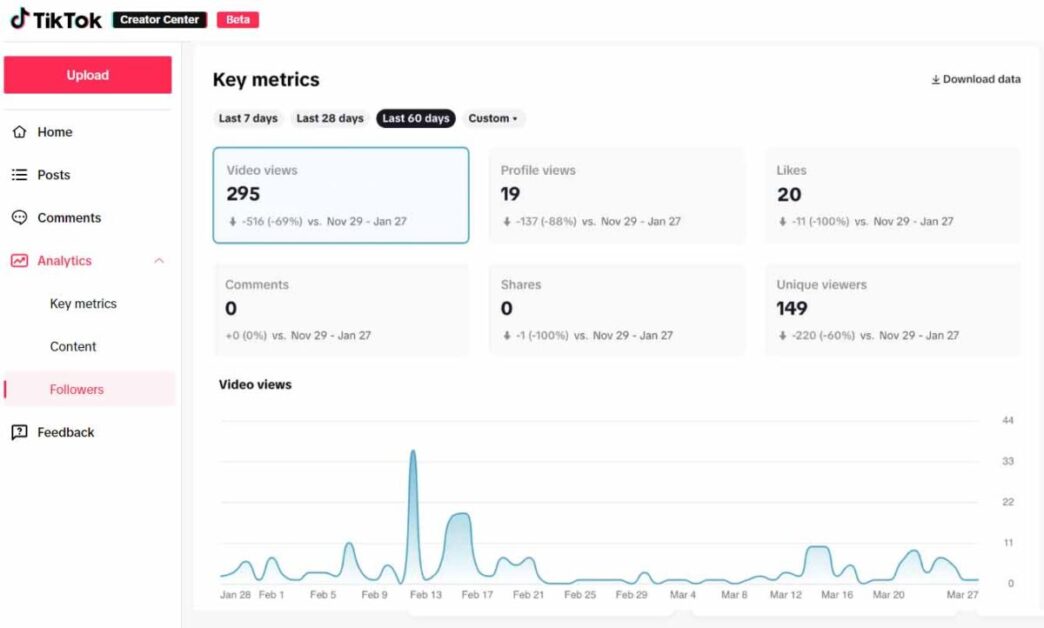
To accurately measure your TikTok ads performance, you need the right tools. Here are the main ones:
- TikTok Ads Manager
-
The primary tool for tracking campaign performance, offering access to all key metrics like impressions, clicks, CTR, CPM, CPC, CVR, ROAS, and more.
-
TikTok Pixel
-
A tool that lets you measure user actions after they click on your ads, such as viewing a product, adding to cart, or making a purchase.
-
TikTok Events API
- Works alongside or in place of the Pixel to track conversion events more accurately by sending data directly from your server to TikTok.
Common Issues with TikTok Ads Metrics and Fixes
If your TikTok Ads metrics aren’t showing up in the dashboard, here are some common issues and quick fixes:
- Attaching Reach-based Metrics
-
Fix: Ensure the “Total of” section is checked in the metrics dropdown.
-
Using Dimensions That Identify Users
-
Fix: Avoid overlapping dimensions when comparing raw totals.
-
Deleted Campaigns Not Included
- Fix: Include deleted items in your filters to ensure all data is displayed.
Final Thoughts
Understanding and effectively using TikTok Ads reporting is essential for any marketer looking to maximize their ROI on the platform. By tracking the right metrics, leveraging the appropriate tools, and addressing common issues, you can ensure that your TikTok ads are not only reaching the right audience but also driving the desired results. As TikTok continues to evolve, staying informed and adaptable will be key to your success.

Posting Komentar untuk "TikTok Ads Reporting Explained: A Complete Guide for Marketers"
Posting Komentar