
TikTok Pixel Installation: A Complete Guide for Marketers
In today's digital marketing landscape, TikTok has emerged as a powerful platform for reaching audiences and driving conversions. For marketers, the TikTok Pixel is an essential tool that allows you to track user actions, measure ad effectiveness, and optimize your campaigns. Whether you're running a B2C or B2B campaign, understanding how to install and use the TikTok Pixel can significantly enhance your advertising strategy.
Understanding the TikTok Pixel
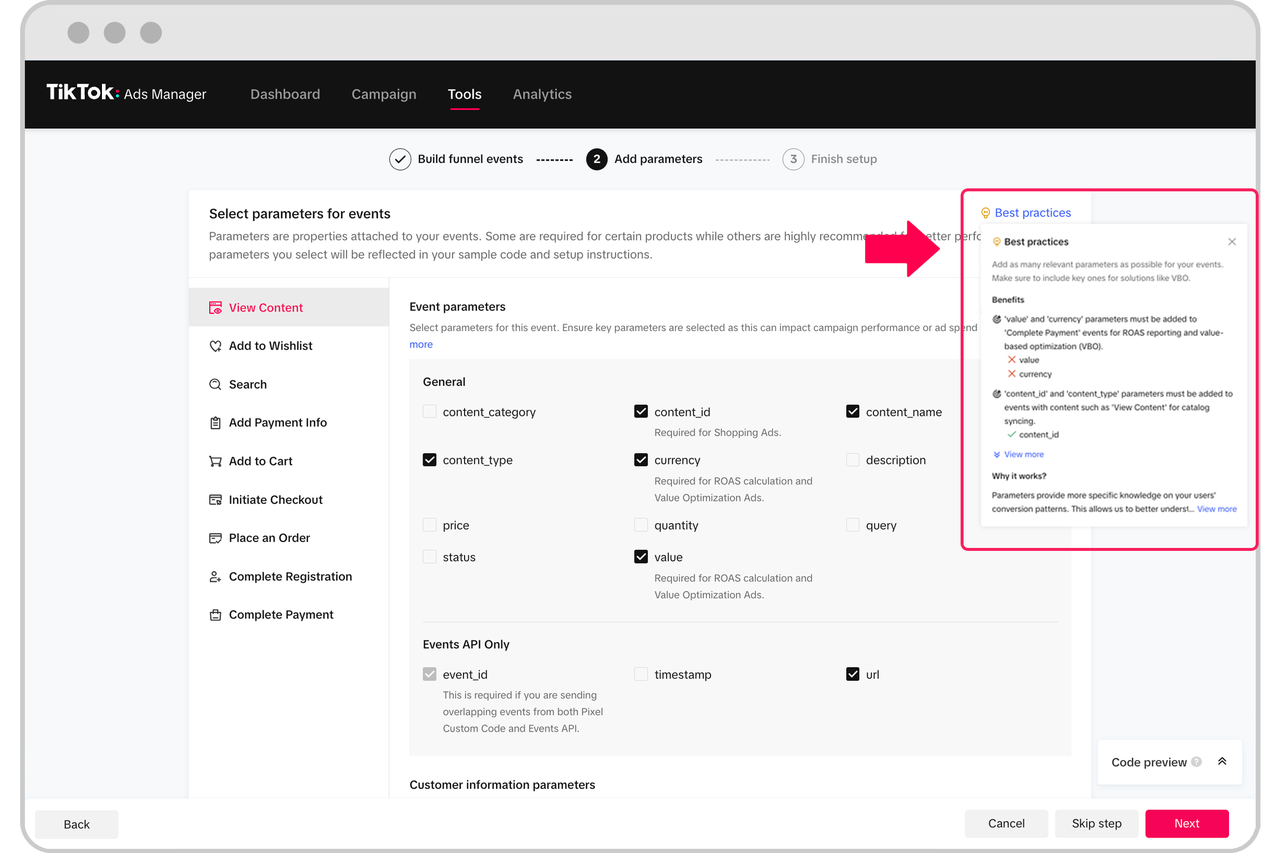
The TikTok Pixel is a small piece of code that you place on your website to track user interactions with your ads. It captures data such as page views, form submissions, purchases, and more, allowing you to understand how users engage with your content and which ads are performing best. This data is crucial for optimizing your ad campaigns, building custom audiences, and improving your return on investment (ROI).
Why Use the TikTok Pixel?
- Conversion Tracking: Measure the effectiveness of your ads by tracking key actions like purchases, sign-ups, and form submissions.
- Audience Building: Create custom and lookalike audiences based on user behavior.
- Ad Optimization: Use data insights to refine your ad targeting and improve performance.
- Retargeting: Reach users who have previously interacted with your website but didn't complete a desired action.
Step-by-Step Guide to Installing the TikTok Pixel

Step 1: Set Up Your TikTok Pixel
- Log in to TikTok Ads Manager at ads.tiktok.com.
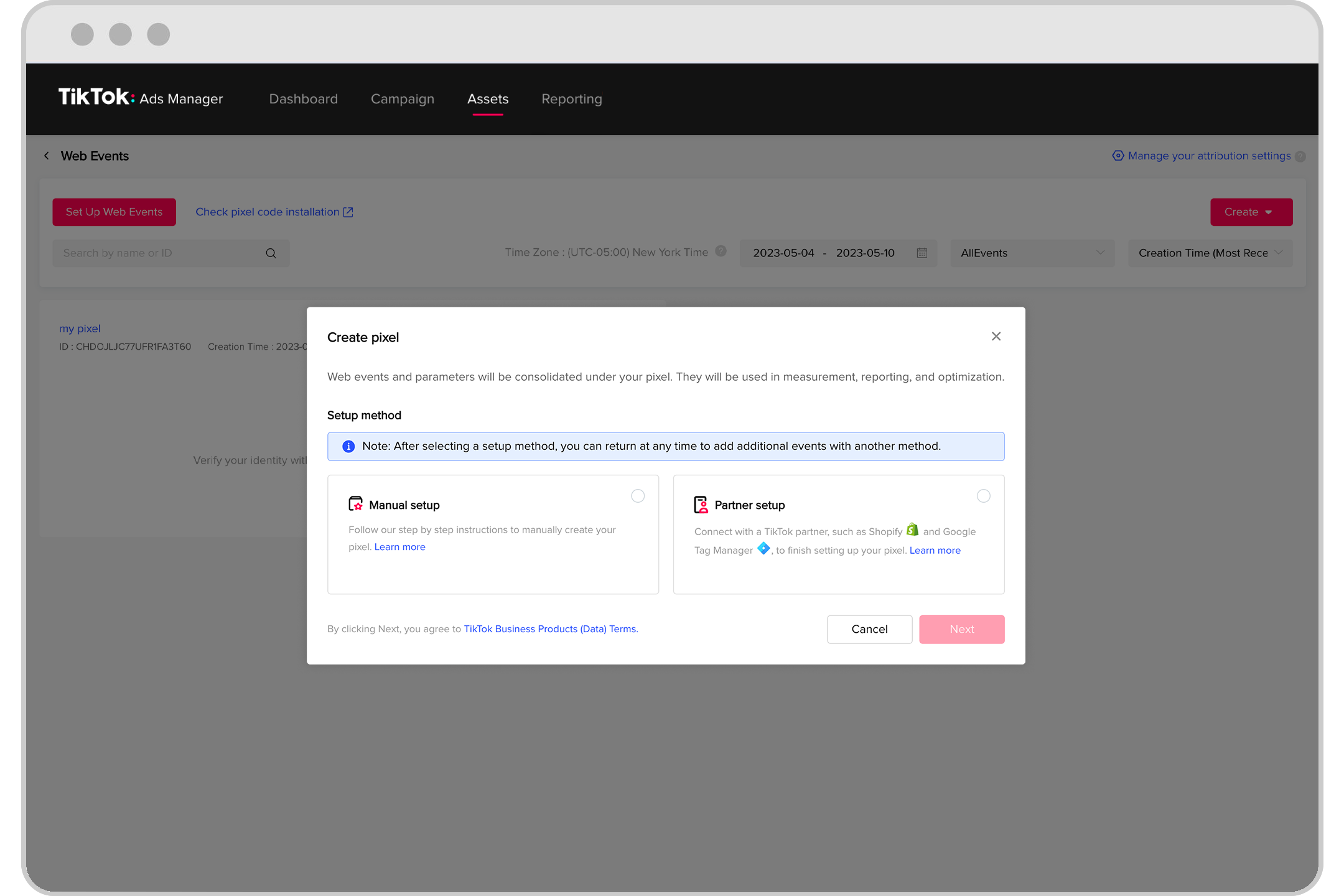
- Navigate to Assets > Events > Web Events.
- Click Manage and then Set Up Web Events.
- Enter your website’s name as the Pixel Name and choose TikTok Pixel from the options.
- Select Manually Install Pixel Code and continue.
- Choose Custom Code and hit Next to create the pixel.
Step 2: Copy the Pixel Code
Once you’ve created the pixel, you’ll be provided with a script similar to this:
<script> !function (w, d, t) { w.TiktokAnalyticsObject=t;var ttq=w[t]=w[t]||[];ttq.methods=["page","track","identify","instances","debug","on","off","once","ready","alias","group","enableCookie","disableCookie"],ttq.setAndDefer=function(t,e){t[e]=function(){t.push([e].concat(Array.prototype.slice.call(arguments,0)))}};for(var i=0;i<ttq.methods.length;i++)ttq.setAndDefer(ttq,ttq.methods[i]);ttq.instance=function(t){for(var e=ttq._i[t]||[],n=0;n<ttq.methods.length;n++)ttq.setAndDefer(e,ttq.methods[n]);return e},ttq.load=function(e,n){var i="https://analytics.tiktok.com/i18n/pixel/events.js";ttq._i=ttq._i||{},ttq._i[e]=[],ttq._i[e]._u=i,ttq._t=ttq._t||{},ttq._t[e]=+new Date,ttq._o=ttq._o||{},ttq._o[e]=n||{};var o=document.createElement("script");o.type="text/javascript",o.async=!0,o.src=i+"?sdkid="+e+"&lib="+t;var a=document.getElementsByTagName("script")[0];a.parentNode.insertBefore(o,a)}; ttq.load('16372837AHDJDTAYDJ181'); ttq.page(); }(window, document, 'ttq'); </script>
Step 3: Install the Pixel on Your Website
You can install the pixel manually by adding the code to your website’s header or through a tag management system like Google Tag Manager or Segment.com. Ensure that the Allow first-party cookie option is enabled and that Automatic advanced matching is turned on with Phone Number and Email options selected.
Step 4: Verify the Installation
After installing the pixel, use the TikTok Pixel Helper browser extension to verify that it’s working correctly. This tool will show you details about advanced matching and events fired, helping you confirm everything is set up properly without errors.
Tracking Standard Events
TikTok supports several standard events that you can track to monitor user behavior on your website. These include:
- ViewContent: When a user views a specific page.
- ClickButton: When a user clicks a button.
- Search: When a user performs a search.
- AddToWishlist: When a user adds an item to their wishlist.
- AddToCart: When a user adds an item to their cart.
- InitiateCheckout: When a user starts the checkout process.
- CompletePayment: When a user completes a payment.
- PlaceAnOrder: When a user places an order.
- Contact: When a user contacts you.
- Download: When a user downloads a file.
- SubmitForm: When a user submits a form.
- CompleteRegistration: When a user completes a registration.
- Subscribe: When a user subscribes to a newsletter.
To track any of these events, use the ttq.track() method:
ttq.track('CompleteRegistration');
Some events allow recommended parameters, so check TikTok’s documentation for more information.
Advanced Matching
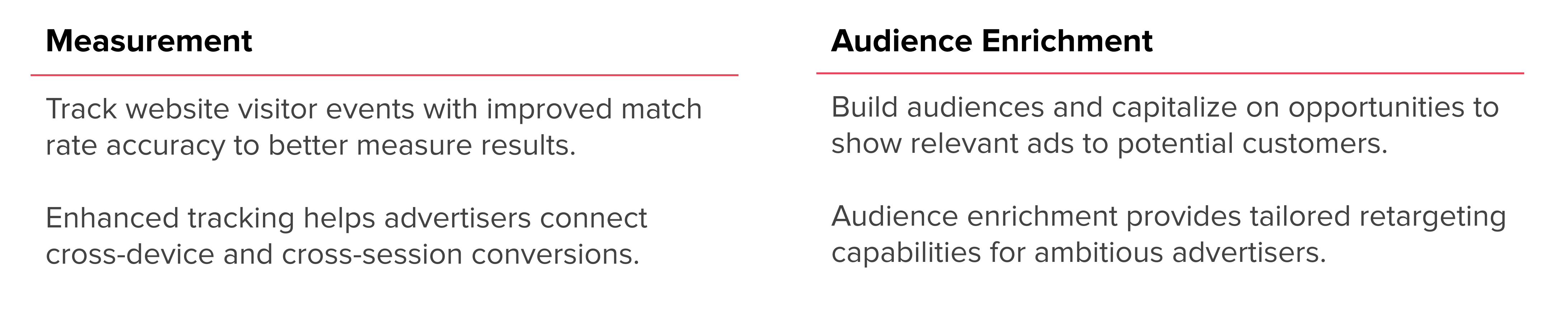
Advanced matching helps you identify users by sending encrypted customer data to TikTok. This improves ad targeting and attribution. You can use both manual and automatic advanced matching:
- Automatic Advanced Matching: Enable this in the TikTok Ads Manager.
- Manual Advanced Matching: Use the
ttq.identify()method to pass in a user’s phone number and email address when they’re collected.
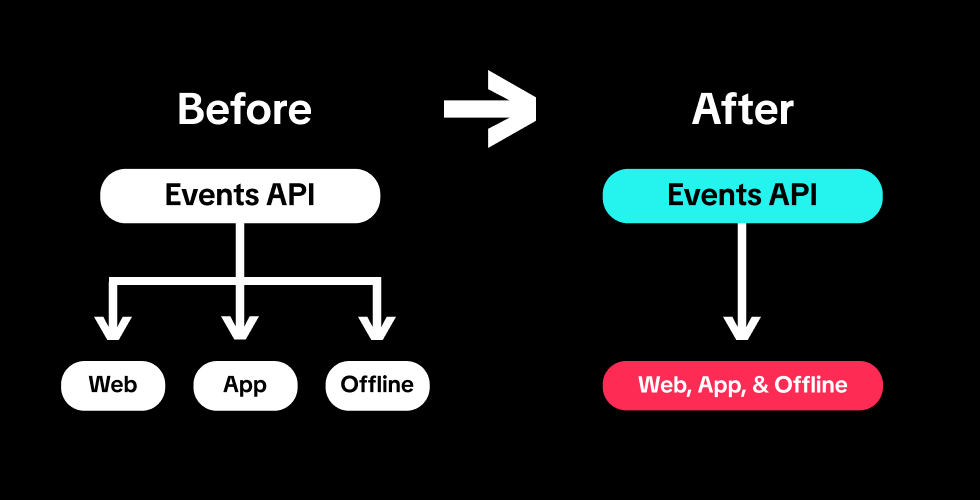
For server-side tracking, you can use the Events API to send event data directly to TikTok. This approach is more reliable, especially for users with ad blockers or privacy settings enabled.
Best Practices for TikTok Pixel Implementation
- Dual Tracking Strategy: Use both the client-side TikTok Pixel and the server-side Events API for more accurate tracking.
- Enable Advanced Matching: Improve audience targeting by enabling automatic and manual advanced matching.
- Use UTM Parameters: Track traffic sources and analyze campaign performance using UTM parameters.
- Test Regularly: Use the TikTok Pixel Helper to test and verify your installation regularly.
- Optimize Campaigns: Use the data collected by the pixel to refine your ad targeting and improve ROI.
Conclusion
Installing and using the TikTok Pixel is a critical step in maximizing the effectiveness of your TikTok advertising campaigns. By tracking user interactions, building custom audiences, and optimizing your ads, you can achieve better results and drive more conversions. With the right setup and strategies, the TikTok Pixel can become a powerful tool in your marketing arsenal.
Whether you're a seasoned marketer or just starting out, following this guide will help you get the most out of your TikTok advertising efforts. Start implementing the TikTok Pixel today and take your campaigns to the next level.

Posting Komentar untuk "TikTok Pixel Installation: A Complete Guide for Marketers"
Posting Komentar