
Understanding the Basic Functions of TikTok Ads Manager: A Complete Guide
TikTok has become a powerful platform for businesses looking to connect with Gen Z and Gen Alpha audiences. With over 1.5 billion monthly active users, it's no surprise that brands are leveraging TikTok Ads Manager to reach their target demographics effectively. This guide will walk you through the basic functions of TikTok Ads Manager, helping you understand how to create, manage, and optimize your ads on this dynamic platform.
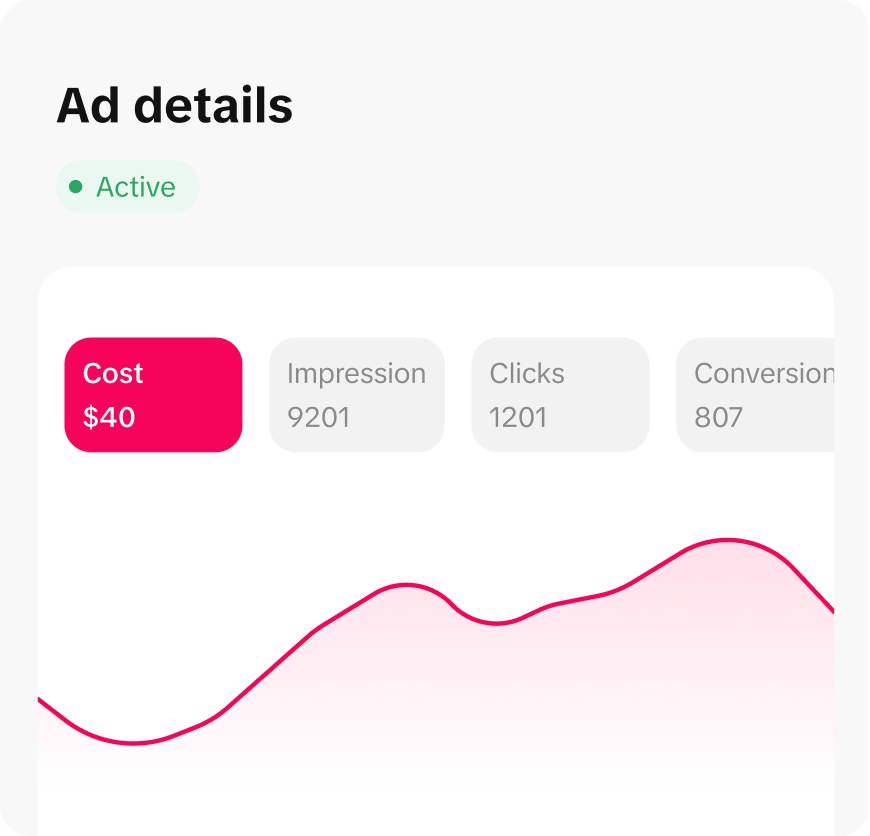
What is TikTok Ads Manager?
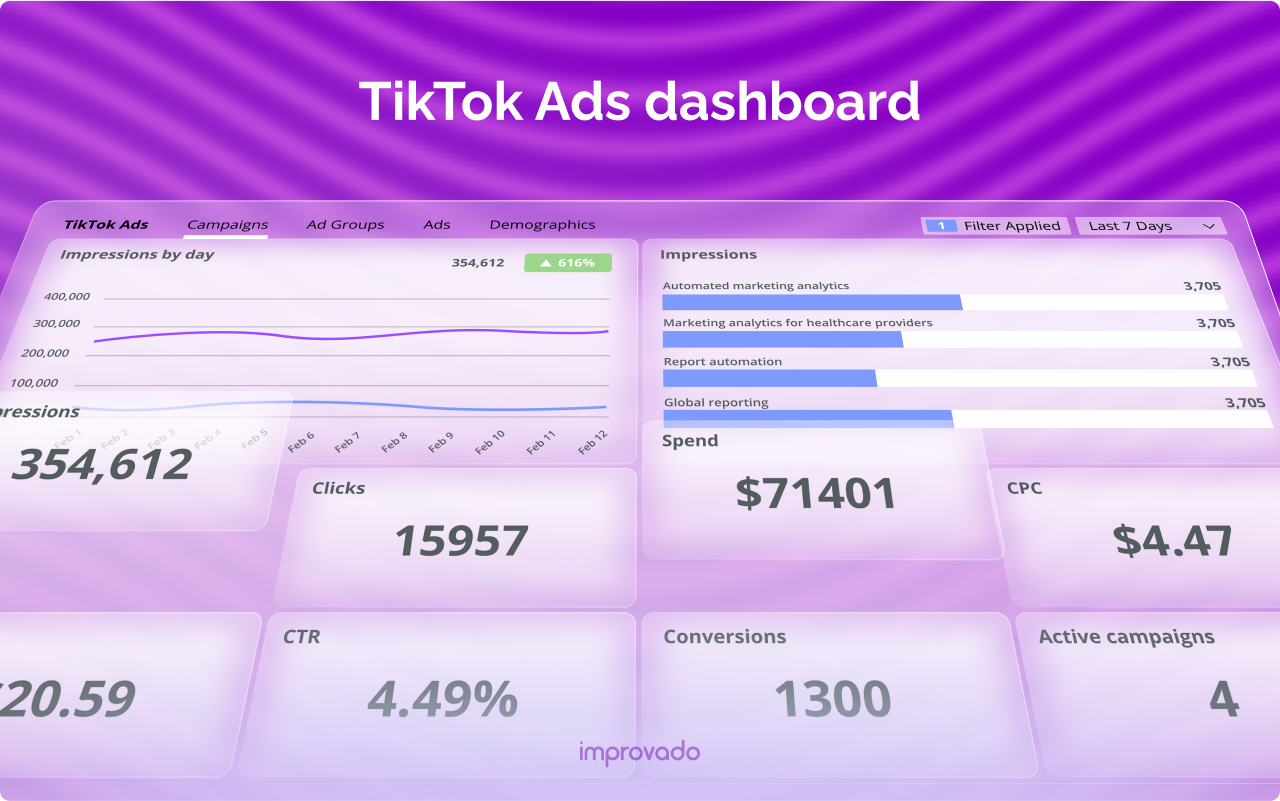
TikTok Ads Manager is a tool that allows businesses to create, manage, and track their advertising campaigns on TikTok. It provides a user-friendly interface where advertisers can set up their campaigns, choose targeting options, and monitor performance metrics. The platform supports various ad formats, including in-feed videos, branded hashtag challenges, and sponsored effects, making it versatile for different marketing goals.
Key Features of TikTok Ads Manager
1. Campaign Creation
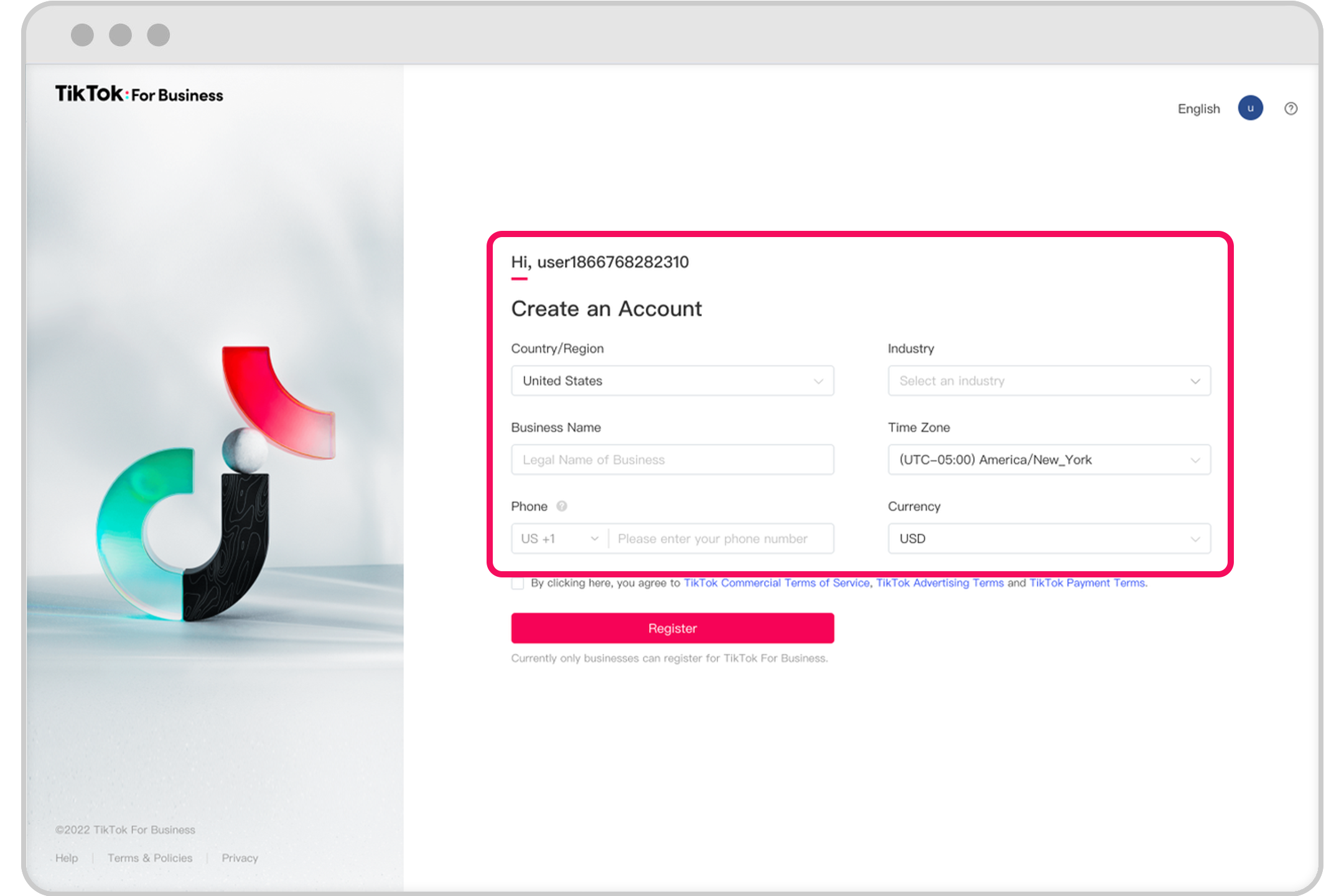
Creating a campaign on TikTok Ads Manager is straightforward. You can start by selecting your campaign objective, such as increasing traffic, driving community interaction, or generating website conversions. The platform offers a simplified mode for small to medium-sized businesses, making it easy to navigate without requiring technical expertise.
-
Step 1: Get a Business Account
Switch from a personal account to a business account to access advanced features and analytics. -
Step 2: Integrate with Shopify
If you have a Shopify store, integrate it with TikTok to streamline ad creation and manage your campaigns from one dashboard. -
Step 3: Open the TikTok Ads Manager
Access the Ads Manager via ads.tiktok.com using your business account credentials.
2. Audience Targeting
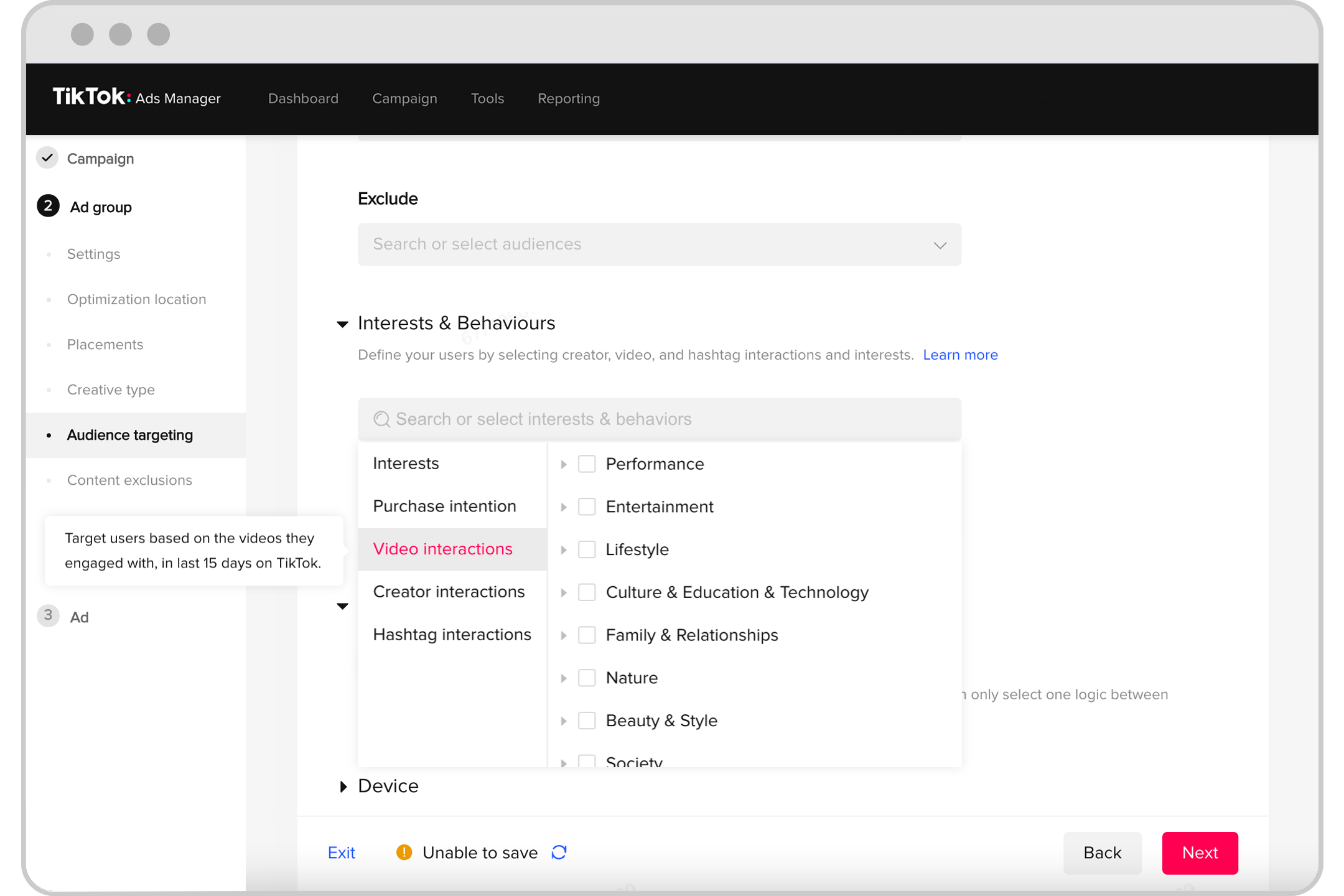
One of the most powerful features of TikTok Ads Manager is its ability to target specific audiences. You can define your audience based on demographics, interests, behaviors, and more. For instance, if you sell eco-friendly beauty products, you can target users who engage with content related to sustainable living or clean beauty.
- Custom Audiences: Create custom audiences based on user engagement with similar content or hashtags.
- Interest-Based Targeting: Target users based on their interests, such as fashion, cooking, or pets.
- Location and Language: Choose specific locations and languages to ensure your ads reach the right audience.
3. Budget and Schedule
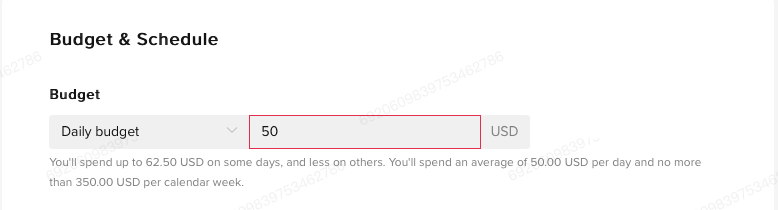
Setting a budget and schedule for your campaigns is essential. TikTok Ads Manager allows you to set daily or lifetime budgets for your ad groups. You can also choose between various bidding strategies, such as cost per click (CPC) or cost per thousand impressions (CPM).
- Minimum Budget Requirements: The minimum daily budget is $50 at the campaign level and $20 per ad group. However, for effective testing, a budget of $1,000 to $3,000 per month is recommended.
- Campaign Duration: Decide whether your campaign should run indefinitely or have a specific end date.
4. Ad Formats

TikTok Ads Manager supports multiple ad formats, each designed to achieve different marketing objectives:
- In-Feed Ads: These appear seamlessly within a user’s content feed and resemble native TikTok videos. They can be up to 60 seconds long and include a call-to-action button.
- TopView Ads: Premium full-screen placements that ensure your ad is the first video users see upon opening TikTok.
- Branded Hashtag Challenges: Encourage user-generated content (UGC) by creating custom hashtags that users can participate in.
- Branded Effects: Custom filters, lenses, and stickers that users can incorporate into their own TikTok videos.
- Spark Ads: Amplify existing organic content from your TikTok account or other users who have granted permission to promote their videos.
5. Analytics and Reporting
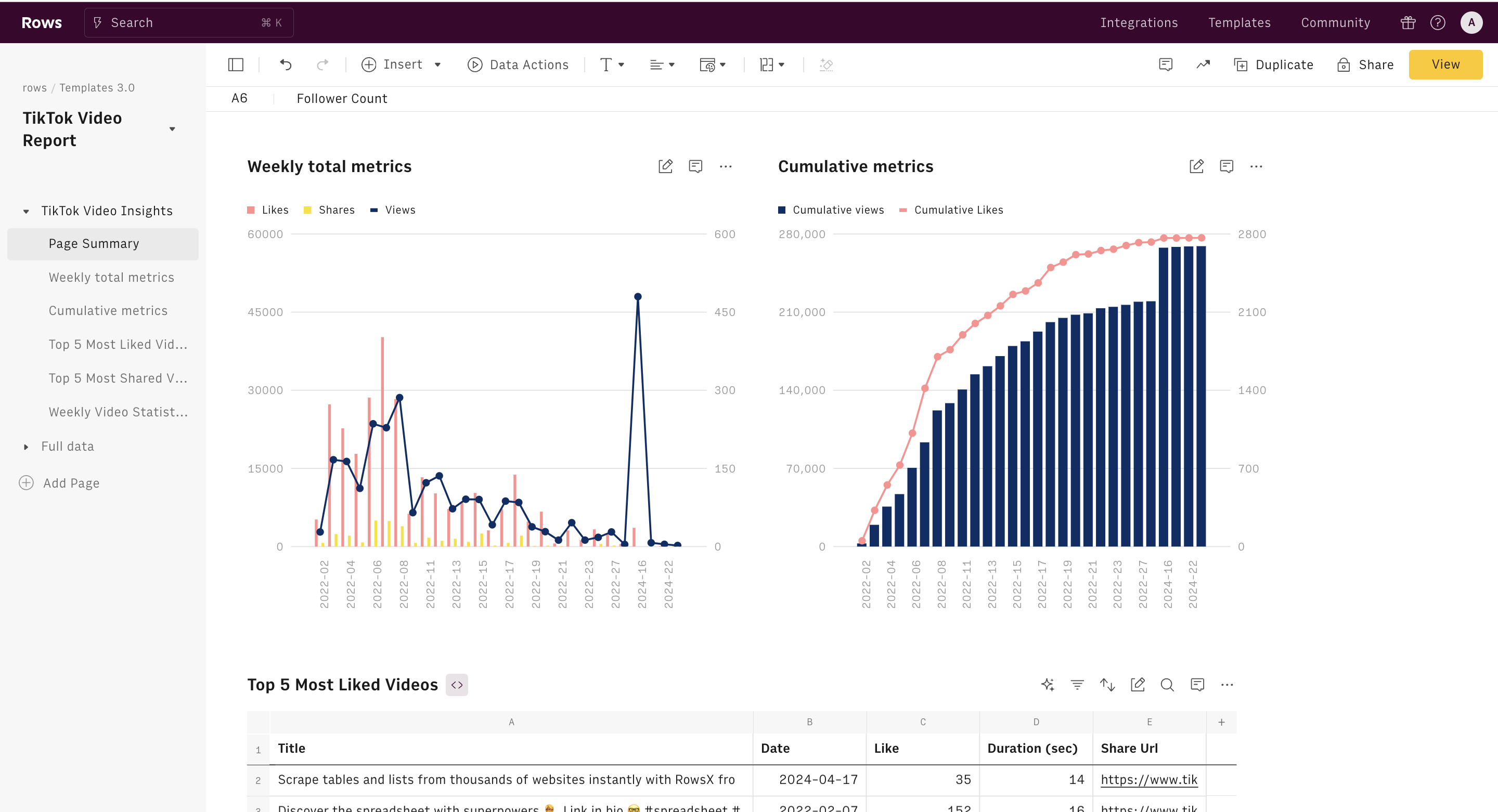
TikTok Ads Manager provides detailed analytics and reporting to help you track and measure campaign performance in real time. You can monitor key metrics such as impressions, clicks, conversions, and return on ad spend (ROAS). This data allows you to optimize your campaigns for better results.
- Real-Time Tracking: Monitor campaign performance as it happens.
- Performance Metrics: Track impressions, clicks, conversions, and ROAS.
- Optimization: Use insights to refine your targeting, creative, and bidding strategies.
Best Practices for Using TikTok Ads Manager
To maximize the effectiveness of your TikTok ads, consider the following best practices:
- Start with an Attention-Grabbing Hook: The first two seconds of your ad are crucial. Use trending sounds, visuals, and a strong hook to stop users from scrolling.
- Use Trending Sounds and Hashtags: Leverage popular TikTok trends to increase visibility and engagement.
- Leverage User-Generated Content: Encourage customers to create TikTok videos featuring your products and consider running branded hashtag challenges.
- Partner with Influencers: Collaborate with TikTok influencers to reach new audiences and add credibility to your campaigns.
- Provide a Compelling Offer: Feature discounts or limited-time offers to drive sales and increase click-through rates.
Conclusion
TikTok Ads Manager is a powerful tool that enables businesses to create, manage, and optimize their advertising campaigns on TikTok. By understanding its basic functions and implementing best practices, you can effectively reach your target audience and drive growth for your business. Whether you're a small business owner or a large enterprise, TikTok Ads Manager offers the flexibility and features needed to succeed in the ever-evolving digital marketing landscape. Start exploring the possibilities today and unlock the potential of TikTok advertising for your brand.

Posting Komentar untuk "Understanding the Basic Functions of TikTok Ads Manager: A Complete Guide"
Posting Komentar